
The Cash App card, a debit card linked directly to your Cash App balance, offers a seamless way to spend your funds both online and in physical stores. As its popularity grows, understanding how to effectively manage and replenish its balance becomes essential. This guide will walk you through the various methods of adding money to your Cash App card, empowering you to utilize its full potential without interruption. Whether you’re looking for the quickest instant deposit or a more traditional bank transfer, we’ll cover it all, ensuring you’re always prepared for your next transaction.

Understanding Your Cash App Card and Balance
Before diving into the specifics of adding funds, it’s crucial to have a clear understanding of what the Cash App card represents and how its balance works. The Cash App card is a Visa debit card that draws directly from your Cash App account balance. This means that any money you add to your Cash App account is immediately available for use with your card. Unlike traditional credit cards, the Cash App card does not involve borrowing money; it’s a prepaid-style debit card where you can only spend the funds you have deposited.
The Cash App Ecosystem
Cash App, developed by Square, Inc., is more than just a payment platform; it’s a financial ecosystem designed to simplify your money management. At its core, it allows peer-to-peer payments, but it has expanded to include features like direct deposit, stock investing, Bitcoin trading, and of course, the Cash App card. Your Cash App balance acts as a central hub for all these activities. When you add money, you’re essentially topping up this central account, making those funds accessible through various means, including your linked Cash App card.
How the Cash App Card Works
The Cash App card operates like any other debit card. When you make a purchase, the amount is deducted from your Cash App balance in real-time. This immediate deduction ensures that you always know your available spending power. The card is particularly convenient for online shopping, paying bills, and withdrawing cash from ATMs (though ATM fees may apply depending on your Cash App subscription and the ATM). The ability to add funds directly to your Cash App account, which then powers your card, is a key feature that contributes to its widespread adoption.
Primary Methods for Adding Funds to Your Cash App
Cash App provides several convenient and accessible methods for you to add money to your account, and subsequently, to your Cash App card. These methods cater to different user preferences, ensuring that you can choose the option that best suits your immediate needs and banking habits.
Instant Deposit from Linked Bank Account
One of the most popular and straightforward ways to add money to your Cash App is through an instant deposit from a linked bank account. This method offers immediate access to your funds, making it ideal for when you need to use your Cash App card right away.
Linking Your Bank Account
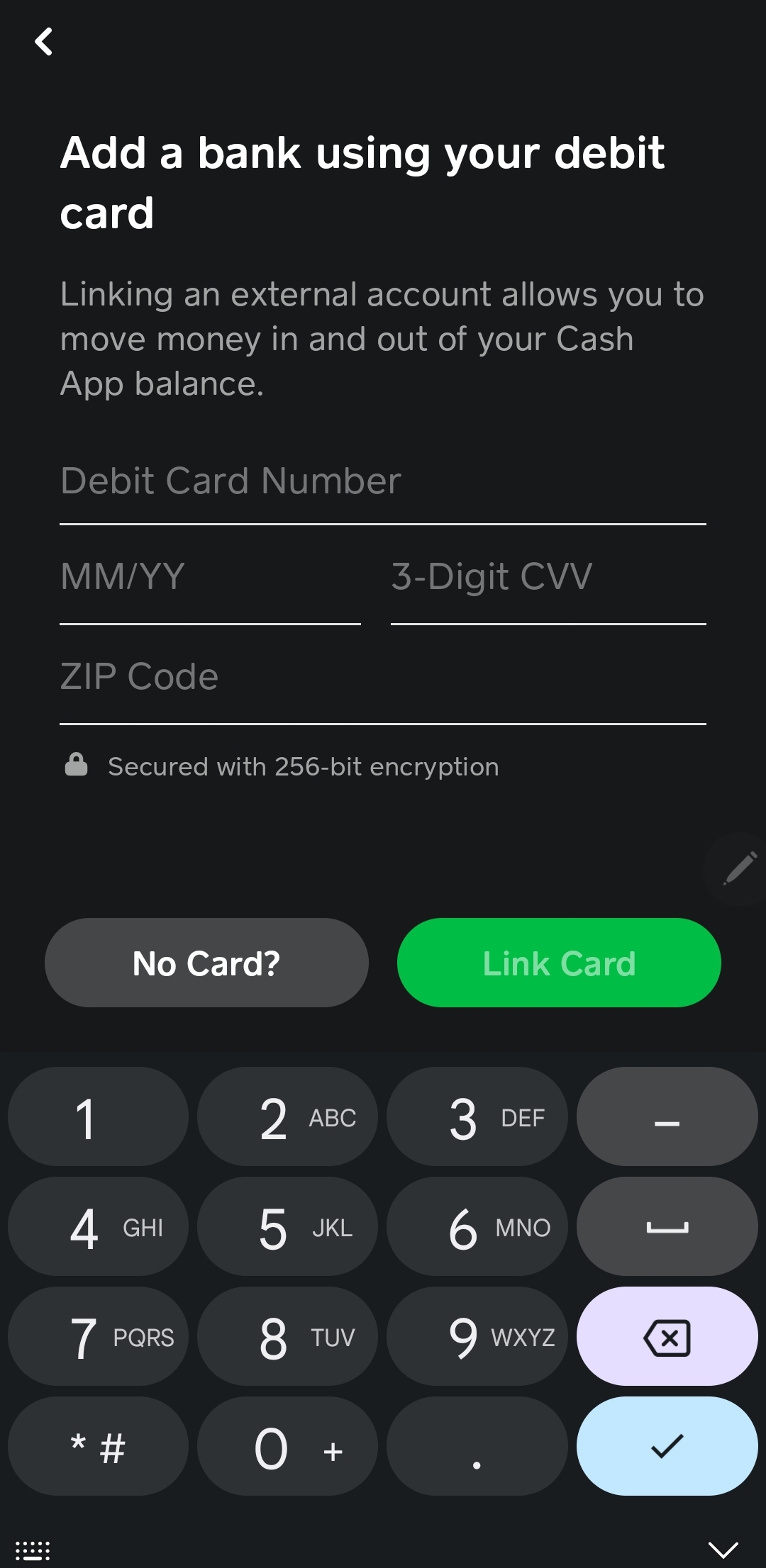
To utilize instant deposit, you first need to link your preferred bank account to your Cash App. This is a secure process that typically involves providing your bank account and routing numbers. Cash App uses these details to establish a direct connection, enabling seamless transfers. Once linked, you can initiate deposits directly within the app.
Initiating an Instant Deposit
Within the Cash App interface, navigate to your profile or the “Banking” tab. You’ll find an option to “Add Cash.” Here, you can select the amount you wish to deposit and choose your linked bank account as the source. Confirm the transaction, and within minutes, the funds will appear in your Cash App balance, ready for use with your card. It’s important to note that while this deposit is instant, there may be a small fee associated with instant transfers, which Cash App will clearly display before you confirm the transaction. Standard deposits, which are free, can take 1-3 business days.
Direct Deposit of Paychecks or Other Income
Cash App offers the functionality to receive your paychecks or other forms of income directly into your Cash App account via direct deposit. This is a highly efficient method that eliminates the need for paper checks or manual transfers, making your money available almost as soon as it’s issued.
Setting Up Direct Deposit
To set up direct deposit, you will need your Cash App routing and account numbers. These can be found within the Cash App by navigating to the “Banking” tab and selecting “Direct Deposit.” You’ll then be presented with a link to obtain your account and routing numbers, which you can then provide to your employer’s payroll department or to any entity that sends you regular payments. Some employers may even have direct integration with Cash App for streamlined setup.
Benefits of Direct Deposit
Receiving your income via direct deposit into Cash App offers several advantages. Firstly, it’s often faster than waiting for a physical check. Secondly, it consolidates your funds into one accessible place, making it easy to manage your spending through your Cash App card. Furthermore, Cash App often provides early access to direct deposits, meaning you could potentially receive your funds up to two days earlier than your scheduled payday, depending on your employer’s payroll processing.
Alternative Methods for Adding Funds
Beyond the primary methods of instant deposit and direct deposit, Cash App provides a couple of other avenues for adding money, catering to situations where you might not have a linked bank account immediately available or prefer a more physical approach.
Adding Cash at Retail Locations
For those who prefer to deal with physical currency or do not have a linked bank account, Cash App offers the option to add cash at a wide network of participating retail stores. This feature leverages partnerships with various retailers, turning everyday stores into virtual Cash App deposit points.
Finding Participating Retailers
To find a participating retailer near you, open the Cash App and navigate to the “Add Cash” section. There will be an option to “Add Cash at a Store.” The app will typically use your location services to display a map with nearby participating locations, such as Walmart, Walgreens, CVS, and many others.
The In-Store Process
Once you’ve chosen a retailer, inform the cashier that you wish to add cash to your Cash App account. You will be given a barcode or asked to scan a QR code within the Cash App. The cashier will scan this code, you’ll hand over your cash, and the funds will be credited to your Cash App balance almost instantly. There might be a transaction limit for in-store deposits, and some retailers may charge a small fee. Always check the app for the most up-to-date information on fees and limits.
Receiving Payments from Other Cash App Users
While not a direct deposit in the traditional sense, receiving money from friends, family, or colleagues through Cash App is a significant way your balance is replenished, making those funds available for your Cash App card.
Peer-to-Peer Transactions
Cash App’s core functionality is its peer-to-peer payment system. If someone owes you money or you’re splitting a bill, they can send funds directly to your Cash App account. Once the payment is received and confirmed, the money becomes part of your Cash App balance and can be used immediately with your Cash App card.
Utilizing Payment Requests
You can also proactively request payments from other Cash App users. By entering the amount and the recipient’s Cashtag, phone number, or email, you can send a payment request. Once they accept and send the funds, your balance will increase accordingly. This method is ideal for settling debts, collecting payments for services, or simply receiving reimbursements.
Managing Your Cash App Card and Funds
Once you have successfully added money to your Cash App account, managing your balance and understanding how it relates to your Cash App card becomes the next important step. Effective management ensures you’re always in control of your spending and can leverage the card’s benefits without any hitches.
Checking Your Balance and Transaction History
Regularly monitoring your Cash App balance is crucial for responsible financial management. The Cash App interface provides a clear and intuitive way to view your current balance and review your transaction history.
Accessing Your Balance
To check your Cash App balance, simply open the app. Your current balance will be prominently displayed on the main screen, usually at the top. This real-time figure shows exactly how much money is available for spending with your Cash App card.
Reviewing Transaction History
Below your balance, or within a dedicated “Activity” tab, you can access your complete transaction history. This includes all deposits, withdrawals, payments made, and any other financial activities within your Cash App account. Reviewing this history is essential for tracking your spending, identifying any unauthorized transactions, and ensuring your financial records are accurate. Each transaction typically includes the date, amount, and the recipient or source of the funds.
Security and Best Practices for Your Cash App Card
The Cash App card, like any financial tool, requires careful handling and adherence to security best practices to protect your funds and personal information. Cash App itself incorporates various security features, but user vigilance is paramount.
Protecting Your Account Information
Never share your Cash App PIN, password, or any other login credentials with anyone. Be wary of phishing scams that may try to trick you into revealing this information. Cash App will never ask for your PIN or password via email, text, or phone call. Always ensure you are interacting directly with the official Cash App application or website.

Reporting Suspicious Activity
If you notice any unauthorized transactions on your account or believe your account has been compromised, it’s imperative to act immediately. Cash App provides customer support channels through which you can report suspicious activity. Reviewing your transaction history regularly will help you spot any discrepancies promptly. Also, consider enabling two-factor authentication if Cash App offers it for added account security.
By understanding these methods of adding funds and by actively managing your account and card, you can confidently and effectively utilize the Cash App card for all your financial needs. The convenience and accessibility offered by Cash App make it a powerful tool for modern financial management, and mastering these fundamental steps is key to unlocking its full potential.
aViewFromTheCave is a participant in the Amazon Services LLC Associates Program, an affiliate advertising program designed to provide a means for sites to earn advertising fees by advertising and linking to Amazon.com. Amazon, the Amazon logo, AmazonSupply, and the AmazonSupply logo are trademarks of Amazon.com, Inc. or its affiliates. As an Amazon Associate we earn affiliate commissions from qualifying purchases.