
Navigating the digital financial landscape often requires a seamless transition of funds between various platforms and accounts. Cash App, a popular peer-to-peer payment service, offers a straightforward way to send and receive money. However, a common query among its users revolves around transferring these funds to a physical or virtual debit card. This process is not always as intuitive as sending money to another Cash App user, and understanding the nuances can save you time and potential frustration. This article will delve into the methods for moving money from your Cash App balance to your linked card, exploring the options available, the steps involved, and important considerations.

Understanding Cash App and Card Transfers
Before we dive into the “how-to,” it’s essential to understand the relationship between Cash App and your linked debit card. Cash App fundamentally acts as a digital wallet, holding your funds. When you link a debit card to Cash App, you are essentially giving the app permission to pull funds from your bank account associated with that card for payments or to push funds back to it.
The Cash App Ecosystem
Cash App operates within a closed-loop system for many transactions. This means that when you receive money, it initially sits in your Cash App balance. To access these funds outside of the app, such as for purchases at a physical store or ATM withdrawals, you typically need to transfer them to a linked bank account or a Cash App-issued debit card (the Cash Card).
Types of Cards Involved
It’s crucial to distinguish between the types of cards you might be referring to when discussing Cash App transfers:
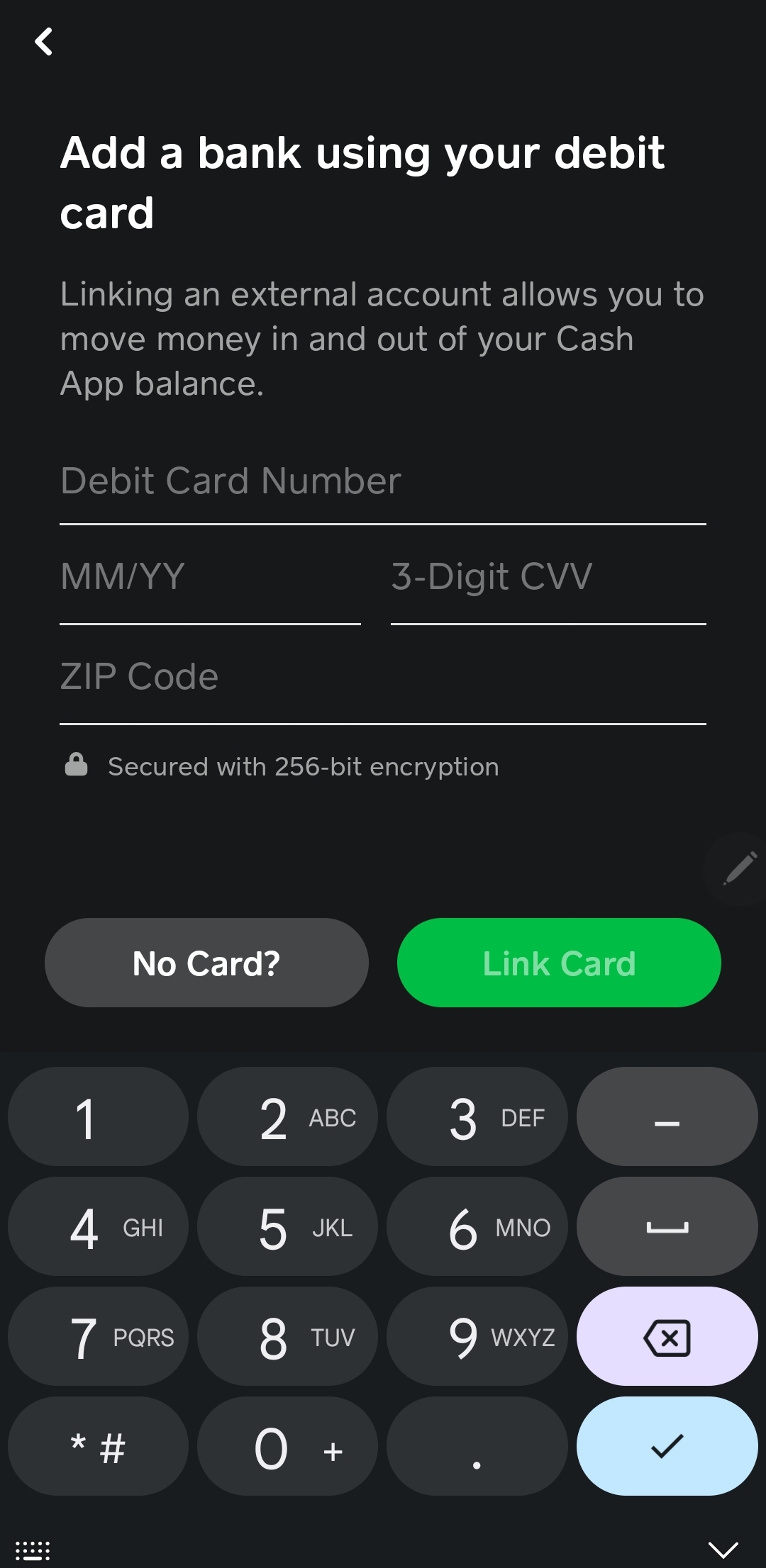
- Your Existing Debit Card: This is the debit card linked to your traditional bank account. Cash App allows you to link this card to add funds to your Cash App balance. The transfer of funds from Cash App to this card is usually done by first transferring to your linked bank account, which is then accessible via your debit card.
- The Cash Card: This is a Visa debit card issued by Cash App itself. Once you order and activate a Cash Card, your Cash App balance can be directly spent using this card, or you can transfer funds from your Cash App balance to your Cash Card’s balance. This is often the most direct way to “put money from Cash App to card” for immediate spending.
The Goal: Accessing Your Cash App Balance
The primary motivation behind wanting to move money from Cash App to a card is to gain access to your funds in a way that allows for immediate spending, ATM withdrawals, or integration with other financial services that operate through debit card networks.
Methods for Transferring Funds to Your Card
There are two primary avenues to consider when aiming to get money from your Cash App balance onto a card: transferring to your linked bank account (and subsequently accessing via your debit card) or directly using the Cash Card.
Transferring to Your Linked Bank Account
This is the most common method if you do not have a Cash Card or wish to access your funds via your primary bank account. The process involves withdrawing funds from your Cash App balance to the bank account associated with the debit card you’ve linked.
Steps for Standard Transfer to Bank Account:
- Open Cash App: Launch the Cash App application on your smartphone.
- Navigate to Your Balance: Tap on the banking icon (usually resembling a building) in the bottom left corner of the screen. This will display your Cash App balance.
- Select “Cash Out”: Below your balance, you will see an option labeled “Cash Out.” Tap on this.
- Choose Transfer Speed: Cash App offers two options for transferring funds to your bank account:
- Standard Transfer: This is typically free but can take 1-3 business days to reflect in your bank account. This is the most economical option.
- Instant Transfer: This option transfers your funds to your linked bank account almost immediately (within minutes). However, Cash App charges a small fee for this service, usually a percentage of the amount transferred, with a minimum fee. You will see the fee clearly displayed before confirming.
- Enter the Amount: Input the amount you wish to transfer from your Cash App balance to your bank account.
- Confirm Transfer: Review the details, including the transfer speed, fee (if applicable), and the amount. Tap “Confirm” or “Cash Out” to complete the transaction.
Once the funds arrive in your linked bank account, you can use your associated debit card for purchases, ATM withdrawals, or any other transaction that your bank account and debit card permit.
Utilizing the Cash Card for Direct Spending
The Cash Card is a more integrated solution for users who want to spend their Cash App balance directly. It functions like any other debit card, but its balance is drawn directly from your Cash App holdings.
Steps for Using Your Cash Card:
- Order and Activate Your Cash Card: If you don’t already have one, you’ll need to order a Cash Card through the Cash App. This usually takes a week or two to arrive in the mail. Once received, follow the in-app instructions to activate it. This typically involves scanning a QR code on the card or entering its details.
- Add Funds to Your Cash App Balance (if needed): If your Cash App balance is low, you’ll need to add funds to it first, either by receiving money from others or by linking a bank account and initiating an add funds transfer.
- Direct Spending: Once your Cash Card is activated and you have funds in your Cash App balance, you can use your Cash Card for purchases online or in-store just like any other debit card. The funds will be deducted directly from your Cash App balance.
- ATM Withdrawals: You can also use your Cash Card at ATMs to withdraw cash from your Cash App balance. Cash App may charge a fee for ATM withdrawals, and the ATM operator might also impose their own fees.
Important Note: When using the Cash Card, you are not technically “putting money from Cash App to card” in the sense of a distinct transfer action. Instead, you are using your Cash App balance as the source of funds for your Cash Card transactions.
Key Considerations and Best Practices
While transferring money from Cash App to your card is generally straightforward, there are several factors to keep in mind to ensure a smooth experience and to manage your finances effectively.
Fees Associated with Transfers
Understanding fees is paramount for any financial transaction.
- Standard Bank Transfers: As mentioned, Cash App’s standard transfer to a linked bank account is free. This is the most cost-effective way to move money if you can afford to wait a few business days.
- Instant Bank Transfers: The instant transfer option incurs a fee, which is a percentage of the transfer amount, with a minimum charge. Always check the displayed fee before confirming to ensure it aligns with your expectations. This fee is designed to compensate Cash App for the immediate processing and the use of the instant network.
- Cash Card Transactions: Using your Cash Card for purchases is generally free, assuming the merchant does not impose any surcharges. However, ATM withdrawals using the Cash Card often come with fees from both Cash App and the ATM operator.
Transfer Limits and Speeds
Cash App has certain limitations and speed expectations for transfers.
- Weekly and Monthly Limits: While not always explicitly stated for every user and transaction type, Cash App does have daily, weekly, and monthly limits for sending and receiving money, as well as for cash-outs. If you are attempting to transfer a large sum, be aware that you might hit these limits. You can usually find more detailed information on limits within the Cash App’s Help section.
- Processing Times: Standard bank transfers are subject to the processing times of the banking system, which is why they take 1-3 business days. Instant transfers are facilitated by specialized networks but can still be subject to occasional delays depending on the bank or network. The Cash Card’s direct spending functionality is typically near-instantaneous.
Security and Verification
Protecting your financial information is crucial when dealing with any money transfer service.
- Account Security: Ensure your Cash App account is secured with a strong password and consider enabling two-factor authentication if available.
- Linking Your Bank Account: When linking a debit card or bank account, Cash App uses secure protocols. However, always be vigilant about phishing attempts or unsolicited requests for your account details.
- Official Cash App Channels: Only perform transfers and manage your account through the official Cash App interface or their authorized website. Avoid third-party apps or links that claim to be affiliated with Cash App but are not.
Troubleshooting Common Issues
Occasionally, users may encounter problems when attempting to transfer money.
- Transfer Failed: If a transfer fails, it could be due to insufficient funds in your Cash App balance, a temporary system issue with Cash App or your bank, incorrect bank account details, or hitting transaction limits. Check your Cash App balance, your bank account details, and the Cash App’s status page for any reported issues.
- Funds Not Appearing: If you’ve completed a standard transfer and the funds haven’t appeared after 3 business days, contact Cash App support. Similarly, if an instant transfer seems to have gone through but isn’t reflected in your bank account, reach out to both Cash App support and your bank.
- Lost or Stolen Cash Card: If your Cash Card is lost or stolen, immediately report it through the Cash App. You can usually “freeze” your card within the app to prevent unauthorized transactions.

Conclusion: Empowering Your Financial Mobility
The ability to move money from your Cash App balance to a card is a fundamental aspect of leveraging digital payment services for everyday financial needs. Whether you opt for the cost-effective standard transfer to your linked bank account, the speed of an instant transfer, or the direct utility of the Cash Card, Cash App provides multiple pathways to ensure your funds are accessible when and where you need them. By understanding the different methods, associated fees, transfer speeds, and security considerations, you can confidently manage your money and enhance your financial mobility within the digital economy. Always prioritize checking the most up-to-date information within the Cash App itself, as terms and fees can be subject to change.
aViewFromTheCave is a participant in the Amazon Services LLC Associates Program, an affiliate advertising program designed to provide a means for sites to earn advertising fees by advertising and linking to Amazon.com. Amazon, the Amazon logo, AmazonSupply, and the AmazonSupply logo are trademarks of Amazon.com, Inc. or its affiliates. As an Amazon Associate we earn affiliate commissions from qualifying purchases.