
The Cash App Card, a customizable Visa debit card linked directly to your Cash App balance, has become an increasingly popular tool for managing money, making purchases, and even earning rewards. For many, the appeal lies in its simplicity, accessibility, and the ability to receive direct deposits, all managed within a user-friendly mobile application. If you’re looking to streamline your financial transactions and leverage the benefits of a digital wallet with a physical card, understanding how to obtain and utilize the Cash App Card is the first crucial step. This comprehensive guide will walk you through the entire process, from eligibility and ordering to activation and maximizing its potential.
Understanding the Cash App Card
Before diving into the “how-to,” it’s essential to grasp what the Cash App Card is and its core functionalities. It’s not just another debit card; it’s an extension of the Cash App ecosystem, designed to offer a seamless financial experience for its users.
What is the Cash App Card?
The Cash App Card is a prepaid Visa debit card that allows you to spend the money directly from your Cash App balance. Unlike a traditional bank-issued debit card, which is linked to a checking account, the Cash App Card draws funds from your Cash App account. This makes it an excellent tool for those who primarily use Cash App for peer-to-peer payments, receiving wages, or managing funds for everyday expenses.
Key Features and Benefits
The Cash App Card offers a compelling set of features designed to enhance user convenience and financial management.
- Direct Spending: The most straightforward benefit is the ability to use your Cash App funds for purchases anywhere Visa is accepted, both online and in physical stores.
- Direct Deposit: You can receive your paychecks, tax refunds, and other direct deposits directly onto your Cash App Card, bypassing traditional banks. This offers faster access to your funds, often arriving up to two days earlier than with paper checks.
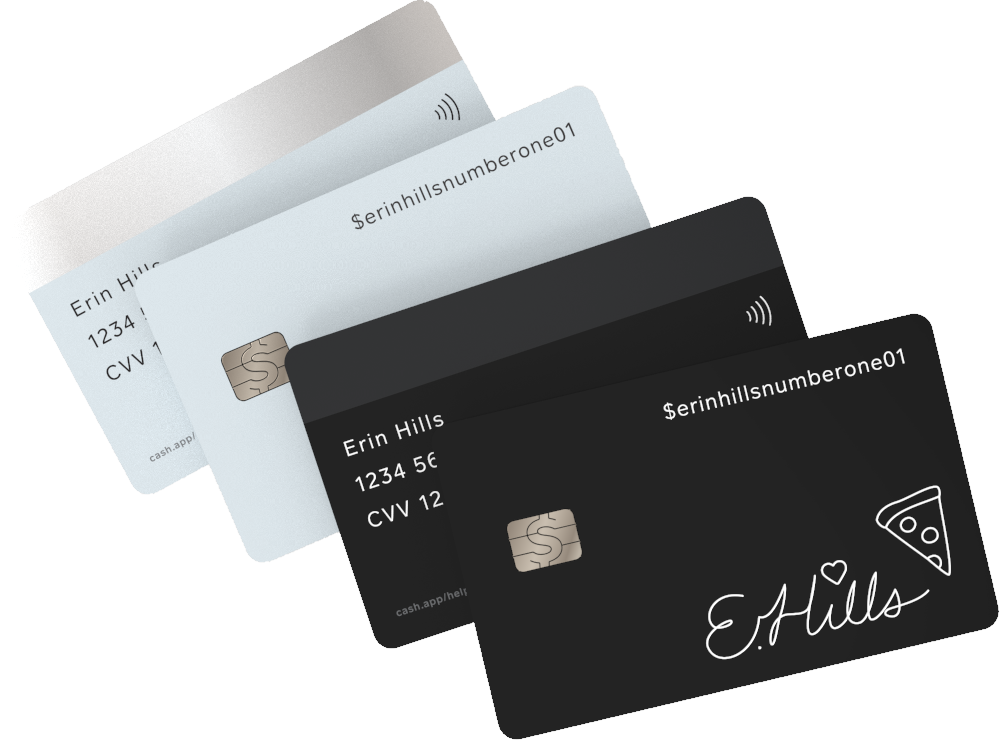
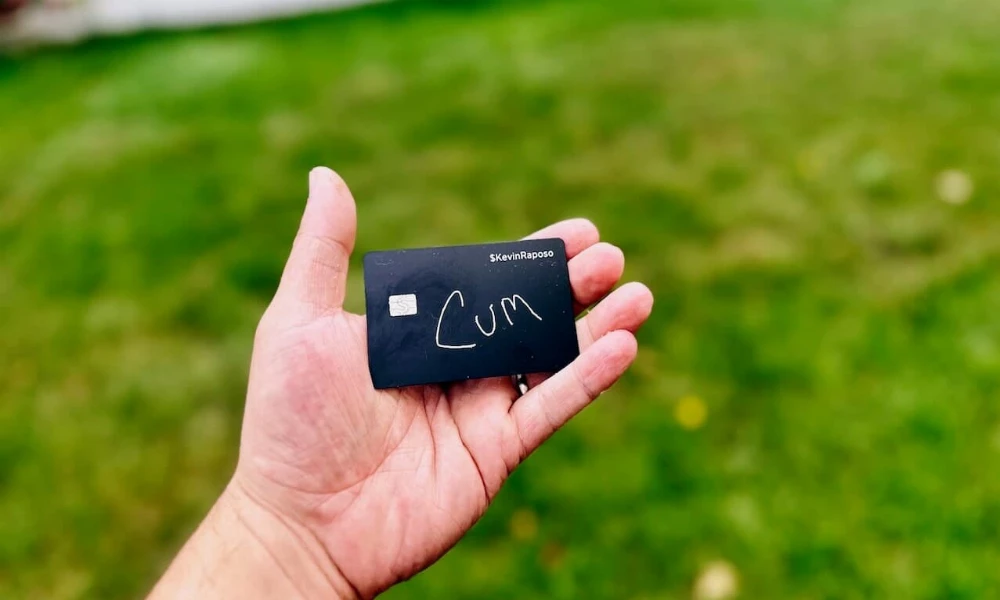
- Customization: A unique selling point of the Cash App Card is its customizability. Users can design their own card by drawing or typing on a digital interface within the app, and Cash App will laser-etch their design onto the physical card. This personal touch makes the card more than just a financial instrument; it’s a statement of personal style.
- Boosts and Discounts: Cash App frequently offers “Boosts,” which are limited-time discounts or cashback offers that can be applied to specific purchases when you use your Cash App Card. These boosts can significantly reduce the cost of everyday items, from groceries to coffee.
- ATM Withdrawals: You can withdraw cash from your Cash App balance at any ATM that accepts Visa. While there are fees associated with ATM withdrawals, Cash App offers a certain number of free withdrawals per month if you meet their direct deposit requirements.
- Security: The card comes with standard security features, including PIN protection and the ability to instantly lock or unlock your card through the app if it’s lost or stolen.
Eligibility Requirements
To get a Cash App Card, you must meet a few basic criteria. These are generally straightforward and designed to ensure compliance and security.
- Cash App Account: You must have an active and verified Cash App account. This involves downloading the app, creating an account, and completing the initial verification process, which typically includes providing your name, date of birth, and potentially other identifying information.
- Age: You must be at least 18 years old to apply for and receive a Cash App Card.
- Physical Address: You need to have a valid U.S. mailing address where the card can be shipped. International shipping is not available for the Cash App Card.
How to Order Your Cash App Card
The process of ordering your Cash App Card is entirely managed through the Cash App mobile application. It’s designed to be intuitive and user-friendly, guiding you step-by-step.
Step 1: Download and Set Up Cash App
If you don’t already have Cash App installed, the first step is to download it from your device’s app store (Apple App Store for iOS or Google Play Store for Android). Once installed, open the app and follow the on-screen prompts to create your account. This involves linking a phone number or email address and setting a unique Cash PIN for security. You’ll also need to provide your full legal name and date of birth to verify your identity.
Step 2: Navigate to the Card Section
After successfully setting up your Cash App account, you’ll be presented with the main Cash App interface. To access the card ordering process, you’ll need to tap on the “Card” icon, which typically appears as a credit card symbol on the bottom navigation bar of the app.
Step 3: Initiate the Card Order
Once you’re in the Card section, you should see an option to “Get Your Cash Card” or something similar. Tap on this button to begin the ordering process. The app will then guide you through several customization and confirmation steps.
Step 4: Design Your Custom Card
This is where you can personalize your Cash App Card. Cash App offers a digital interface where you can:
- Draw Your Design: Use your finger or a stylus to draw directly onto the card template. This is a popular feature for creating unique and artistic designs.
- Add Text: You can type in text that will be etched onto your card. This could be your name, a nickname, a motivational quote, or anything else you wish.
- Choose from Templates: Cash App may also offer pre-designed templates or color options if you prefer not to create your own design from scratch.
Spend some time here to create a design that you’re happy with. Once you’ve finalized your design, you’ll typically be asked to confirm it before proceeding.
Step 5: Confirm Shipping Information
The next crucial step is to confirm your shipping address. Ensure that the address entered is accurate and complete, as this is where your physical Cash App Card will be mailed. Mistakes here can lead to significant delays or the card being sent to the wrong location. Double-check street names, apartment numbers, city, state, and ZIP code.
Step 6: Review and Submit Your Order

Before finalizing, the app will usually present you with a summary of your order, including your chosen design and shipping address. There might also be a small shipping fee associated with ordering the card. Review all the details carefully. Once you are satisfied, tap the “Submit” or “Order Card” button to complete the process.
Activating and Using Your Cash App Card
Once you’ve ordered your card, the waiting game begins. The delivery time can vary, but Cash App typically provides an estimated delivery window. Once it arrives, activation is a straightforward process.
Receiving Your Card
Your Cash App Card will arrive in a standard envelope. Upon opening, you’ll find your customized card inside. It’s important to keep the envelope or any accompanying paperwork, as it may contain important information, including instructions for activation or details about any associated fees.
Activating Your Card
Activating your Cash App Card is essential before you can use it. The app makes this process very simple.
- Open the Cash App: Launch the Cash App on your smartphone.
- Navigate to the Card Section: Again, tap on the “Card” icon at the bottom of the screen.
- Enter Card Details: You will likely be prompted to enter the 16-digit card number found on the front of your physical Cash App Card. You might also need to enter the expiration date and the CVV (Card Verification Value) code, which is typically the three-digit code on the back of the card.
- Confirmation: The app will then confirm your identity, often by sending a code to your registered phone number or through a biometric authentication (fingerprint or facial recognition).
- Set Your PIN: You will be prompted to create a PIN for your Cash App Card. This PIN is used for ATM withdrawals and for making purchases in-store where a PIN is required. Choose a PIN that is secure and memorable for you.
Once activated, your Cash App Card is ready to be used for transactions.
Funding Your Cash App Card
Your Cash App Card draws directly from your Cash App balance. Therefore, to spend money with the card, you need to have funds in your Cash App account. You can add money to your Cash App in several ways:
- Link a Bank Account: The most common method is to link an external bank account to your Cash App. You can then initiate transfers from your bank to your Cash App balance.
- Receive Payments: Any money you receive from friends, family, or as direct deposits will be added to your Cash App balance.
- Cash Deposits: In some locations, you can deposit cash at partner retail locations to add funds to your Cash App.
Making Purchases and ATM Withdrawals
With your activated Cash App Card, you can now:
- In-Store Purchases: Swipe or tap your card at any merchant that accepts Visa. For purchases over a certain amount, you may be prompted to enter your PIN.
- Online Purchases: Use your card details to make purchases on e-commerce websites and online services.
- ATM Withdrawals: Locate an ATM, insert your card, and follow the on-screen prompts to withdraw cash from your Cash App balance. Be aware of potential ATM fees charged by the ATM operator, and the number of free withdrawals Cash App allows.
Maximizing Your Cash App Card Benefits
The Cash App Card offers more than just a way to spend your money; it provides opportunities for savings and enhanced financial management.
Leveraging Boosts and Discounts
Cash App Boosts are a significant advantage for Cash App Card users. These are ephemeral discounts or cashback offers that rotate regularly.
- How to Find Boosts: To find available Boosts, navigate to the “Card” section of your Cash App and look for a section labeled “Boost.” Here you’ll see the currently available offers, which might include percentage discounts at specific retailers (e.g., “10% off at Starbucks”) or cashback on certain categories (e.g., “$1 back on any order of $10 or more at grocery stores”).
- Activating Boosts: Before making a purchase, you need to select and “activate” the Boost you wish to use. Each Boost has specific terms and conditions, including expiration dates and spending limits.
- Maximizing Savings: Regularly check the Boosts section to take advantage of offers that align with your spending habits. By strategically using Boosts, you can accumulate significant savings over time.
Using Direct Deposit for Faster Funds
One of the most powerful features for those who receive regular income is direct deposit.
- Getting Your Direct Deposit Information: To set up direct deposit, you’ll need to find your Cash App Routing and Account Numbers. These can be found within the Cash App, usually in the “Banking” section or by tapping on your balance.
- Benefits of Early Access: When you set up direct deposit, your employer or payer will send your funds directly to your Cash App account. This often results in your funds arriving up to two days earlier than with traditional checks or direct deposits to other banks. This can be particularly beneficial for managing cash flow and avoiding overdraft fees.
- Meeting ATM Withdrawal Requirements: Meeting direct deposit requirements can also qualify you for a certain number of free ATM withdrawals per month, further reducing the cost of accessing your cash.
Managing Your Card and Finances Through the App
The Cash App mobile application is your central hub for managing your Cash App Card and your overall finances within the app.
- Real-time Transaction Tracking: All your transactions made with the Cash App Card are reflected in real-time within the app. You can easily view your spending history, check your balance, and monitor your financial activity.
- Locking and Unlocking Your Card: If you misplace your card or suspect unauthorized activity, you can instantly lock your Cash App Card through the app. This prevents any further transactions until you find your card or decide to unlock it. Similarly, you can unlock it just as easily.
- Setting Spending Limits: While Cash App doesn’t offer granular daily spending limits in the same way traditional banks might, you can monitor your balance and manage your spending by ensuring you only load the amount you intend to spend.
- Customer Support: If you encounter any issues or have questions, Cash App provides customer support directly through the app. You can access FAQs, chat with support agents, or submit a support request.
The Cash App Card is a versatile financial tool that integrates seamlessly with the digital economy. By understanding its features, ordering process, and how to maximize its benefits, you can effectively manage your money, enjoy personalized spending, and potentially save money on everyday purchases.
aViewFromTheCave is a participant in the Amazon Services LLC Associates Program, an affiliate advertising program designed to provide a means for sites to earn advertising fees by advertising and linking to Amazon.com. Amazon, the Amazon logo, AmazonSupply, and the AmazonSupply logo are trademarks of Amazon.com, Inc. or its affiliates. As an Amazon Associate we earn affiliate commissions from qualifying purchases.