
In an increasingly digitized world, where complex algorithms power everything from our smartphones to global networks, the humble calculator might seem like an artifact from a simpler era. Yet, this ubiquitous device, whether it’s a dedicated handheld gadget, a built-in operating system application, or a sophisticated feature within a complex software suite, remains a cornerstone of daily computation. Understanding how to effectively use its functions, particularly for percentages, is not just a basic math skill but a fundamental aspect of digital literacy. From monitoring storage usage on your hard drive to optimizing battery life on your device, percentages permeate our technological landscape. This guide will demystify the percentage function on various calculators, transforming a potentially confusing button into a powerful tool in your tech arsenal.
Despite the proliferation of AI-powered assistants and specialized software, the ability to quickly and accurately perform percentage calculations on a standard calculator is an indispensable skill. It underpins many real-world tech scenarios and empowers users to interpret data, track progress, and make informed decisions. This tutorial will delve into the mechanics of percentage calculations, offering a structured approach to leveraging your calculator’s capabilities, while also exploring its broader implications within the tech sphere.
The Basics: Understanding Your Calculator’s Percent Function
Before diving into complex calculations, it’s crucial to grasp the fundamental mechanics of how a calculator interprets the percent symbol. Unlike a mere display artifact, the ‘%’ button is often an active operator with specific rules that can vary slightly between different calculator types.
The ‘%’ Button: More Than Just a Symbol
At its core, the percent symbol ( % ) represents “per hundred.” So, 25% means 25 out of 100, or 0.25 as a decimal. Most calculators have a dedicated ‘%’ button, but its behavior is not always intuitive. Instead of simply converting a number to its decimal equivalent (e.g., entering 25 % to get 0.25), this button typically acts as an operator in conjunction with other numbers and arithmetic symbols.
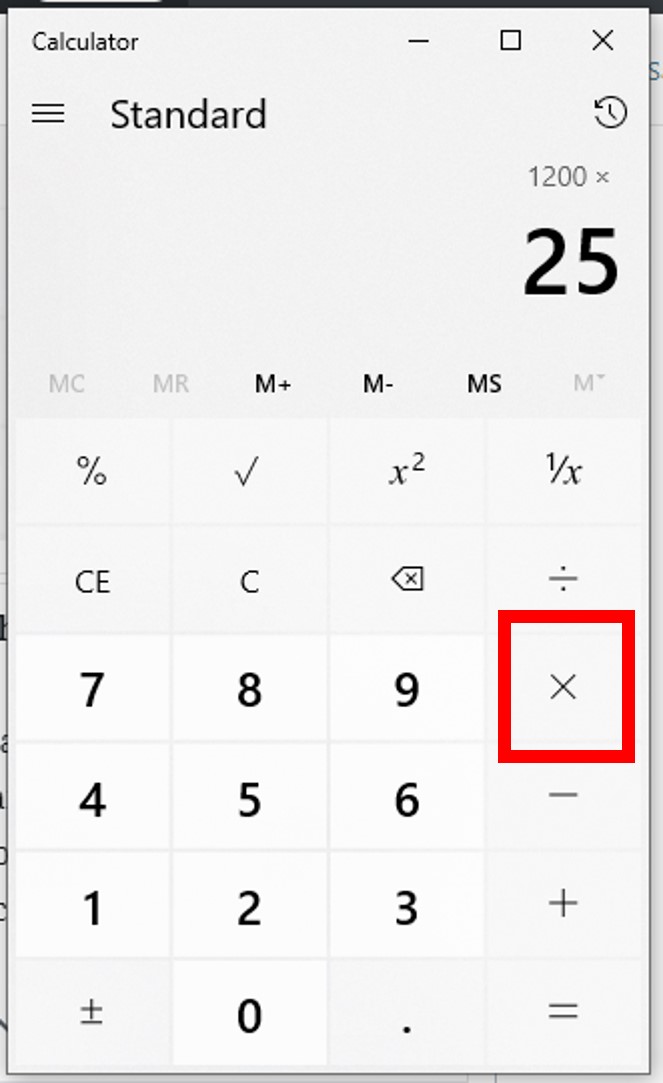
For instance, to find 25% of 200, you might input 200 x 25 %. Here, the calculator understands that 25 % should be applied to the preceding number or to the result of the preceding operation. Without the ‘x’ operator, some calculators might default to converting 25 % to 0.25 or simply display 25% waiting for further input, depending on their logic. Understanding this contextual operation is the first step to mastering it.
Standard vs. Scientific vs. App Calculators: Feature Variations
Not all calculators are created equal, and their percentage functionality can vary:
- Standard Calculators (Basic/Desktop): These are often the most straightforward but can also be the trickiest. Their
%button usually performs a specific operation immediately. For example,200 x 25 %might directly yield50. However,200 + 25 %might be interpreted as200 + (25% of 200), resulting in250. Their logic is often sequential. - Scientific Calculators: While primarily designed for advanced mathematical and trigonometric functions, scientific calculators often have a more robust and predictable
%function. They may require a specific sequence, sometimes involving anequalsbutton after the percentage, or might handle order of operations (PEMDAS/BODMAS) more strictly. Some might even have a dedicatedshiftfunction forpercentage of. - Smartphone Calculator Apps: These digital counterparts often blend the simplicity of standard calculators with the robustness of scientific ones. They can range from basic interfaces to highly advanced applications with histories, unit conversions, and programmer modes. Many smartphone calculators interpret
200 x 25 %as200 x 0.25, providing50. They also often handle percentage additions and subtractions intuitively (e.g.,200 + 25 %correctly calculating a 25% increase). Their advanced UIs might even show intermediate steps or predictions.
Input Order Matters: Why Syntax is Key
The sequence in which you press buttons on a calculator is paramount. A slight deviation can lead to drastically different results. For percentage calculations, the common syntaxes are:
- To find X% of Y:
Y * X %(e.g.,200 * 25 %) - To add X% to Y:
Y + X %(e.g.,200 + 25 %for a 25% increase) - To subtract X% from Y:
Y - X %(e.g.,200 - 25 %for a 25% decrease)
It’s critical to experiment with your specific calculator model to understand its unique interpretation of these sequences. Some older or simpler models might require you to calculate the percentage value first (200 * 25 % = [result]), then perform the addition or subtraction with the original number. Modern calculators, especially apps, are generally more intuitive in handling chained percentage operations.
Core Percentage Calculations: Step-by-Step Tech Guide
Let’s break down the most common percentage calculations and how to execute them flawlessly on your tech companion.
Calculating a Percentage of a Number
This is perhaps the most frequent use case.
- Scenario: You want to find 15% of 300.
- Method 1 (Using ‘%’ button):
- Enter
300 - Press
x(multiplication) - Enter
15 - Press
% - The display should show
45.
- Enter
- Method 2 (Manual conversion to decimal): If your ‘%’ button is tricky or absent:
- Convert 15% to a decimal:
15 / 100 = 0.15 - Enter
300 - Press
x - Enter
0.15 - Press
= - The display should show
45. This method is universally reliable and avoids potential calculator-specific quirks.
- Convert 15% to a decimal:
Finding What Percentage One Number is of Another
- Scenario: You scored 85 marks out of a possible 120 on a tech certification exam. What percentage is that?
- Method 1 (Using ‘/’ and ‘%’):
- Enter
85 - Press
/(division) - Enter
120 - Press
x(multiplication) - Enter
100(to convert the decimal to a percentage) - Press
= - The display should show
70.833...(approx. 70.83%).
Note: Some advanced calculators or apps might directly support85 / 120 %to yield the percentage, but this is less common for the ‘%’ button’s primary function.
- Enter
- Method 2 (Decimal approach):
- Enter
85 - Press
/ - Enter
120 - Press
= - The display shows
0.70833... - Multiply this by 100 (mentally or by entering
x 100 =) to get70.83%.
- Enter
Calculating Percentage Increase and Decrease
These are vital for tracking growth, discounts, or performance changes.
- Percentage Increase (e.g., a server’s processing power increased by 20% from 150 GFLOPS):
- Method 1 (Using ‘+’ and ‘%’):
- Enter
150 - Press
+ - Enter
20 - Press
% - The display should show
180. (This calculates 20% of 150, then adds it to 150).
- Enter
- Method 2 (Manual calculation):
- Calculate 20% of 150:
150 x 0.20 = 30 - Add to the original:
150 + 30 = 180
- Calculate 20% of 150:
- Method 1 (Using ‘+’ and ‘%’):
- Percentage Decrease (e.g., a software license discounted by 10% from $500):
- Method 1 (Using ‘-‘ and ‘%’):
- Enter
500 - Press
- - Enter
10 - Press
% - The display should show
450. (This calculates 10% of 500, then subtracts it from 500).
- Enter
- Method 2 (Manual calculation):
- Calculate 10% of 500:
500 x 0.10 = 50 - Subtract from the original:
500 - 50 = 450
- Calculate 10% of 500:
- Method 1 (Using ‘-‘ and ‘%’):
Advanced Scenario: Successive Percentage Changes
This is common in tech pricing (e.g., a discount plus sales tax). You cannot simply add or subtract the percentages directly.
- Scenario: A gadget costs $300. It’s on sale for 20% off, and then a 5% sales tax is applied to the discounted price.
- Steps:
- Calculate the discount:
300 - 20 % = 240(The discounted price is $240). - Calculate the tax on the discounted price:
240 + 5 % = 252(The final price is $252).
Important: Do NOT calculate300 - 20% + 5%hoping for the correct result, as the calculator’s order of operations for ‘%’ might not yield the intended outcome if chained carelessly. Always calculate successive changes step-by-step.
- Calculate the discount:
Beyond the Button: Leveraging Percentages in Practical Tech Scenarios

The ability to perform these calculations extends far beyond academic exercises. In the world of technology, percentages are a crucial metric for understanding performance, efficiency, and resource utilization.
Disk Space & Data Usage Management
- Scenario: Your SSD is 80% full, with a total capacity of 512GB. How much space is remaining?
- Calculation:
512 - 80 % = 102.4(102.4 GB remaining). This rapid calculation allows you to quickly assess storage needs and plan for data archival or deletion. Monitoring disk usage percentage helps prevent performance degradation common in over-full drives.
Battery Life Optimization & Remaining Charge
- Scenario: Your phone battery is at 45% of its 4000 mAh capacity. How much charge is left?
- Calculation:
4000 x 45 % = 1800(1800 mAh remaining). While your phone shows the percentage, understanding the underlying capacity helps you gauge actual usage and estimate remaining operational time more accurately, especially for power-hungry applications.
Progress Bars and Download Status
- Scenario: A large software update is 65% complete. If it’s a 10GB file, how much has downloaded?
- Calculation:
10 x 65 % = 6.5(6.5 GB downloaded). This provides a tangible measure of progress beyond the abstract percentage and can inform decisions about network stability or whether to pause and resume later.
Performance Metrics & Benchmarking
- Scenario: A new processor shows a 25% performance improvement over the old one, which scored 12000 points on a benchmark. What’s the new score?
- Calculation:
12000 + 25 % = 15000(The new score is 15000 points). Engineers, developers, and tech reviewers constantly use percentage changes to quantify improvements in processing speed, network latency, energy efficiency, and other critical metrics.
Common Pitfalls and Troubleshooting Your Calculator’s Percent Function
Even with the best intentions, percentage calculations can go awry. Understanding common mistakes and how to troubleshoot them is essential.
Misinterpreting the ‘%’ Button’s Context
The most common error is assuming the ‘%’ button always works the same way. As discussed, its behavior is often tied to the preceding operator (+, -, x, /). If you simply type 50 %, some calculators will convert it to 0.5, others might do nothing or display an error if no operation is implied. Always pair the ‘%’ with an operation or a number it’s meant to modify.
Order of Operations Errors
Chaining multiple percentage operations, especially additions or subtractions, can be a source of confusion. For example, calculating 100 - 10% - 10% on some calculators might lead to 81 (correct: 100 - 10 = 90, then 90 - 10% = 81), while on others it might incorrectly apply the second 10% to the original 100, or produce an error. Always perform successive percentage changes step by step, or use parentheses on scientific calculators if you know their full order of operations.
Calculator Specific Quirks and Manuals
Every calculator has its idiosyncrasies. If you’re consistently getting incorrect results, consult the calculator’s manual. For software calculators, look for online documentation or help menus. Sometimes, a specific ‘equals’ button press is required, or the order of operations for percentages deviates from the standard.
When to Use Decimals Instead of the Percent Button
When in doubt, or if your calculator’s ‘%’ function is particularly inscrutable, revert to the decimal method. Converting percentages to decimals (e.g., 25% to 0.25) and performing standard multiplication, addition, or subtraction is foolproof and universally applicable. It removes any ambiguity about how the calculator interprets the ‘%’ operator, ensuring accuracy every time. For instance, instead of 200 + 25 %, calculate 200 * 1.25 for a 25% increase, or 200 * 0.75 for a 25% decrease.
The Future of Calculation: Apps, AI, and Advanced Tools
While mastering your existing calculator is vital, the landscape of digital computation is constantly evolving. Modern tech offers even more sophisticated ways to handle percentage calculations.
Smartphone Calculator Apps: Enhanced Features
Today’s smartphone calculator apps go far beyond basic arithmetic. Many offer:
- History Logs: See your previous calculations, allowing for easy verification or reuse.
- Unit Conversions: Convert percentages into fractions or other related units.
- Scientific Modes: Access advanced functions, including robust order of operations.
- Programmer Modes: For tech professionals, these offer binary, hexadecimal, and octal calculations, useful for low-level tech work.
These apps provide a flexible and powerful environment for complex calculations.
Online Calculators and Specialized Tools
The internet hosts a plethora of online calculators tailored for specific tasks. Financial calculators for interest, mortgage, and tax often incorporate percentage calculations. Engineering tools might calculate percentage error or efficiency. Websites like Wolfram Alpha can interpret natural language queries, providing not just the answer but also detailed steps and related information, effectively acting as an intelligent percentage solver.
AI-Powered Assistance: Conversational Calculation
The rise of AI assistants like ChatGPT, Google Bard, and even virtual assistants like Siri and Alexa has brought a new dimension to calculation. You can simply ask: “What is 15% of 250?” or “Increase 300 by 20% and then add 5% tax.” These AI tools can often parse complex natural language requests, perform the calculations, and even explain their reasoning, making quick, conversational percentage calculations more accessible than ever. This represents a significant leap from the tactile button-pressing of traditional calculators, integrating calculation seamlessly into our digital lives.

The Enduring Relevance of Manual Calculation Skills
Despite the sophistication of new tools, the ability to mentally estimate or manually perform basic percentage calculations remains invaluable. Understanding the underlying logic, even when an AI does the heavy lifting, builds critical thinking skills and helps in verifying automated results. It fosters a deeper understanding of the data that drives our technological world, from understanding CPU utilization percentages to grasping download progress rates. Mastering your calculator’s percentage functions is not just about using a gadget; it’s about empowering yourself with a foundational skill in the digital age.
aViewFromTheCave is a participant in the Amazon Services LLC Associates Program, an affiliate advertising program designed to provide a means for sites to earn advertising fees by advertising and linking to Amazon.com. Amazon, the Amazon logo, AmazonSupply, and the AmazonSupply logo are trademarks of Amazon.com, Inc. or its affiliates. As an Amazon Associate we earn affiliate commissions from qualifying purchases.