
In the rapidly evolving landscape of digital finance, the tools we use to manage our wealth must align with our current security needs, fee structures, and financial goals. For over two decades, PayPal has been a cornerstone of the online economy, bridging the gap between traditional banking and the digital marketplace. However, as the fintech sector matures, many users find themselves diversifying their financial portfolios, leading to a surplus of digital wallets and accounts.
Closing a PayPal account is not merely a technical task; it is a strategic move in personal financial management. Whether you are consolidating your accounts to reduce your digital footprint, seeking lower transaction fees, or transitioning to more specialized investment platforms, an intentional exit strategy is essential. This guide provides an in-depth analysis of how to permanently close your PayPal account while safeguarding your assets and maintaining your financial integrity.
Preparing Your Finances for Account Closure
Before initiating the deletion process, it is critical to perform a financial audit of your account. Unlike a social media profile, a financial account holds tangible assets and contractual obligations that must be resolved to prevent “orphaned funds” or unexpected debt.
Withdrawing and Clearing Your Balance
The first and most vital step is ensuring your PayPal balance is exactly zero. PayPal will not allow you to close an account that holds a balance—positive or negative.
- Transfer to Bank: Standard transfers typically take one to three business days, while instant transfers (for a fee) can move funds to a debit card in minutes.
- Check by Mail: For those who prefer physical documentation, PayPal offers the option to request a check, though this may incur a fee and takes longer to process.
- The “Residual Penny” Problem: Ensure there are no pending cashback rewards or minor dividends scheduled to hit the account during the withdrawal period.
Resolving Pending Transactions and Disputes
Financial accounts are often entangled in active commerce. You must verify that all pending transactions have been cleared. This includes payments you have sent that haven’t been claimed and payments you are expecting from others. Furthermore, if you have any open disputes or “limitations” on your account, PayPal’s security protocols will block the closure. Resolving these issues requires communication with the Resolution Center to ensure all claims are settled and no legal or financial liabilities remain.
Auditing Automatic Payments and Subscriptions
One of the most common oversights when closing a digital wallet is the “phantom subscription.” PayPal is a popular gateway for recurring payments—from streaming services to professional software.
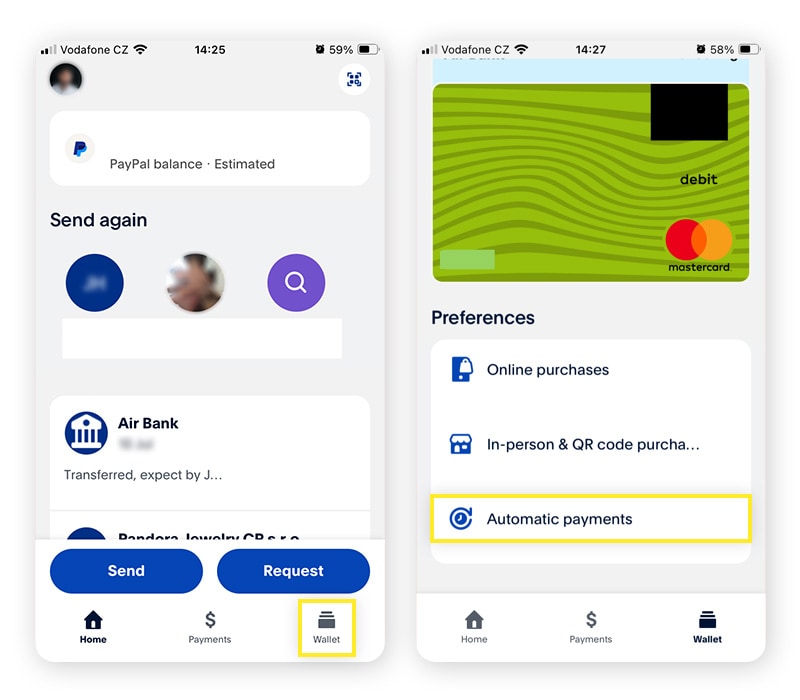
- List Your Subscriptions: Review your “Automatic Payments” settings and compile a list of vendors.
- Update Payment Methods: Before closing the account, you must log into each third-party service and link a new credit card or bank account.
- Cancellation Confirmation: If you intend to stop the service entirely, cancel it at the source. Simply closing PayPal without updating your subscriptions could result in missed payments, service interruptions, or hits to your credit score if the service transitions to a collection agency.
The Technical Execution: How to Permanently Close the Account
Once your financial house is in order, the actual closure is a permanent action. It is important to note that once an account is closed, it cannot be reopened. All transaction history, tax documents, and records are permanently inaccessible through the portal.
The Desktop Procedure
While the mobile app is convenient for daily transactions, the desktop interface provides the most stable environment for account management and security settings.
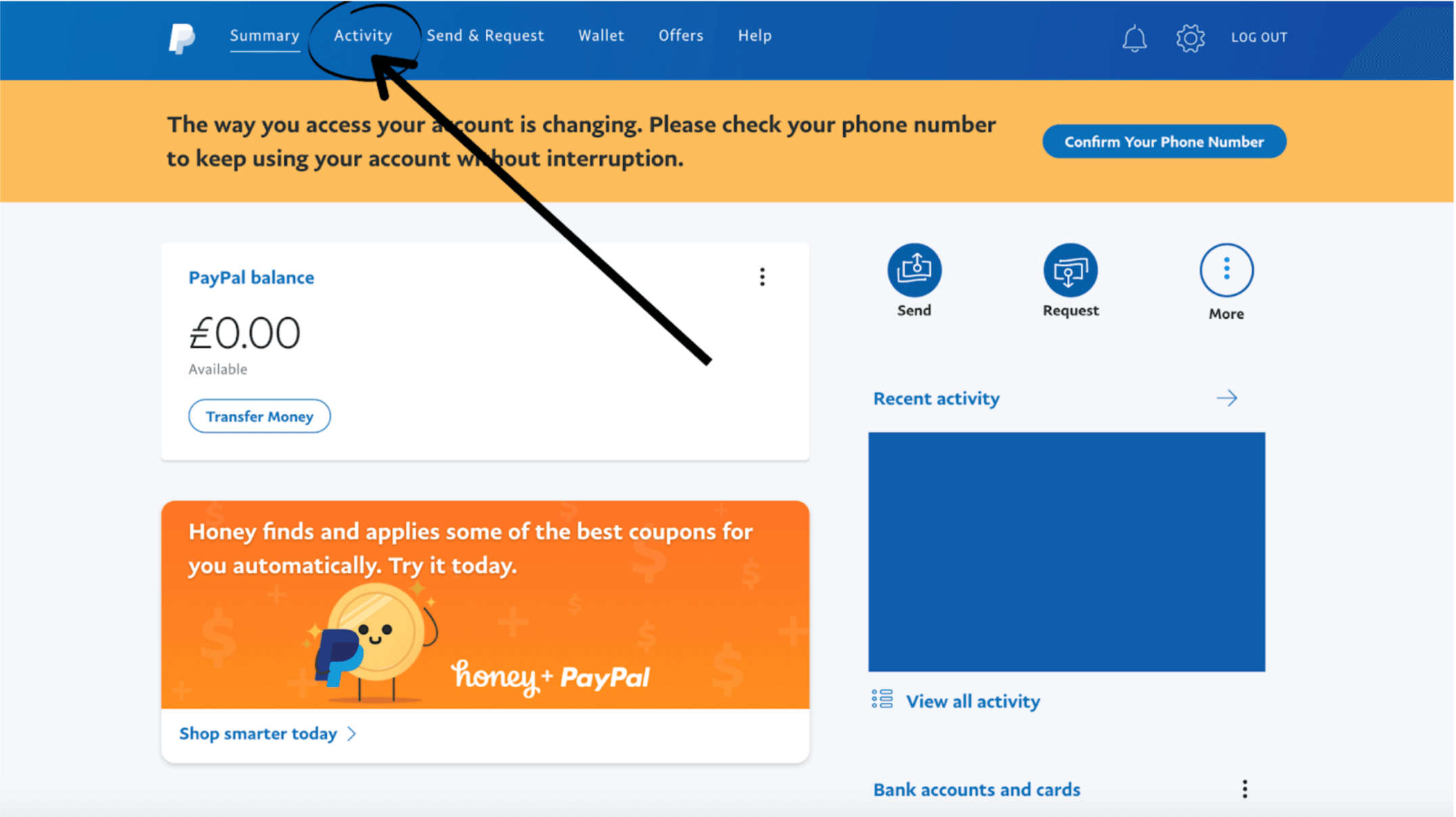
- Authentication: Log in to your PayPal account via a secure browser.
- Settings Navigation: Click the “Settings” gear icon located at the top right of the dashboard.
- Account Options: Within the “Account” tab, scroll to the bottom of the page to find the “Close your account” link.
- Verification: PayPal will require a final identity verification, often via a code sent to your registered mobile device.
- Final Confirmation: You will be asked for a reason for leaving. This feedback is used for their internal market research, but once you confirm, the account is queued for deletion.
Mobile Considerations and Account Limitations
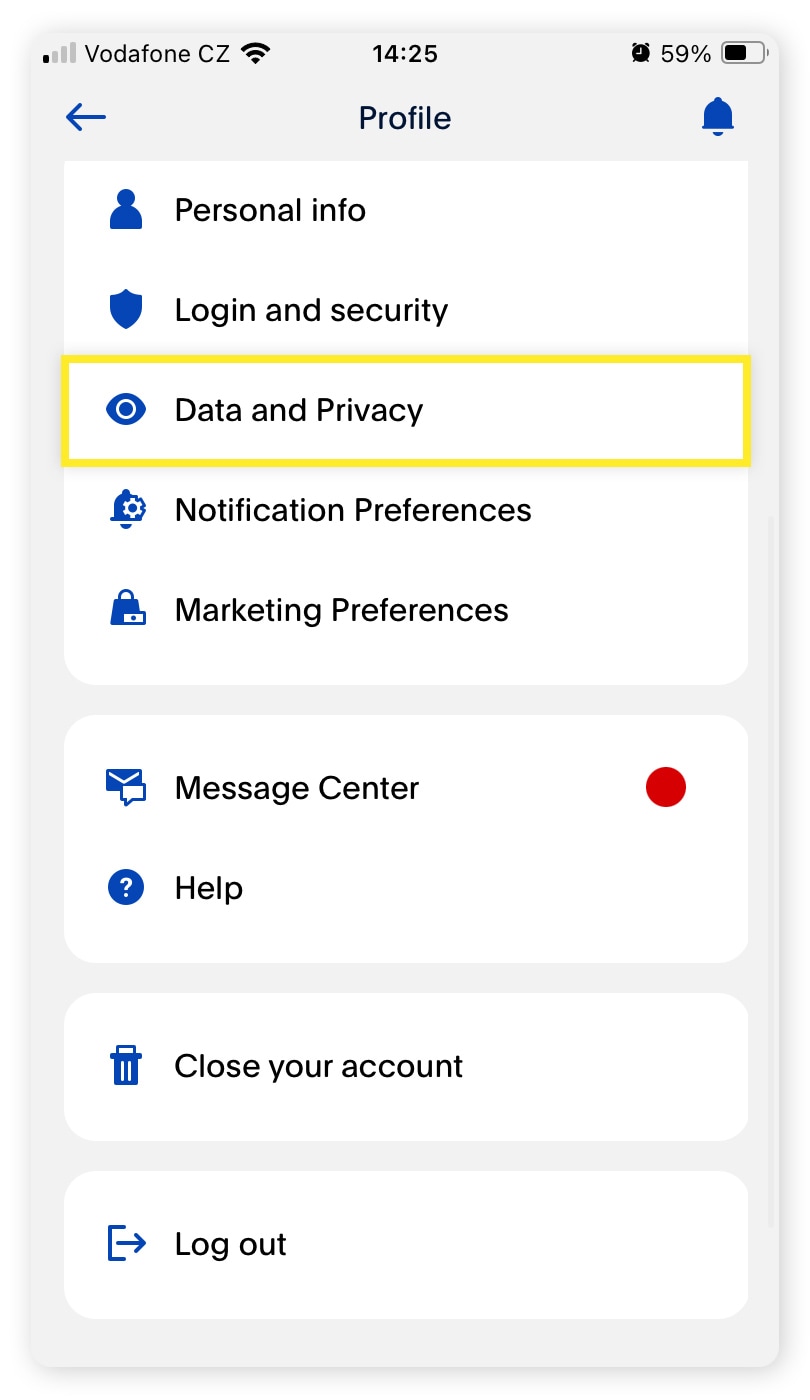
If you are attempting to close your account via a smartphone, the process is similar within the “Profile” section. However, many users find that certain “holds” or “flags” on the account are easier to diagnose on the desktop version. If the “Close Account” button is not appearing or is greyed out, it is usually due to an unresolved security check or an unverified email address. In the context of financial security, these barriers are intentional—they prevent unauthorized users from deleting evidence of fraud or identity theft.
Security Precautions During Deletion
From a digital security perspective, closing unused financial accounts is a highly recommended practice. Every open account is a potential entry point for hackers. By closing a PayPal account that you no longer use, you are effectively reducing your “attack surface.” However, ensure that you have downloaded your “Activity Report” for the last seven years. In the event of an IRS audit or a financial discrepancy, these records are your only proof of transaction.
Post-Cancellation Wealth Management and Data Privacy
Closing the account is only the penultimate step. The final step involves managing the “data shadow” left behind and ensuring your broader financial ecosystem remains healthy.
Protecting Your Financial Data
Even after an account is closed, financial institutions are legally required to retain certain records for a period (often seven to ten years) to comply with Anti-Money Laundering (AML) and Know Your Customer (KYC) regulations. However, you should take steps to ensure your sensitive data is no longer actively linked.
- Unlink Bank Accounts: Before the final click, manually remove your linked credit cards and bank accounts.
- Revoke Third-Party Permissions: Use the security settings to see which apps (like eBay or Uber) have “Permissions” to access your PayPal. Revoke these to ensure no new charges are attempted after the account is gone.
Understanding Tax Implications
For freelancers, small business owners, and casual sellers, PayPal is often the primary record-keeper for 1099-K forms. If you close your account mid-year, you must ensure you have a plan for tax season.
- Download Tax Documents: Ensure you have copies of all previous 1099s.
- Contact Information: Ensure PayPal has your current physical mailing address on file before you close the account, as they may be required to mail you tax forms at the end of the fiscal year.
Diversifying Your Financial Toolkit: Moving Beyond PayPal
The decision to cancel PayPal often stems from a desire to find more specialized financial tools that offer better interest rates, lower fees, or superior integration with modern business practices.
Modern Alternatives for Personal Finance
For individuals looking for sleek, mobile-first banking experiences, several “neobanks” and payment processors have emerged:
- Wise (formerly TransferWise): Ideal for those who manage money across borders, offering the real mid-market exchange rate and significantly lower fees for international transfers.
- Zelle: A preferred choice for domestic peer-to-peer (P2P) transfers within the US, as it integrates directly with most major banking apps and offers near-instant settlements without the middleman fee.
- Venmo and CashApp: While Venmo is owned by PayPal, it offers a different social-focused ecosystem that many users find more intuitive for casual transactions.
Specialized Business Payment Gateways
If you are closing a business PayPal account, your focus is likely on transaction costs and checkout conversion rates.
- Stripe: The gold standard for developers and online businesses, offering robust APIs and a more seamless checkout experience that doesn’t redirect users away from your website.
- Square: An excellent choice for businesses that operate both online and in physical locations, providing a unified view of all sales.
- Adyen: Used by large-scale enterprises, Adyen offers a global payment infrastructure that handles everything from gateway to processing.
The Role of Digital Wallets in a Modern Portfolio
As you transition away from PayPal, consider how digital wallets fit into your broader wealth management strategy. The goal of any financial tool should be to facilitate the movement of money with the least friction and the highest security. By periodically reviewing and “pruning” your financial accounts, you ensure that your money is working for you, rather than being eaten away by dormant account fees or exposed to unnecessary risks. Closing a PayPal account is a sign of financial maturity—it shows that you are actively managing your digital footprint and making intentional choices about where your capital resides.
aViewFromTheCave is a participant in the Amazon Services LLC Associates Program, an affiliate advertising program designed to provide a means for sites to earn advertising fees by advertising and linking to Amazon.com. Amazon, the Amazon logo, AmazonSupply, and the AmazonSupply logo are trademarks of Amazon.com, Inc. or its affiliates. As an Amazon Associate we earn affiliate commissions from qualifying purchases.