
The roar of the crowd, the squeak of sneakers on the hardwood, the nail-biting finishes – there’s nothing quite like the excitement of an NBA game. For basketball fans worldwide, accessing these thrilling matchups has become both easier and more complex in the modern digital age. Gone are the days when a single cable subscription was your only gateway to live sports. Today, a plethora of technological options, from dedicated streaming services to sophisticated broadcasting platforms, offer diverse ways to catch every dunk, three-pointer, and buzzer-beater.
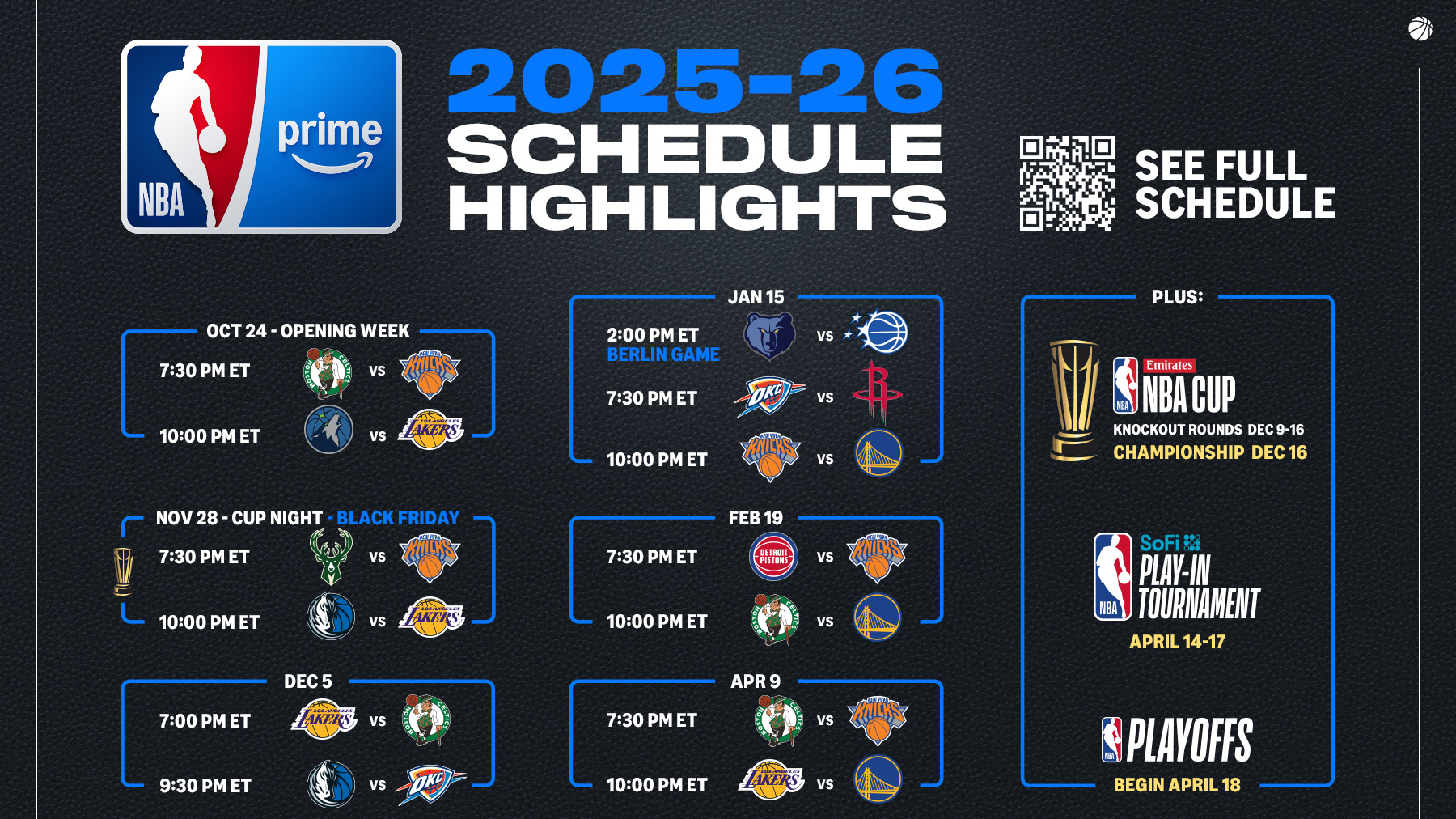
This guide delves into the technological landscape of NBA viewing, breaking down the essential platforms, devices, and digital tools that empower fans to experience the game on their terms. Whether you’re a seasoned cord-cutter or looking to optimize your traditional setup, understanding these tech solutions is key to ensuring you never miss a moment of the action.
The Core Streaming Platforms: Official & Subscription-Based Services
At the heart of NBA game access are a few fundamental streaming platforms, each offering a distinct pathway to live and on-demand content. Understanding their features, geographical reach, and technical requirements is the first step in building your ideal viewing setup.
NBA League Pass: The Official Global Solution
For the ultimate dedicated NBA fan, NBA League Pass is often the go-to official subscription service. Available globally, it offers unparalleled access to a vast library of games. Technologically, League Pass is a robust platform designed to deliver a premium viewing experience across multiple devices.
Subscribers typically gain access to all out-of-market live games throughout the regular season, playoffs, and even the NBA Finals (though local blackout rules often apply to in-market games, which we’ll discuss shortly). Beyond live broadcasts, League Pass provides an extensive on-demand archive, allowing fans to replay games, watch condensed versions, or catch up on missed matchups at their convenience. Advanced features often include multiple audio options (home/away feeds, alternative languages), different camera angles, and access to classic games.
Technically, NBA League Pass is accessible through its dedicated website, mobile applications (iOS and Android), and a wide array of connected devices. This includes popular streaming sticks and boxes (Roku, Amazon Fire TV, Apple TV, Google Chromecast), smart TVs (Samsung, LG, Sony, Vizio, Android TV), and even gaming consoles (PlayStation, Xbox). The user interface is typically intuitive, allowing for easy navigation, scheduling, and personalized content discovery. The streaming quality is generally excellent, often supporting HD and sometimes 4K, provided the user has a stable and sufficiently fast internet connection.
Regional Sports Networks (RSNs) & Local Broadcasts
While League Pass handles out-of-market games, catching your local team’s games often requires a different approach, particularly due to blackout restrictions. This is where Regional Sports Networks (RSNs) come into play. RSNs like Bally Sports, NBC Sports Regional Networks, Spectrum SportsNet, or MSG Network hold exclusive broadcasting rights for specific teams within their designated market areas.
Historically, accessing RSNs meant subscribing to a traditional cable or satellite TV package. These packages delivered the necessary channels directly to your television. However, with the rise of cord-cutting, technology has evolved to allow access to RSNs through live TV streaming services. These services emulate the cable experience by bundling multiple channels, including many RSNs, over the internet.
The technological challenge with RSNs often lies in geo-location. These services use your IP address and sometimes device location data to determine if you are within the permissible broadcasting area for a specific team. This ensures that fans only access their designated local team’s broadcasts, adhering to the intricate licensing agreements between the NBA, RSNs, and broadcasters. This precise geo-fencing is a critical piece of the tech infrastructure for local sports viewing.
National Broadcast Partners: ABC, ESPN, TNT, NBA TV
Beyond regional games, a significant portion of the NBA schedule, including high-profile matchups, weekly showcases, playoffs, and the Finals, are broadcast nationally by major networks. These include ABC, ESPN, TNT, and NBA TV.
- ABC typically carries marquee regular-season games and is the exclusive broadcaster of the NBA Finals. Accessing ABC often involves a digital antenna for over-the-air broadcasts (free, high quality) or inclusion in most basic cable/live TV streaming packages.
- ESPN (and its sister channels like ESPN2, ESPNews) and TNT are staples for national NBA coverage, broadcasting regular-season games, playoff series, and special events. Access to these channels almost universally requires a cable, satellite, or live TV streaming subscription.
- NBA TV is a dedicated 24/7 basketball channel, offering a mix of live games (often including international feeds or games not on ESPN/TNT), highlights, analysis, and original programming. It’s typically available as part of higher-tier cable/satellite packages or as an add-on to many live TV streaming services.
Technologically, these channels are delivered via traditional broadcasting infrastructure (cable/satellite) or streamed via the internet. Most networks also offer companion apps (e.g., ESPN App, TNT App) that allow authenticated subscribers (those with a valid TV provider login) to stream live content and on-demand programming on mobile devices, smart TVs, and streaming players. These apps leverage robust streaming technologies to ensure smooth playback and an integrated user experience.
Navigating the Cord-Cutting Landscape: Live TV Streaming Services
For many modern viewers, ditching traditional cable and embracing internet-based live TV streaming services is the preferred method for watching NBA games. These services offer flexibility, often lower costs, and a wealth of tech features designed for the contemporary consumer.
Comprehensive Bundles: YouTube TV, Hulu + Live TV, FuboTV, Sling TV
A new breed of digital distributors has emerged to fill the void left by traditional cable, offering “skinny bundles” or comprehensive packages of live channels delivered over the internet. Services like YouTube TV, Hulu + Live TV, FuboTV, and Sling TV have become popular choices for NBA fans.
- YouTube TV: Often praised for its excellent user interface and unlimited cloud DVR, YouTube TV typically includes ABC, ESPN, TNT, and NBA TV in its base package, along with a strong selection of RSNs depending on your geographic location. Its tech infrastructure is built upon Google’s robust network, ensuring reliable streaming.
- Hulu + Live TV: Combines Hulu’s extensive on-demand library with a live TV component that usually includes ABC, ESPN, TNT, and potentially NBA TV or RSNs. It offers a balance of live and on-demand content, all accessible through a unified app experience.
- FuboTV: While traditionally strong in international sports, FuboTV has expanded its offerings to include many major channels for NBA, including ABC, ESPN, and often RSNs. It distinguishes itself with strong picture quality and advanced sports-centric features.
- Sling TV: Known for its more customizable and budget-friendly approach, Sling TV offers different channel “cores” (Sling Orange for ESPN, Sling Blue for TNT). Combining both cores (Sling Orange + Blue) gives access to both ESPN and TNT, with NBA TV often available as an add-on. Sling’s modular approach caters to users who want more control over their channel lineup and associated costs.
Each of these services leverages sophisticated streaming technology, employing adaptive bitrate streaming to adjust video quality based on your internet speed, ensuring minimal buffering. They offer features like cloud DVRs, multiple simultaneous streams, and user profiles, all managed through intuitive apps across various devices. The technological backbone of these platforms is designed to provide a reliable, cable-like experience without the need for proprietary hardware or long-term contracts.
Device Compatibility Across Services
One of the most significant advantages of live TV streaming services and dedicated sports apps is their near-universal device compatibility. The technology landscape has converged to allow users to watch NBA games on virtually any internet-connected screen.
- Smart TVs: Modern Smart TVs from manufacturers like Samsung, LG, Sony, and Vizio, as well as those running platforms like Roku TV, Fire TV, and Google TV, have native apps for most streaming services. This eliminates the need for external devices.
- Streaming Sticks and Boxes: Dedicated streaming devices like Roku (various models), Amazon Fire TV Stick/Cube, Apple TV, and Google Chromecast with Google TV remain incredibly popular. These devices plug into your TV’s HDMI port and provide a centralized hub for all your streaming apps, offering dedicated remotes and often more powerful processing for smoother navigation and faster loading times than some Smart TV interfaces.
- Gaming Consoles: PlayStation (PS4, PS5) and Xbox (Xbox One, Xbox Series X/S) consoles also host apps for virtually all major NBA streaming platforms, making them versatile entertainment hubs.
- Mobile Devices & Web Browsers: For on-the-go viewing or desktop consumption, iOS and Android smartphones and tablets, along with web browsers on laptops and desktops, are universally supported. These platforms benefit from responsive app design and web interfaces that adapt to various screen sizes and input methods.

This broad device compatibility underscores the technological shift towards ubiquitous access. Users can start a game on their phone during a commute and seamlessly pick it up on their Smart TV at home, thanks to cloud-based account synchronization and cross-platform app development.
Enhancing Your NBA Viewing Experience with Tech Tools
Beyond the core streaming platforms, several technological tools and concepts can further optimize and enrich your NBA viewing experience. These range from network solutions to display technologies.
VPNs: Bypassing Geo-Restrictions and Blackouts (Carefully)
For international fans or those frustrated by local blackout restrictions on NBA League Pass, a Virtual Private Network (VPN) can appear as a powerful technical solution. A VPN works by routing your internet connection through a server in a different geographical location, effectively masking your real IP address and making it appear as if you are browsing from that server’s location.
Technically, this means a user in the US might connect to a VPN server in Canada to access League Pass content that is blacked out in their local market, or an international fan might connect to a US server to access specific US-only content. Good VPN services employ strong encryption protocols (like OpenVPN, IKEv2/IPsec, WireGuard) to secure your data and offer a wide network of servers globally.
Important Technical Note and Disclaimer: While VPNs offer the technical capability to bypass geo-restrictions, it’s crucial to understand that doing so often violates the terms of service of streaming providers like NBA League Pass. Providers employ sophisticated detection methods, and accounts found to be using VPNs in violation of their terms may face suspension. This discussion highlights the technical possibility and underlying mechanism of VPNs in this context, rather than endorsing their use for illicit purposes. Users should always be aware of and abide by the terms of service of their chosen platforms.
Casting and Mirroring Technologies: From Small Screen to Big Screen
For users who might be watching on a mobile device or a computer but wish to display the game on a larger television screen without a dedicated app, casting and mirroring technologies offer elegant solutions.
- Chromecast: Google’s Chromecast devices (or Smart TVs with built-in Chromecast) allow users to “cast” content from a compatible app on their phone, tablet, or Chrome browser to the TV. The mobile device acts as a remote, while the Chromecast device itself streams the content directly from the internet. This is efficient as it doesn’t drain the mobile device’s battery by actively streaming.
- Apple AirPlay: Apple’s proprietary technology, AirPlay, allows users to wirelessly stream audio and video from Apple devices (iPhone, iPad, Mac) to AirPlay 2-compatible smart TVs or Apple TV streaming boxes. Similar to Chromecast, it’s a seamless way to get content onto the big screen.
- Miracast/Screen Mirroring: Many Android devices and Windows PCs support Miracast or generic “screen mirroring” protocols, which essentially duplicate the device’s screen onto a compatible display (often another Smart TV or a Miracast dongle). This is useful for apps that don’t have direct casting functionality, though it can be more bandwidth-intensive and may introduce more latency than direct casting.
These technologies leverage Wi-Fi Direct or local network connections to establish a link between devices, simplifying the process of sharing media and enhancing the viewing experience by utilizing larger displays.
Smart TV Apps and Dedicated Streaming Devices
The debate between relying on built-in Smart TV apps versus using dedicated streaming devices (Roku, Fire TV, Apple TV, Google TV) is a common one in the tech world.
- Smart TV Apps: Many modern Smart TVs come with pre-installed apps for major streaming services. The convenience is undeniable – no extra hardware, one remote. However, Smart TV processors can sometimes be less powerful, leading to slower app loading, navigation, and less frequent software updates compared to dedicated devices.
- Dedicated Streaming Devices: These external boxes and sticks are purpose-built for streaming. They often feature more robust processors, dedicated operating systems, and a uniform user experience across various TVs. They typically receive more frequent software and app updates, ensuring compatibility with the latest streaming features and bug fixes. For avid streamers and those seeking the fastest, most reliable performance, a dedicated streaming device often provides a superior user experience, making them a worthwhile tech investment. They consolidate all your streaming options into one streamlined interface, often with universal search capabilities.
Troubleshooting Common Tech Issues for NBA Streams
Even with the best setup, technical glitches can occasionally disrupt your NBA viewing. Understanding common issues and their tech-based solutions can save you frustration.
Internet Speed and Connectivity
The most frequent culprit for poor streaming quality or buffering is an inadequate internet connection. NBA games, especially in HD or 4K, require significant bandwidth.
- Troubleshooting:
- Speed Test: Use an online speed test (e.g., Speedtest.net) to check your download speed. For HD streaming, 25 Mbps is a good baseline, but more is better, especially for multiple users or 4K.
- Wired vs. Wi-Fi: Wherever possible, connect your streaming device directly to your router via an Ethernet cable. A wired connection is inherently more stable and faster than Wi-Fi.
- Router Placement & Updates: Ensure your Wi-Fi router is centrally located, unobstructed, and running the latest firmware. Older routers might not handle modern streaming demands efficiently.
- Reduce Network Congestion: Temporarily disconnect other devices hogging bandwidth (e.g., large downloads, other streaming services).
App Updates and Device Compatibility
Outdated software can lead to performance issues, bugs, or even prevent apps from launching.
- Troubleshooting:
- Update Apps: Always ensure your streaming apps (NBA League Pass, ESPN, YouTube TV, etc.) are running the latest version. Most devices have an “App Store” or “Settings” menu to check for updates.
- Update Device OS: Keep your Smart TV, streaming stick, or mobile device’s operating system (OS) up to date. OS updates often include critical performance improvements and security patches.
- Check System Requirements: Verify that your device meets the minimum system requirements for the streaming app, especially if you’re using an older model.
Account Login and Subscription Management
Sometimes the simplest issues are overlooked. Problems with accessing games can stem from account-related tech hiccups.
- Troubleshooting:
- Verify Subscription: Double-check that your subscription is active and in good standing. Log into your account on the service’s website to confirm payment status and expiration dates.
- Correct Credentials: Ensure you’re using the correct username and password. Try logging in on a different device or a web browser to rule out app-specific login issues.
- Reset Password: If unsure, use the “forgot password” feature.
- Device Limits: Some services have limits on simultaneous streams or registered devices. Check your account settings to ensure you haven’t exceeded these limits.
In conclusion, the modern basketball fan has an unprecedented array of technological options for watching NBA games. From official global services like NBA League Pass to comprehensive live TV streaming bundles and a diverse ecosystem of compatible devices, technology has made the game more accessible than ever. By understanding these platforms, leveraging the right tools, and knowing how to troubleshoot common tech issues, you can ensure a seamless, high-definition, and truly immersive NBA viewing experience, letting you focus on the thrilling action unfolding on the court.
aViewFromTheCave is a participant in the Amazon Services LLC Associates Program, an affiliate advertising program designed to provide a means for sites to earn advertising fees by advertising and linking to Amazon.com. Amazon, the Amazon logo, AmazonSupply, and the AmazonSupply logo are trademarks of Amazon.com, Inc. or its affiliates. As an Amazon Associate we earn affiliate commissions from qualifying purchases.