
For many internet users, the concept of a web browser begins and ends with a familiar icon on their desktop or smartphone: a colorful circle, a fox, or a stylized ‘E’. Chrome, Firefox, Edge, and Safari have carved out dominant positions, often becoming synonymous with the act of going online. However, beneath the surface of these giants lies a vibrant and diverse ecosystem of alternative web browsers, each offering unique features, philosophies, and user experiences. Exploring these alternatives is not merely an academic exercise; it’s an opportunity to optimize your online life for performance, privacy, customization, and specific workflows that the mainstream options might not fully cater to.
In an era where digital security, data privacy, and efficient resource management are paramount, understanding the full spectrum of available browsers empowers users to make informed choices. This article delves into the less-traveled paths of web browsing, shedding light on what else is out there and why you might consider making a switch, or at least adding another browser to your digital toolkit.
Beyond the Giants: Exploring the Landscape of Web Browsers
While the majority of internet traffic flows through a handful of browsers, their dominance doesn’t signify a lack of innovation or choice elsewhere. Understanding why these giants are so popular, and conversely, why users seek alternatives, is the first step in appreciating the broader browser landscape.
The Dominant Players (and why people look elsewhere)
-
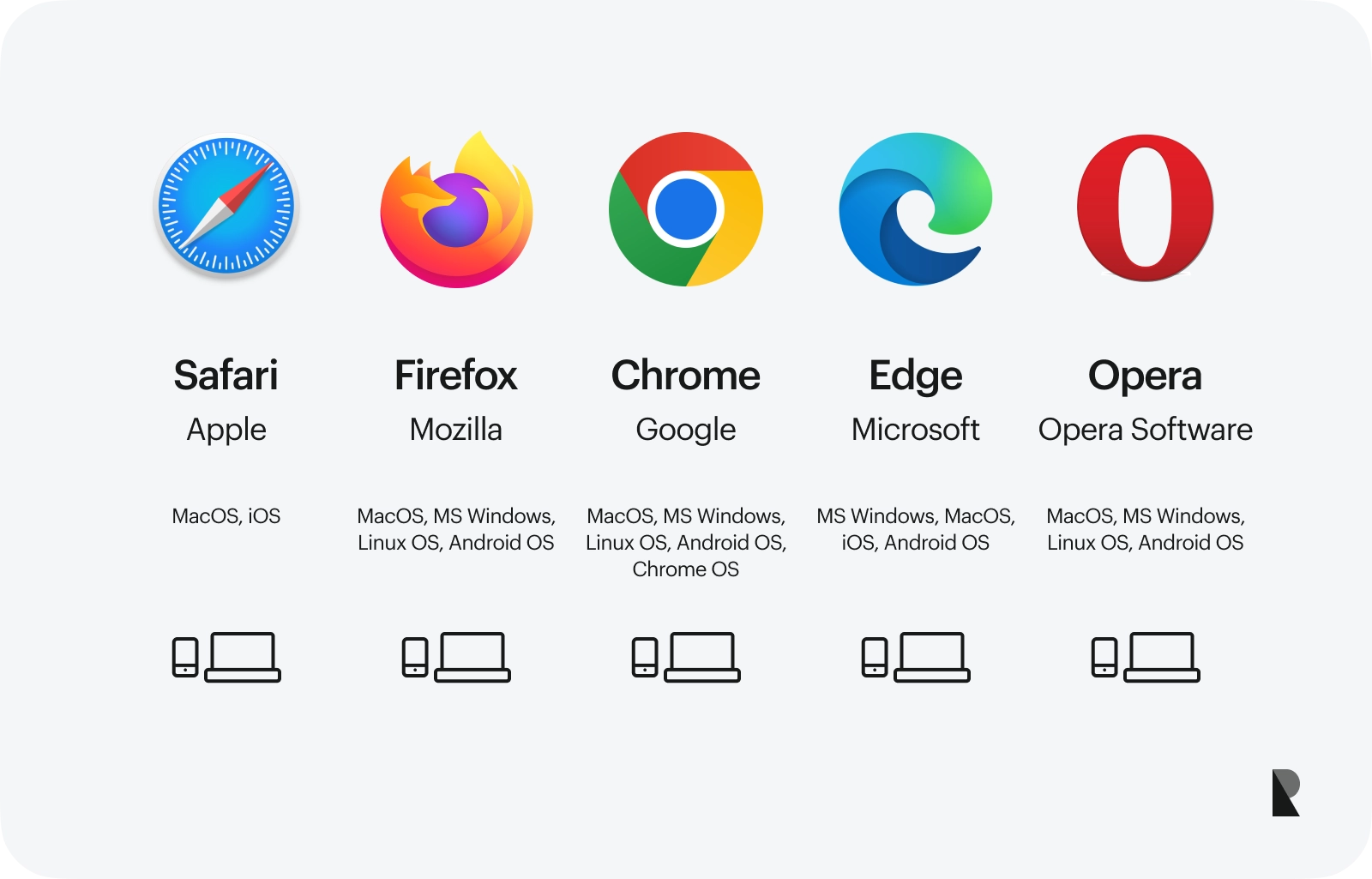
Google Chrome: Undeniably the market leader, Chrome’s appeal stems from its speed, vast extension library, seamless integration with Google services (Gmail, Drive, YouTube), and cross-device synchronization. Built on the open-source Chromium project, its robust performance and developer tools have cemented its position. However, Chrome is also notorious for its significant RAM consumption, which can bog down older or less powerful machines. More critically, its close ties to Google raise perennial privacy concerns, as Google’s business model heavily relies on data collection and targeted advertising. For users prioritizing privacy or resource efficiency, Chrome’s trade-offs can be significant motivators to explore other options.
-
Mozilla Firefox: For many years, Firefox stood as the primary challenger to Chrome, championing open-source principles, user privacy, and extensive customization. Its “Quantum” engine refresh significantly boosted its performance, making it a viable alternative in terms of speed. Firefox boasts robust tracker blocking, an active community, and a commitment to not building its business around selling user data. While its market share has diminished, it remains a favorite among privacy advocates and those who value an open web. Some users, however, report occasional performance hiccups or a less polished feel compared to its Chromium-based rivals.
-
Microsoft Edge: Initially an attempt to replace Internet Explorer, the modern Microsoft Edge has undergone a dramatic transformation. Now built on the Chromium engine, it offers excellent compatibility with web standards, impressive speed, and tighter integration with the Windows ecosystem. Edge includes useful features like “Collections” for research, a robust PDF reader, and efficiency modes. Its performance is often praised, and it generally consumes fewer resources than Chrome. Despite these improvements, concerns persist about Microsoft’s data collection practices, similar to Google, and some users simply prefer not to be locked into the Microsoft ecosystem.
-
Apple Safari: Exclusive to Apple devices, Safari is the default browser for macOS, iOS, and iPadOS. It’s renowned for its blazing speed (especially on Apple hardware), excellent battery life optimization, and strong privacy features, including Intelligent Tracking Prevention (ITP) and a privacy report that shows blocked trackers. Safari’s integration with the Apple ecosystem, including iCloud Keychain and Handoff, makes it highly convenient for Apple users. Its primary limitation, however, is its exclusivity; Windows and Android users cannot access it. Furthermore, its extension ecosystem, while growing, is not as vast as Chrome’s or Firefox’s.
Why Diversify Your Browser Portfolio?
The reasons for looking beyond these familiar names are compelling and varied, touching upon fundamental aspects of the modern internet experience.
-
Performance & Resource Management: Not all browsers are created equal in their demand for CPU cycles and RAM. Alternative browsers often prioritize leaner codebases or specific optimizations to deliver a snappier experience, especially on older hardware or when running multiple applications simultaneously. This can translate directly into longer battery life for laptops and smoother multitasking.
-
Privacy & Security Enhancements: In an age of pervasive tracking and data breaches, privacy is a major concern. Many alternative browsers are built from the ground up with privacy as their core mission, incorporating advanced tracker blocking, built-in VPNs, secure DNS, and other features designed to minimize your digital footprint and protect your sensitive information. They often eschew business models reliant on selling user data, aligning more closely with user interests.
-
Unique Features & Customization: Mainstream browsers aim for broad appeal, which can sometimes lead to a “one-size-fits-all” approach. Niche browsers, conversely, often cater to specific user segments, offering a plethora of unique features: advanced tab management, built-in note-taking, crypto wallets, sophisticated screenshot tools, or unparalleled levels of interface customization. This allows users to tailor their browsing environment precisely to their workflows and aesthetic preferences.
-
Avoiding Vendor Lock-in: Relying solely on one browser, especially one tied to a large tech ecosystem, can lead to vendor lock-in. Exploring alternatives encourages competition, fosters innovation across the web, and gives users more control over their data and online experience, rather than being beholden to the policies or features of a single corporation.
Niche and Privacy-Focused Browsers
The landscape truly broadens when we look at browsers that prioritize specific philosophies, whether it’s uncompromised privacy, extreme customization, or unique productivity features. These browsers often carve out dedicated user bases by excelling in areas where the giants might fall short.
Browsers Prioritizing Privacy
-
Brave: Built on Chromium, Brave stands out for its integrated ad-blocker and tracker blocker, which are enabled by default. This not only enhances privacy but also speeds up page loading and reduces data consumption. Brave also features a built-in cryptocurrency wallet and a unique “Brave Rewards” system, where users can opt-in to view privacy-respecting ads and earn Basic Attention Tokens (BAT), which can then be used to tip content creators or exchanged for other currencies. It combines the familiarity of Chromium with a strong privacy stance.
-
DuckDuckGo Privacy Browser: Primarily known for its privacy-focused search engine, DuckDuckGo also offers a web browser for mobile and desktop. Its core strength lies in its relentless blocking of third-party trackers and its “Privacy Grade” feature, which rates websites on their privacy practices. It also offers a “Fire Button” that instantly clears all tabs and browsing data, providing an immediate sense of privacy. This browser is ideal for users who prioritize simplicity and robust, no-fuss privacy protection.
-
Tor Browser: For the highest level of anonymity and censorship circumvention, Tor Browser is the gold standard. It routes internet traffic through a decentralized network of relays run by volunteers worldwide, making it incredibly difficult to trace a user’s online activity. While powerful for specific use cases (e.g., journalists, activists, accessing geo-restricted content), Tor is significantly slower than conventional browsers due to its multi-layered routing. It’s not designed for everyday browsing but for situations where anonymity is paramount.
- Vivaldi: Developed by a team that includes former Opera founders, Vivaldi is a browser for power users who demand ultimate customization and productivity features. While it’s built on Chromium, its interface and functionality are profoundly different. Users can customize nearly every aspect, from tab placement and themes to keyboard shortcuts and mouse gestures. It includes advanced tab management (tab stacking, tiling), built-in note-taking, a full-page screenshot tool, and a mail client. Vivaldi is less about raw speed or absolute anonymity and more about empowering the user with an incredibly flexible and feature-rich environment.
Browsers for Specific Use Cases
-
Opera: With a long and storied history, Opera has continuously innovated. Modern Opera browsers (including Opera GX for gamers) are based on Chromium and offer a built-in VPN service (though limited compared to standalone VPNs), a native ad-blocker, and unique features like “Workspaces” for organizing tabs into distinct groups. Its “Flow” feature allows for seamless sharing of content between desktop and mobile versions. Opera GX, in particular, caters to gamers with CPU, RAM, and network limiters to ensure gaming performance isn’t impacted by the browser.
-
Waterfox / Pale Moon: These are forks of the Firefox codebase, each with a distinct philosophy. Waterfox aims to provide a more privacy-respecting, un-telemetry-ridden version of Firefox, often maintaining support for older Firefox add-ons that the main Firefox might have dropped. Pale Moon takes a more radical departure, focusing on efficiency and customization, aiming to be a lightweight alternative for users who prefer a classic, highly configurable browser experience and are less concerned with modern web features that might introduce bloat. These are for users who appreciate the Firefox lineage but desire a different direction.
-
Epiphany (GNOME Web): As the default web browser for the GNOME desktop environment on Linux, Epiphany prioritizes simplicity, speed, and deep integration with the GNOME ecosystem. It uses the WebKit rendering engine (like Safari) and offers a clean, minimalist interface. While it may lack the extensive features or customization options of other browsers, its strength lies in its lightweight nature and adherence to GNOME design principles, making it a natural fit for users of that desktop environment.
Key Factors to Consider When Choosing a Browser
With such a diverse range of options, selecting the “best” browser isn’t about finding a universal champion, but rather about identifying the one that aligns best with your individual needs and priorities.
Performance and System Resources
Consider your computer’s specifications. If you have an older machine or limited RAM, a lightweight browser like Epiphany, Pale Moon, or even Edge might offer a smoother experience than Chrome or Vivaldi. Pay attention to how a browser handles multiple tabs, streaming video, and heavy web applications, and observe its impact on your CPU and battery life. Many browsers now include “efficiency modes” or “sleeping tabs” to mitigate resource drain.
Privacy and Security Features
This is a critical differentiator. Look for browsers with:
- Built-in Ad and Tracker Blocking: To prevent unwanted surveillance and speed up browsing.
- Secure DNS (DNS-over-HTTPS/TLS): To encrypt DNS queries, preventing snooping.
- Sandboxing: To isolate web content from the rest of your system, enhancing security.
- Automatic Updates: To ensure you’re always running the latest security patches.
- VPN Integration: For an added layer of anonymity (though often less robust than dedicated VPN services).
- Clear Privacy Policies: Transparency about how your data is collected and used.
Customization and Extensions
If you like to tailor your experience, assess the browser’s:
- Extension/Add-on Ecosystem: The availability of tools to enhance functionality (e.g., password managers, grammar checkers, productivity tools).
- Theming and Appearance Options: For personalizing the visual interface.
- Advanced Configuration: The ability to tweak hidden settings, user scripts, and developer tools. Vivaldi and Firefox excel here.
Ecosystem and Syncing
Consider how seamlessly the browser integrates with your broader digital life:
- Cross-Device Synchronization: Can you sync bookmarks, history, passwords, and open tabs across your desktop, laptop, and mobile devices?
- Integration with Cloud Services: Does it work well with your chosen cloud storage, password manager, or productivity suite?
- Operating System Integration: How well does it fit into Windows, macOS, Linux, Android, or iOS?
User Interface and Experience
This is often a subjective preference. Do you prefer a minimalist, clean interface, or a feature-rich dashboard with many options? Is the navigation intuitive? Is it accessible to your needs? Spend some time using a new browser to get a feel for its daily usability.
The Future of Web Browsing
The evolution of web browsers is far from over. As the internet itself changes, so too do the tools we use to access it.
Emerging Trends
- AI Integration: Expect to see more browsers incorporating AI for tasks like summarizing articles, generating content, improving search results, or even providing contextual assistance directly within the browser interface.
- Decentralization (Web3 Browsers): With the rise of blockchain and decentralized technologies, browsers that natively support Web3 concepts (like integrated crypto wallets, IPFS support, and decentralized identity management) are gaining traction, aiming to offer a more open and user-controlled internet experience.
- Enhanced Privacy Controls: As public awareness of data privacy grows, browsers will continue to innovate with more sophisticated tracker blocking, stronger data encryption, and transparent privacy dashboards.
- Cross-Platform Consistency: Users expect a seamless experience across all their devices, driving browsers to invest more in robust synchronization and consistent UI/UX across different operating systems.
The Importance of User Choice
Ultimately, the availability of a diverse array of web browsers is a healthy sign for the internet. It fosters competition, drives innovation, and ensures that users are not locked into a single paradigm. Whether you prioritize cutting-edge features, ironclad privacy, resource efficiency, or a highly personalized experience, there’s likely a browser out there that’s a better fit for you than the one you’re currently using by default. Taking the time to explore these alternatives can significantly enhance your digital life, making your journey across the vast expanse of the web more efficient, secure, and enjoyable.
aViewFromTheCave is a participant in the Amazon Services LLC Associates Program, an affiliate advertising program designed to provide a means for sites to earn advertising fees by advertising and linking to Amazon.com. Amazon, the Amazon logo, AmazonSupply, and the AmazonSupply logo are trademarks of Amazon.com, Inc. or its affiliates. As an Amazon Associate we earn affiliate commissions from qualifying purchases.