
The term “null” on Instagram, much like its broader technical definition, signifies an absence of value or a placeholder for something that doesn’t exist. In the context of social media, particularly a platform as dynamic and visually driven as Instagram, understanding what “null” signifies is crucial for users, developers, and even marketers. It’s a concept that often arises when data is expected but not found, leading to a variety of user experiences, from minor glitches to more significant technical inquiries. This article will delve into the various manifestations of “null” on Instagram, exploring its technical underpinnings, its impact on user experience, and how to troubleshoot common issues related to this digital void.
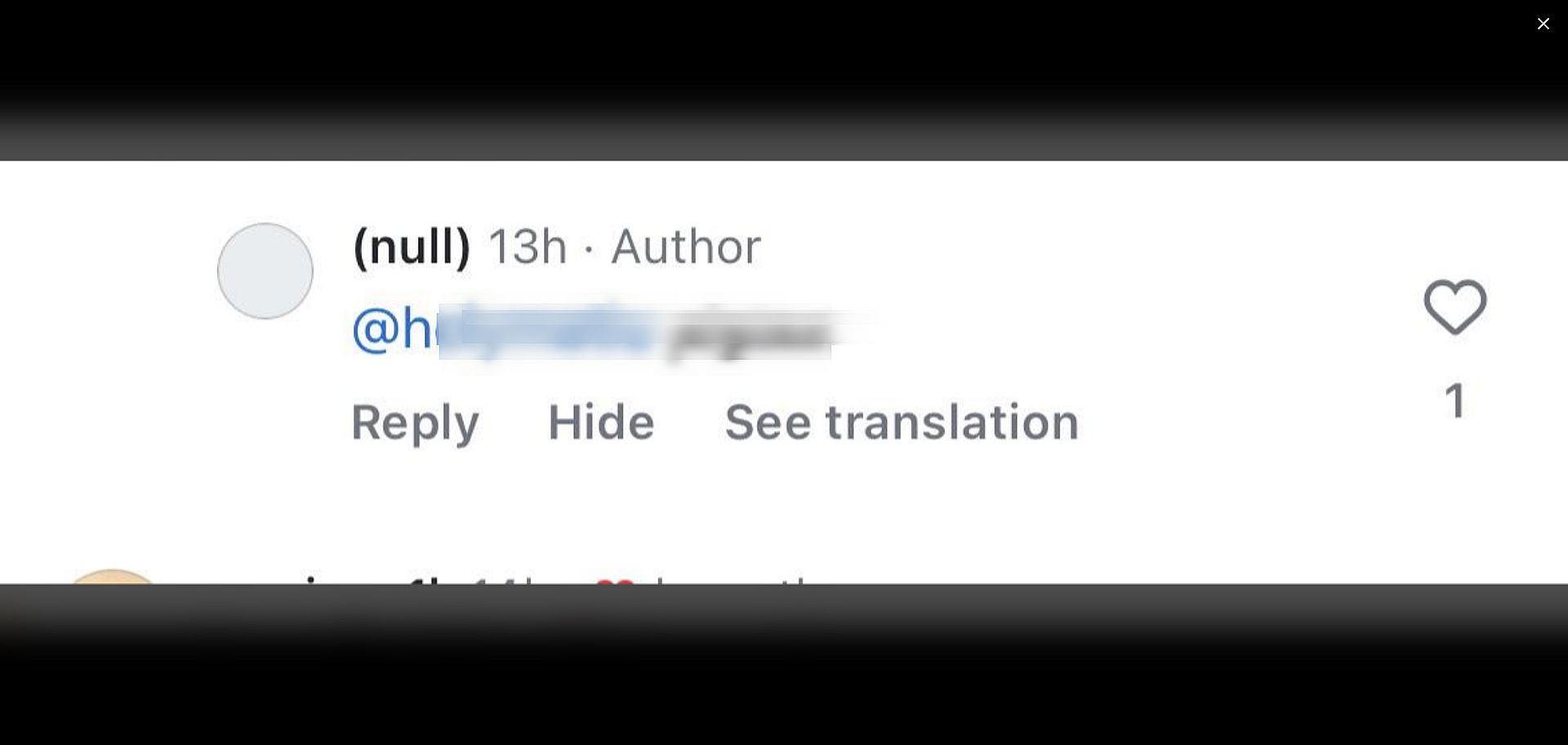
The prevalence of “null” on Instagram is a testament to the complex systems that power our digital interactions. Behind every like, comment, and shared post lies a sophisticated architecture of databases, APIs, and algorithms. When any part of this intricate machinery encounters an unexpected state, or when data fails to populate as anticipated, “null” can appear. It’s not always a visible error message; often, it’s the silent absence of information that prompts users to seek an explanation. This exploration will provide a comprehensive overview, demystifying the concept of “null” on IG and empowering users with knowledge.
The Technical Genesis of “Null” on Instagram
At its core, “null” in a computing context represents an intentionally empty or undefined value. In the realm of Instagram, this often translates to situations where a piece of data, such as a username, a bio, a post description, or even a connection between two entities, is expected to be present but is not. This can stem from various sources within the platform’s development and operational lifecycle.
Database Anomalies and Data Integrity
Instagram, like any large-scale application, relies heavily on databases to store and retrieve vast amounts of user data. These databases are structured using tables with defined columns, each representing a specific attribute of a user or an object. When a record is created, or when data is updated, it’s possible for certain fields to remain empty. If the application’s logic expects a value in that field but encounters an absence, it might represent that absence as “null.”
For instance, consider a user who hasn’t filled out their bio section. When another user visits their profile, the application code will attempt to fetch the bio text. If the bio field in the database is empty for that user, the application might process this as a “null” value. While often handled gracefully, leading to an empty space on the profile, in some scenarios, particularly during intricate data fetching or display operations, “null” can manifest in unexpected ways, potentially causing display errors or breaking certain functionalities that depend on that data. Ensuring data integrity, therefore, becomes paramount in preventing these “null” occurrences. This involves robust validation checks, default value assignments, and careful schema design to minimize the possibility of missing critical information.
API Interactions and Data Exchange
Instagram’s functionality is heavily reliant on Application Programming Interfaces (APIs). These are sets of rules and protocols that allow different software applications to communicate with each other. When the Instagram app on your phone interacts with Instagram’s servers, or when third-party applications integrate with Instagram’s features, they do so through APIs. If an API call fails to retrieve the expected data, or if the data returned is incomplete, the receiving application might interpret this as a “null” response.
Imagine you’re trying to view a list of accounts that a particular user has blocked. If the API call to retrieve this information returns an empty set of data, or if there’s an error in the data transmission, the response might be processed as “null” by the Instagram interface. This could result in a blank list appearing, or a loading indicator that never resolves, or in some cases, a more overt error message. Debugging these API interactions is a constant endeavor for Instagram’s development teams, aiming to ensure that data is consistently and accurately exchanged, thereby reducing the instances where “null” disrupts the intended user experience.
User Experience Manifestations of “Null”
While the underlying causes of “null” are technical, the impact is often felt directly by the end-user. These manifestations can range from subtle visual inconsistencies to more frustrating functional impediments. Understanding these common scenarios can help users diagnose and potentially resolve issues they encounter on the platform.
Profile and Content Display Anomalies
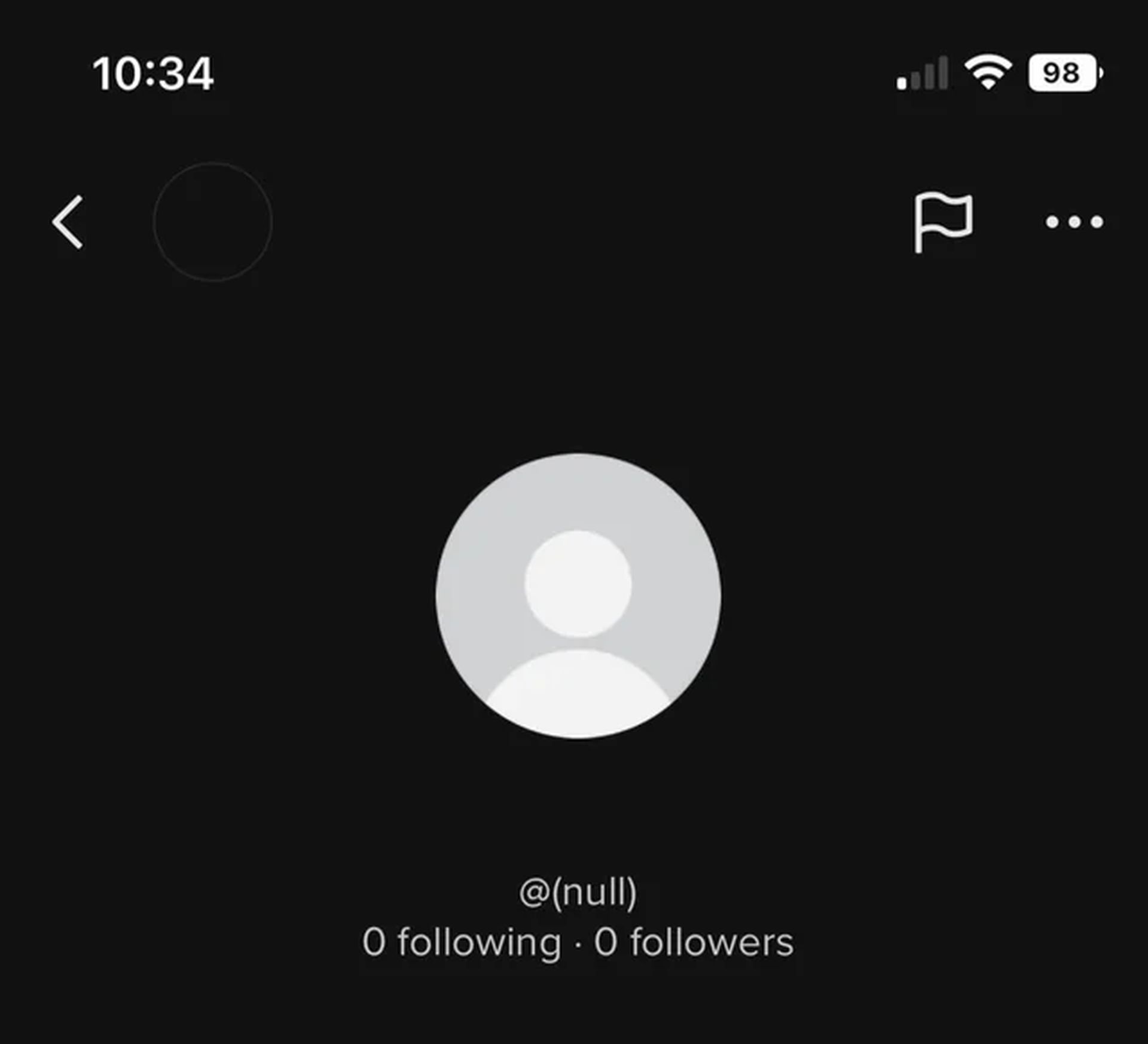
One of the most common places where “null” might indirectly manifest is in the way profiles and content are displayed. If a user hasn’t set a profile picture, the space for it might remain blank, effectively being a visual representation of “null.” Similarly, if a post was uploaded with no caption or description, that field would also be considered “null” by the system.
However, more problematic instances can occur when “null” values interfere with the intended display logic. For example, if a user’s username is unexpectedly returned as “null” from the server, the profile page might fail to load correctly, or display an error like “User not found.” This can also happen with specific content elements. If a video post’s metadata, such as its title or a link to a thumbnail, is “null,” the video might not play, or it might appear as a broken image. These anomalies, while often transient, can lead to a perception of the app being buggy or unreliable.
Account and Connection Issues
“Null” can also impact account functionality and connections between users. For instance, if a user’s account status is erroneously set to “null” in the database, they might experience issues logging in or accessing certain features. Similarly, the relationships between users, such as followers and following lists, are stored data. If there’s an inconsistency or an absence of data representing these connections, it could lead to discrepancies in who appears in a user’s network.
A classic example might be when a user tries to view their “following” list, but it appears empty, even though they know they follow many accounts. This could be due to a “null” value being returned when fetching the list of followed accounts. This highlights how “null” isn’t just about missing text; it can also represent missing relationships or permissions, leading to a disruption in the social fabric of the platform. Troubleshooting these issues often involves clearing cache, logging out and back in, or even reporting the issue to Instagram support, as these are often server-side problems that individual users have limited control over.
Troubleshooting and Mitigating “Null” Encounters
While many “null” occurrences are a result of backend processes, users can take several steps to mitigate their impact and resolve common issues. These strategies often involve leveraging the platform’s built-in tools and understanding basic digital hygiene.
Basic Troubleshooting Steps for App Glitches
When encountering unexpected behavior that might be related to “null” values – such as blank sections, broken images, or features not loading – the first line of defense is often basic troubleshooting. This involves actions that refresh the app’s current state and force it to re-fetch data.
- Restart the App: Closing the Instagram app completely and reopening it can often resolve temporary glitches. This process forces the app to re-initialize its processes and establish fresh connections, potentially fetching corrected data.
- Clear App Cache: Over time, apps store cached data to improve performance. However, corrupted cache files can sometimes lead to display errors. On most mobile devices, you can clear the Instagram app’s cache through the device’s settings. This essentially wipes out temporary data, prompting the app to download fresh information from the server.
- Update the App: Ensure you are running the latest version of Instagram. Developers frequently release updates to fix bugs and improve performance. An older version of the app might be incompatible with recent server-side changes, leading to data interpretation issues that manifest as “null.”
- Check Your Internet Connection: A poor or unstable internet connection can lead to incomplete data downloads, which the app might interpret as “null.” Ensure you have a stable Wi-Fi or cellular data connection.
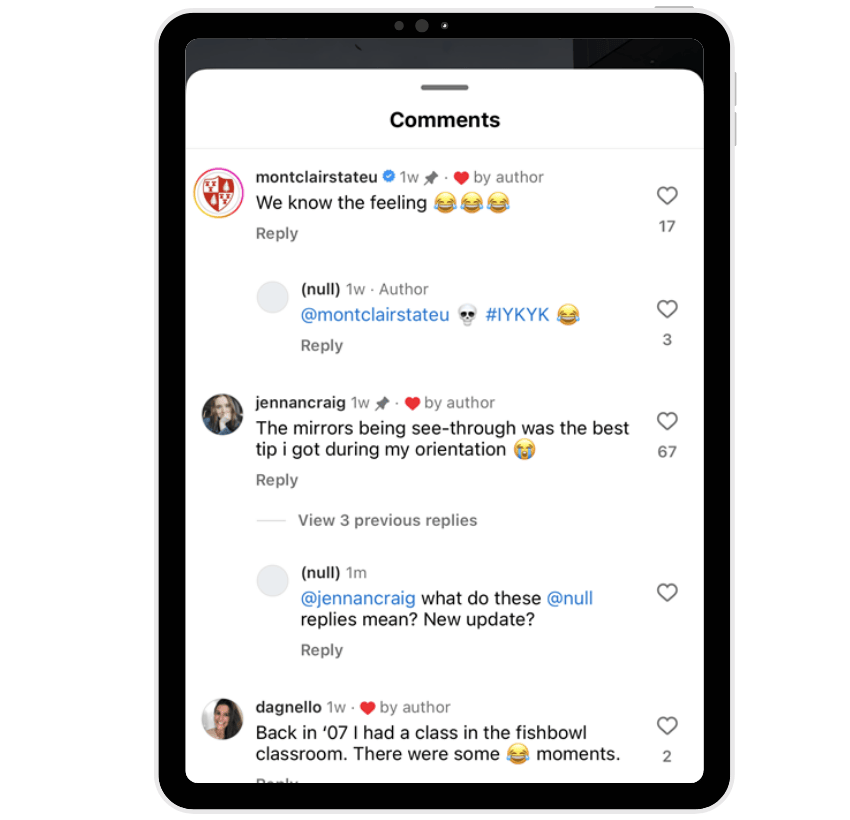
Understanding Platform Limitations and Reporting Issues
In some instances, “null” issues are systemic and beyond the control of the individual user. This is particularly true for widespread bugs or temporary server outages. In such cases, understanding these limitations and knowing how to report issues effectively becomes crucial.
- Is it a Known Issue? Before investing too much time in troubleshooting, consider if this is a widespread problem. Checking social media platforms like Twitter or Reddit for discussions about Instagram outages or bugs can be informative. If many users are reporting similar issues, it’s likely a server-side problem.
- Report the Bug to Instagram: Instagram provides mechanisms for users to report bugs and technical issues. Within the app’s settings, you can usually find an option to “Report a Problem” or “Help.” Providing a detailed description of the issue, including what you were doing when it occurred and any error messages you saw (even if it was a blank space), can help the development team identify and fix the problem. Screenshots or screen recordings can also be invaluable.
- Patience is Key: For systemic issues, the best course of action is often patience. Instagram’s engineering teams work diligently to resolve these problems. Once a fix is implemented, it will typically be rolled out in a subsequent app update.
By understanding the technical underpinnings of “null” and recognizing its various manifestations, users can navigate Instagram more effectively. While the digital void of “null” can sometimes be a source of frustration, a proactive approach to troubleshooting and a clear understanding of the platform’s operational nuances can significantly improve the overall user experience on this ubiquitous social media platform.
aViewFromTheCave is a participant in the Amazon Services LLC Associates Program, an affiliate advertising program designed to provide a means for sites to earn advertising fees by advertising and linking to Amazon.com. Amazon, the Amazon logo, AmazonSupply, and the AmazonSupply logo are trademarks of Amazon.com, Inc. or its affiliates. As an Amazon Associate we earn affiliate commissions from qualifying purchases.