
In the rapidly evolving landscape of personal finance, the shift from traditional brick-and-mortar banking to agile fintech solutions has been nothing short of revolutionary. Among the leaders of this digital transformation is Cash App, a versatile financial tool that has moved beyond simple peer-to-peer payments to become a comprehensive platform for banking, investing, and daily spending. For many users, the “Cash Card”—a Visa debit card linked directly to their Cash App balance—serves as their primary vehicle for transactions. However, the utility of this card is entirely dependent on one’s ability to fund it efficiently.
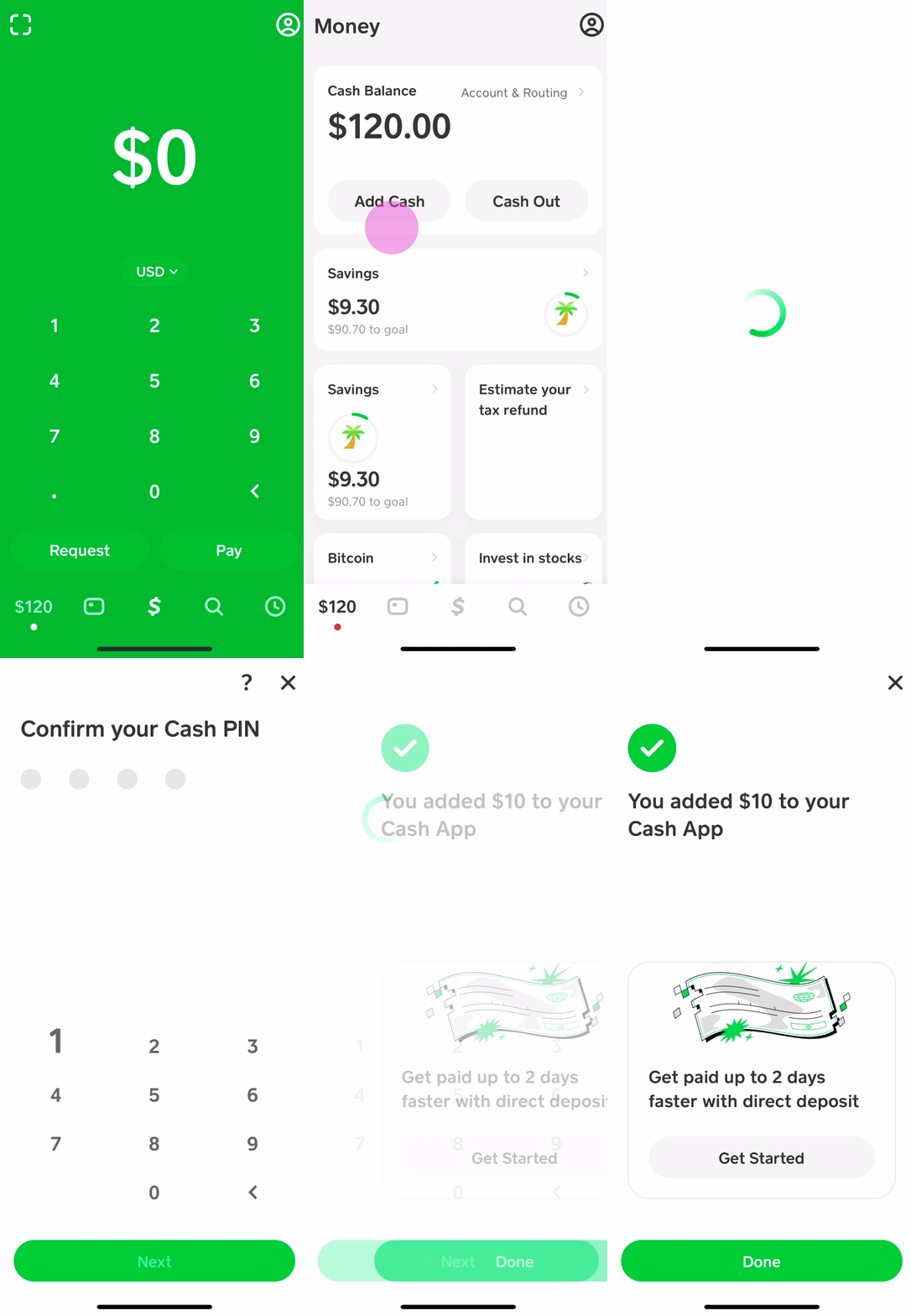
Understanding where and how to put money on your Cash App card is a fundamental aspect of modern cash management. Whether you are looking to deposit physical paper currency, link a traditional bank account, or automate your income through direct deposit, knowing your options ensures that your financial liquidity remains uninterrupted.
Understanding the Cash App Ecosystem for Personal Finance
Before diving into the specific locations and methods for adding funds, it is essential to understand the Cash App ecosystem’s role in a broader personal finance strategy. Cash App is no longer just a “payment app”; it functions as a lightweight bank account that offers unique advantages for budgeting and discretionary spending.
The Role of the Cash Card in Modern Banking
The Cash Card acts as the physical bridge between your digital balance and the real-world economy. Unlike traditional debit cards tied to a high-street bank, the Cash Card offers a layer of separation from your main savings account, which can be a powerful psychological tool for financial discipline. By loading specific amounts onto the card, users can create a “firewall” for their spending, ensuring they do not overdraw their primary accounts while enjoying the convenience of a globally accepted Visa card.
Why Funding Your Card Matters for Budgeting
Strategic funding is the cornerstone of effective budgeting. Many financial advisors suggest the “envelope method,” where money is partitioned for specific uses. Cash App facilitates a digital version of this. By identifying exactly how and where you will add funds—be it a portion of your side-hustle income or a weekly transfer for groceries—you gain granular control over your cash flow. This proactive approach to funding prevents the common pitfall of “invisible spending,” where small digital transactions accumulate into significant financial leaks.
Digital Methods: Linking Bank Accounts and Transferring Funds
For the majority of users, digital transfers represent the most seamless way to maintain a balance on their Cash Card. These methods leverage existing financial infrastructure to move money with minimal friction and often zero cost.
Direct Deposits and Paycheck Integration
One of the most efficient ways to ensure your Cash App card is always funded is by utilizing the platform’s direct deposit feature. Cash App provides users with a routing and account number, much like a traditional bank. By directing all or a portion of your paycheck to these coordinates, you can bypass the delay of moving money between accounts.
From a financial management perspective, this is highly advantageous. Cash App often makes these funds available up to two days earlier than traditional banks. For individuals managing tight monthly budgets or those looking to capitalize on early bill payments, this accelerated liquidity is a significant benefit.
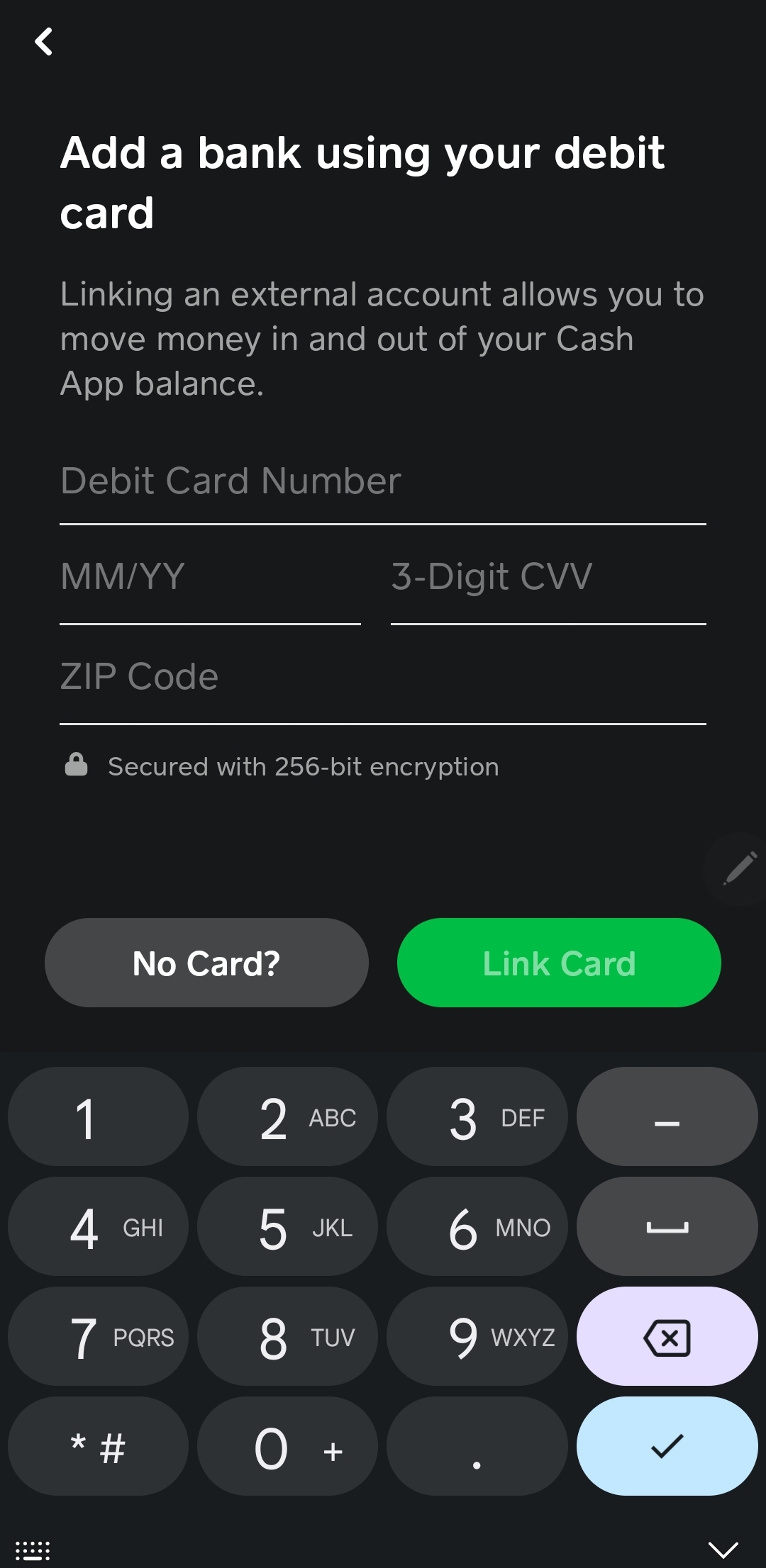
Bank Transfers and Debit Card Links
The most common method of funding is the “Standard” or “Instant” deposit from a linked external bank account. By linking a traditional debit card or a bank account via the Automated Clearing House (ACH) network, users can pull funds into their Cash App balance at will.
- Standard Transfers: These are typically free and take 1-3 business days. This is the preferred method for those who plan their finances in advance and wish to avoid unnecessary fees.
- Instant Deposits: For a small percentage fee, Cash App allows for immediate fund availability. While convenient in emergencies, a savvy financial manager should aim to minimize these fees by scheduling transfers ahead of time.
Peer-to-Peer (P2P) Transfers as a Funding Source
The foundational feature of Cash App—sending and receiving money from friends and family—remains a primary way many users fund their cards. Whether you are being reimbursed for a group dinner or receiving payment for a small freelance gig, these P2P transfers hit your balance instantly. Because these funds are already “in-network,” they are immediately available for use via your Cash Card, making it an ideal tool for those who frequently engage in shared expenses.
Physical Locations: How to Add Cash at Retail Stores
Despite the digital nature of the app, there is often a need to convert physical cash into a digital balance. Cash App has addressed this by partnering with a vast network of retail giants, allowing users to “load” their cards at the register.
Major Retailers That Support Cash App Reloads
The “Paper Money” deposit feature is one of Cash App’s most practical innovations for the “unbanked” or those who receive cash tips and payments. You can typically add money to your Cash App card at several high-traffic retail locations, including:
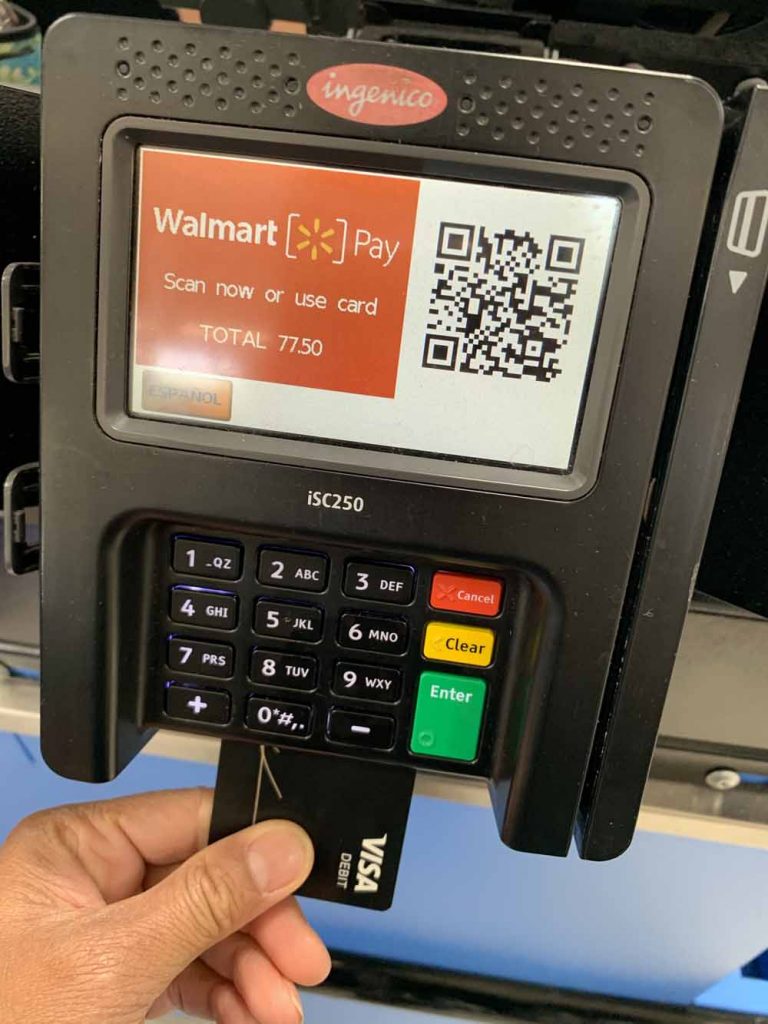
- Walmart: Utilizing the Customer Service desk or specific registers.
- Walgreens and Duane Reade: A convenient option for those in urban or suburban areas.
- 7-Eleven: Ideal for quick, 24/7 deposits in many regions.
- Dollar General and Family Dollar: Providing accessibility in rural areas where traditional banks might be scarce.
- Rite Aid and CVS: Common pharmacy hubs that support these transactions.
The Process of In-Store Deposits
To put money on your card at these locations, you do not simply swipe your card. Instead, you use a barcode generated within the app.
- Open Cash App and navigate to the “Banking” or “My Cash” tab.
- Select “Paper Money.”
- Find a nearby location on the map and tap “Show Barcode.”
- Ask the cashier to scan the barcode and hand over the cash you wish to deposit.
This system is designed for security, ensuring that the cash is routed directly to your unique account identifier without the risks associated with physical card skimming at a terminal.
Understanding Transaction Fees and Limits
It is vital to recognize that physical cash deposits are rarely free. Most retailers charge a service fee (typically around $1 to $4) for the convenience of processing the transaction. Additionally, Cash App imposes limits on paper money deposits—often capped at $500 per transaction, $1,000 per week, or $4,000 per month. For those using Cash App as a primary financial tool, tracking these limits is essential to avoid being stranded with cash that cannot be digitized when needed.
Optimizing Your Cash App for Better Financial Management
Once you have mastered the “where” and “how” of funding your card, the focus shifts to optimization. Using Cash App effectively requires a blend of security awareness and strategic spending.
Security Best Practices for Your Funds
As your Cash App balance grows, so does the importance of securing it. Unlike a traditional bank account, recovering funds from a compromised fintech account can sometimes be more complex.
- Enable Security Locks: Require a FaceID, TouchID, or PIN for every transaction.
- Monitor Activity: Turn on push notifications so you are alerted the second a transaction occurs.
- Beware of Phishing: Cash App will never ask for your sign-in code or PIN over the phone or via social media. Treat your Cash App balance with the same reverence you would a physical wallet.
Using Cash App for Savings and Micro-Investing
One of the most sophisticated ways to use the money you’ve put on your card is through the platform’s integrated investment tools. Once your card is funded, you can divert small amounts into “Savings” folders or purchase fractional shares of stocks and Bitcoin.
This “all-in-one” approach allows for a seamless transition from liquidity (cash on the card) to asset accumulation (investments). By automating a small transfer from your funded balance into an investment every week, you turn a spending tool into a wealth-building tool.
Monitoring Your Cash Flow with Transaction History
Professional financial management requires regular auditing. Cash App provides a transparent, easy-to-read transaction history that categorizes your spending. By reviewing where your funded money goes each month, you can identify patterns, eliminate redundant subscriptions, and adjust your funding habits. For instance, if you notice you are frequently paying “Instant Deposit” fees, it may be time to set up a recurring “Standard” transfer from your bank to save that capital.
Conclusion
The question of “where can I put money on my Cash App card” is the starting point for a deeper journey into modern financial literacy. Whether you choose the convenience of a retail partner like Walmart, the automation of direct deposit, or the simplicity of a linked bank account, each method serves a specific purpose in a well-rounded money management strategy.
By viewing Cash App not just as a software application, but as a strategic financial hub, you can leverage its various funding avenues to increase your financial agility, enhance your security, and ultimately, take greater control over your economic future. In a world where cash is becoming increasingly digital, mastering the flow of your funds is the most important investment you can make.
aViewFromTheCave is a participant in the Amazon Services LLC Associates Program, an affiliate advertising program designed to provide a means for sites to earn advertising fees by advertising and linking to Amazon.com. Amazon, the Amazon logo, AmazonSupply, and the AmazonSupply logo are trademarks of Amazon.com, Inc. or its affiliates. As an Amazon Associate we earn affiliate commissions from qualifying purchases.