
In the modern era of mobile computing, the role of a digital assistant has evolved from a reactive voice-controlled interface to a proactive, predictive engine. At the heart of this evolution within the Apple ecosystem lies “Siri Suggestions.” While many users associate Siri solely with the voice that answers queries or sets timers, Siri Suggestions represents a sophisticated layer of machine learning that operates silently in the background of iOS, iPadOS, and macOS. It is a feature designed to anticipate user needs, streamline workflows, and personalize the digital experience based on behavioral patterns, location, and time of day.
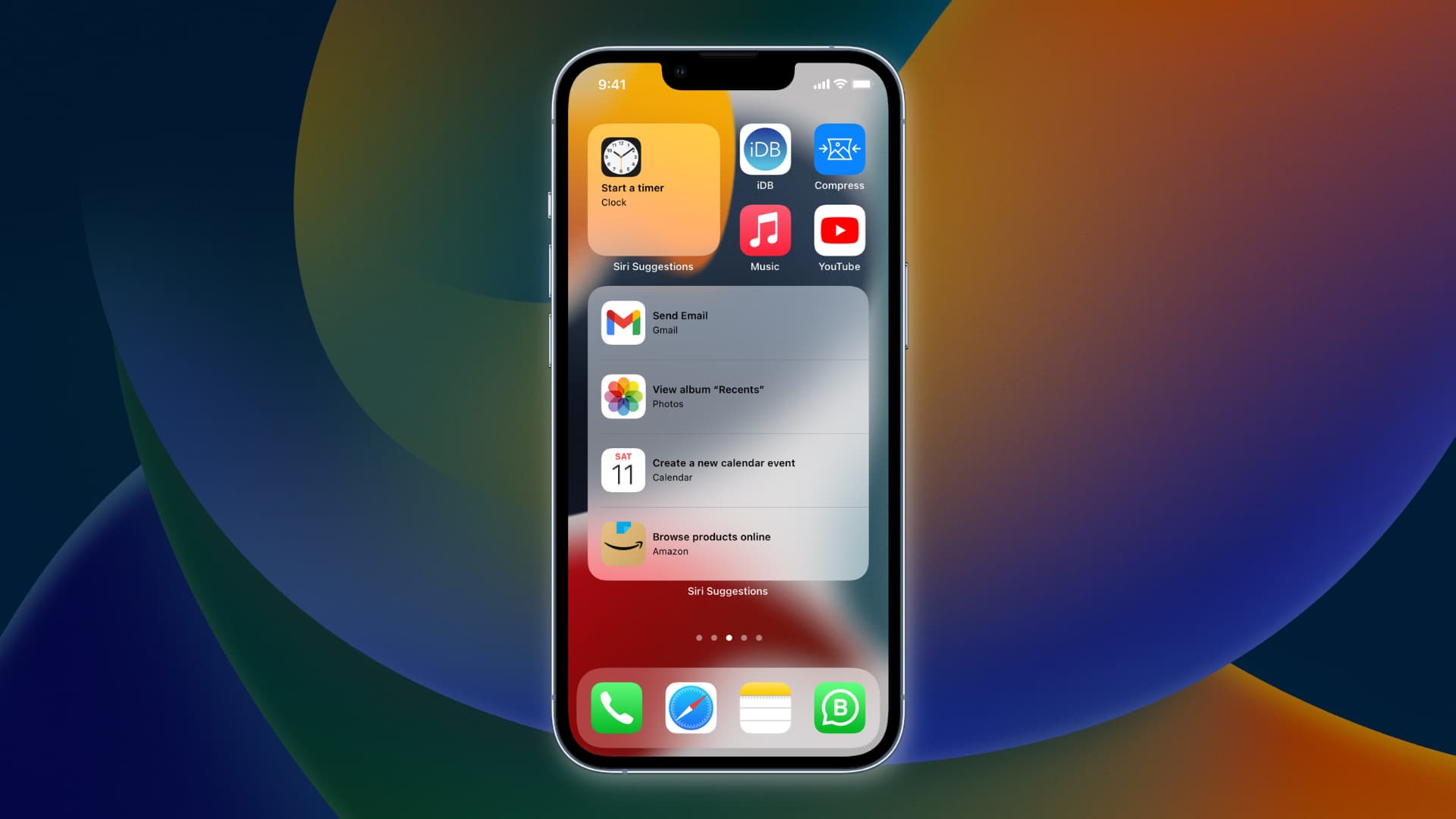
Understanding Siri Suggestions requires a shift in perspective: it is less about a “talking robot” and more about an invisible intelligence layer that integrates deeply with the operating system and third-party applications. This article explores the technical mechanics, the user interface applications, and the privacy-centric architecture that defines Siri Suggestions in today’s tech landscape.
The Anatomy of Siri Suggestions: How It Works
Siri Suggestions is powered by advanced on-device machine learning. Unlike traditional cloud-based AI that processes data on external servers, Apple’s approach prioritizes local processing. This means the “intelligence” that powers these suggestions is living directly on your iPhone or Mac’s silicon.
Patterns and Proactive Assistance
The core of Siri Suggestions is pattern recognition. The system monitors how you interact with your device throughout the day. For example, if you consistently open a specific news app at 7:30 AM or call a specific contact after leaving work, Siri’s underlying algorithms note these frequencies.
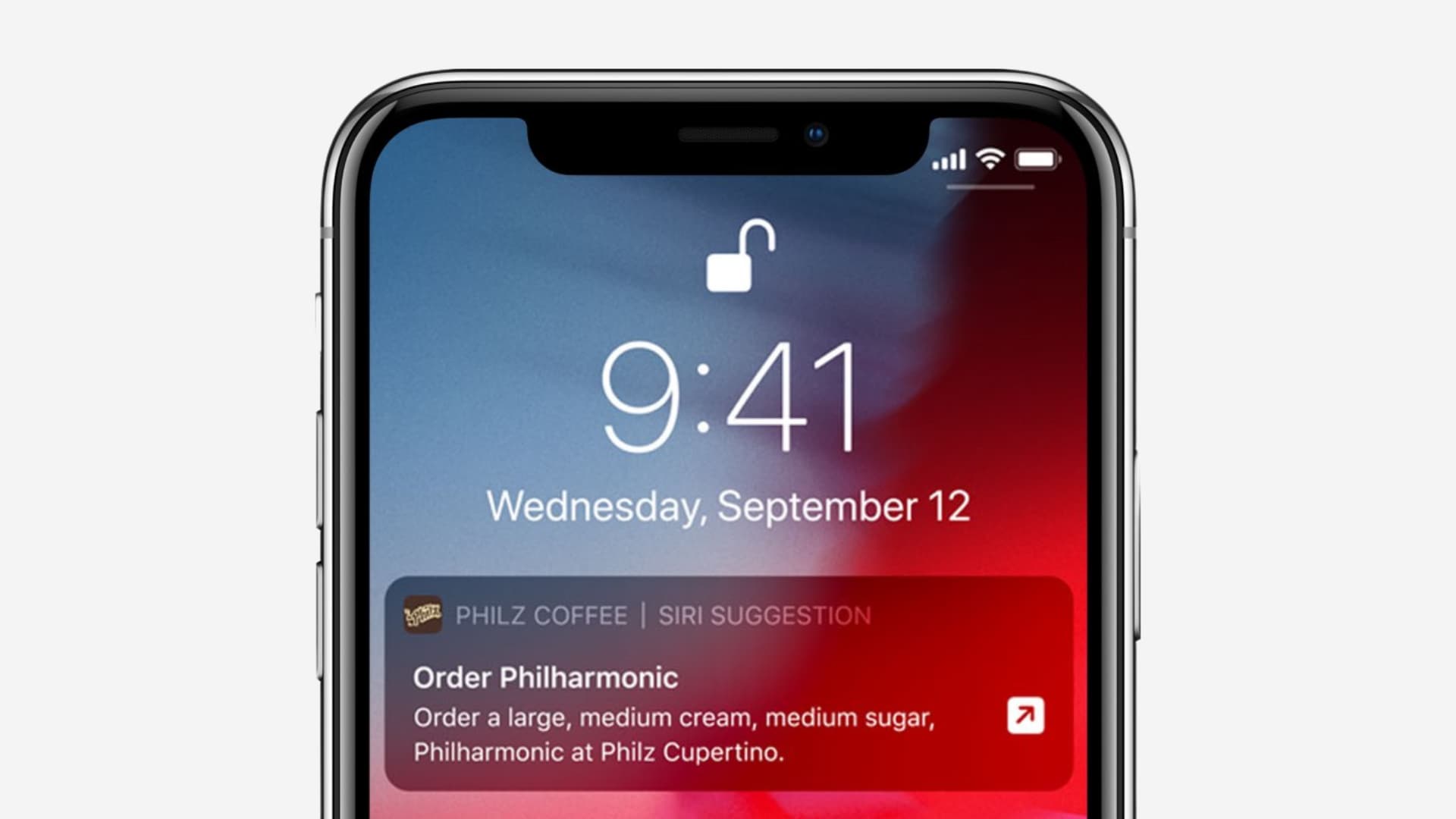
This proactive assistance isn’t just about app launches; it extends to deep links within apps. If you frequently order the same coffee through a delivery app on Tuesday mornings, Siri may suggest that specific action on your Lock Screen or in the Search bar at that exact time. This is achieved through a combination of temporal analysis (time) and geofencing (location), creating a contextual map of your digital habits.
The Role of On-Device Intelligence
The technical brilliance of Siri Suggestions lies in the Neural Engine found in Apple’s A-series and M-series chips. By utilizing on-device intelligence, the system can analyze vast amounts of “signals”—such as your calendar events, emails, browsing history, and app usage—without the latency of a round-trip to a data center.
This local processing allows for real-time responsiveness. When you pull down on your home screen to search, the suggestions appear instantly because the computation happened locally based on your most recent activity. This architecture not only boosts performance but also ensures that the predictive model is uniquely tailored to the individual user rather than a generic demographic.
Siri Suggestions Across the Apple Ecosystem
Siri Suggestions is not a single “feature” found in one menu; it is a ubiquitous presence across the entire Apple software stack. Its goal is to reduce “friction”—the number of taps or clicks required to complete a task.
Search and Home Screen Integration
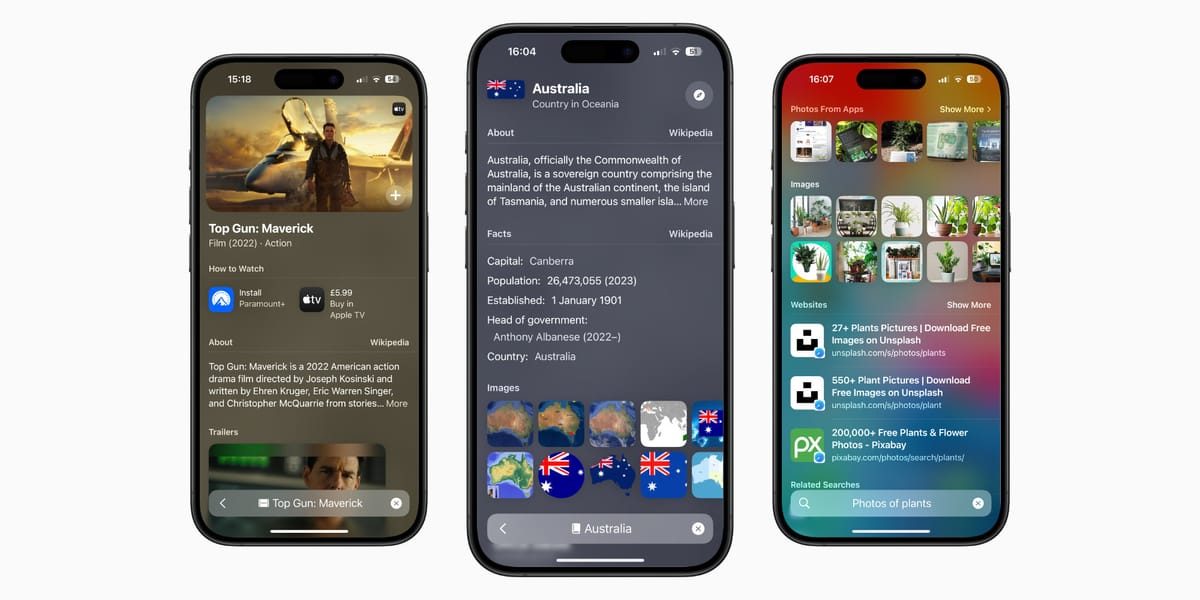
The most visible manifestation of Siri Suggestions occurs in the Spotlight Search (swiping down on the Home Screen). Here, Siri presents a row of app icons it thinks you are likely to use next. These aren’t just your most-used apps; they are the apps most relevant to your current context.
Furthermore, the “Siri Suggestions” widget allows users to keep a dynamic block of apps on their Home Screen. This widget changes throughout the day. In the morning, it might show your weather app and work email; in the evening, it might switch to Netflix or a meditation app. This dynamic interface transforms the Home Screen from a static grid into a living dashboard.
Siri Suggestions in Mail, Calendar, and Safari
The integration extends deep into Apple’s native productivity suite. In the Mail app, if you receive an email about a flight confirmation or a dinner reservation, Siri Suggestions will detect the date and time, offering a prompt at the top of the screen to “Add to Calendar.”
Similarly, in Safari, Siri Suggestions looks at your browsing habits to suggest websites you frequently visit at certain times or to offer “Shared with You” links that contacts have sent you via Messages. In the Calendar app, Siri can suggest people to invite to a meeting based on who you have previously emailed regarding the same subject. This cross-app communication creates a cohesive ecosystem where the software feels aware of the user’s broader goals.
Keyboard and Event Suggestions
The QuickType keyboard also leverages Siri Suggestions. If someone asks “Where are you?” via text, Siri can suggest sharing your current location in the predictive text bar. If you are typing a contact’s name, it may suggest their phone number or email address from your contacts list. These micro-interactions, while small individually, drastically increase the speed of mobile communication.
Enhancing Productivity and User Experience
For tech-savvy users and professionals, Siri Suggestions acts as a force multiplier for productivity. By automating the “discovery” phase of a task, it allows users to jump straight into the “execution” phase.
Streamlining Daily Workflows
The true power of Siri Suggestions is found in its ability to eliminate repetitive tasks. For instance, if you have a recurring Zoom meeting, Siri may suggest the link on your Lock Screen five minutes before the start time. This removes the need to open the Calendar app, find the event, and click the link manually.
In a professional setting, this context-aware intelligence helps in managing information overload. By surfacing the right document or the right contact at the right time, Siri Suggestions serves as a digital chief of staff, filtering through the noise of the operating system to present what is most pertinent.
Intelligent Automation through Shortcuts
Siri Suggestions also plays a critical role in the “Shortcuts” app. The system will often suggest “Siri Shortcuts” based on things you do frequently. If you use a specific app to track your workouts, Siri might suggest a shortcut to “Start Workout” as soon as you arrive at the gym’s coordinates. These suggestions introduce users to the world of automation, showing them how they can combine multiple steps into a single tap or voice command, effectively training the user to be more efficient with their hardware.
Privacy and Security: The Apple Approach
In an era where data privacy is a primary concern for technology consumers, the way predictive AI handles personal information is under intense scrutiny. Apple has positioned Siri Suggestions as a benchmark for “Privacy by Design.”
Differential Privacy and Data Encryption
Unlike many competitors who aggregate user data in the cloud to build massive behavioral profiles, Apple utilizes “Differential Privacy.” This is a statistical technique that allows Apple to learn about general usage patterns from a large community of users without identifying the specific individuals.
For the personalized suggestions that do require specific data—like your home address or your spouse’s name—that information remains encrypted on the device. It is synced across your other Apple devices using end-to-end encryption via iCloud, meaning not even Apple can access the specific profile of “Siri Suggestions” that exists for you.
User Control and Opt-out Options
Transparency is a key pillar of digital security. Apple provides granular controls for Siri Suggestions. Users can go into their system settings and decide exactly where they want suggestions to appear. You can disable suggestions for specific apps if you don’t want their data being used for predictive modeling, or you can turn off “Siri Suggestions in Search” or “on Lock Screen” entirely. This level of control ensures that the user remains the master of their data, deciding the balance between convenience and privacy.
The Future of Siri Suggestions and Generative AI
As we look toward the future of software, Siri Suggestions is poised for a significant transformation through the integration of Large Language Models (LLMs) and “Apple Intelligence.”
Moving Toward Large Language Models (LLMs)
The next frontier for Siri Suggestions is a deeper semantic understanding of language. Current suggestions are largely based on triggers and patterns. However, with the advent of generative AI, we can expect Siri Suggestions to understand the content of what you are doing. Instead of just suggesting the Mail app, Siri might suggest a specific draft response to an urgent email based on the tone and context of the thread.
The transition from a pattern-matching engine to a reasoning engine will make these suggestions feel more “human” and less algorithmic. This will likely involve a more sophisticated “Personal Context Engine” that can synthesize information across different media types—photos, voice notes, and documents—to provide even more relevant proactive help.
Personalization vs. Autonomy
The ultimate goal of Siri Suggestions is “Intelligent Autonomy.” We are moving toward a future where the OS doesn’t just suggest the next step but can perform it for you with your permission. For example, if Siri suggests a flight delay notification, the next logical step would be for it to suggest rebooking a ride-share or notifying your hotel.
As Apple continues to refine its custom silicon and AI frameworks (like CoreML), the line between the user’s intent and the device’s action will continue to blur. Siri Suggestions is the foundation of this future—a quiet, efficient, and private assistant that turns a smartphone into a proactive tool that understands the nuances of its owner’s life.
In conclusion, Siri Suggestions is far more than a list of recommended apps. It is a masterclass in how machine learning can be integrated into a user interface to enhance productivity without compromising privacy. By staying on-device and focusing on the context of the user, Apple has created a tech feature that doesn’t just wait for commands but actively participates in making the digital world easier to navigate.
aViewFromTheCave is a participant in the Amazon Services LLC Associates Program, an affiliate advertising program designed to provide a means for sites to earn advertising fees by advertising and linking to Amazon.com. Amazon, the Amazon logo, AmazonSupply, and the AmazonSupply logo are trademarks of Amazon.com, Inc. or its affiliates. As an Amazon Associate we earn affiliate commissions from qualifying purchases.