
In the contemporary digital landscape, the word “sync”—short for synchronization—has transitioned from a technical jargon term to a fundamental part of our daily lives. Whether you are editing a document on your laptop and seeing the changes instantly appear on your smartphone, or a global team is collaborating on a codebase in real-time, synchronization is the invisible engine driving the experience. At its core, sync is the process of ensuring that two or more locations contain the same up-to-date data. However, as our technology stack grows more complex, the mechanics, challenges, and innovations behind “syncing” have become central to the evolution of software, cloud computing, and digital security.
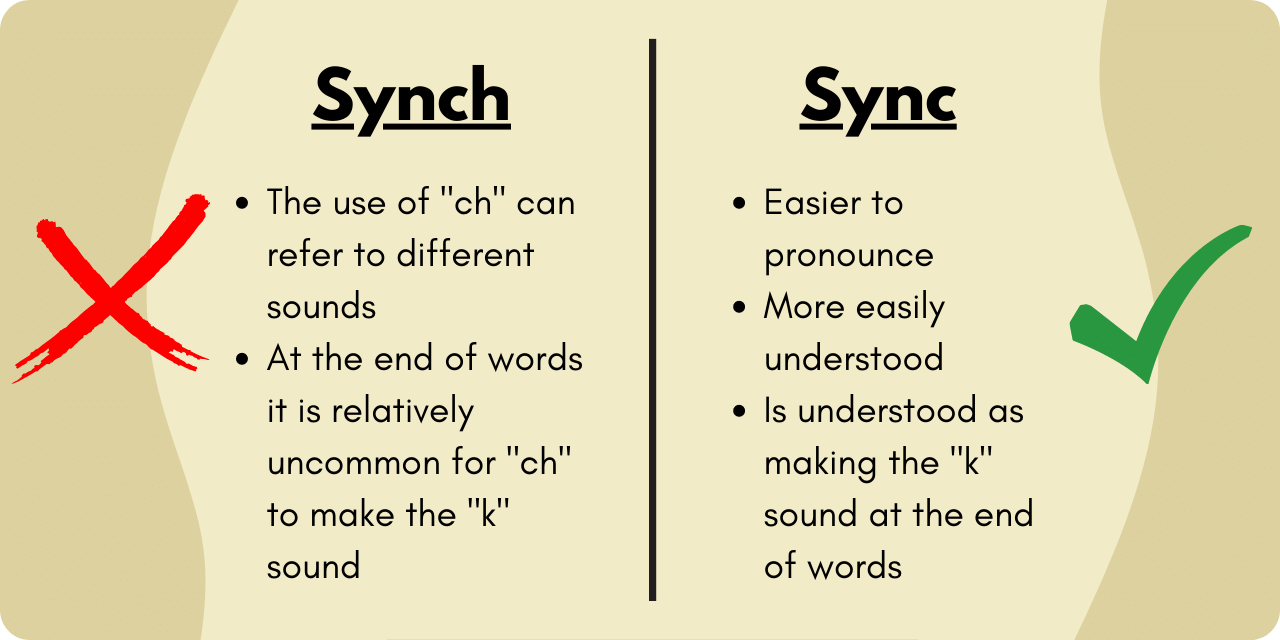
Understanding the Mechanics: How Data Synchronization Works
To understand what sync is in a technical sense, we must look at how data moves between devices and servers. Synchronization is not a singular process but a variety of methods designed to maintain data consistency across a network.
One-Way vs. Two-Way Sync
The most basic distinction in synchronization is the direction of data flow. One-way sync, often referred to as “mirroring” or “backing up,” involves pushing data from a source to a destination. If you change a file on the source, it updates on the destination, but changes made on the destination do not affect the source. Two-way sync, or “bi-directional synchronization,” is more complex. It ensures that any change made on either side is reflected on the other. This is the foundation of services like Dropbox or Google Drive, where a deletion on your phone is mirrored on your desktop.
File-Level vs. Block-Level Sync
Efficiency in syncing is determined by how the software identifies changes. File-level sync checks if a file has been modified and re-uploads the entire file. This is simple but slow for large files. Block-level sync, however, breaks a file down into smaller “blocks.” When a change is made, the software only uploads the specific blocks that were altered. This is a hallmark of high-performance enterprise software, as it drastically reduces bandwidth usage and increases speed.
Real-Time vs. Scheduled Sync
The timing of synchronization determines the user experience. Scheduled sync occurs at specific intervals—every hour, every night, or upon manual trigger. This is often used for massive server backups where constant traffic would hinder performance. Real-time sync, also known as “push sync,” uses webhooks or persistent connections to update data the moment a change is detected. This is essential for modern collaboration tools and instant messaging.
The Role of Sync in Software and Cloud Productivity
Synchronization has fundamentally changed how we interact with software. We no longer live in a world of “local-only” files; we live in an era of fluid data that follows us across hardware.
Collaboration Tools and Version Control
The rise of SaaS (Software as a Service) platforms like Microsoft 365 and Slack is built entirely on the concept of high-speed synchronization. When multiple users edit a spreadsheet simultaneously, the sync engine must manage “atomic updates”—ensuring that User A’s input doesn’t overwrite User B’s input. In development environments, tools like Git take synchronization further through version control, allowing developers to sync different versions of a project while maintaining a history of every change.
Multi-Device Ecosystems
Tech giants like Apple, Google, and Samsung have built “walled gardens” where synchronization is the primary feature. This is often called “continuity.” When you copy text on an iPhone and paste it on a Mac, or start an email on a tablet and finish it on a desktop, you are witnessing the seamless synchronization of clipboard data and application states. This requires a robust backend infrastructure that can handle millions of concurrent sync requests without latency.
Syncing in the Era of Remote Work
Remote work has turned synchronization from a convenience into a business-critical requirement. Distributed teams rely on the synchronization of project management boards (like Trello or Jira) and shared file repositories. Without reliable sync, “data silos” occur, where team members work on outdated information, leading to costly errors and redundancies. The tech industry has responded by developing “edge-sync” capabilities, where data is synced to the nearest local server to ensure that remote workers experience zero lag.
Data Integrity and Security: The Challenges of Being Always-On

While sync provides immense convenience, it introduces significant technical hurdles, particularly regarding data integrity and cybersecurity. When data is constantly in motion, it is more vulnerable to corruption and intercept.
Managing Conflict Resolution in Sync
The “split-brain” scenario is a classic problem in synchronization. It occurs when two users edit the same piece of data at the same time while offline, and then both try to sync their changes once they reconnect. A robust sync engine must have a conflict resolution protocol. This might be “last-write-wins,” where the most recent timestamp is kept, or “deterministic merging,” where the system attempts to integrate both changes. Sophisticated software will flag a conflict and ask the user to manually resolve it to prevent data loss.
Encryption and Privacy in the Cloud
Syncing inherently involves moving data across the internet, which creates a surface for cyberattacks. Modern tech standards require “encryption in transit” (using TLS/SSL protocols) and “encryption at rest” (on the server). However, the gold standard is end-to-end encryption (E2EE), where the service provider cannot see the synced data; only the user’s devices hold the keys to decrypt it. For digital security, the “Sync” process must be as secure as it is fast.
The Impact of Latency on Global Systems
For global enterprises, the physical distance between servers can cause “latency,” which delays synchronization. This is particularly problematic for high-frequency trading or real-time gaming. Tech companies solve this through Content Delivery Networks (CDNs) and localized data centers, ensuring that the “sync” happens as close to the user as possible to maintain the illusion of instantaneity.
The Future of Sync: Edge Computing and AI Integration
As we look toward the future, the concept of “sync” is evolving beyond simple file transfers. It is becoming smarter, more decentralized, and more integrated into the physical world.
AI-Driven Predictive Synchronization
Artificial Intelligence is beginning to play a role in how we sync. Predictive sync uses machine learning algorithms to analyze a user’s habits. If the AI knows you usually check your “Project Alpha” folder at 9:00 AM on your tablet, it can pre-sync those files to the device at 8:55 AM while the device is on Wi-Fi, saving battery and ensuring the files are ready even if the connection is poor.
Decentralized Sync and Web3
The future may see a move away from centralized servers (like those owned by Amazon or Google) toward decentralized synchronization. Peer-to-peer (P2P) sync allows devices to update each other directly without an intermediary server. This is the foundation of many Web3 technologies and blockchain, where the “ledger” is synced across thousands of independent nodes, ensuring that no single entity controls the data.
IoT and the “Internet of Everything”
In the world of the Internet of Things (IoT), synchronization is what allows a smart home to function. Your thermostat, security cameras, and lighting systems must stay in sync with a central hub and your mobile app. As we move toward smart cities, the synchronization of traffic data, power grids, and autonomous vehicles will require a level of precision and speed that currently pushes the boundaries of 5G and 6G technology.
Choosing the Right Sync Strategy for Your Digital Workflow
For developers and tech-savvy users, understanding “what is sync” is only the first step. The second step is implementing a strategy that balances performance with reliability.
Evaluating Sync Tools for Performance
When selecting software, one must look at the “sync engine.” Does the app support delta-sync (only syncing changes)? Does it offer robust offline support? Does it allow for granular control over what gets synced? High-performance tools will offer “selective sync,” allowing users to keep metadata on their devices while leaving large files in the cloud until they are needed, optimizing both storage and bandwidth.

Balancing Local Storage and Cloud Dependency
A major trend in tech is the “cloud-first” approach, but total dependency on the cloud can be a risk. A sophisticated sync strategy often involves a “hybrid” approach—maintaining a local, synced copy of critical data while using the cloud for collaboration and backup. This ensures “high availability,” meaning that even if the internet goes down or a cloud provider suffers an outage, the local sync ensures that productivity does not come to a standstill.
In conclusion, “sync” is far more than a button we press to update our apps. It is a complex orchestration of data protocols, security measures, and infrastructure management. As technology continues to advance, the gap between “local” and “cloud” will continue to blur, making synchronization the invisible thread that weaves our digital lives together. Understanding the mechanics of sync is essential for navigating the future of tech, where data is not just stored, but is constantly, reliably, and securely in motion.
aViewFromTheCave is a participant in the Amazon Services LLC Associates Program, an affiliate advertising program designed to provide a means for sites to earn advertising fees by advertising and linking to Amazon.com. Amazon, the Amazon logo, AmazonSupply, and the AmazonSupply logo are trademarks of Amazon.com, Inc. or its affiliates. As an Amazon Associate we earn affiliate commissions from qualifying purchases.