
In the landscape of modern electronics, the Secure Digital (SD) card remains one of the most ubiquitous yet overlooked components of our daily tech ecosystem. From the high-speed bursts of a professional DSLR camera to the expanded storage of a handheld gaming console, the SD card serves as the silent repository for our digital lives. To understand what is truly “on” an SD card, one must look beyond the surface level of photos and videos and delve into the complex architecture, file systems, and technical specifications that make portable NAND flash storage possible.

This article explores the technical anatomy of an SD card, the organizational logic of its data, and the evolving standards that define how we interact with mobile storage today.
Understanding the Physical and Logical Architecture
At its core, an SD card is much more than a plastic sliver. It is a sophisticated piece of hardware consisting of several key components that work in tandem to manage data integrity and transfer speeds.
NAND Flash Memory: The Storage Bed
The actual “stuff” on an SD card—your files—resides in NAND flash memory chips. Unlike a traditional hard drive that uses magnetic platters, NAND flash is non-volatile, meaning it retains data even when the power is disconnected. Inside these chips, data is stored in cells using floating-gate transistors. The arrangement of these cells determines the density and reliability of the card. Most modern high-capacity cards use Multi-Level Cell (MLC) or Triple-Level Cell (TLC) technology, which allows for more bits to be stored per cell, though often at the cost of endurance compared to Single-Level Cell (SLC) memory.
The Controller: The Brain of the Card
Every SD card contains a tiny microcontroller. This “brain” is responsible for managing where data is written on the flash memory. It handles wear leveling—a process that ensures data is written evenly across all cells to prevent any single part of the card from wearing out prematurely. The controller also manages error correction (ECC), which identifies and fixes bit-level errors that naturally occur over time as the memory cells age.
Form Factors: SD, miniSD, and microSD
While the technology inside remains similar, the physical footprint has evolved. The original SD card (32 x 24 mm) is now primarily used in cameras and laptops. The microSD card (15 x 11 mm) has become the standard for smartphones and action cameras. Though the size differs, the pin configuration and internal logic allow for cross-compatibility via passive adapters, meaning the data “on” a microSD card is fundamentally the same as that on a full-sized SD card.
Decoding the File System: How Data is Organized
When you plug an SD card into a computer, you see folders and files. However, the way this data is structured depends heavily on the file system used during formatting. The file system is the roadmap that tells the operating system where one file ends and another begins.
FAT32 vs. exFAT: Choosing the Right Format
Historically, SD cards used the FAT32 (File Allocation Table) system. While widely compatible across almost every device ever made, FAT32 has a significant limitation: it cannot handle individual files larger than 4GB. As 4K video recording became standard, the industry shifted to exFAT (Extended File Allocation Table). This modern standard supports massive file sizes and partitions, making it the default for SDXC (Extended Capacity) cards. Understanding which file system is on your card is crucial for ensuring compatibility between your recording device and your editing workstation.
Standardized Folder Structures (DCIM and Beyond)
If you look at the root directory of an SD card used in a digital camera, you will almost always find a folder named “DCIM” (Digital Camera Images). This is part of the Design rule for Camera File system (DCF) standard. Inside DCIM, you will find subfolders (like 100MSDCF or 100CANON) that organize images logically. On Android devices, the SD card structure is more complex, containing hidden system folders like “.android_secure” and “LOST.DIR,” which the OS uses to manage encrypted apps and recover corrupted file fragments.
The Role of Metadata and Hidden Partitions
Beyond the visible files, an SD card contains metadata—data about the data. This includes the Master Boot Record (MBR) or GUID Partition Table (GPT), which tells the host device how the storage is partitioned. Some cards, especially those used as bootable media for devices like the Raspberry Pi, may contain hidden Linux partitions that are invisible to standard Windows or macOS file explorers but are vital for the device’s operation.
Performance Metrics and Speed Classes
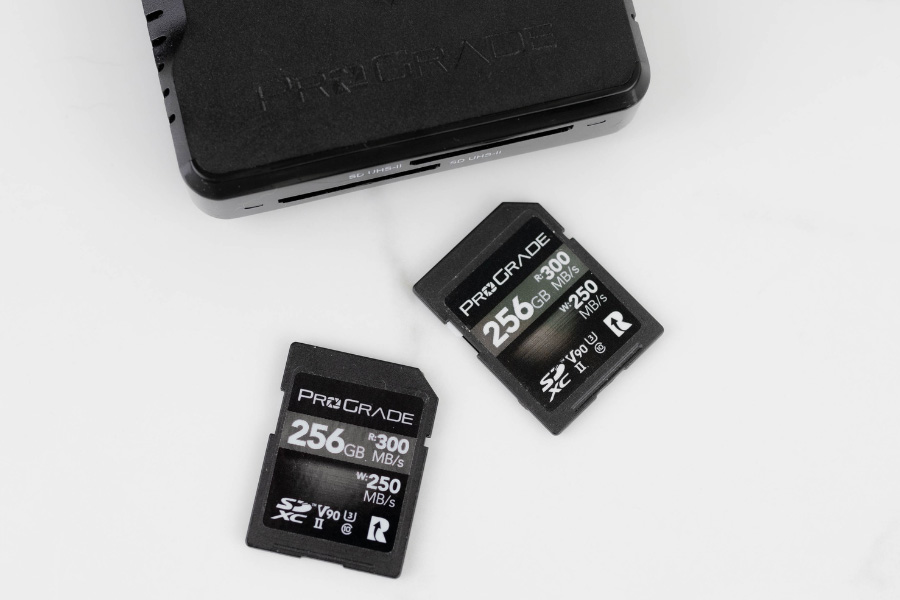
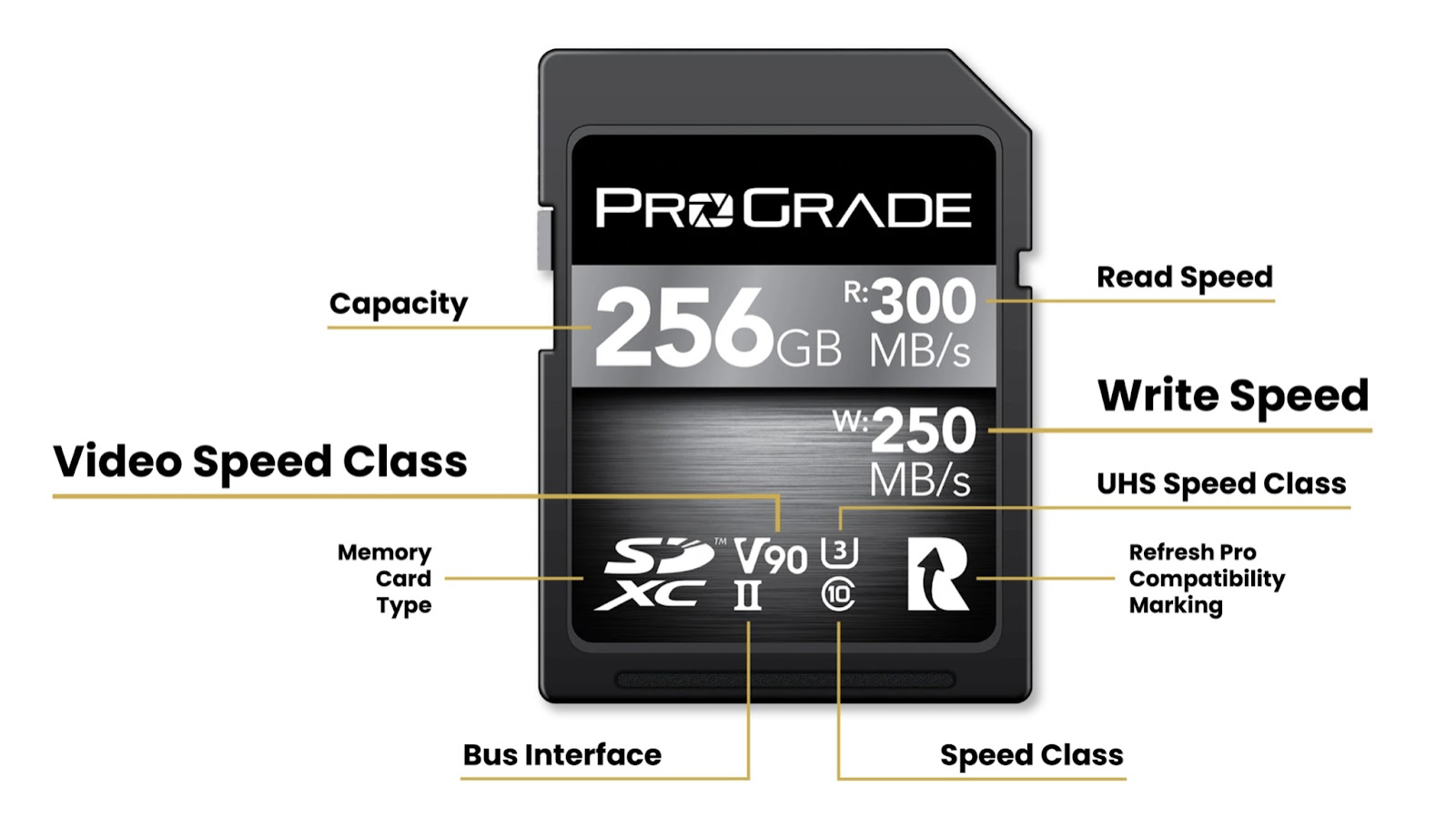
When we ask what is on an SD card, we are often concerned with how fast we can get that data off or on. The labels on the front of a card—UHS-I, V30, Class 10—tell a specific story about the card’s technological capabilities.
Bus Interfaces: From UHS-I to SD Express
The bus interface determines the theoretical maximum speed at which data can travel between the card and the host device.
- UHS-I: Supports speeds up to 104 MB/s.
- UHS-II: Features a second row of pins, allowing for speeds up to 312 MB/s.
- SD Express: The latest leap in tech, utilizing the PCIe and NVMe interfaces (the same technology found in high-end SSDs) to reach speeds exceeding 985 MB/s.
Video Speed Classes: Ensuring Sustained Write Speeds
For videographers, the most important “thing” on the card is the Video Speed Class rating (V6, V10, V30, V60, V90). Unlike “Max Speed,” which describes a short burst, these ratings guarantee a minimum sustained write speed. A V60 card, for instance, guarantees that the card can handle a continuous stream of 60 MB/s. This is critical for high-bitrate RAW video recording, where a single dropped frame caused by a slow write speed could ruin a professional production.
Data Security, Longevity, and Maintenance
Because SD cards are used for vital data storage, understanding their limitations and security features is essential for any tech enthusiast.
Wear Leveling and Why SD Cards Fail
NAND flash memory has a finite lifespan. Every time a cell is erased and rewritten, it undergoes physical stress. The “wear leveling” mentioned earlier helps, but eventually, cells will fail. When an SD card reaches the end of its life, the controller usually switches the card into a “read-only” mode. This is a failsafe designed to allow you to recover what is currently on the card, even if you can no longer add new data.
Logical Protection: The Write-Protect Switch
Full-sized SD cards feature a physical write-protect switch. While this may seem like a mechanical lock, it is actually a signal to the host device. When the switch is in the “Lock” position, the card reader detects this and tells the operating system to deny any write requests. It is a simple but effective tool for preventing accidental deletion or malware infection when plugging the card into an untrusted computer.
Digital Security and Encryption
For those storing sensitive data, what is “on” the card can be protected via software encryption. Tools like BitLocker or VeraCrypt can encrypt the entire partition of an SD card. In the mobile world, Android allows for “Adoptable Storage,” where the SD card is encrypted and integrated into the system’s internal storage, making the data unreadable if the card is removed and placed into another device.
The Future of Removable Storage
As we look toward the future, the SD card is evolving from a simple storage accessory into a high-performance peripheral that rivals internal storage.
The Integration of NVMe and PCIe in SD Express
The most significant trend in SD technology is the convergence of removable cards and Solid State Drive (SSD) tech. With SD Express 7.0 and 8.0 specifications, SD cards are adopting the same protocols used in high-speed computing. This means that in the near future, the “what” on your SD card could include entire operating systems or massive AAA game libraries that load with the same latency and speed as an internal M.2 NVMe drive.
Increased Capacities: The Road to SDUC
We have already transitioned from SD (up to 2GB) to SDHC (up to 32GB) and SDXC (up to 2TB). The next frontier is SDUC (Secure Digital Ultra Capacity), which supports cards with capacities up to 128TB. This massive leap will require even more robust file systems and advanced error correction to manage the sheer volume of data being stored on such a small physical footprint.
In conclusion, what is on an SD card is a complex intersection of NAND flash physics, sophisticated controller logic, and standardized file structures. Whether it is the DCIM folder of a photographer or the encrypted partition of a security expert, the SD card continues to be a cornerstone of the tech world, bridging the gap between portability and professional-grade performance. Understanding these technical layers ensures better data management, faster workflows, and the long-term preservation of our most important digital assets.
aViewFromTheCave is a participant in the Amazon Services LLC Associates Program, an affiliate advertising program designed to provide a means for sites to earn advertising fees by advertising and linking to Amazon.com. Amazon, the Amazon logo, AmazonSupply, and the AmazonSupply logo are trademarks of Amazon.com, Inc. or its affiliates. As an Amazon Associate we earn affiliate commissions from qualifying purchases.