
In the modern digital landscape, the “streaming wars” have led to a fragmented market where subscription fatigue is a growing concern for consumers. As major platforms continue to hike monthly prices, Roku has solidified its position as a market leader by offering a robust ecosystem where high-quality content doesn’t always require a credit card. For tech enthusiasts and casual viewers alike, understanding the depth of Roku’s free software offerings is essential to mastering the hardware.
This guide explores the technical infrastructure of free streaming on Roku, categorizing the best apps available and providing insights into how these platforms deliver premium entertainment through innovative software models.
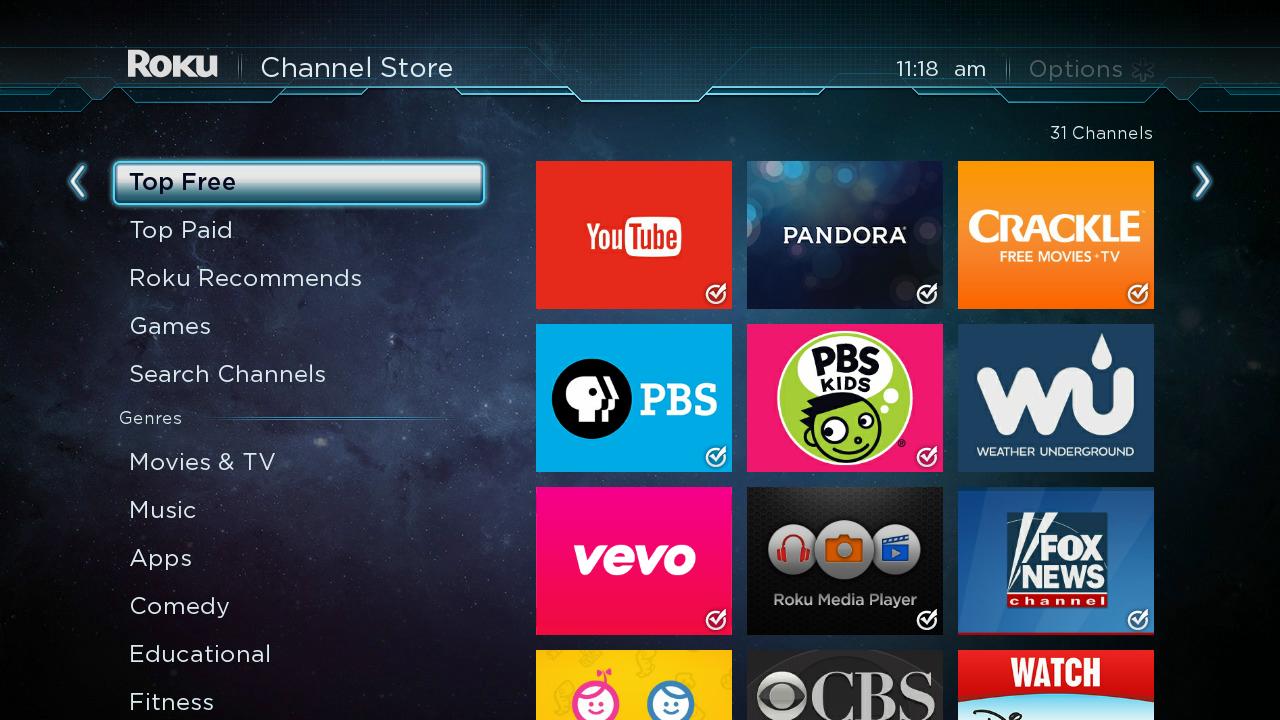
Understanding the Roku Ecosystem and the Free Content Landscape
Roku’s operating system (Roku OS) is designed with a “content-first” philosophy. Unlike proprietary systems that lock users into a single storefront, Roku serves as a neutral aggregator. To understand “free” on Roku, one must distinguish between the different technical delivery methods used by developers.
The Rise of FAST and AVOD Platforms
Most free apps on Roku operate under two primary software models: Free Ad-Supported Streaming TV (FAST) and Advertising Video on Demand (AVOD).
FAST channels mimic the traditional linear television experience. When you open an app like Pluto TV, you are met with a grid guide and content that plays on a schedule. This is powered by server-side ad insertion (SSAI) technology, which seamlessly blends commercials into the stream. AVOD, on the other hand, functions like Netflix or Disney+ but replaces the subscription fee with unskippable ad breaks. Apps like Tubi utilize sophisticated algorithms to suggest content based on viewing history, mirroring the user interface (UI) sophistication of paid services.
The Integration of The Roku Channel
Perhaps the most significant piece of software in this ecosystem is “The Roku Channel.” Developed natively by Roku, this app acts as a hub for both licensed content and “Roku Originals.” Technically, it functions as an aggregator, pulling in live feeds and on-demand titles from various partners into a single, cohesive interface. Its deep integration with the Roku OS search function makes it the primary destination for users looking to avoid subscription costs.
Essential Free Movie and TV Show Apps on Roku
While there are thousands of niche channels in the Roku Channel Store, a few “heavy hitters” dominate the space due to their superior bitrates, user interface design, and library depth.
Tubi: The Library Giant
Tubi, owned by Fox Corporation, is widely considered the king of AVOD. From a technical standpoint, Tubi’s search and discovery engine is remarkably efficient. It hosts over 50,000 titles, ranging from cult classics to major Hollywood blockbusters. The app’s strength lies in its “deep-catalog” strategy—using data science to surface niche content that larger streamers might overlook. For the user, this means a nearly endless supply of content without ever seeing a “payment required” prompt.
Pluto TV: The Linear Experience
Pluto TV revolutionized the FAST model. Its interface is designed to cure “choice paralysis” by offering hundreds of “live” channels categorized by genre—News, 90s Sitcoms, True Crime, and 24/7 Star Trek. The backend technology handles thousands of concurrent streams across various categories, ensuring a low-latency experience that feels identical to traditional cable. It is an essential install for anyone transitioning away from expensive satellite or cable packages.
Freevee and Crackle
Amazon’s Freevee (formerly IMDb TV) brings high-production-value originals to the free tier. Because it leverages Amazon’s massive cloud infrastructure (AWS), the streaming quality is often higher than smaller independent apps, offering 4K or high-bitrate 1080p content where others might cap at 720p. Crackle, one of the oldest names in the space, continues to offer a curated selection of Sony-owned library content and original series, maintaining a simplified UI that performs well even on older Roku sticks with limited RAM.
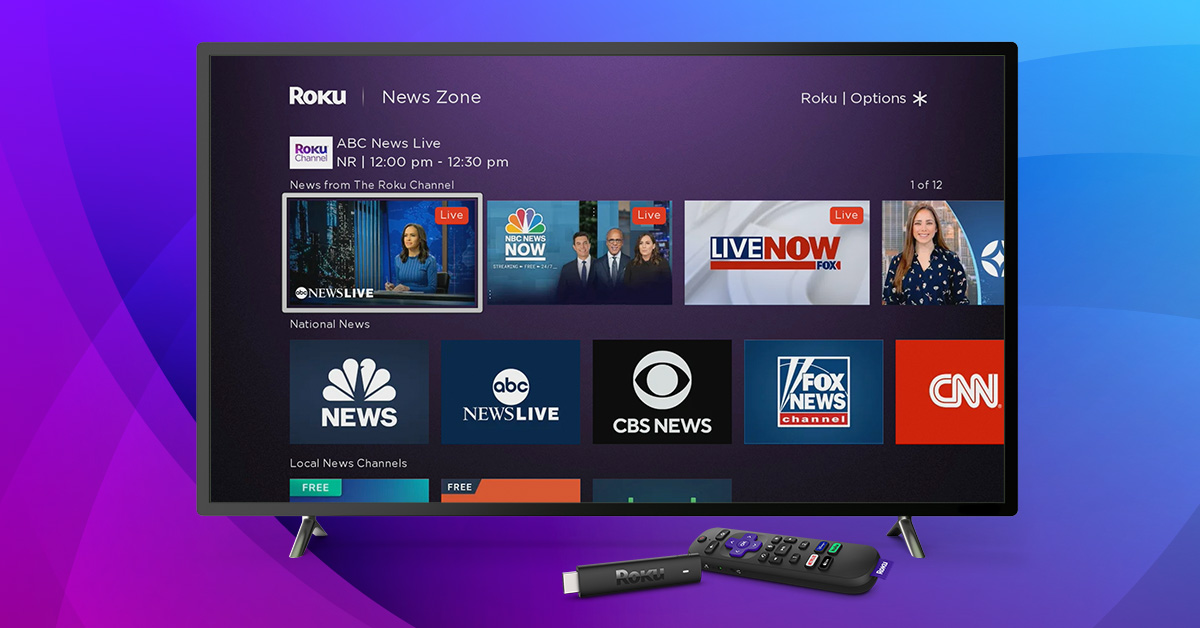
Specialized Content: News, Sports, and Educational Apps
Beyond movies and sitcoms, the Roku platform offers specialized software for staying informed and educated. These apps utilize live-streaming protocols (like HLS) to deliver real-time data to your screen.
Staying Informed with Free News Apps
Roku is a powerhouse for cord-cutters who need live news. Apps like Haystack News and NewsON are technically impressive because they use geo-location data to serve local news broadcasts.
- Haystack News uses an AI-driven approach to curate a personalized news feed based on topics you follow (e.g., “Tech Trends” or “Global Economy”).
- NewsON provides a direct pipeline to local affiliate stations (ABC, CBS, NBC, Fox) across the United States, allowing users to watch local broadcasts live or on-demand.
- Reuters and Sky News offer high-quality international perspectives with professional-grade broadcast interfaces.
Educational and Kids’ Programming
For families, Roku offers several high-quality educational apps that are completely free. PBS Kids is the gold standard here; it provides a safe, ad-free environment for children, which is a rarity in the free-to-watch space. The app is updated daily with new episodes and features a “Live TV” button that mimics the broadcast PBS Kids channel. Additionally, the NASA app provides live streams from the International Space Station and high-definition VOD content of space missions, serving as a premier educational resource for science enthusiasts.
Niche Interests and International Programming
One of the greatest technical advantages of the Roku platform is its ability to host niche applications that would never find a home on traditional broadcast television.
Documentaries and Special Interests
For users interested in specialized topics, apps like Documentary+, MagellanTV Now (the free version), and HappyKids provide deep dives into specific subjects. Documentary+ features a sleek, minimalist UI that focuses on award-winning non-fiction films. These apps often use “recommendation engines” similar to those found in high-end software, helping users discover content based on intellectual curiosity rather than just popularity.
Global Content and Foreign Language Channels
Roku is a global platform, and its app store reflects this. Apps like Viki (for Asian dramas) and ViX (for Spanish-language content) offer substantial free tiers. These apps are technically robust, offering multi-language subtitle support and localized interfaces. For the international community or language learners, these free apps provide a window into global cultures without the need for expensive international cable add-ons.
Optimizing Your Free Roku Experience
Installing free apps is only half the battle; optimizing the software and hardware settings ensures you get the best performance from these ad-supported platforms.
Managing the Home Screen and Search
As you add more free apps, the Roku Home Screen can become cluttered. Users should utilize the “Move Channel” feature to keep high-frequency apps like The Roku Channel or Tubi at the top. Furthermore, Roku’s “Universal Search” is a critical tool. Instead of opening each app individually to find a movie, use the voice search or the search menu on the sidebar. The Roku OS software will scan all installed free apps and tell you exactly where a movie is available for $0.
Technical Performance and Privacy
Since free apps rely on advertising, they involve data tracking. From a digital security perspective, users should visit the Settings > Privacy > Advertising menu on their Roku device. Here, you can enable “Limit Ad Tracking.” This doesn’t remove ads, but it prevents the software from building a specific advertising profile based on your viewing habits.
Additionally, to ensure the highest streaming quality on free apps—which may not always have the optimization budgets of Netflix—ensure your Roku is connected to the 5GHz Wi-Fi band if available. This reduces interference and helps maintain the consistent bitrates required for high-definition free streaming.
Conclusion
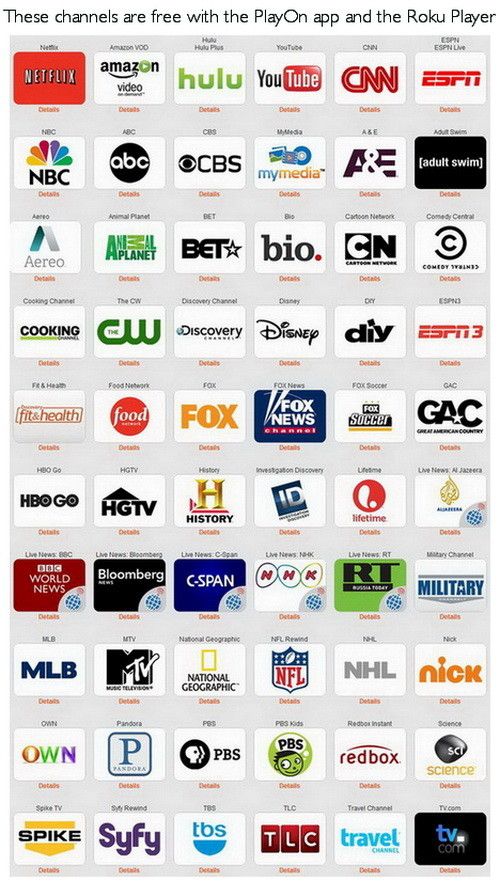
The Roku platform has transformed from a simple hardware interface into a comprehensive gateway for free, high-quality digital media. By leveraging a mix of FAST and AVOD software, users can access thousands of hours of entertainment across movies, news, sports, and education. By understanding which apps offer the best libraries and how to optimize the Roku OS, viewers can enjoy a premium “lean-back” experience that rivals any paid subscription service. In the age of digital abundance, the “free” section of the Roku Store remains one of the most valuable tools in a tech-savvy consumer’s arsenal.
aViewFromTheCave is a participant in the Amazon Services LLC Associates Program, an affiliate advertising program designed to provide a means for sites to earn advertising fees by advertising and linking to Amazon.com. Amazon, the Amazon logo, AmazonSupply, and the AmazonSupply logo are trademarks of Amazon.com, Inc. or its affiliates. As an Amazon Associate we earn affiliate commissions from qualifying purchases.