
In the rapidly evolving landscape of modern computing, the demand for faster data transfer, higher-resolution displays, and more efficient power delivery has never been greater. Amidst a sea of various ports and cables, one technology stands out as the gold standard for performance: Thunderbolt. Originally a niche collaboration between industry giants, Thunderbolt has transformed into the universal interface of choice for professionals, gamers, and tech enthusiasts alike.
To understand what a Thunderbolt connection is, one must look beyond the physical shape of the port and examine the sophisticated architecture that powers it. It is not merely a cable; it is a high-speed highway that merges data, video, and power into a single, streamlined lane.
The Evolution of Speed: Understanding the Thunderbolt Standard
The journey of Thunderbolt began in the late 2000s under the codename “Light Peak.” Developed primarily by Intel in collaboration with Apple, the goal was to create a single connection capable of replacing the myriad of specialized ports—FireWire, VGA, DVI, and DisplayPort—that cluttered the sides of laptops and the backs of desktops.
Origins and the Intel-Apple Partnership
When Thunderbolt 1 debuted in 2011 on the MacBook Pro, it was a revelation. While the rest of the world was still transitioning to USB 3.0, which offered 5 Gbps of bandwidth, Thunderbolt 1 offered 10 Gbps across two independent channels. This partnership allowed Apple to pioneer thinner hardware designs without sacrificing the connectivity required by creative professionals. Intel, meanwhile, established a proprietary standard that guaranteed a level of performance and reliability that open-market USB simply couldn’t match at the time.
From Thunderbolt 1 to Thunderbolt 4: A Timeline
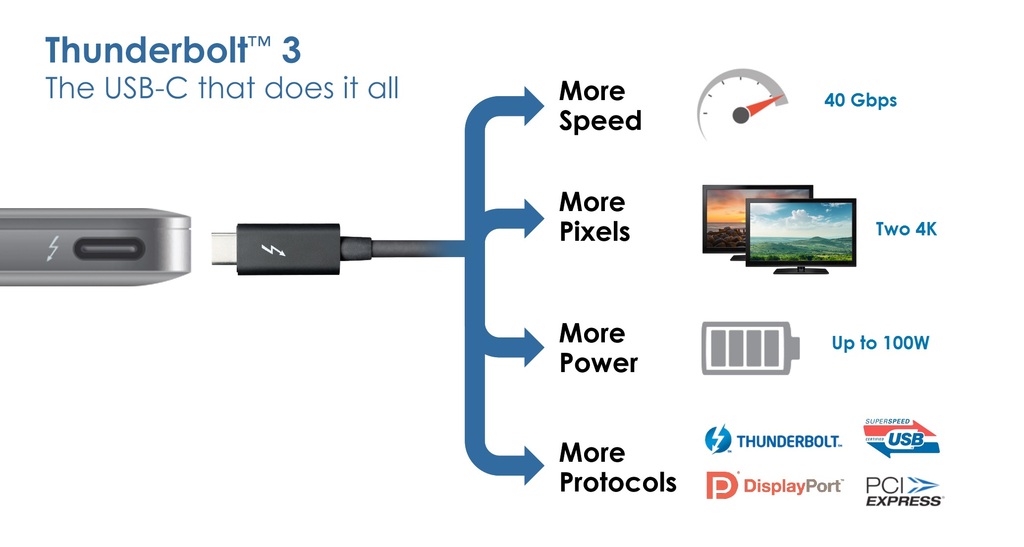
As computing needs grew, so did the protocol. Thunderbolt 2 (2013) doubled the throughput to 20 Gbps, enabling the transfer of 4K video files in real-time. However, the most significant shift occurred with Thunderbolt 3. By adopting the USB-C connector shape, Thunderbolt 3 (40 Gbps) effectively ended the “port wars” by providing a universal physical interface.
The current standard found in most high-end machines today is Thunderbolt 4. While it maintains the 40 Gbps ceiling of its predecessor, it mandates stricter hardware requirements. For a device to be certified as Thunderbolt 4, it must support dual 4K displays (or one 8K display) and offer improved data protection through Intel Virtualization Technology for Directed I/O (VT-d).
The Physical Shift: Why Thunderbolt Uses USB-C
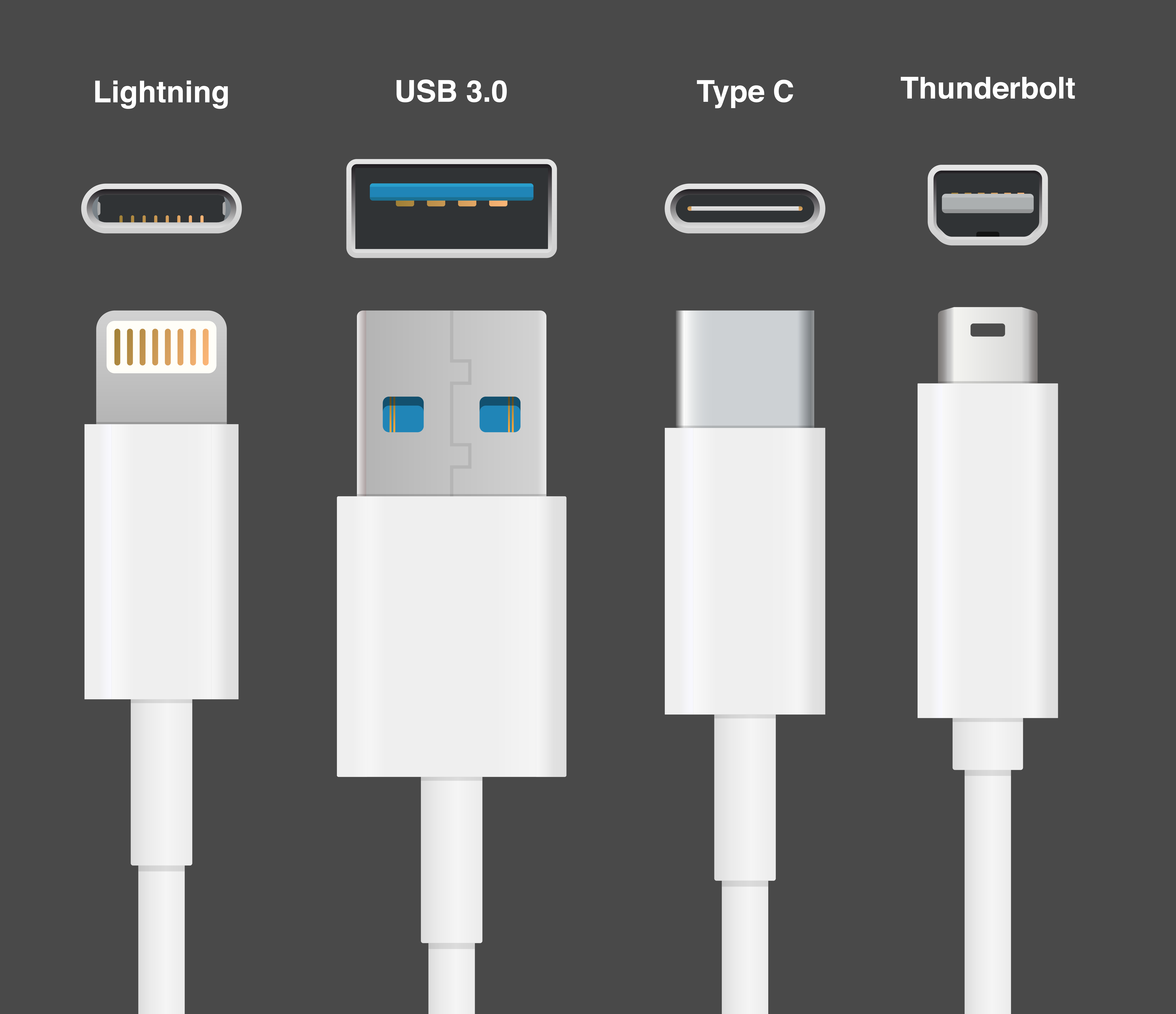
One of the biggest points of confusion for consumers is the physical appearance of the port. Since version 3, Thunderbolt has utilized the oval-shaped USB-C connector. This was a strategic move to ensure compatibility with a wider range of accessories. While every Thunderbolt 3 or 4 port can function as a standard USB-C port, not every USB-C port has the underlying “brains” to support Thunderbolt speeds and features.
How Thunderbolt Works: The Magic of Bandwidth
What makes a Thunderbolt connection functionally superior to standard data ports is its ability to “tunnel” different protocols simultaneously. It doesn’t just send data bits; it manages a complex traffic system of various signals.
Protocol Convergence: PCIe and DisplayPort
At its core, Thunderbolt combines PCI Express (PCIe) and DisplayPort (DP) into a single serial signal. PCIe is the same interface used by internal components like graphics cards and NVMe solid-state drives. By bringing PCIe outside the computer case, Thunderbolt essentially extends the computer’s internal motherboard bus to external peripherals. This is why Thunderbolt can handle high-speed storage and external GPUs (eGPUs) with minimal latency, whereas traditional USB connections often struggle with the overhead.
Daisy Chaining: One Port to Rule Them All
One of the most powerful features of the Thunderbolt ecosystem is daisy-chaining. Through a single Thunderbolt port on a laptop, a user can connect a hard drive, which then connects to a second hard drive, which then connects to a monitor, and finally to a camera. Up to six devices can be linked in this fashion without a significant degradation in performance. This eliminates the need for bulky hubs and allows for a “one-cable setup” that is highly prized in modern workspace design.
Power Delivery and Bi-directional Data
A Thunderbolt connection is inherently bi-directional, meaning it can send and receive data at full speed simultaneously. Furthermore, it supports robust Power Delivery (PD). Most Thunderbolt 4 laptops can be charged through the same cable that is sending video to a monitor and data to an external drive. With the ability to provide up to 100W (and soon more with the latest revisions), it simplifies the charging infrastructure for mobile workstations.
Thunderbolt vs. USB: Clearing the Confusion
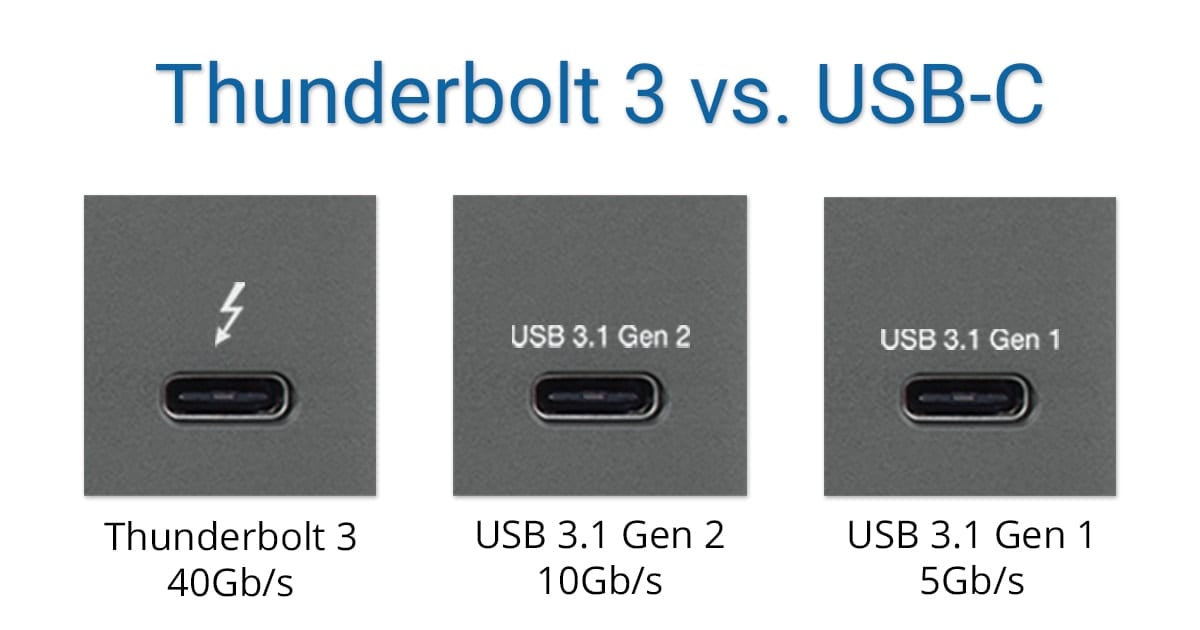
To the average user, a Thunderbolt port and a USB-C port look identical. Both are small, rounded rectangles. However, the internal specifications are vastly different, leading to significant performance gaps.
The Shared Connector Dilemma
The confusion stems from the fact that USB-C is a physical connector, whereas Thunderbolt is a data protocol. You can think of USB-C as the “road” and Thunderbolt as the “high-speed racing car” that drives on it. While a standard commuter car (USB 3.2) can use the same road, it cannot reach the same speeds or carry the same specialized cargo. Most Thunderbolt ports are identified by a small lightning bolt icon next to the port, which serves as a badge of high-performance certification.
Performance Benchmarks: Why Thunderbolt Leads
The primary differentiator is guaranteed minimum bandwidth. While USB4 has attempted to close the gap, Thunderbolt 4 requires manufacturers to meet a high baseline. For example, Thunderbolt 4 guarantees 32 Gbps of PCIe data bandwidth, whereas USB4 only mandates 16 Gbps. This difference is critical for professionals working with massive data sets or high-speed networking, as it ensures that the hardware won’t become a bottleneck during intensive tasks.
Certification and Consistency
Unlike the USB standard, which is somewhat fragmented with various “generations” and “versions” that offer different speeds, Thunderbolt is strictly controlled by Intel. To use the Thunderbolt brand, a product must undergo rigorous testing. This means that when you buy a Thunderbolt-certified cable or dock, you are guaranteed compatibility, safety, and performance. This “it just works” factor is a major reason why the technology remains a staple in professional environments.
Practical Applications: Who Needs a Thunderbolt Connection?
For some, a standard USB connection is perfectly adequate for a mouse or a keyboard. However, for specific niches, a Thunderbolt connection is an absolute necessity.
Creative Professionals and High-Res Video
Video editors working with 4K, 6K, or 8K RAW footage require massive data throughput. A standard external hard drive over USB might take hours to transfer a project, but a Thunderbolt-connected NVMe RAID array can move those files in minutes. Furthermore, the ability to drive multiple high-resolution, color-accurate monitors from a single port is vital for color grading and multi-track audio production.
External GPUs (eGPUs) and Gaming
One of the most innovative uses of Thunderbolt is the External Graphics Processing Unit (eGPU). This allows a thin-and-light ultrabook to connect to a desktop-class graphics card housed in an external enclosure. When the user is on the go, they have a portable laptop; when they return to their desk and plug in the Thunderbolt cable, they have a high-end gaming or rendering machine. This level of flexibility is only possible because of the PCIe tunneling capabilities of Thunderbolt.
The Ultimate Workstation: Docking Solutions
For the modern corporate professional, the Thunderbolt dock is the centerpiece of productivity. A single cable can connect a laptop to dual monitors, wired Ethernet, a full-sized keyboard, high-fidelity audio interfaces, and multiple storage drives, all while charging the laptop. This “plug-and-play” simplicity transforms a mobile device into a desktop powerhouse in seconds.
The Future: Thunderbolt 5 and Beyond
As we look toward the future, the Thunderbolt standard shows no signs of slowing down. With the announcement of Thunderbolt 5, the technology is poised to make its most significant leap yet.
Breaking the 80Gbps Barrier
Thunderbolt 5 is designed to provide 80 Gbps of bi-directional bandwidth, but it features a unique “Bandwidth Boost” mode. For high-intensity video needs, it can reconfigure its lanes to provide up to 120 Gbps of throughput in one direction. This will be essential as 8K monitors with high refresh rates become more common and as AI-driven workflows require even faster access to external data pools.
Connectivity in the Era of AI and 8K
As Artificial Intelligence (AI) becomes integrated into local hardware, the need to move large models and datasets between devices will increase. Thunderbolt’s low latency and high PCIe throughput make it the ideal interface for this new era of computing. Whether it is for real-time AI video processing or managing massive local LLMs (Large Language Models), the Thunderbolt connection remains the backbone of high-performance external connectivity.
In conclusion, a Thunderbolt connection is much more than a fast port. It is a sophisticated, certified ecosystem designed for those who refuse to compromise on speed and reliability. By merging data, video, and power into a single interface, it has redefined how we interact with our devices, making our digital workflows more fluid, more powerful, and significantly more efficient.
aViewFromTheCave is a participant in the Amazon Services LLC Associates Program, an affiliate advertising program designed to provide a means for sites to earn advertising fees by advertising and linking to Amazon.com. Amazon, the Amazon logo, AmazonSupply, and the AmazonSupply logo are trademarks of Amazon.com, Inc. or its affiliates. As an Amazon Associate we earn affiliate commissions from qualifying purchases.