
In the rapidly evolving landscape of digital technology, few devices have maintained their relevance as consistently as the USB flash drive. Often referred to as a thumb drive, jump drive, or memory stick, the USB flash drive is a plug-and-play portable storage device that uses flash memory to store data. Since its commercial debut at the turn of the millennium, it has replaced the floppy disk and the CD-ROM, becoming an essential tool for students, professionals, and tech enthusiasts alike. Despite the rise of cloud storage solutions like Google Drive and Dropbox, the physical reliability and “offline” nature of flash drives ensure they remain a staple in the modern tech toolkit.

The Technical Architecture and Evolution of Flash Storage
To understand what a USB flash drive is, one must first look at the technology that powers it: NAND flash memory. Unlike a traditional hard disk drive (HDD) which relies on spinning platters and magnetic heads, a flash drive is a type of Solid State Drive (SSD). It has no moving parts, making it significantly more durable and resistant to physical shock.
Understanding NAND Flash Memory
The “flash” in flash drive refers to a specific type of Electronically Erasable Programmable Read-Only Memory (EEPROM). Within the drive’s casing, data is stored in an array of memory cells made from floating-gate transistors. These cells can hold an electrical charge even when the device is disconnected from a power source—a property known as “non-volatile” memory. This architecture allows for high-speed data access and the ability to rewrite data thousands of times before the hardware begins to degrade.
The History of USB Standards
The utility of a flash drive is intrinsically linked to the Universal Serial Bus (USB) interface. Over the decades, we have seen a dramatic evolution in data transfer speeds:
- USB 1.1: The early standard, offering speeds up to 12 Mbps.
- USB 2.0 (High Speed): Introduced in 2000, this remains the most common standard for budget drives, topping out at 480 Mbps.
- USB 3.0/3.1/3.2 (SuperSpeed): These iterations pushed speeds from 5 Gbps to 20 Gbps, allowing for the transfer of high-definition video files in seconds.
- USB4 and USB-C: The latest frontier, utilizing the reversible USB-C connector and offering speeds up to 40 Gbps, blurring the line between portable drives and external desktop SSDs.
The Role of the Controller
Every flash drive contains a small microcontroller. This “brain” acts as the bridge between the flash memory and the computer. It manages the file system, performs error correction, and handles “wear leveling”—a process that ensures data is distributed evenly across the memory cells to prevent any single part of the drive from wearing out prematurely.
Diverse Use Cases in a Cloud-Centric World
With the ubiquity of high-speed internet, many questioned whether the USB flash drive would become obsolete. However, specialized use cases have solidified its position as a vital piece of hardware. In many scenarios, physical storage is not just a convenience, but a necessity for security and efficiency.
Portable Operating Systems and Recovery Tools
One of the most powerful uses for a flash drive is creating a “Live USB.” Tech professionals often load a flash drive with a portable version of an operating system, such as Linux (Ubuntu or Tails). This allows a user to boot a computer directly from the drive, bypassing the internal hard drive. This is invaluable for troubleshooting broken systems, recovering files from a crashed OS, or browsing the web securely on a public computer without leaving a digital footprint.
Cold Storage and Data Air-Gapping
In an era of increasing cyber threats and ransomware, “air-gapping” has become a critical security strategy. By storing sensitive documents, private keys for cryptocurrency, or family photos on a USB drive and disconnecting it from the internet, users create a physical barrier that hackers cannot breach. This “cold storage” approach ensures that even if a local network is compromised, the data on the drive remains safe.
Media Centers and Industrial Applications
USB drives are frequently used in the automotive and home entertainment industries. Many modern cars allow users to plug in a drive loaded with high-fidelity FLAC or MP3 files for offline listening. Similarly, smart TVs and gaming consoles use flash drives for firmware updates and media playback. In industrial settings, USB drives are used to update the software on CNC machines, medical equipment, and laboratory hardware where a stable internet connection may not be available or permitted.
Optimizing Performance: File Systems and Maintenance
Not all USB flash drives are created equal, and how you format a drive can significantly impact its performance and compatibility across different devices. Choosing the right file system is a technical decision that depends on your specific needs.
Comparing FAT32, exFAT, and NTFS
When you format a drive, you must choose a file system:
- FAT32: The most compatible format. It works with Windows, macOS, Linux, and even older gaming consoles. However, it has a major limitation: it cannot store individual files larger than 4GB.
- NTFS: The primary Windows file system. It supports massive file sizes and includes security permissions, but it is often “read-only” on macOS without third-party software.
- exFAT: The modern “goldilocks” solution. It lacks the 4GB file limit of FAT32 and is natively supported by both Windows and Mac, making it the ideal choice for modern flash drives used for large video files.
Maximizing the Lifespan of Your Drive
While flash drives are durable, they are not immortal. Each memory cell has a finite number of P/E (Program/Erase) cycles. To ensure your drive lasts for years:
- Avoid Constant Small Writes: Use the drive for storage rather than running active applications that constantly write temporary files.
- Safe Ejection: Always use the “Eject” or “Safely Remove Hardware” option in your OS. This ensures the controller has finished all write operations before power is cut, preventing data corruption.
- Temperature Control: NAND flash is sensitive to extreme heat. Avoid leaving drives in hot cars, as high temperatures can accelerate data “leakage” from the cells.
Security and Encryption
For users carrying sensitive data, hardware-encrypted USB drives are the gold standard. These drives often feature a physical keypad on the casing or use dedicated security chips (like AES 256-bit encryption) to protect data. If the drive is lost or stolen, the information is virtually impossible to access without the correct PIN or software key.
Risks, Challenges, and Digital Hygiene
While the USB flash drive is a tool for productivity, it can also be a vector for security risks. Understanding “digital hygiene” is paramount when using portable storage in a professional or personal capacity.
Malware and “BadUSB” Attacks
One of the most common ways malware spreads is through infected flash drives. Some sophisticated attacks, known as “BadUSB,” involve a drive that has been reprogrammed to act as a keyboard. Once plugged in, the drive “types” commands into the computer to download viruses or steal passwords. To mitigate this risk, never plug a found or anonymous USB drive into your computer. Professional environments often disable USB ports on sensitive machines to prevent this exact threat.
The Fragility of Small Form Factors
The physical size of flash drives is both a blessing and a curse. Their portability makes them easy to lose. Furthermore, the physical connector (the “tongue” inside the USB-A port) can break if the drive is bumped while plugged into a laptop. For users on the go, investing in a drive with a ruggedized metal casing or a retractable connector can prevent hardware failure.
Physical vs. Cloud: The Hybrid Approach
The most effective tech strategy involves a hybrid approach. While the cloud is excellent for collaboration, the USB flash drive provides a tangible backup that doesn’t require a monthly subscription or a 5G signal. Relying on both ensures that you are never locked out of your digital life due to a forgotten password or a server outage.

The Future of Portable Storage
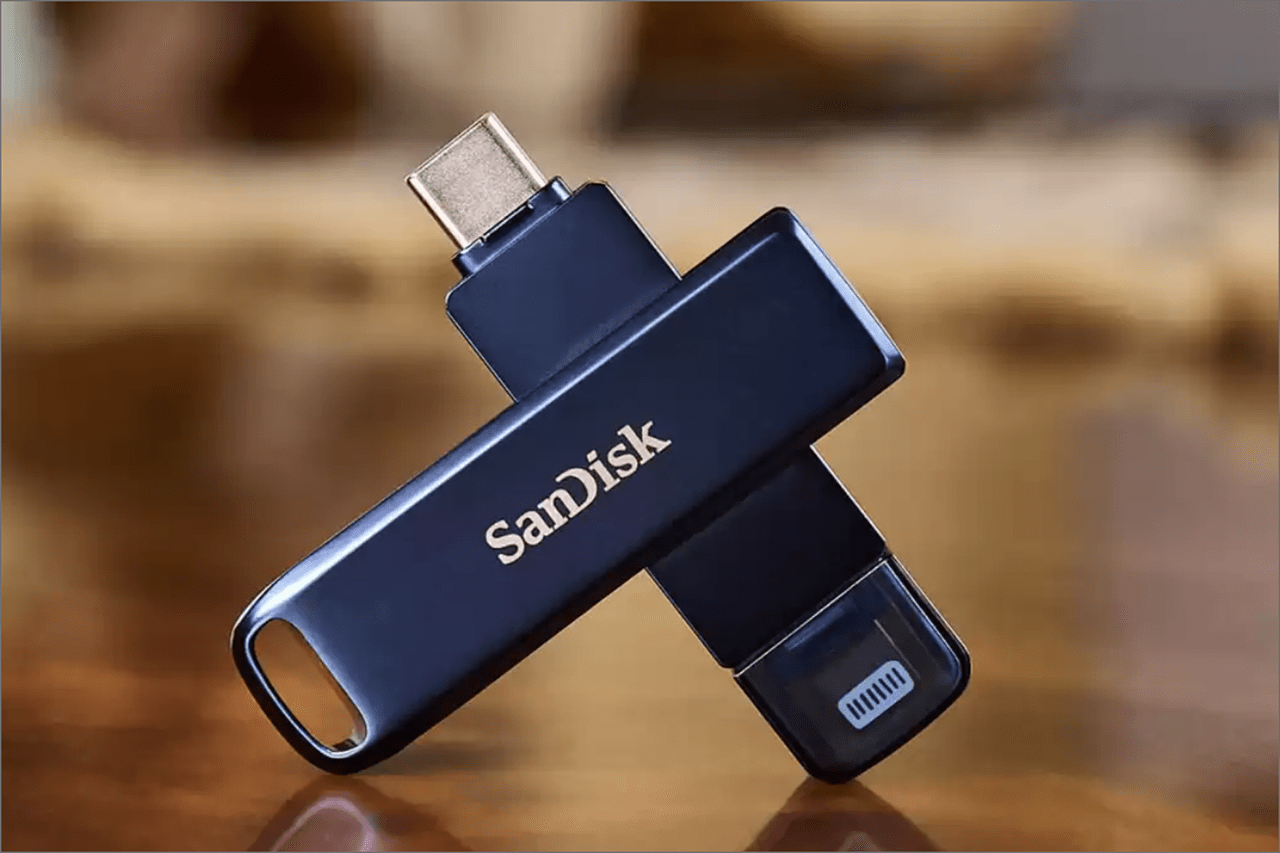
As we look toward the future, the USB flash drive continues to transform. We are seeing the rise of “Dual Drive” designs that feature both a USB-A and a USB-C connector on a single device, allowing for seamless data transfer between an old desktop and a brand-new smartphone. Capacities that were once unthinkable—1TB or 2TB on a device the size of a stick of gum—are now commercially available.
In conclusion, a USB flash drive is far more than just a simple gadget; it is a sophisticated piece of solid-state engineering that offers independence from the internet. Whether you are using it to boot a recovery OS, carry a portfolio to an interview, or keep your most private data in cold storage, the flash drive remains a cornerstone of modern technology. By understanding its architecture, choosing the right standards, and practicing good security habits, you can harness the full power of this miniature marvel.
aViewFromTheCave is a participant in the Amazon Services LLC Associates Program, an affiliate advertising program designed to provide a means for sites to earn advertising fees by advertising and linking to Amazon.com. Amazon, the Amazon logo, AmazonSupply, and the AmazonSupply logo are trademarks of Amazon.com, Inc. or its affiliates. As an Amazon Associate we earn affiliate commissions from qualifying purchases.