
In the landscape of digital communication, few acronyms are as ubiquitous yet frequently misunderstood as “CC.” Whether you are a seasoned professional or a student entering the workforce, the “CC” field in your email client is a tool you likely interact with daily. However, its history, technical implementation, and the socio-technical expectations surrounding its use are more complex than they appear at first glance.
What does CC mean on email? Simply put, it stands for Carbon Copy. While the physical process of using carbon paper to create duplicates of documents has largely vanished from the modern office, the digital equivalent remains a cornerstone of professional transparency and information architecture. In this comprehensive guide, we will explore the technical foundations of CC, how it differs from BCC, and the best practices for leveraging it within a modern technology stack.
The Evolution of the Carbon Copy: From Physical Sheets to Digital Headers
To understand the CC field, we must first look at its mechanical ancestry. Before the era of cloud computing and instantaneous data transfer, “carbon copying” involved placing a sheet of carbon paper between two sheets of stationery. As the writer applied pressure with a pen or typewriter, the pigment from the carbon paper transferred to the bottom sheet, creating an identical copy.
From Physical Sheets to Digital Fields
When the earliest email protocols were being established in the late 20th century, developers sought to replicate familiar office workflows. The inclusion of the CC field was a conscious effort to mimic the traditional distribution of information. In the digital realm, however, the “copy” is not a physical imprint but a set of instructions sent to a Mail Transfer Agent (MTA).
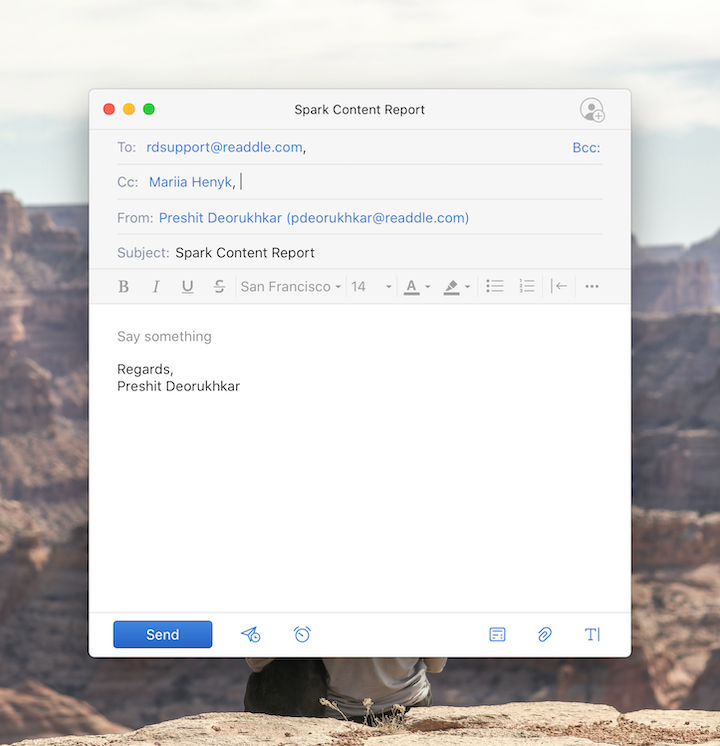
When you enter an address in the CC field, the email server treats the recipient similarly to those in the “To” field, with one primary technical distinction: the metadata associated with the message identifies these individuals as secondary recipients. This allows the primary recipient to know exactly who else has been “looped in” on the conversation.
The Backend Process: How Servers Handle Multiple Recipients
On a technical level, email relies on the Simple Mail Transfer Protocol (SMTP). When you click “send,” your email client communicates with an SMTP server. The server looks at the header information—specifically the To:, Cc:, and Bcc: fields.
Under the RFC 5322 standard, which governs the format of internet messages, the Cc header is a list of addresses to which the message is delivered in addition to the primary recipients. Unlike the Bcc (Blind Carbon Copy) field, which is stripped from the header before the message reaches other recipients, the Cc list remains intact. This visibility is what enables the “Reply All” functionality, as every recipient’s email client can see the full list of stakeholders involved in the thread.
CC vs. BCC: Navigating Transparency and Metadata Visibility
One of the most common points of confusion in digital communication is when to use CC versus BCC. Choosing the wrong field isn’t just a breach of etiquette; it can lead to significant technical and privacy complications.
Transparency and Metadata Visibility
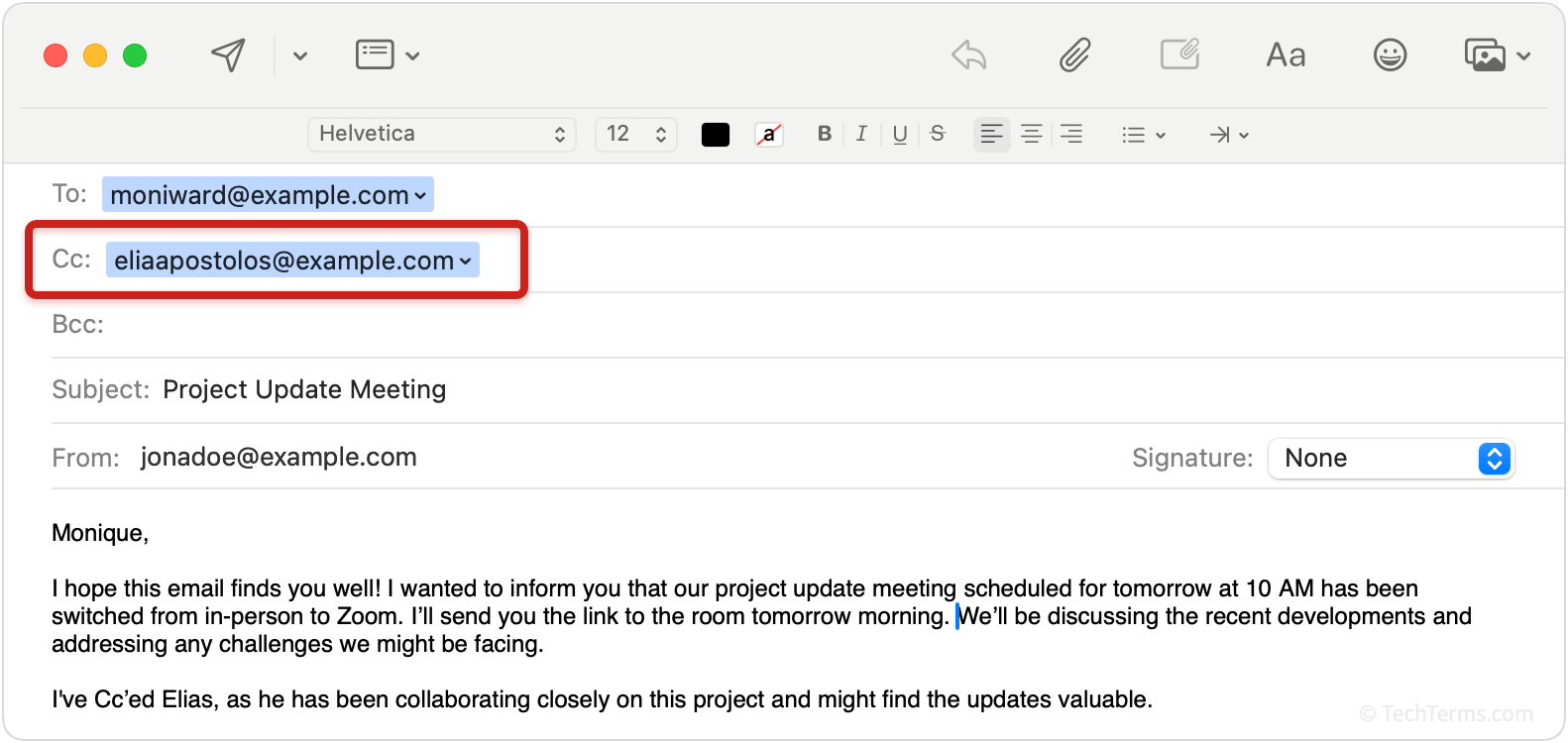
The CC field is designed for transparency. Its primary function is to keep relevant parties informed without necessarily requiring them to take action. When you CC a colleague, you are signaling to the primary recipient that the colleague is an observer of the exchange.
From a data perspective, the CC field creates a shared map of the conversation. Every person on that list can see every other person’s email address. In a corporate environment, this fosters a “single source of truth.” However, in a tech-security context, this also means that if one recipient’s account is compromised, the hacker gains access to a valid list of active email addresses belonging to all other CCed parties.
Privacy Concerns and Information Security
BCC (Blind Carbon Copy) serves a fundamentally different technical purpose. When you use BCC, the SMTP server sends the message to those recipients but removes their names from the header data seen by others.
In the Tech niche, BCC is a critical tool for digital security and anti-spam measures. If you are sending a newsletter or a technical update to a large group of users who do not know each other, using CC would be a massive privacy violation. It would expose the entire distribution list to every individual on it. BCC prevents “Reply All” storms and ensures that the metadata of the message does not leak sensitive contact information.
Mastering the Professional Workflow: Productivity and Integration
In a high-velocity tech environment, the way we use CC can either streamline a project or contribute to “inbox bloat.” Managing the flow of information is a key skill in digital literacy.

Maintaining “The Loop” without Inundation
The “To” field is for action; the “CC” field is for awareness. In software development and project management, this distinction is vital. For example, when a developer sends a pull request or a technical specification to a lead engineer (the “To” recipient), they might CC the project manager to ensure they are aware of the progress.
The technical challenge here is “signal-to-noise ratio.” Modern email clients like Gmail and Outlook use AI-driven algorithms to prioritize your inbox. Overusing CC can confuse these algorithms, leading to important messages being buried. To mitigate this, many tech professionals use “Filters” or “Rules.” You can set your email client to automatically move any message where you are only in the CC field to a “Read Later” folder, keeping your primary inbox dedicated to tasks that require immediate action.
Accountability and Project Management
CC serves as a digital paper trail. In the event of a technical dispute or a project audit, the CC history provides a chronological record of who was informed of what, and when. This is why many automated systems—such as Jira, GitHub, and Trello—send automated CC notifications. These systems ensure that the state of the technology (the code or the task) remains synchronized with the state of the communication.
The Impact of CC on Email Triage and AI Tools
As we move deeper into the era of Artificial Intelligence, the way software handles the CC field is evolving. We are no longer solely responsible for sorting through the mountain of “carbon copies” we receive.
Automated Filtering and Inbox Management
Advanced email software now uses machine learning to categorize messages based on your interaction history. If you consistently ignore emails where you are CCed, your mail app (like Spark or Superhuman) may begin to “mute” those threads or move them to a low-priority tab.
Furthermore, the “Smart Reply” features found in modern apps analyze the CC field to suggest appropriate responses. If you are CCed, the AI might suggest a simple “Got it” or “Thanks for the update,” recognizing that a detailed response is likely unnecessary.
How AI Summarization Handles Threaded Conversations
One of the most significant breakthroughs in tech productivity is AI summarization (e.g., Microsoft Copilot or Google Gemini). These tools can scan an entire email thread, including all the “Reply All” responses generated by a CCed list, and provide a concise summary.
Instead of reading twenty different CCed replies regarding a server migration, a user can ask the AI, “What was the final decision made in this thread?” The AI parses the headers and the body text, identifying the consensus among the CCed stakeholders. This technology is effectively neutralizing the “Reply All” fatigue that has plagued the tech industry for decades.
Avoiding the Pitfalls of Improper Email Routing
Misusing the CC function can have real-world consequences, ranging from minor annoyances to major security breaches.
The Danger of “Reply All” Cycles
We have all been victims of a “Reply All” storm. This happens when a recipient hits “Reply All” to a CCed message, often to say something irrelevant like “Thanks!” or “Remove me from this list.” In a large organization, this can trigger a chain reaction that crashes local mail servers or, at the very least, costs thousands of dollars in lost productivity.
From a technical standpoint, this is a failure of communication architecture. Modern enterprise email systems have implemented “Reply All” protections, which warn a user if they are about to reply to a large number of people, but the best defense remains human understanding of the CC field’s intent.
Security Risks: Why CC Can Lead to Phishing
In the world of digital security, “Social Engineering” is a primary threat. When a group of people is CCed on an email, it creates a “Circle of Trust.” If a malicious actor manages to spoof one of those addresses or hijack a thread, they can send a malware-laden file to the entire CC list. Because the recipients see familiar names in the CC field, they are statistically more likely to click on the link or download the attachment.
Tech-savvy users should always verify the sender’s identity, especially in CC-heavy threads involving sensitive data or financial authorizations.
Conclusion: The Enduring Utility of CC
Despite the rise of instant messaging platforms like Slack, Microsoft Teams, and Discord, the email CC field remains an essential tool in the professional tech stack. It provides a formal, searchable, and structured way to maintain visibility across complex projects and organizations.
By understanding the technical nuances of the CC field—its history in carbon paper, its implementation in SMTP headers, and its interaction with modern AI—you can communicate more effectively. Use CC to keep people informed, use BCC to protect privacy, and use your email client’s filtering tools to ensure that your “carbon copies” never become a distraction from your “To-do” list. In the digital age, mastering the CC is not just about sending mail; it’s about managing the flow of information in a hyper-connected world.
aViewFromTheCave is a participant in the Amazon Services LLC Associates Program, an affiliate advertising program designed to provide a means for sites to earn advertising fees by advertising and linking to Amazon.com. Amazon, the Amazon logo, AmazonSupply, and the AmazonSupply logo are trademarks of Amazon.com, Inc. or its affiliates. As an Amazon Associate we earn affiliate commissions from qualifying purchases.