
In the hyper-connected era of the 21st century, public Wi-Fi has transitioned from a luxury to an expectation. Whether you are settling into a seat at a bustling airport, checking into a boutique hotel, or opening your laptop at a local coffee shop, the process of getting online often involves an intermediary step: the captive portal. While many users view these login screens as a minor hurdle to clear before accessing their email or social media, the captive portal is a sophisticated piece of networking technology that serves as a critical junction for digital security, resource management, and network policy enforcement.

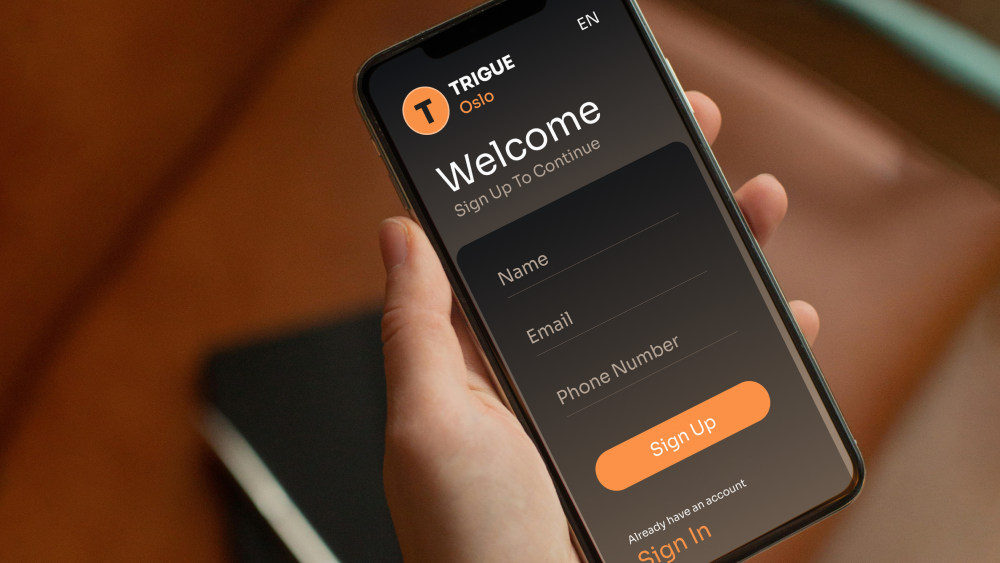
A captive portal is a web page that is displayed to newly connected users of a Wi-Fi network before they are granted broader access to network resources. It acts as a gatekeeper, intercepting all traffic—regardless of the user’s intended destination—and redirecting it to a localized landing page. Understanding the mechanics, security implications, and technical implementation of these portals is essential for IT professionals and tech-savvy users alike.
The Technical Architecture: How Captive Portals Function
At its core, a captive portal is not a single piece of software but a combination of networking protocols working in tandem. When a device connects to an open or password-protected SSID, the network’s gateway (typically a router or a specialized wireless controller) monitors the traffic.
The Redirection Mechanism
The most critical technical feat of a captive portal is the “interception.” When a user attempts to navigate to a website (e.g., google.com), the gateway recognizes that the device’s MAC address or IP address has not yet been authenticated. Using a technique known as HTTP redirection, the gateway intercepts the standard HTTP/HTTPS request and returns a 302 redirect status code, forcing the browser to load the portal’s URL instead of the requested site.
Modern operating systems have become “portal-aware.” Devices running iOS, Android, or Windows automatically perform a background check upon connecting to a network by attempting to reach a specific “canary” URL (like Apple’s captive.apple.com). If the device receives the expected response, it knows it has internet access. If it receives the portal page instead, the OS triggers a pop-up browser window, alerting the user that they must “Sign In” to the network.
Authentication and Walled Gardens
The portal operates within what is known as a “Walled Garden.” This is a restricted environment where the user can only access specific IP addresses or domains—such as the portal’s login page, the organization’s help site, or payment gateways—while the rest of the internet remains blocked.
Once the user fulfills the requirements—whether that involves accepting Terms of Service (ToS), entering a voucher code, or providing login credentials—the gateway updates its Access Control List (ACL). The user’s MAC address is “whitelisted” for a specific duration, allowing subsequent packets to bypass the redirection logic and reach the open internet.
Session Management and Cookies
To maintain a seamless experience, the captive portal software must track the state of the connection. This is often handled through a combination of session cookies in the browser and server-side tracking of the device’s unique identifiers. When the session expires (based on a time-to-live or inactivity timeout), the gateway removes the MAC address from the whitelist, and the user is redirected back to the portal for re-authentication.
Implementation Use Cases: Security, Compliance, and Network Health
Captive portals serve a variety of functions that go far beyond simple authentication. For network administrators, these portals are indispensable tools for maintaining the integrity and performance of the local area network (LAN).
Bandwidth Shaping and Quality of Service (QoS)
In high-density environments like stadiums or university campuses, bandwidth is a finite and expensive resource. Without a captive portal, a single user could potentially saturate the entire link by downloading large files or streaming high-bitrate video. A captive portal allows administrators to implement bandwidth throttling at the user level. By identifying each user during the login process, the system can cap speeds (e.g., 5 Mbps per user) or set data quotas (e.g., 1GB per day), ensuring a fair distribution of resources across the entire network.
Legal Compliance and User Accountability
Operating a public Wi-Fi hotspot carries significant legal risks. If a user engages in illegal activities—such as copyright infringement or accessing restricted content—the network owner may be held liable unless they can demonstrate due diligence. A captive portal provides a layer of legal protection by requiring users to agree to an Acceptable Use Policy (AUP). Furthermore, by logging MAC addresses and timestamps associated with specific sessions, administrators can cooperate with law enforcement if a security incident occurs, bridging the gap between anonymous traffic and identifiable activity.
Network Integrity and Device Profiling
Advanced captive portal solutions can perform “client posture assessments.” Before granting access, the portal might check if the connecting device has up-to-date antivirus software or if it is running a banned operating system version that poses a security risk to other users on the network. This “quarantine” phase ensures that a compromised device doesn’t introduce malware into the corporate or public infrastructure.

The Security Landscape: Protecting the Gateway
While captive portals are designed to enhance security, they are not immune to vulnerabilities. As digital security evolves, the interaction between portals and encryption protocols has become increasingly complex.
The HTTPS Dilemma and SSL/TLS Certificates
One of the primary technical challenges for captive portals today is the ubiquity of HTTPS. In the past, redirecting a simple HTTP request was straightforward. However, when a user tries to visit a secure HTTPS site, the browser expects a valid SSL/TLS certificate from that specific domain. When the captive portal tries to intercept this and present its own login page, the browser detects a mismatch and issues a “Privacy Error” or “Man-in-the-Middle” warning.
To mitigate this, modern network administrators must install trusted SSL certificates on their portal servers and rely on the operating system’s built-in captive portal detection to handle the redirection before the user even opens their browser. Failure to properly configure certificates can lead to user distrust and a significant drop-off in successful connections.
Common Threats: Evil Twins and DNS Spoofing
Captive portals are often targets for “Evil Twin” attacks. In this scenario, a malicious actor sets up a rogue Wi-Fi access point with the same SSID as a legitimate public network. They present a fake captive portal designed to look identical to the real one, with the goal of harvesting user credentials or credit card information.
To protect against these threats, tech-savvy users should look for indicators of authenticity, such as the use of HTTPS on the portal page and the absence of unusual requests for sensitive personal information. From an administrative perspective, implementing technologies like WIPS (Wireless Intrusion Prevention Systems) can help detect and neutralize rogue access points in the vicinity.
Secure Authentication Protocols
Integrating captive portals with robust back-end authentication systems—such as RADIUS (Remote Authentication Dial-In User Service) or LDAP (Lightweight Directory Access Protocol)—is a best practice for corporate environments. This allows for encrypted transmission of credentials and integrates the Wi-Fi access point into the broader identity and access management (IAM) framework of the organization.
Future Trends: The Evolution of Seamless Connectivity
The technology surrounding captive portals is not static. As Wi-Fi standards evolve, the way we interact with these gatekeepers is undergoing a significant transformation, moving toward a “zero-touch” user experience.
Passpoint (Hotspot 2.0)
The industry is gradually moving toward the Passpoint standard, also known as Hotspot 2.0. Passpoint aims to eliminate the need for manual captive portal logins altogether. It allows a mobile device to automatically discover and authenticate with a Wi-Fi hotspot using secure credentials stored on the SIM card or a pre-installed profile. This technology provides cellular-like roaming for Wi-Fi, where the “portal” logic happens in the background via encrypted handshakes, offering both better security and a superior user experience.
AI-Driven Network Management
Artificial Intelligence is beginning to play a role in captive portal ecosystems. AI algorithms can analyze login patterns to detect botnet activity or identify “MAC spoofing” where a user attempts to bypass time limits by changing their device ID. Furthermore, AI can dynamically adjust the portal’s requirements based on network load, perhaps requiring a more stringent login during peak hours while allowing “one-click” access during off-peak times.
Integration with IoT and Edge Computing
As the Internet of Things (IoT) expands, many devices without screens (like smart sensors or appliances) struggle with captive portals. The next generation of portal technology involves “Device Provisioning Protocols” (DPP), which allow users to onboard headless devices onto a managed network via a smartphone, bypassing the traditional web-based login screen while maintaining the security benefits of the captive gateway.
Conclusion
The captive portal remains a cornerstone of modern network infrastructure. While it may appear to be a simple web page, it represents a sophisticated intersection of web technology, network protocol engineering, and digital security. For the end-user, it is a brief moment of interaction that ensures a safe and regulated browsing environment. For the network administrator, it is a powerful dashboard for controlling the flow of data and protecting the perimeter of the digital workspace.
As we look toward the future of Wi-Fi 7 and beyond, the captive portal will continue to adapt. Whether it evolves into a completely invisible background process or remains a visible checkpoint for legal and security compliance, its role as the definitive gatekeeper of the wireless world is firmly established. Understanding its inner workings is the first step in mastering the complex landscape of modern digital connectivity.
aViewFromTheCave is a participant in the Amazon Services LLC Associates Program, an affiliate advertising program designed to provide a means for sites to earn advertising fees by advertising and linking to Amazon.com. Amazon, the Amazon logo, AmazonSupply, and the AmazonSupply logo are trademarks of Amazon.com, Inc. or its affiliates. As an Amazon Associate we earn affiliate commissions from qualifying purchases.