
In the rapidly evolving landscape of interactive media and game development, Unity stands as the most prominent cross-platform engine in the world. From mobile sensations like Pokémon GO to visually stunning indie hits like Hollow Knight and industrial digital twins used in architecture, Unity provides the framework for creators to turn concepts into reality. For aspiring developers and tech enthusiasts, the most fundamental question when approaching this powerhouse is: “What programming language does Unity use?”
While the short answer is C# (C-Sharp), the technical reality involves a sophisticated ecosystem of languages and compilers that work in harmony to balance developer productivity with high-end performance. In this article, we will explore the technical foundations of Unity, why C# became the industry standard for the engine, and the underlying C++ architecture that powers the core.
1. The Power of C#: Unity’s Primary Scripting Language
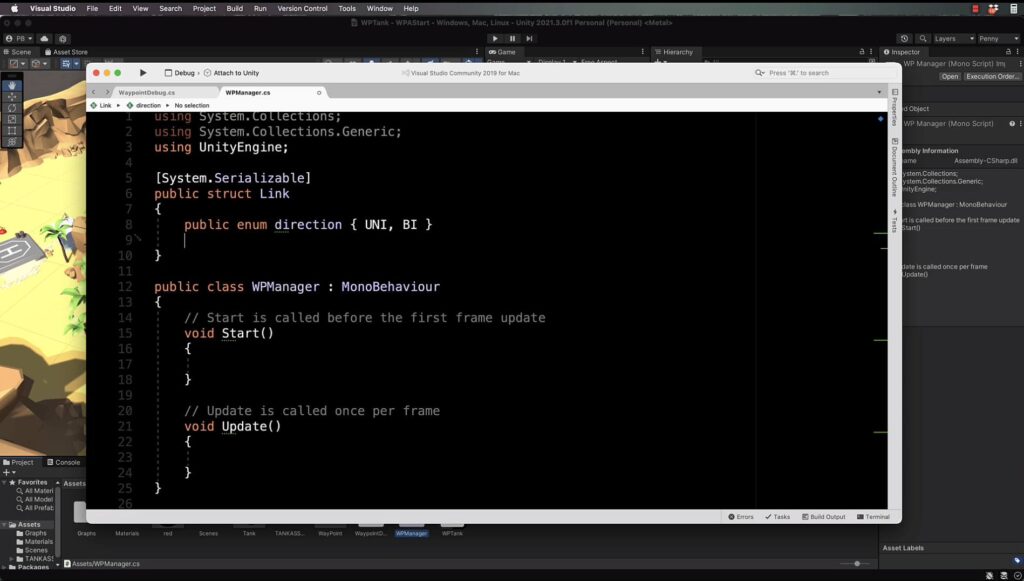
Unity’s primary interface for developers is C#, a modern, object-oriented language developed by Microsoft. C# was chosen for its perfect balance between ease of use and high-level performance, making it accessible for beginners while remaining powerful enough for complex systems.
The Evolution from UnityScript and Boo
In its early years, Unity offered three choices for scripting: C#, UnityScript (a JavaScript-like language), and Boo. However, as the industry matured, the limitations of UnityScript and Boo became apparent—specifically regarding performance and the lack of robust developer tools. By 2017, Unity officially deprecated these languages to focus entirely on C#. This consolidation allowed the engine team to optimize the compiler and provided developers with a unified community and set of libraries.
Why C# is the Ideal Choice for Game Logic
C# is a “managed” language, meaning it handles memory management automatically through a process called garbage collection. In game development, managing memory manually (as one must do in C++) is often the source of bugs and system crashes. C# allows developers to focus on gameplay mechanics—such as character movement, AI behavior, and UI logic—without constantly worrying about manual memory deallocation. Furthermore, its syntax is clean and intuitive, drawing from the best parts of C++ and Java.
The .NET Framework and Unity’s Scripting API
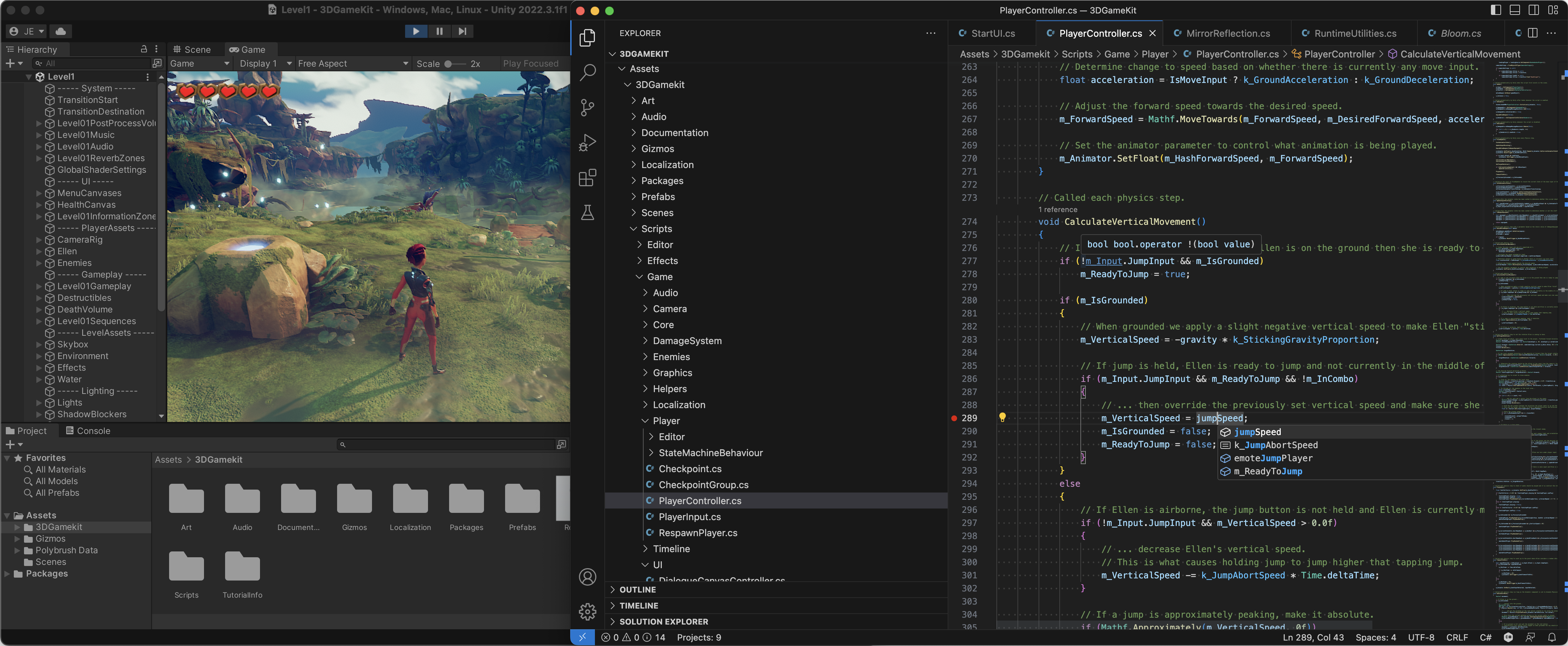
Unity leverages the .NET framework, giving developers access to a massive library of pre-built functions and data structures. When writing C# in Unity, you aren’t just using standard C#; you are interacting with the Unity Scripting API. This API provides the classes and methods necessary to manipulate the game world—such as GameObject, Transform, and Rigidbody. By inheriting from the MonoBehaviour base class, developers can “hook” their code into the engine’s frame-by-frame execution loop, creating interactive experiences with minimal boilerplate code.
2. Under the Hood: The C++ Core and Performance Optimization
While developers write their logic in C#, Unity itself is not built entirely in C#. To understand the engine’s full technical profile, one must look at the “Engine Core,” which is written in C++.
The Hybrid Architecture
Unity uses a hybrid approach to software architecture. The performance-critical components—the rendering engine, the physics engine (PhysX), the sound system, and the low-level memory management—are written in C++. C++ is a “low-level” language that allows for direct hardware manipulation and extreme optimization. If the entire engine were written in C#, it might struggle to maintain the 60 or 120 frames per second required for modern gaming. By keeping the core in C++ and the scripting layer in C#, Unity provides a “best of both worlds” scenario.
IL2CPP: Bridging the Gap
One of Unity’s most impressive technological feats is IL2CPP (Intermediate Language to C++). When you build a game for a platform like iOS or PlayStation 5, Unity takes your C# code and converts it into C++ code before compiling it into a native binary. This process significantly improves performance and security. It allows the high-level C# code written by the developer to run with the efficiency of native C++, ensuring that mobile devices and consoles can handle demanding 3D environments without overheating or lagging.
The Data-Oriented Technology Stack (DOTS)
For developers pushing the absolute limits of hardware, Unity has introduced DOTS. This is a move away from traditional “Object-Oriented Programming” toward “Data-Oriented Design.” It utilizes the C# Job System and the Entity Component System (ECS) to write high-performance code that takes full advantage of modern multi-core processors. While still using C#, DOTS requires a different mindset, focusing on how data is laid out in memory to avoid “cache misses,” further closing the performance gap between Unity and engines built purely in C++.
3. Beyond General Logic: Specialized Languages in Unity
C# handles the logic, but games are multi-sensory experiences that require specialized languages for graphics and automation.
Shader Programming with HLSL
The visual fidelity of a game—the way light reflects off water or the glow of a magic spell—is controlled by “Shaders.” Shaders are small programs that run directly on the GPU (Graphics Processing Unit). Unity primarily uses HLSL (High-Level Shader Language). While Unity’s “Shader Graph” allows for visual, node-based shader creation, professional technical artists often write HLSL code to achieve bespoke visual effects that cannot be replicated with standard tools.
Python for Editor Tooling and Pipelines
In recent years, Unity has embraced Python integration, particularly for the film, animation, and automotive industries. Python is not used for the actual game logic that players interact with; instead, it is used to automate the “Editor” and the production pipeline. For example, a studio might use Python scripts to batch-import 3D models from Maya, automate texture compression, or manage version control systems. This integration makes Unity a versatile tool for large-scale digital production environments.
Visual Scripting: Coding Without Syntax
For those who find traditional coding intimidating, Unity offers Visual Scripting (formerly known as Bolt). While it isn’t a “language” in the textual sense, it is a visual representation of C# logic. It allows creators to connect nodes representing variables and methods to create functionality. Under the hood, this system still generates logic that follows the rules of the C# API, serving as an excellent gateway for designers and artists to contribute to the technical side of development.
4. Why This Language Stack Matters for the Future of Tech
Unity’s choice of C# as its primary language has had a profound impact on the tech industry, far beyond the realm of video games.
The Versatility of C# Skills
Learning C# for Unity opens doors to a wide array of career paths. Because C# is a cornerstone of the Microsoft ecosystem, a Unity developer can easily transition into web development (ASP.NET), enterprise software, or mobile app development (Xamarin). This versatility makes C# one of the most valuable languages to learn in the current job market, providing a safety net for developers that niche languages cannot offer.
Real-Time 3D and the Industrial Metaverse
We are currently seeing a massive shift toward “Real-Time 3D” (RT3D) in non-gaming sectors. Architecture firms use Unity to create walkthroughs of buildings before they are built; medical companies use it for VR surgical simulations; and automotive companies use it for digital car configurators. The accessibility of C# allows professionals in these fields—who may not be career software engineers—to develop functional prototypes and tools quickly, accelerating the digital transformation of traditional industries.
AI and Machine Learning Integration
Unity is also at the forefront of AI research through its ML-Agents toolkit. This allows developers to use Python to train intelligent agents using reinforcement learning within the Unity environment. By bridging the gap between C# (for the simulation) and Python (for the AI training), Unity provides a unique sandbox for developing the next generation of autonomous vehicles, robotics, and smart systems.

Conclusion: A Multi-Layered Technical Powerhouse
In summary, while C# is the definitive answer to what language Unity uses for development, it is only one piece of a sophisticated technological puzzle. Unity’s architecture is a masterclass in software engineering, combining the developer-friendly nature of C# with the raw, high-octane performance of C++.
By supporting HLSL for graphics, Python for workflow automation, and a robust C++ core, Unity ensures that it remains flexible enough for a solo indie developer and powerful enough for a multi-billion dollar corporation. Whether you are looking to build the next mobile hit, a complex VR simulation, or an AI-driven tool, understanding this language ecosystem is the first step toward mastering the world’s most versatile real-time engine. As technology continues to shift toward more immersive and interactive experiences, the skills built within the Unity and C# framework will remain at the heart of the digital frontier.
aViewFromTheCave is a participant in the Amazon Services LLC Associates Program, an affiliate advertising program designed to provide a means for sites to earn advertising fees by advertising and linking to Amazon.com. Amazon, the Amazon logo, AmazonSupply, and the AmazonSupply logo are trademarks of Amazon.com, Inc. or its affiliates. As an Amazon Associate we earn affiliate commissions from qualifying purchases.