
In the rapidly evolving landscape of digital displays, where 4K resolution is the standard and 8K is on the horizon, the method by which we transmit data from a computer to a monitor has never been more critical. While most casual users are familiar with HDMI, power users, gamers, and creative professionals often turn to a more robust alternative: the DisplayPort cable.
Developed by a consortium of PC and chip manufacturers and standardized by the Video Electronics Standards Association (VESA), DisplayPort (DP) was designed to replace older standards like VGA and DVI. It is a high-performance digital display interface that has become the backbone of high-end computing. But what exactly makes a DisplayPort cable unique, and why should it be your preferred choice for a modern tech setup?

Understanding the Mechanics and History of DisplayPort
To understand what a DisplayPort cable is, one must first understand its origins and the technical philosophy behind its design. Unlike HDMI, which evolved primarily from consumer electronics and television standards, DisplayPort was built from the ground up for the computer industry.
The VESA Standard and its Origin
DisplayPort was first introduced in 2006 by VESA. The goal was to create a royalty-free, high-bandwidth interface that could handle the increasing demands of computer monitors. Because it is a “packetized” data interface—meaning it sends data in small bursts or packets, much like Ethernet or USB—it allows for greater flexibility and scalability than the clock-based transmission used by older video standards. This architecture is what allows DisplayPort to carry not just video and audio, but also auxiliary data like USB signals and touch-screen inputs.
How DisplayPort Differs from HDMI
The most significant technical difference lies in the transmission method. HDMI uses Transition Minimized Differential Signaling (TMDS), which is effective for home theater systems but can hit bandwidth ceilings more quickly in professional settings. DisplayPort’s micro-packet architecture allows it to be more “extensible.” Furthermore, while HDMI is a proprietary standard that requires manufacturers to pay royalties, DisplayPort is an open standard. This has encouraged widespread adoption among GPU manufacturers like NVIDIA and AMD, as well as monitor brands like Dell, ASUS, and BenQ.
The Evolution of DisplayPort Versions
The “tech” behind a DisplayPort cable isn’t static. It has undergone several iterations, each significantly boosting the maximum bandwidth and the resolution it can support. When choosing a cable, understanding these version numbers is vital to ensure your hardware performs at its peak.
From 1.2 to 1.4: The Rise of 4K and HDR
DisplayPort 1.2 was the first major leap, introducing a bandwidth of 21.6 Gbps and support for 4K resolution at 60Hz. It also introduced Multi-Stream Transport (MST), allowing users to “daisy chain” multiple monitors from a single output.
However, the real game-changer for modern tech enthusiasts was DisplayPort 1.4. This version increased the total bandwidth to 32.4 Gbps and introduced Display Stream Compression (DSC) 1.2. DSC is a “visually lossless” compression technique that allows the cable to transmit 8K video at 60Hz or 4K video at 144Hz with High Dynamic Range (HDR). If you are a gamer or a video editor working with high-bit-depth color, DP 1.4 is generally the baseline requirement for a flicker-free, high-fidelity experience.
DisplayPort 2.0 and 2.1: The Future of 8K and Beyond
The latest iterations, DisplayPort 2.0 and 2.1, represent a monumental leap in data throughput. These versions offer a theoretical maximum bandwidth of up to 80 Gbps. This allows for staggering resolutions, such as a single 16K display at 60Hz or dual 8K displays at 120Hz without the need for compression. For the average user, this might seem like overkill, but for the next generation of AI-driven rendering, virtual reality, and ultra-wide professional workstations, DP 2.1 provides the necessary “headroom” to prevent hardware bottlenecks.
Key Features and Technical Advantages
Why do enthusiasts insist on DisplayPort over other cables? The answer lies in specific features that are tailor-made for high-performance computing environments.
Multi-Stream Transport (MST) and Daisy Chaining
One of the most praised features of DisplayPort is Multi-Stream Transport. MST allows a single DisplayPort source to drive multiple independent displays. Instead of running three separate cables from your PC to three monitors, you can run one cable to the first monitor, and then “daisy chain” the first monitor to the second, and the second to the third. This drastically simplifies cable management and is a hallmark of clean, professional workstation design.
Adaptive-Sync and G-Sync Compatibility
For gamers, the most critical feature of DisplayPort is its native support for variable refresh rate (VRR) technologies. While HDMI has caught up recently, DisplayPort was the original home of VESA Adaptive-Sync, which serves as the foundation for AMD’s FreeSync and NVIDIA’s G-Sync. These technologies synchronize the monitor’s refresh rate with the GPU’s frame rate, eliminating screen tearing and stuttering. Even today, many high-end G-Sync Ultimate monitors require a DisplayPort connection to access their full range of features and highest refresh rates.
Display Stream Compression (DSC)
In the world of high-end graphics, bandwidth is a finite resource. Display Stream Compression (DSC) is a technical marvel integrated into DP 1.4 and 2.1. It allows for the transmission of massive amounts of data—such as 10-bit color at 4K/240Hz—by compressing the signal in a way that the human eye cannot detect. This efficiency is what allows DisplayPort to stay ahead of the curve as display resolutions outpace physical cable limitations.
Connectors and Form Factors
A DisplayPort cable isn’t always identified by the standard rectangular plug with one slanted corner. The interface has adapted to the shrinking profiles of modern laptops and mobile devices.
The Standard DisplayPort vs. Mini DisplayPort
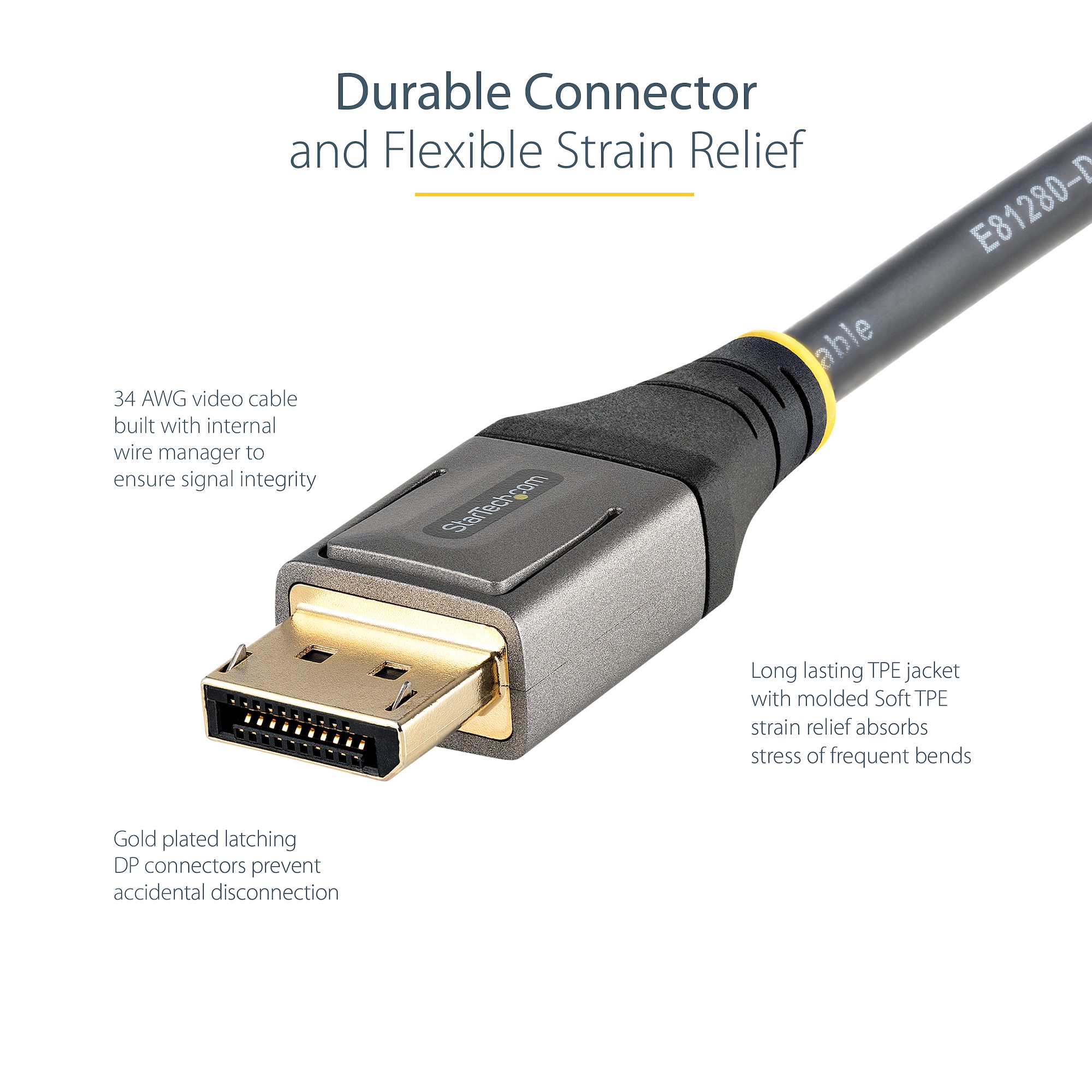
The standard DisplayPort connector features a locking latch mechanism, which is a significant “pro” for desktop users. This latch ensures the cable cannot be accidentally pulled out of the socket—a common frustration with HDMI.
For a period, the Mini DisplayPort (mDP) was the standard for high-end laptops, popularized by Apple’s MacBook line and Microsoft’s Surface Pro. While the physical size is smaller, the electrical capabilities remain identical to the full-sized version. However, Mini DisplayPort is slowly being phased out in favor of a more universal solution.
DisplayPort over USB-C (Alt Mode)
Perhaps the most significant development in modern connectivity is the “DisplayPort Alt Mode” for USB-C. This technology allows a standard USB-C cable to carry a full DisplayPort video signal. This is why many modern laptops can drive a 4K monitor through a single USB-C port while simultaneously charging the laptop and transferring data. When you see a “Thunderbolt” port or a USB4 port on a laptop, it is essentially using the DisplayPort protocol to handle the video heavy lifting.
Choosing the Right Cable for Your Setup
Not all DisplayPort cables are created equal. In the tech world, the “cheapest option” often leads to signal dropouts, black screens, or limited refresh rates.
Understanding Bandwidth and Certification
When purchasing a cable, you should look for VESA certification. VESA tests cables to ensure they meet the specific bandwidth requirements of their rating. For example, a “DP80” certified cable is guaranteed to handle 80 Gbps (DP 2.1), while an “HBR3” (High Bit Rate 3) cable is rated for DP 1.4 speeds.
Buying a non-certified cable can be a gamble. Lower-quality cables often suffer from electromagnetic interference (EMI) or use inferior wiring that cannot maintain the signal integrity required for high-refresh-rate gaming. If your monitor is flickering at 144Hz, the culprit is almost always a low-quality cable rather than a faulty GPU.
Gaming vs. Professional Productivity Needs
Your specific use case will dictate which cable version you need.
- For Gamers: If you are playing on a 1440p or 4K monitor with a refresh rate above 120Hz, you should aim for at least a DisplayPort 1.4 cable. This ensures you can utilize HDR and G-Sync without compromise.
- For Creative Professionals: If you are a colorist or graphic designer working in the 10-bit color space, DisplayPort is essential. It offers better support for high color depths and chroma subsampling (4:4:4), ensuring that what you see on the screen is an accurate representation of the file data.
- For General Office Work: Even for standard productivity, the ability to daisy-chain monitors via MST makes DisplayPort the superior choice for multi-monitor office setups.

Conclusion
The DisplayPort cable is far more than just a “wire.” It is a sophisticated data-transmission tool designed specifically for the rigors of modern computing. From its packet-based architecture and its ability to daisy-chain multiple monitors to its role in enabling ultra-high refresh rate gaming through Adaptive-Sync, DisplayPort remains the gold standard for PC connectivity.
As we move into an era defined by 8K content, high-speed AI processing, and increasingly complex digital workspaces, the DisplayPort standard continues to evolve. Whether you are building a top-tier gaming rig, setting up a professional video editing suite, or simply looking for the most reliable way to connect your laptop to a monitor, understanding the power of the DisplayPort cable ensures you are getting the absolute most out of your technology. By choosing the right version and a certified cable, you eliminate the bottlenecks of the past and open the door to the high-definition future.
aViewFromTheCave is a participant in the Amazon Services LLC Associates Program, an affiliate advertising program designed to provide a means for sites to earn advertising fees by advertising and linking to Amazon.com. Amazon, the Amazon logo, AmazonSupply, and the AmazonSupply logo are trademarks of Amazon.com, Inc. or its affiliates. As an Amazon Associate we earn affiliate commissions from qualifying purchases.