
In the rapidly evolving landscape of digital content creation, few tools have achieved the ubiquity and essential status of OBS, or Open Broadcaster Software. Whether you are a professional software engineer demonstrating a codebase, a gamer streaming to a global audience, or a corporate IT professional managing a high-stakes webinar, OBS is likely the engine running behind the scenes. At its core, OBS Studio is a free, open-source software suite designed for video recording and live streaming. However, its simplicity in name belies a complex, powerful architecture that has revolutionized how we capture and distribute digital media.
Understanding the Core of OBS: Power and Versatility
To understand what OBS is, one must first understand its philosophy. Unlike proprietary software that often hides functionality behind paywalls or simplified user interfaces, OBS provides a raw, professional-grade production toolkit to anyone with a computer.
The Open-Source Advantage
The “Open” in OBS is its most critical technical attribute. Being open-source means that the source code is available for anyone to inspect, modify, and enhance. This has led to a massive community-driven ecosystem where developers worldwide contribute to its stability and feature set. For the end-user, this translates to a software package that is updated frequently to support the latest hardware, such as new NVIDIA or AMD graphics cards, and the latest streaming protocols. Because it is non-commercial, there are no subscriptions or watermarks, making it a “clean” technical solution for professionals who require full control over their production pipeline.
How OBS Works: Scenes and Sources
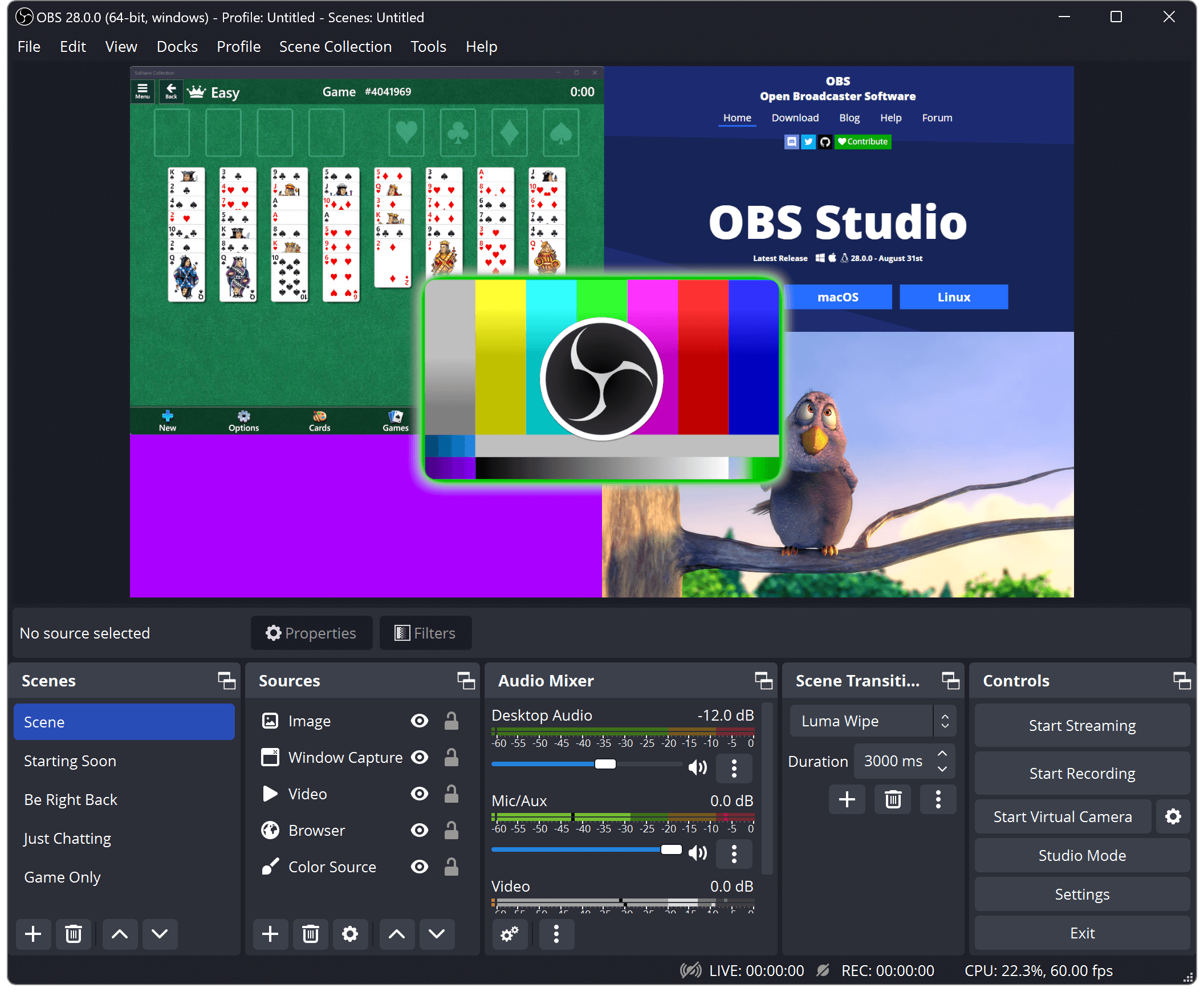
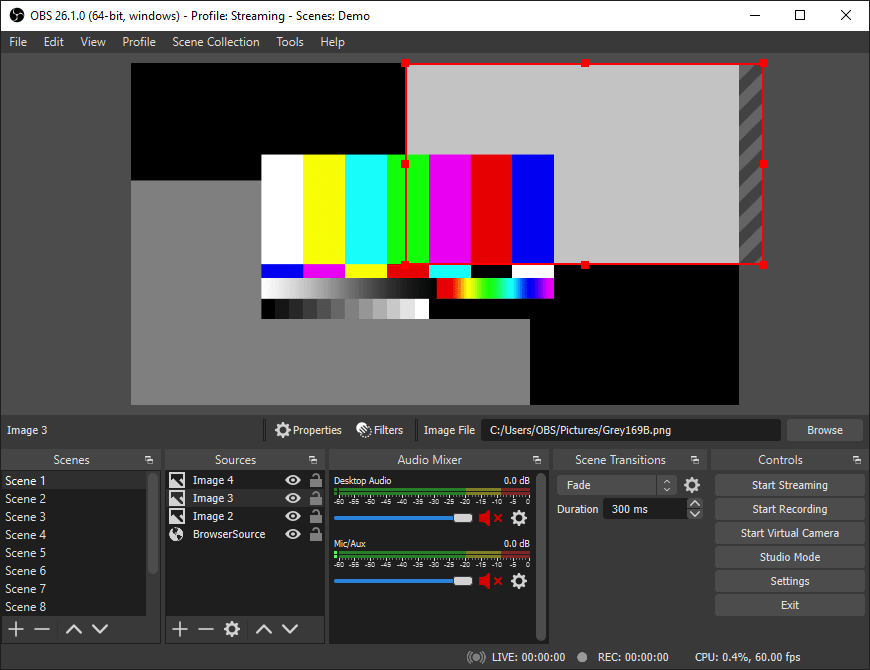
The fundamental logic of OBS is built upon the concept of “Scenes” and “Sources.” In technical terms, a Source is any individual input—this could be a window capture, a webcam feed, a static image, a microphone, or even a local video file. A Scene is a collection of these sources arranged in a specific layout.
The power of this architecture lies in the ability to switch between these scenes seamlessly during a live broadcast or recording. For example, a technical tutorial might have one scene for the “Full Facecam” and another scene for “Desktop Capture with Picture-in-Picture.” OBS processes these layers in real-time, compositing them into a single video stream based on the user’s configuration.
Key Technical Features for Modern Creators
OBS is not merely a screen recorder; it is a full-scale digital vision mixer. Its feature set rivals expensive hardware switchers used in television studios, offering high-level control over every frame and decibel.
High-Performance Real-Time Capturing
OBS utilizes sophisticated capture methods to minimize the performance impact on the host system. It hooks directly into the graphics API (DirectX, OpenGL, or Vulkan) to capture game or application frames with minimal latency. This is crucial for “Tech” users who are running resource-intensive applications while simultaneously encoding video. The software supports high-frame-rate recording (60 FPS and beyond) and high-resolution outputs, including 4K, provided the hardware can handle the throughput.
Advanced Audio Mixing and Filtering
A common technical hurdle in digital media is managing multiple audio tracks. OBS includes a built-in multi-channel audio mixer that allows users to manage desktop audio, microphones, and specific application sounds independently.
Beyond simple volume sliders, OBS supports VST (Virtual Studio Technology) plugins. This means tech-savvy users can apply professional-grade filters such as noise gates, compressors, and equalizers directly within the software. These filters process the audio in real-time, ensuring that background fan noise from a powerful PC is filtered out before the audio ever reaches the recording or the stream.
The Revolutionary Virtual Camera
One of the most impactful features added to OBS in recent years is the “Virtual Camera.” This tool allows the output of OBS to be recognized by the operating system as a physical webcam. From a technical standpoint, this allows a user to take a complex, multi-source scene in OBS—complete with overlays and color corrections—and pipe it directly into communication apps like Zoom, Microsoft Teams, or Discord. This transforms a standard video call into a professional broadcast, all through software-based routing.
Navigating the Technical Setup: Encoders and Optimization
The most critical aspect of OBS is the encoding process. This is where the software takes the raw visual data and compresses it into a format that can be stored on a hard drive or sent over the internet.
CPU vs. GPU Encoding (x264 vs. NVENC)
When configuring OBS, the choice of “Encoder” is the most important technical decision a user will make.
- x264 (CPU): This uses the computer’s processor to handle the encoding. It is highly efficient and can produce high-quality video at lower bitrates, but it places a massive load on the CPU, which can lead to frame drops in other applications.
- NVENC / AMF (GPU): Modern NVIDIA and AMD graphics cards feature dedicated hardware chips designed specifically for video encoding. By selecting NVENC (NVIDIA) or AMF (AMD), OBS offloads the heavy lifting from the CPU to the GPU. This hardware-level encoding is incredibly efficient, allowing for high-quality streaming and recording with almost zero impact on system performance.
Optimizing Bitrate for Quality and Stability
In the world of digital video, bitrate refers to the amount of data processed per second. In OBS, users must balance the bitrate against their available network bandwidth (for streaming) or storage capacity (for recording).
- Streaming: A higher bitrate (e.g., 6,000 kbps for 1080p) results in better visual clarity, especially in high-motion scenes. However, if the bitrate exceeds the user’s upload speed, the stream will lag.
- Recording: For local recording, users often use “Rate Control” methods like CQP (Constant QP) or CRF (Constant Rate Factor). These methods don’t target a specific bitrate but rather a specific quality level, allowing the file size to fluctuate based on the complexity of the visual data.
The Ecosystem: Plugins, Scripts, and Customization
OBS is designed to be a foundation upon which more complex systems can be built. Its modular nature allows for extensive customization through third-party additions.
Extending Functionality with Plugins
The technical community has developed hundreds of plugins that add features not found in the base version of OBS. For instance:
- OBS-NDI: This plugin allows for the transmission of high-quality video over a local area network (LAN). This enables “Dual-PC” setups where one computer handles the intensive tasks (like gaming or 3D rendering) and another computer handles the OBS encoding, connected only by an Ethernet cable.
- Move Transition: This adds sophisticated motion logic to scene changes, allowing sources to glide across the screen rather than simply cutting or fading.
- StreamFX: This provides advanced shaders and filters, such as 3D transforms and blur effects, which leverage the GPU for visual flair.
OBS Studio vs. The Competition
While there are other software options like Streamlabs OBS or Twitch Studio, these are often “forks” or simplified versions of the original OBS Studio. From a technical perspective, OBS Studio remains the preferred choice for power users because it lacks the “bloat” of integrated web-overlays and marketplaces found in competitors. It offers the most direct control over the software’s resources, leading to higher stability and lower overhead for the operating system.

Conclusion: Why OBS Remains the Industry Standard
OBS stands as a testament to the power of open-source software in the modern tech ecosystem. It has democratized the ability to produce high-quality video content, moving the “barrier to entry” from expensive hardware and licensing fees to simply having the technical curiosity to learn the interface.
By offering granular control over encoding, audio processing, and scene composition, OBS serves as more than just a tool; it is a professional workstation. Whether it’s being used to record a quick software bug report or to broadcast a global esports tournament, its flexibility and technical depth ensure it remains the gold standard for video capture and streaming. As hardware continues to advance—with the rise of AV1 encoding and AI-driven background removal—OBS is uniquely positioned to integrate these technologies, remaining at the forefront of digital media for years to come.
aViewFromTheCave is a participant in the Amazon Services LLC Associates Program, an affiliate advertising program designed to provide a means for sites to earn advertising fees by advertising and linking to Amazon.com. Amazon, the Amazon logo, AmazonSupply, and the AmazonSupply logo are trademarks of Amazon.com, Inc. or its affiliates. As an Amazon Associate we earn affiliate commissions from qualifying purchases.