
In the ever-expanding digital universe, where data flows incessantly and storage needs grow exponentially, understanding the fundamental units of measurement for digital information is no longer a niche concern but a practical necessity. From downloading apps to streaming high-definition videos, and from saving precious photos to managing vast corporate datasets, we interact with digital files constantly. Yet, for many, the terms “megabyte” (MB) and “kilobyte” (KB) remain somewhat abstract, leading to confusion about their relative sizes and implications. This article delves into the core of this digital lexicon, dissecting the relationship between MB and KB and clarifying their significance in our technology-driven lives.

The Foundation of Digital Measurement: Bits and Bytes
Before we can truly grasp the difference between MB and KB, it’s essential to understand the bedrock upon which all digital information is built: the bit.
Bits: The Elementary Unit
A bit, short for “binary digit,” is the smallest and most fundamental unit of data in computing. It represents a single binary value, which can be either a 0 or a 1. Think of it as a tiny switch that can be either “off” (0) or “on” (1). All digital information, from the simplest text document to the most complex image or video, is ultimately encoded as a sequence of these bits. While a single bit carries very little information, the arrangement and combination of billions or trillions of bits are what create the rich and diverse digital content we experience daily.
Bytes: Building Blocks for Meaning
While bits are the fundamental particles, they are too small and granular to be practical for representing meaningful data on their own. To make data more manageable, bits are grouped together. The most common grouping is a byte. A byte consists of 8 bits. This grouping is significant because a byte can represent 256 different values (2 raised to the power of 8). This capacity is sufficient to represent a single character, such as a letter, a number, or a punctuation mark, in various character encoding schemes like ASCII. Therefore, bytes are the foundational building blocks for most digital information we encounter, from text files to the raw data that makes up images and audio.
Scaling Up: From Kilobytes to Megabytes and Beyond
As digital files grew in complexity and size, so did the need for larger units of measurement. The prefixes “kilo,” “mega,” “giga,” and “tera” are used to denote increasingly larger quantities of bytes, following a hierarchical structure.
Kilobytes (KB): Early Digital Footprints
The prefix “kilo” traditionally denotes a factor of 1000 in the metric system. However, in computing, it often refers to a power of 2 for historical and technical reasons related to binary systems. For simplicity and consistency, we will primarily use the decimal (base-10) interpretation for these larger units, as it’s more commonly encountered in everyday use and product specifications.
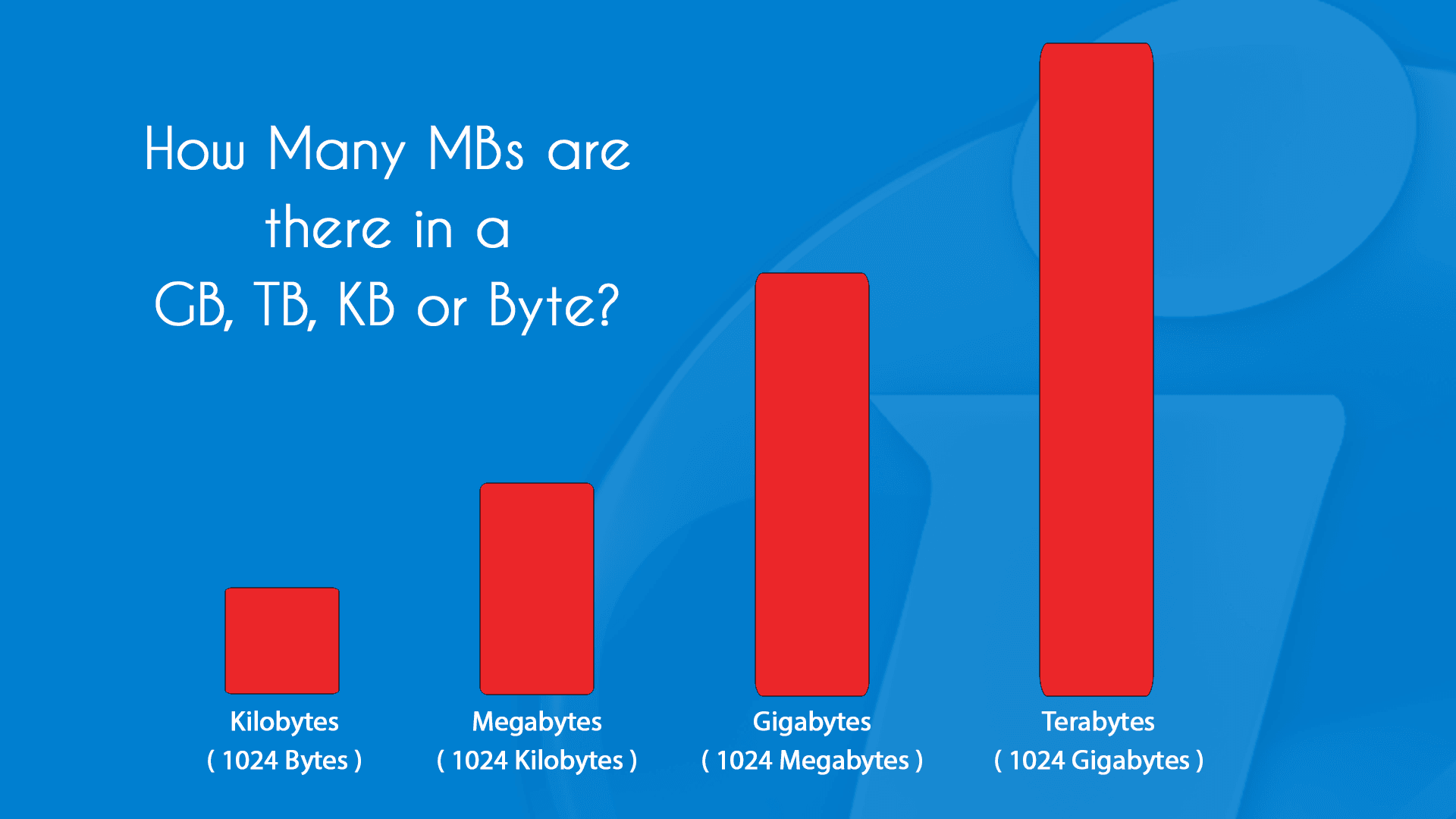
A kilobyte (KB) is approximately 1000 bytes. To be more precise in a base-10 context, 1 KB = 1000 bytes. In a base-2 context, which is still prevalent in some technical discussions, 1 KB = 1024 bytes (2^10). For the purpose of general understanding and comparison, the 1000-byte approximation is usually sufficient.
Historically, kilobyte-sized files were the norm. Early text documents, simple spreadsheets, and basic image formats like very low-resolution JPEGs or GIF images would often fall within the KB range. For instance, a short email message might be a few KB, and a basic text file containing a few paragraphs could also be in the tens of KB. Even many early web pages, with their limited graphics and simpler layouts, would be measured in KB.
Megabytes (MB): The Rise of Richer Content
The prefix “mega” signifies a factor of a million. Similar to kilo, in computing, it’s often associated with powers of 2, but for general understanding, we use the decimal approximation.
A megabyte (MB) is approximately 1000 kilobytes. More precisely, in a base-10 context, 1 MB = 1000 KB = 1,000,000 bytes. In a base-2 context, 1 MB = 1024 KB = 1,048,576 bytes (2^20).
The advent and widespread adoption of digital photography, music, and more sophisticated software applications led to the dominance of megabytes as a unit of measurement. A typical digital photograph, depending on its resolution and compression, can range from a few MB to tens of MB. A standard MP3 audio file is often measured in MB, with a few minutes of music typically occupying 3-5 MB. Software applications, even older ones, would often be distributed in MBs. Early video files, typically in lower resolutions and with less sophisticated compression, also started to be measured in MB. This unit became a tangible way to quantify the increasing richness and complexity of digital content.

The Crucial Distinction: MB vs. KB in Practice
The fundamental difference between MB and KB boils down to scale. An MB is significantly larger than a KB. To visualize this, consider the following:
Relative Size and Capacity
- 1 MB is approximately 1000 times larger than 1 KB. This means that if you have a file that is 1000 KB in size, it is equivalent to 1 MB. Conversely, if you have a file that is 1 MB, it would take approximately 1000 such files to reach 1 GB (gigabyte), which is another, even larger unit.
Examples to Illustrate the Difference
To solidify this understanding, let’s consider practical examples:
- Text Document: A simple text document containing several pages of text might be around 50 KB. This same document would be a mere 0.05 MB.
- Digital Photograph: A moderately sized JPEG image from a smartphone camera could be anywhere from 2 MB to 8 MB. This means it’s hundreds or even thousands of times larger than our example text document.
- MP3 Song: A typical 3-minute MP3 song is about 3 MB.
- Short Video Clip: A brief, low-resolution video clip, perhaps just a few seconds long, could easily be 10 MB or more.
- Web Page: A moderately complex web page, including text, images, and scripts, might range from 500 KB to 2 MB.
This illustrates that as the content becomes more visually rich, audibly complex, or dynamically interactive, the file size increases dramatically, pushing it beyond the KB range and into the MB realm, and subsequently into GBs and even TBs (terabytes) for larger media like movies or extensive databases.
Why Understanding MB vs. KB Matters Today
While we now routinely deal with gigabytes and terabytes for our primary storage needs (hard drives, cloud storage), the distinction between MB and KB remains relevant in several key areas of technology:
Mobile Data Consumption and Plans
Mobile data plans are often measured in gigabytes (GB), but the consumption of individual actions can still be in the megabyte range. Understanding how much data an app update (often tens or hundreds of MB), a streaming session (can range from tens of MB per hour for standard definition to hundreds of MB per hour for high definition), or a photo upload consumes is crucial for managing your mobile data usage and avoiding unexpected charges. Knowing that a 10 MB download is significantly less than a 100 MB download helps users make informed decisions when on limited data plans.
Email Attachments and File Transfers
While many email services now support much larger attachments, there are still limitations, often expressed in MB. Sending or receiving large files via email or through cloud-based file-sharing services frequently involves navigating these MB limits. Understanding that a 5 MB file is a manageable attachment, while a 50 MB file might require a different transfer method, is a practical application of this knowledge. Similarly, when uploading files to a website or a platform, understanding the size constraints, often in MB, is essential for a smooth user experience.
Software and App Sizes
When downloading applications, whether for your computer or smartphone, their size is a critical factor. App stores typically display the size of an app, often in MB for smaller applications and GB for larger ones. For users with limited storage space on their devices, or those with slower internet connections, understanding whether an app is a few MB or several hundred MB can influence their decision to download it. This is particularly true for mobile devices where storage is often a premium.
Website Performance and Loading Times
For web developers and designers, file sizes are paramount. Optimizing images and other assets to reduce their KB or MB footprint directly impacts website loading times. A website with many large image files (measured in MB) will load much slower than one with optimized, smaller files (measured in KB or smaller MB). This directly affects user experience, search engine rankings, and conversion rates. Even for everyday users, understanding that a page with many high-resolution images might take longer to load because of its MB size can explain observed performance differences.
In conclusion, while the digital landscape continues to evolve with ever-increasing data volumes, a solid grasp of the fundamental units like KB and MB provides a crucial lens through which to understand, manage, and optimize our digital interactions. It empowers us to make informed decisions about data consumption, storage, and performance, ensuring a more efficient and effective engagement with the technologies that shape our lives.
aViewFromTheCave is a participant in the Amazon Services LLC Associates Program, an affiliate advertising program designed to provide a means for sites to earn advertising fees by advertising and linking to Amazon.com. Amazon, the Amazon logo, AmazonSupply, and the AmazonSupply logo are trademarks of Amazon.com, Inc. or its affiliates. As an Amazon Associate we earn affiliate commissions from qualifying purchases.