
In the rapidly evolving landscape of modern technology, information is our most valuable currency, but its utility is entirely dependent on how it is categorized and delivered. Whether we are discussing meteorological data pushed to a smartphone, server health metrics in a DevOps dashboard, or cybersecurity threat levels, the terminology used to convey urgency remains remarkably consistent: the “Watch” and the “Warning.”
For the average user—and even many tech professionals—these terms are often used interchangeably in casual conversation. However, in the realm of data engineering, user experience (UX) design, and emergency management technology, the distinction between a watch and a warning is not just semantic; it is a fundamental shift in the state of the system. Understanding which is “worse” requires a deep dive into how technology interprets risk, processes real-time data, and manages the psychological load of the end-user.
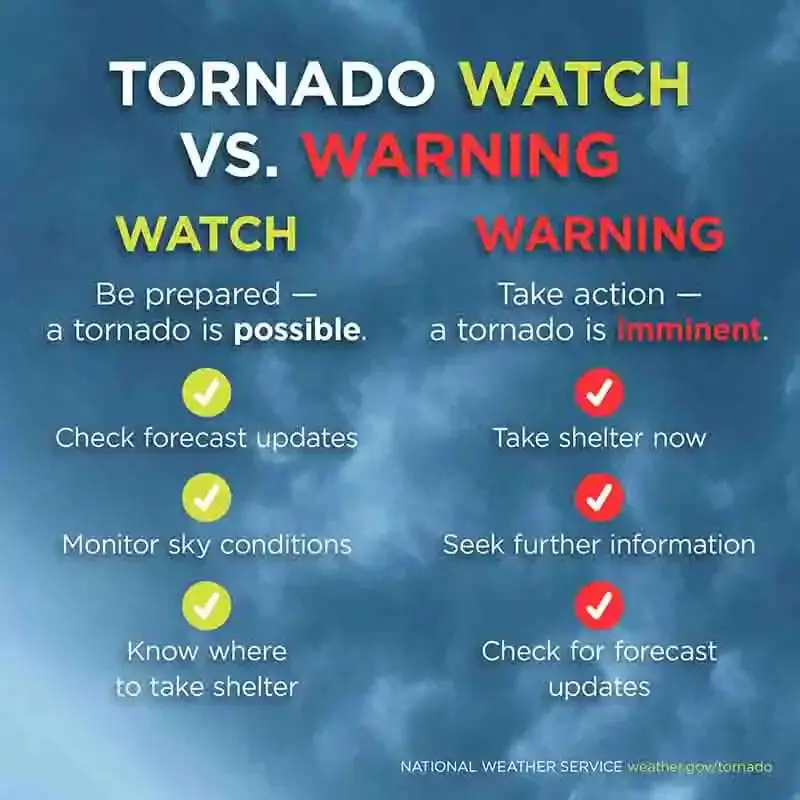
The Anatomy of an Alert: Defining Watch vs. Warning in the Tech Landscape
To understand the severity of these alerts, we must first define their technical parameters. In the hierarchy of digital notifications, a “Watch” and a “Warning” represent two different stages of a predictive algorithm’s confidence level.
The “Watch” Stage: Predictive Modeling and Data Aggregation
A “Watch” is a proactive state. In technical terms, it represents a scenario where the environmental conditions are favorable for a specific event to occur. From a data perspective, a watch is triggered when a combination of variables enters a pre-defined threshold that historical models suggest could lead to a critical failure or emergency.
For example, in a cloud computing environment, a “Capacity Watch” might be triggered if CPU usage across a cluster of servers reaches 70%. Nothing has broken yet, and the system is still functioning within acceptable limits. However, the technology has identified a trend. A watch is an invitation to prepare, to scale resources, and to monitor the system more closely. It is the “yellow light” of the digital world.
The “Warning” Stage: Real-Time Execution and Critical Response
A “Warning” is a reactive state. It is issued when a threat is imminent or already occurring. In the software world, a warning is the result of a validated event. The threshold has been crossed, the sensor has been tripped, or the breach has been detected.
If a watch is about “potential,” a warning is about “presence.” When your smartphone receives a “Tornado Warning,” the technology is no longer calculating probabilities based on atmospheric pressure; it is reporting that a signature has been detected on radar or sighted by a human spotter. In this context, a warning is objectively “worse” because the window for preparation has closed, and the window for immediate action has opened.
The Technology Behind the Alert: Sensors, Algorithms, and Cloud Infrastructure
The transition from a watch to a warning is powered by a complex stack of technologies designed to minimize latency and maximize accuracy. The efficiency of this stack can literally be the difference between life and death.
IoT and Edge Computing in Early Detection
The Internet of Things (IoT) has revolutionized how we differentiate between watches and warnings. Thousands of remote sensors—measuring everything from seismic vibrations to water levels—constantly feed data into edge computing nodes. Edge computing allows for data to be processed closer to the source rather than being sent to a centralized cloud server.
This local processing is what allows a “Watch” to be upgraded to a “Warning” in milliseconds. For instance, in automated industrial systems, edge devices can detect a micro-fluctuation in a turbine’s vibration. While the central system might have the turbine on a “Maintenance Watch,” the edge device can trigger an “Emergency Shutdown Warning” the moment a structural failure begins, bypassing the lag of traditional cloud networking.
Machine Learning and Probability Scoring
Modern alerting software relies heavily on Machine Learning (ML) to reduce “false positives.” One of the greatest challenges in tech-driven warning systems is the “Cry Wolf” effect. If a system issues too many warnings that don’t result in an event, users begin to ignore them.
ML algorithms analyze petabytes of historical data to refine the criteria for a “Watch.” By identifying subtle patterns that humans might miss, AI can maintain a “Watch” status with higher precision, only escalating to a “Warning” when the probability of a critical event exceeds a high-confidence interval (often 90% or higher).
The User Experience of Emergency Alerts: Mobile Ecosystems and Wearables
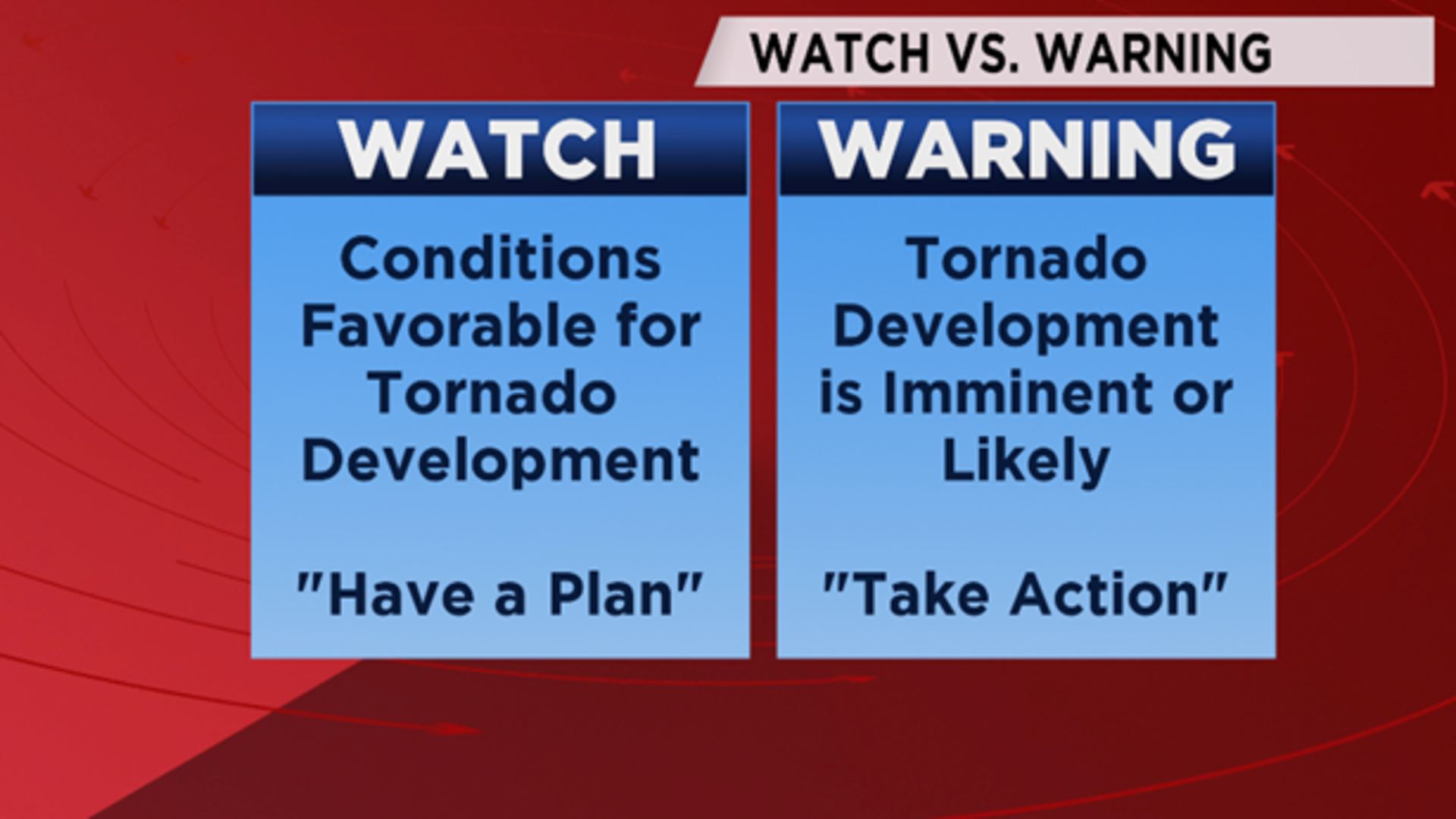
How technology delivers a watch or a warning is just as important as the data itself. The UX design of an alert must communicate the level of “badness” instantly without requiring the user to read a paragraph of text.
Haptic Feedback and UI Design for High-Stress Situations
Software developers use “Negative Constraints” and “Preattentive Attributes” to distinguish watches from warnings. A “Watch” notification on a mobile device might appear as a standard banner with a blue or yellow icon and a standard notification sound. It is designed to inform but not necessarily to disrupt.
In contrast, a “Warning” utilizes Wireless Emergency Alerts (WEA) protocols. This tech bypasses the user’s “Do Not Disturb” settings, uses a distinct, high-pitched audio frequency, and triggers a specific haptic vibration pattern. The UI often turns red, a universal color for “Stop” or “Danger.” The technology is designed to hijack the user’s attention, signaling that the situation has escalated from a “Watch” (monitor) to a “Warning” (act).
Overcoming Alert Fatigue in a Connected World
A significant problem in the tech industry is “Alert Fatigue.” When developers or consumers are bombarded with “Warnings” for minor issues, they become desensitized. This makes the “Warning” state less effective. To combat this, smart notification systems are now using context-aware technology. If your smartwatch detects that you are driving, it may prioritize a “Flash Flood Warning” over a “Severe Thunderstorm Watch,” using GPS data to determine which threat is more relevant to your current velocity and heading.
Cybersecurity Applications: Threat Detection Protocols
The “Watch vs. Warning” dynamic is perhaps most visible today in the world of digital security. As cyber threats become more sophisticated, the technology used to monitor them must distinguish between a suspicious probe and an active intrusion.
Network Traffic Monitoring: The Perpetual “Watch”
In cybersecurity, most organizations exist in a state of perpetual “Watch.” Security Information and Event Management (SIEM) tools are constantly scanning for anomalies. A “Watch” in this context might be an unusual login attempt from an unrecognized IP address. It’s a red flag, but it doesn’t necessarily mean a breach has occurred. It puts the security team on high alert—the digital equivalent of watching the clouds darken.
Breach Protocol: When the “Warning” Triggers Automated Defenses
A “Warning” in cybersecurity is synonymous with a “Critical Incident.” This is when the technology detects a known malware signature, data exfiltration, or a successful unauthorized escalation of privileges. At this stage, the situation is “worse” because the integrity of the system has been compromised.
Modern “Soar” (Security Orchestration, Automation, and Response) technologies are programmed to act automatically upon a “Warning.” While a “Watch” might just log an event for human review, a “Warning” can trigger an automated script to isolate a server, revoke user permissions, and encrypt sensitive databases. The “Warning” is the signal that the “Watch” failed to prevent the threat.
The Future of Warning Systems: AI-Driven Precision and Hyper-Local Notifications
As we look toward the future of technology, the line between a watch and a warning is becoming increasingly thin, thanks to the advent of hyper-local data and 5G connectivity.
Geospatial Precision and 5G Connectivity
The high bandwidth and low latency of 5G allow for “Hyper-Local” alerting. Traditionally, a weather warning might cover an entire county. Future tech will allow for “Micro-Warnings” delivered to specific city blocks. Using geospatial tagging, a warning can be issued only to those in the direct path of a threat, reducing the broad-spectrum “Watch” area and making the “Warning” more impactful for those who receive it.
Personalized Risk Assessment Tools
We are moving toward an era of “Personalized Warnings.” AI assistants, integrated into our wearables and home systems, will eventually process watches and warnings based on our individual vulnerabilities. For a tech-integrated home, a “Power Outage Watch” might trigger the Tesla Powerwall to begin charging, while a “Warning” would shut down sensitive electronics and switch the home to island mode.

Conclusion: Which is Truly Worse?
From a technical and situational standpoint, a Warning is undeniably worse than a Watch. A watch represents the presence of risk and the opportunity for proactive mitigation—it is a triumph of predictive technology. A warning, however, represents the presence of a threat and the necessity of reactive survival—it is the signal that the risk has become a reality.
In the ecosystem of apps, gadgets, and enterprise software, the goal of every developer and engineer is to maximize the utility of the “Watch” so that the “Warning” never has to happen. By leveraging AI, IoT, and superior UX design, technology continues to refine these alerts, giving us the precious seconds needed to turn a potential disaster into a managed event. Whether you are monitoring a server farm or a storm front, the rule remains: Watch to prepare, but heed the Warning to survive.
aViewFromTheCave is a participant in the Amazon Services LLC Associates Program, an affiliate advertising program designed to provide a means for sites to earn advertising fees by advertising and linking to Amazon.com. Amazon, the Amazon logo, AmazonSupply, and the AmazonSupply logo are trademarks of Amazon.com, Inc. or its affiliates. As an Amazon Associate we earn affiliate commissions from qualifying purchases.