
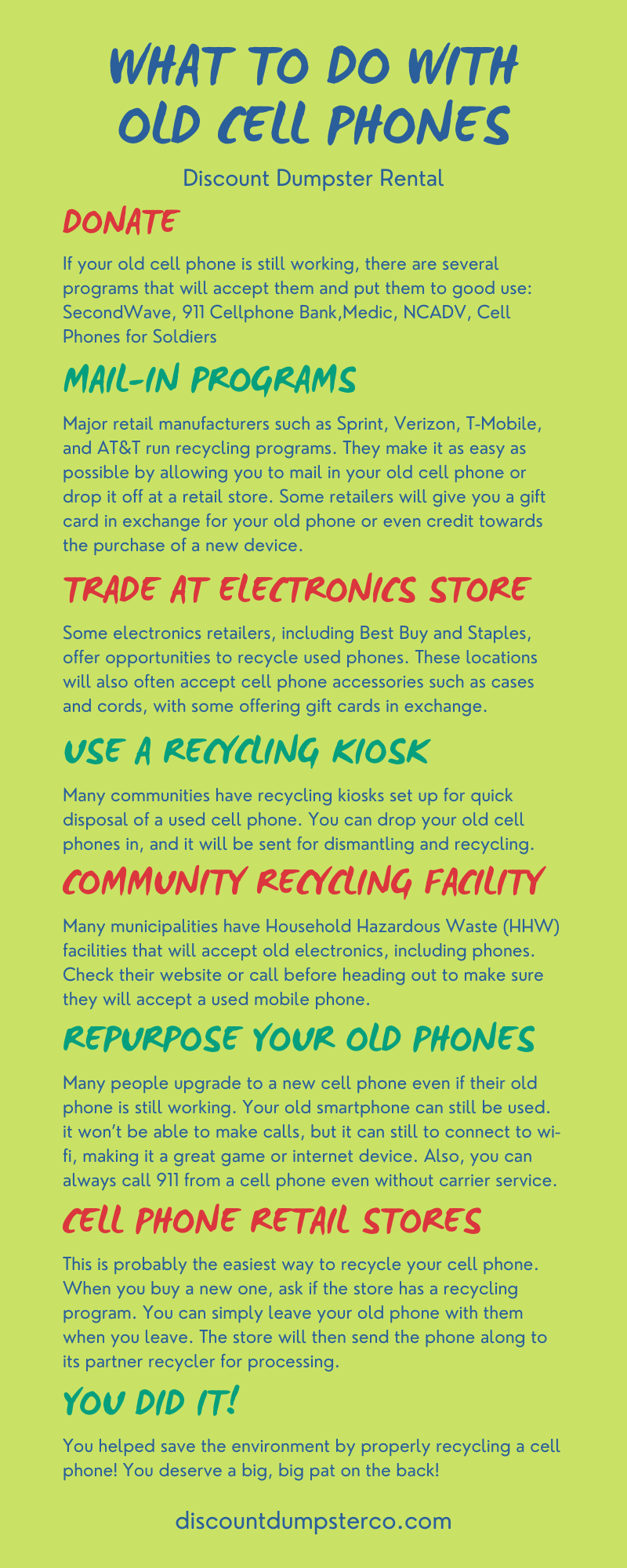
The modern smartphone is a marvel of engineering, packed with high-resolution displays, sophisticated sensor arrays, and processors that often outclass the laptops of a decade ago. Yet, for most consumers, these powerful devices have a tragically short lifecycle. When a new flagship launches, the previous model is often relegated to the “drawer of doom”—a graveyard of lithium-ion batteries and cracked screens.
From a technology standpoint, this is a massive waste of computational potential. An old smartphone is essentially a compact, low-power Linux or Unix-based computer with built-in networking, a camera, and a battery backup. Rather than letting these devices gather dust or contribute to the growing global e-waste crisis, tech enthusiasts and savvy users can breathe new life into them. By viewing an old phone not as a communication device, but as a modular hardware component, you can unlock a variety of sophisticated use cases that range from smart home automation to distributed scientific computing.

1. Transforming Hardware into Dedicated Smart Home Controllers
One of the most effective ways to utilize an old smartphone or tablet is to transition it from a mobile device to a static smart home hub. While we often use our primary phones to control lighting and climate, having a dedicated, wall-mounted interface provides a level of stability and accessibility that a mobile device cannot match.
Creating a Permanent Smart Home Dashboard
By using software like Home Assistant, OpenHAB, or even the basic Google Home/Apple HomeKit interfaces, an old phone can become a central command center. To do this professionally, one should utilize “Kiosk Mode” apps—such as Fully Kiosk Browser for Android—which keep the screen on, prevent users from exiting the application, and can even wake the screen using the front-facing camera when motion is detected. This turns a five-year-old device into a high-end touch panel that would otherwise cost hundreds of dollars in a professional automation ecosystem.
Dedicated Media Servers and Remote Controls
In a sophisticated home theater setup, the smartphone can be repurposed as a dedicated remote for Plex, Kodi, or Roon. Unlike a standard remote, a repurposed phone provides a rich graphical interface for browsing libraries. Furthermore, by connecting the device to a legacy high-fidelity audio system via the headphone jack (if available) or a USB-C DAC, you can transform the phone into a dedicated Wi-Fi streamer. This allows you to add modern “smart” connectivity to vintage audio gear without taxing the battery or storage of your primary device.
2. Repurposing Sensors for Security and Monitoring
Every smartphone is equipped with a suite of sensors—accelerometers, gyroscopes, microphones, and high-quality CMOS camera sensors. When the phone is no longer needed for calls, these sensors can be leveraged for specialized monitoring tasks.
Converting Units into IP Security Cameras
The optics in a three-year-old flagship phone are often superior to those found in mid-range dedicated security cameras. By using apps like AlfredCamera or Manything, you can turn an old device into a cloud-connected security node. These applications offer motion detection, two-way audio, and infrared toggles (by utilizing the phone’s software processing). For a more technical implementation, users can set up an RTSP (Real Time Streaming Protocol) server on the phone, allowing it to integrate directly into a Network Video Recorder (NVR) setup alongside professional-grade IP cameras.
Specialized Environmental Monitoring
Beyond visual security, the internal sensors can be used for “if-this-then-that” (IFTTT) triggers. For instance, an old phone can be placed in a server closet or a greenhouse to monitor ambient light levels and noise. Technical users can use apps like Tasker to script specific actions: “If the microphone detects a sound frequency consistent with a smoke alarm, send a priority notification to the primary device.” This level of hardware-level automation utilizes the phone as a sophisticated IoT (Internet of Things) sensor node.
3. The Secondary Display and Peripheral Revolution
For power users and PC enthusiasts, an old smartphone provides additional “screen estate” that can significantly enhance productivity or gaming setups. Because these devices have high pixel density, they are ideal for displaying static data that you don’t want cluttering your main monitor.
System Resource Monitoring and Macro Decks
Software such as AIDA64 or Pitikapp allows users to turn an old phone into a dedicated system resource monitor. By mounting the phone inside a PC case or on a desk stand, you can view real-time CPU temperatures, GPU load, and network speeds via a custom-skinned dashboard. Additionally, apps like Touch Portal or Macro Deck can turn the touchscreen into a customizable “Stream Deck” alternative. This allows users to trigger complex keyboard macros, launch applications, or control OBS Studio during livestreams with a single touch, offloading those processes from the main computer’s interface.
High-Definition Webcam Upgrades
The rise of remote work has highlighted how mediocre most built-in laptop webcams are. However, even an older smartphone’s rear camera can typically record in 1080p or 4K with better color science than a standard peripheral webcam. Using tools like Camo (by Reincubate) or Iriun, you can bridge the phone’s camera feed to your PC or Mac via USB. The computer recognizes the phone as a standard imaging device, providing a massive upgrade for video conferencing and digital presentations without the need for new hardware.
4. Technical Preservation and Data Security
Before an old device can be repurposed or eventually moved out of your ecosystem, there are critical technical steps that must be taken to ensure digital security and hardware longevity. In the tech niche, “what to do” with a phone also involves knowing how to properly decommission it.
Advanced Data Sanitization Protocols
Simply hitting “delete” on your photos is insufficient. For a tech-literate user, a factory reset is the bare minimum, but even then, data remanence can be an issue on older versions of Android or iOS. To properly secure a device, one should ensure that full-disk encryption is enabled before performing a factory reset. On modern devices, this is the default; once the reset occurs, the encryption key is destroyed, rendering the remaining bits on the flash storage unrecoverable. For those planning to donate or sell the hardware, this is a non-negotiable step in maintaining digital hygiene.
Contributing to Distributed Computing
If you have no direct use for the hardware but want it to remain productive, you can donate its processing power to science. The BOINC (Berkeley Open Infrastructure for Network Computing) project allows mobile devices to contribute to massive research tasks, such as protein folding, searching for extraterrestrial intelligence, or climate modeling. While a single phone isn’t a supercomputer, thousands of repurposed phones working in tandem provide researchers with incredible computational throughput. This is the ultimate technical “retirement” for a device—spending its final functional years solving complex mathematical problems for the benefit of humanity.
5. Overcoming Hardware Limitations: Power and Heat
When repurposing a phone for 24/7 operation, two technical hurdles must be addressed: battery swelling and thermal management.
Managing the Lithium-Ion Lifecycle
Lithium-ion batteries are not designed to be plugged into a charger indefinitely; doing so can lead to “bloating” or chemical degradation. To mitigate this, advanced users often use smart plugs that cycle power to the phone only when the battery drops below 20%, or they use root-level applications (like Advanced Charging Controller for Android) to cap the charge at 50-60%. This significantly extends the hardware’s lifespan in a “stationary” role.
Thermal Considerations in “Always-On” Mode
Using a phone as a security camera or a system monitor generates constant heat. To prevent thermal throttling, it is often necessary to remove any protective cases, which act as insulators. In more extreme DIY tech projects, users have even gone as far as mounting small heatsinks to the back of the phone’s chassis to maintain peak performance during intensive tasks like video transcoding or continuous streaming.

Conclusion: The Ethics of the Circular Tech Economy
Repurposing an old phone is more than just a fun weekend project; it is a fundamental shift in how we interact with technology. In an era of planned obsolescence, choosing to find a technical use for “outdated” silicon is an act of digital sustainability. Whether the device becomes a sophisticated security node, a dedicated system monitor, or a contributor to global scientific research, the goal is the same: to extract every bit of value from the hardware before it finally reaches the end of its functional life. By applying these professional tech strategies, we can transform the “drawer of doom” into a reservoir of untapped technical potential.
aViewFromTheCave is a participant in the Amazon Services LLC Associates Program, an affiliate advertising program designed to provide a means for sites to earn advertising fees by advertising and linking to Amazon.com. Amazon, the Amazon logo, AmazonSupply, and the AmazonSupply logo are trademarks of Amazon.com, Inc. or its affiliates. As an Amazon Associate we earn affiliate commissions from qualifying purchases.