
Buffering, in the realm of digital technology, is a fundamental concept that underpins the smooth and uninterrupted playback of streaming media, the seamless loading of web pages, and the efficient transfer of data across networks. While often experienced as an annoyance when it halts progress, buffering is, in fact, a crucial process designed to overcome the inherent challenges of transmitting data over variable and often congested networks. At its core, buffering involves temporarily storing data in a dedicated memory area, known as a buffer, before it is processed or displayed. This seemingly simple act of pre-loading information is what allows us to enjoy our favorite videos, music, and online content without constant interruptions.

The need for buffering arises from the fundamental nature of digital data transmission. The internet, while a marvel of connectivity, is not a perfectly predictable or instantaneous medium. Data travels in packets, and the journey these packets take from a server to your device can be influenced by a multitude of factors. Network congestion, the physical distance between the source and destination, the processing power of intermediate devices, and the limitations of your own internet connection all contribute to variability in data arrival times. Without buffering, your device would have to wait for each individual packet of data to arrive before it could process and display the next piece of content. This would result in a choppy, stop-start experience, akin to trying to read a book where each word appears only after you’ve waited for it to be delivered by mail. Buffering mitigates this by anticipating the need for data and storing it in advance, creating a continuous flow.
The Mechanics of Buffering
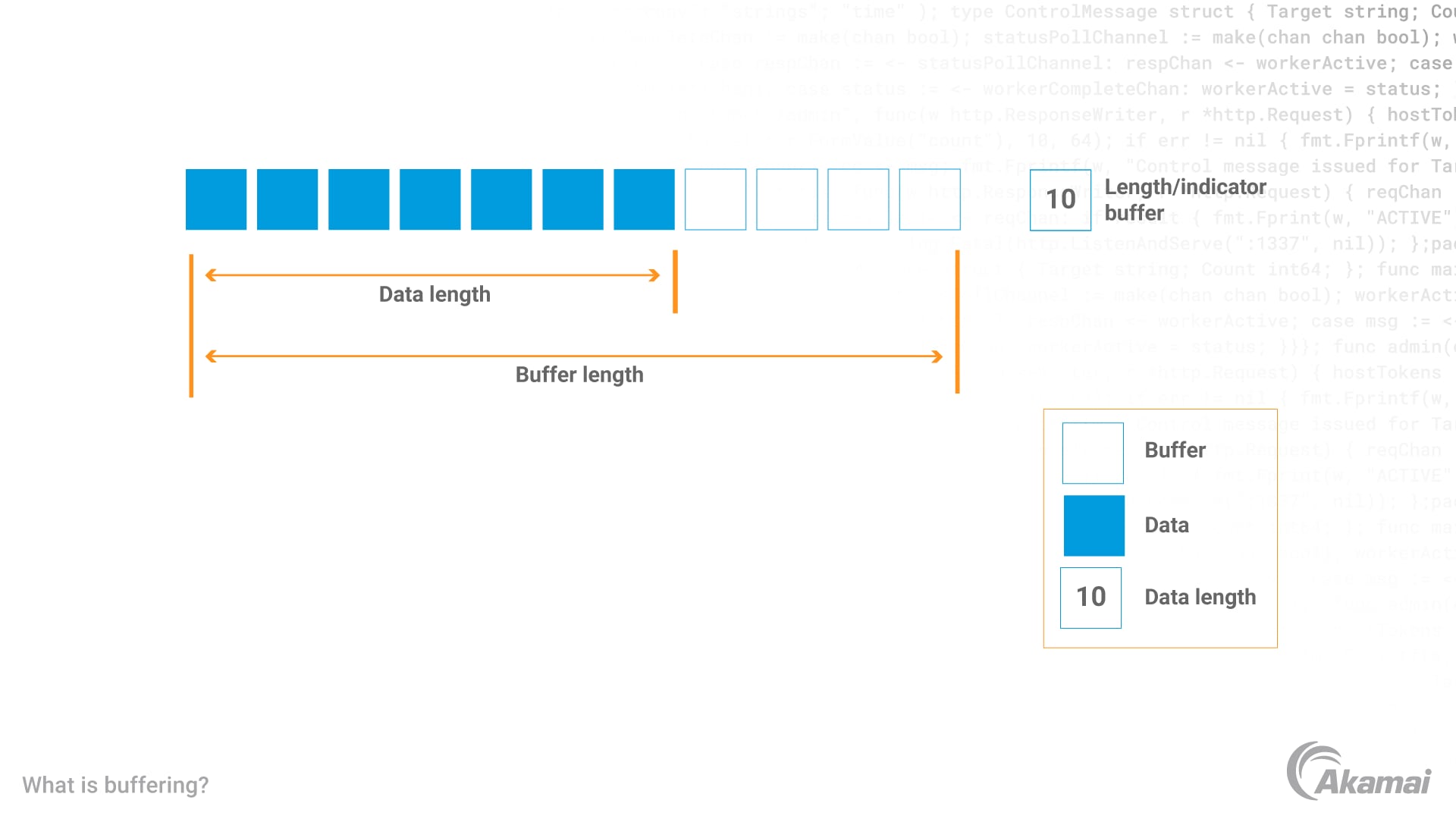
At a technical level, buffering involves a dedicated section of memory, the buffer, which acts as an intermediate holding area for data. This buffer is a finite space, and its size can significantly impact the user experience. When data, such as a video stream, begins to arrive, it is initially placed into this buffer. As your device processes and displays the content from the buffer, new data continues to be downloaded and added to it. The goal is to maintain a sufficient amount of buffered data so that even if there are momentary delays in the incoming data stream, your device can continue to play the content smoothly from the data already stored in the buffer.
Data Flow and Packet Management
The process begins when a request is made for content. For example, when you click play on a video, your device sends a request to the server hosting the video. The server then begins sending the video data in small, manageable units called packets. These packets are routed across the internet, potentially through many different servers and networks, to reach your device. Upon arrival, these packets are not immediately processed. Instead, they are directed into the buffer. The buffering software or player then reads data from the buffer, decodes it, and sends it to the playback engine. This ensures that there’s always a reserve of data ready for playback, smoothing over any minor fluctuations in the network.
The Role of Buffer Size
The size of the buffer is a critical factor in determining the effectiveness of buffering. A larger buffer can store more pre-loaded data, providing a greater cushion against network interruptions. This means that even if your internet connection experiences a significant slowdown or a temporary dropout, a larger buffer can keep the content playing for a longer period before it eventually stutters or stops. However, excessively large buffers can lead to increased initial loading times, as the device needs to download a substantial amount of data before playback can begin. Conversely, a very small buffer offers faster initial loading but is more susceptible to even minor network hiccups, leading to frequent buffering interruptions. Streaming services often employ adaptive buffering strategies, dynamically adjusting buffer sizes based on perceived network conditions to strike a balance between fast startup and smooth playback.
Why Buffering Happens: Network and Device Factors
Buffering is not an inherent flaw in the technology itself but rather a necessary consequence of how data travels and is processed. The primary drivers behind buffering interruptions are related to the characteristics of the network and the capabilities of the devices involved. Understanding these factors can help users diagnose and potentially mitigate buffering issues.
Network Congestion and Bandwidth Limitations
One of the most common causes of buffering is network congestion. The internet is a shared resource, and during peak usage times, many users are vying for the same bandwidth. This is akin to rush hour on a highway, where the volume of traffic exceeds the road’s capacity, leading to slowdowns. If the available bandwidth for your connection is less than the bandwidth required to stream the content at its intended quality, your device will struggle to download data fast enough to keep the buffer full. This leads to the playback engine consuming data faster than it is being replenished, resulting in buffering. Similarly, your overall internet connection’s bandwidth, the maximum data transfer rate your internet service provider (ISP) offers, can be a limiting factor. If your plan has insufficient bandwidth for the demands of high-definition streaming, buffering will occur.
Latency and Packet Loss
Beyond sheer volume, the timing and integrity of data packets are crucial. Latency, also known as ping, refers to the time it takes for a data packet to travel from its source to its destination and back. High latency means that data packets take longer to arrive, increasing the likelihood of the buffer emptying before new data arrives. Packet loss occurs when data packets fail to reach their destination. This can happen due to network errors, faulty hardware, or congestion. When packets are lost, the buffering process can be disrupted, as the playback engine might be missing essential pieces of data, leading to stalls or errors. Repeated packet loss significantly degrades the streaming experience.
Device Performance and Software Issues
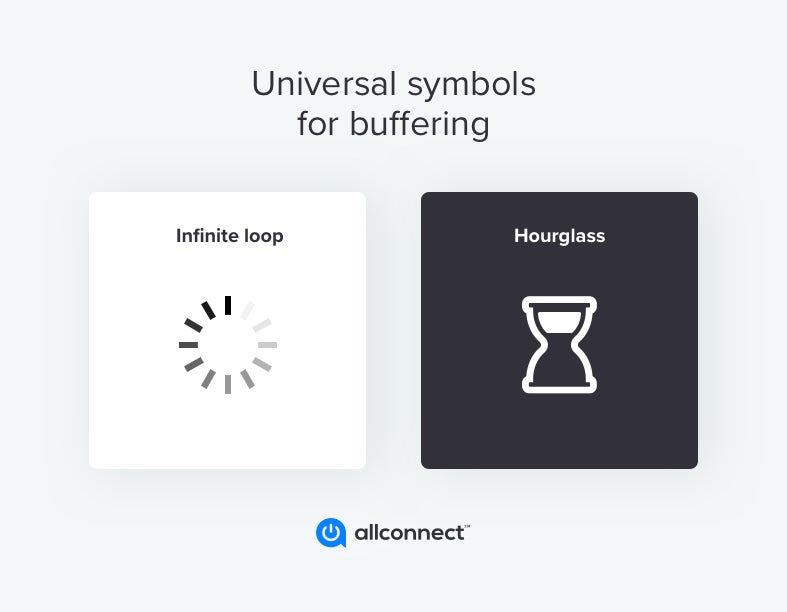
While network conditions are often the primary culprits, the performance of your own device and the software running on it can also contribute to buffering. Older or less powerful devices may struggle to decode and process streaming data quickly enough, even if the data is arriving without issue. This can create a bottleneck, causing the playback to lag behind the data arrival. Furthermore, outdated software, including web browsers, media players, or operating systems, might not be optimized for efficient data handling or might have bugs that interfere with the buffering process. Inefficiently designed applications or websites can also consume excessive system resources, impacting their ability to handle streaming data smoothly.
Types of Buffering and Their Applications
While the general principle of buffering remains consistent, its implementation and purpose can vary across different technological contexts. Recognizing these distinctions can provide a more nuanced understanding of its role in the digital landscape.
Video and Audio Streaming Buffering
This is perhaps the most familiar form of buffering for most users. When you watch a video on platforms like YouTube or Netflix, or listen to music on Spotify, the application downloads a portion of the media file into a buffer before playback begins. This pre-downloaded data allows for seamless playback even if your internet connection fluctuates momentarily. The player continuously downloads more data into the buffer as the content is being consumed. Adaptive bitrate streaming, a common technique in video streaming, dynamically adjusts the quality of the video based on available bandwidth and buffering status. If buffering occurs, the bitrate might be lowered to ensure smoother playback.
Web Page and Application Data Buffering
Buffering is not limited to media. Web browsers often buffer certain elements of a web page, such as images, scripts, and stylesheets, to improve loading times. When you revisit a website, the browser can load these buffered elements directly from your local cache, significantly speeding up the page rendering process. Similarly, many applications, especially those that require frequent data retrieval, utilize buffering to enhance responsiveness. This can include caching data for offline access or pre-fetching information that a user is likely to need next, creating a more fluid and interactive experience.
Network Protocol Buffering
At a lower level, buffering is integrated into various network protocols. For instance, protocols like TCP (Transmission Control Protocol) employ buffering mechanisms to ensure reliable and ordered data delivery. TCP buffers incoming data before reassembling it in the correct sequence for the application. This process is crucial for maintaining data integrity over unreliable networks. Network routers and switches also utilize buffers to temporarily store packets as they are processed and routed. This helps manage traffic flow and prevent packet loss during periods of high network activity.
Optimizing Your Experience: Reducing Buffering
While buffering is an essential mechanism, excessive buffering can be frustrating. Fortunately, there are several steps users can take to improve their streaming and data transfer experience and minimize interruptions.
Improving Your Internet Connection
The most impactful way to reduce buffering is to ensure you have a robust and reliable internet connection. This starts with your internet plan. If you consistently experience buffering with high-bandwidth activities like 4K streaming, you may need to upgrade to a plan with higher download speeds. Your router also plays a crucial role. Ensure it’s positioned centrally in your home, away from obstructions, and that its firmware is up-to-date. Consider using a wired Ethernet connection instead of Wi-Fi, as it generally provides a more stable and faster connection, reducing interference and latency. If Wi-Fi is your only option, ensure you’re using a modern router that supports the latest Wi-Fi standards and that you’re not too far from the access point.
Device and Software Maintenance
Keeping your devices and software in good working order can significantly alleviate buffering issues. Regularly restart your router and modem to clear any temporary glitches. Ensure your operating system, web browsers, and media player applications are always updated to the latest versions, as updates often include performance improvements and bug fixes related to data handling. Close unnecessary applications running in the background on your device, as they can consume valuable processing power and bandwidth. For streaming devices like smart TVs or streaming sticks, performing periodic resets or clearing their cache can also help.
Understanding and Managing Streaming Quality
Most streaming services offer various quality settings for their content. While higher quality (e.g., HD, 4K) provides a better visual experience, it also demands more bandwidth. If you’re experiencing consistent buffering, try lowering the streaming quality setting within the app or on the website. This will reduce the amount of data that needs to be downloaded, making it easier for your connection to keep the buffer full. Some services employ adaptive bitrate streaming automatically, but manual adjustment can be a useful troubleshooting step when issues arise. By understanding the interplay between your connection’s capabilities and the demands of the content, you can make informed choices to optimize your viewing or listening experience.
aViewFromTheCave is a participant in the Amazon Services LLC Associates Program, an affiliate advertising program designed to provide a means for sites to earn advertising fees by advertising and linking to Amazon.com. Amazon, the Amazon logo, AmazonSupply, and the AmazonSupply logo are trademarks of Amazon.com, Inc. or its affiliates. As an Amazon Associate we earn affiliate commissions from qualifying purchases.