
The central processing unit (CPU), often referred to as the “brain” of a computer, is arguably the most critical component dictating its performance and capabilities. When we ask “what is a good computer processor,” we’re delving into a multifaceted question that goes beyond simply identifying a brand name or a specific clock speed. A “good” processor is one that effectively and efficiently meets the demands of its intended use, balancing raw power with energy efficiency, cost-effectiveness, and the ability to keep pace with evolving software and hardware.
In the realm of technology, understanding processors is fundamental to making informed purchasing decisions, whether you’re building a new desktop, upgrading a laptop, or simply trying to comprehend the specifications of the devices around you. This guide will break down the key characteristics that define a good computer processor, helping you navigate the technical jargon and make a choice that aligns with your needs.

Understanding the Core Components of a Processor
At its heart, a processor is a complex integrated circuit responsible for executing instructions and performing calculations that drive all operations on a computer. To understand what makes one processor “good,” we need to dissect its fundamental components and how they contribute to overall performance.
Clock Speed: The Pace of Operations
Clock speed, measured in Gigahertz (GHz), represents the number of cycles a processor can execute per second. A higher clock speed generally means the processor can perform more operations in a given timeframe. For tasks that are heavily reliant on single-threaded performance, such as many older games or certain productivity applications, a higher clock speed can directly translate to faster performance.
However, it’s crucial to understand that clock speed is not the sole determinant of performance. Imagine two runners: one runs at a faster pace but takes longer to complete each stride, while the other runs at a slightly slower pace but can take many more strides in the same amount of time. The second runner might actually cover more ground. Similarly, a processor with a lower clock speed but more efficient architecture or more cores might outperform one with a higher clock speed.
Cores: The Multitasking Muscle
Modern processors are equipped with multiple “cores,” each essentially acting as an independent processing unit. The more cores a processor has, the more tasks it can handle simultaneously. This is where multitasking truly shines. If you’re frequently running several applications at once, such as browsing the web with multiple tabs open, streaming music, and working on a document, a processor with more cores will distribute these workloads more effectively, preventing slowdowns and maintaining a smoother user experience.
For demanding professional applications like video editing, 3D rendering, or complex scientific simulations, a higher core count becomes even more critical. These applications are often designed to leverage parallel processing, meaning they can divide their workload across multiple cores to significantly reduce processing times.
Threads: The Workflow Directors
Threads are a concept closely related to cores. A thread represents a sequence of instructions that a core can execute. Some processors feature “hyper-threading” (Intel) or “Simultaneous Multi-Threading” (SMT) (AMD). This technology allows a single physical core to handle multiple threads concurrently, essentially making it appear to the operating system as if there are more cores than physically present. This can boost performance in multi-threaded applications by keeping the cores busier and reducing idle time. While not a substitute for having more physical cores, hyper-threading can provide a noticeable performance uplift in many scenarios.
Cache Memory: The On-Demand Data Hub
Cache memory is a small, extremely fast type of RAM located directly on the processor itself. It stores frequently accessed data and instructions, allowing the CPU to retrieve them much faster than accessing the main system RAM. Processors typically have multiple levels of cache: L1 (the smallest and fastest, closest to the core), L2, and L3 (the largest and slowest, shared among cores). A larger and more efficient cache can significantly improve performance by reducing the time the processor spends waiting for data. This is particularly beneficial in applications that constantly access and manipulate large datasets.
Factors Beyond Raw Specifications
While clock speed, core count, threads, and cache are foundational, several other factors contribute to what makes a processor “good” in a practical sense. These considerations often dictate the overall value and suitability of a processor for specific user needs and budgets.
Architecture: The Design Efficiency
The architecture of a processor refers to its underlying design and how its components are organized to execute instructions. Newer architectures often incorporate advancements in efficiency, instruction sets, and power management, leading to better performance per clock cycle and improved energy efficiency. For example, a processor from a more recent generation with a sophisticated architecture might outperform an older processor with a higher clock speed. Chip manufacturers like Intel and AMD are in a constant cycle of architectural innovation, releasing new generations of processors with improved designs. Staying abreast of these architectural shifts can be a good indicator of a processor’s modern capabilities.
Integrated Graphics: The Display Dilemma
Many processors, particularly those found in laptops and entry-level desktops, come with integrated graphics processing units (iGPUs). These are graphics processors built directly into the CPU. For everyday tasks like web browsing, document editing, and light media consumption, integrated graphics are often sufficient. However, for more demanding graphical workloads such as gaming, video editing, or professional design work, a dedicated graphics card (GPU) is almost always necessary.
When evaluating a processor with integrated graphics, consider the capabilities of the iGPU. Some iGPUs are more powerful than others and can handle casual gaming or light creative tasks. If you don’t plan on using a dedicated graphics card, the performance of the integrated graphics becomes a more significant factor in your overall system experience.
Power Consumption (TDP): The Heat and Energy Equation
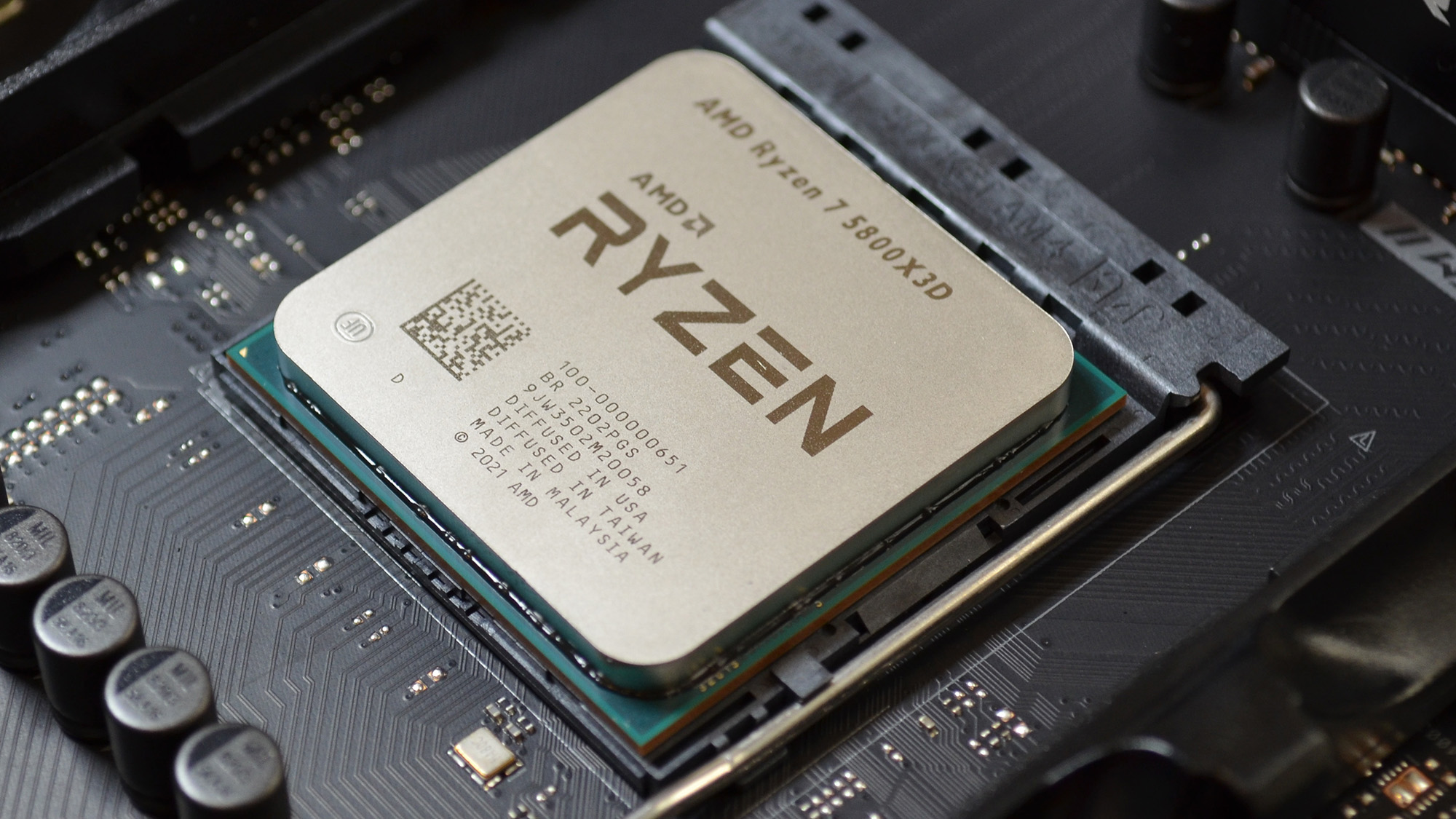
Thermal Design Power (TDP), measured in watts, indicates the maximum amount of heat a processor is expected to generate under typical workloads. This figure is a crucial indicator of a processor’s power consumption and, consequently, its heat output. For laptops, lower TDP processors are highly desirable as they contribute to longer battery life and less heat generation, leading to a more comfortable user experience. In desktop systems, while less critical for battery life, lower TDP can translate to less strain on the cooling system, potentially allowing for quieter operation and longer component lifespan. High-performance processors, while offering more power, often come with higher TDPs, requiring robust cooling solutions.
Socket Compatibility: The Motherboard Marriage
A processor needs to physically connect to a motherboard via a specific socket. Each processor family (e.g., Intel’s LGA 1700, AMD’s AM5) uses a particular socket type. This means a processor is not interchangeable with any motherboard; it must be compatible with the motherboard’s socket. When choosing a processor, it’s essential to ensure it matches the socket type of your motherboard, or vice versa if you’re building a new system from scratch. This is a fundamental compatibility check that can prevent costly mistakes.
Matching Processor Capabilities to Your Needs
The ultimate question of “what is a good computer processor” is inextricably linked to how you intend to use your computer. A processor that excels for one user might be overkill or insufficient for another. Understanding your primary computing activities is key to making an informed selection.
Casual Use: Web Browsing, Email, and Office Tasks
For users whose primary activities involve web browsing, checking emails, using productivity suites like Microsoft Office or Google Workspace, and casual media consumption (streaming movies, listening to music), a processor with moderate specifications will suffice.
- Cores: 2-4 cores are generally sufficient.
- Clock Speed: 2.0 GHz and above is adequate.
- Integrated Graphics: Most modern integrated graphics will handle these tasks well.
- Examples: Intel Core i3, AMD Ryzen 3 series processors, or their predecessors, often fit this category.
Mainstream Computing: Multitasking, Light Gaming, and Creative Work
For users who engage in more robust multitasking, enjoy light to moderate gaming, or dabble in basic photo editing or content creation, a step up in processor power is recommended.
- Cores: 4-6 cores are ideal for smoother multitasking.
- Clock Speed: 3.0 GHz and above, with higher boost clocks, will provide a noticeable performance improvement.
- Integrated Graphics: While a dedicated GPU is beneficial for gaming, some more capable integrated graphics can handle very light gaming or smoother video playback.
- Examples: Intel Core i5, AMD Ryzen 5 series processors.
Power Users and Gamers: Demanding Applications and High-Fidelity Gaming
This category encompasses individuals who require significant processing power for gaming at higher settings, demanding creative workloads like video editing, 3D rendering, programming, and running virtual machines.
- Cores: 6-8 cores or more are highly beneficial for parallel processing and heavy multitasking.
- Clock Speed: Higher base and boost clock speeds (3.5 GHz and above) are crucial for demanding single-threaded tasks and overall responsiveness.
- Integrated Graphics: A powerful dedicated graphics card is almost always a necessity.
- Examples: Intel Core i7/i9, AMD Ryzen 7/9 series processors.
Professional Workstations and Enthusiasts: Extreme Performance and Specific Workloads
For professionals in fields like animation, scientific research, complex simulations, or those who simply demand the absolute highest performance, processors with the most cores, highest clock speeds, and advanced architectures are the target.
- Cores: 8 cores and upwards, often extending to 12, 16, or even more cores in high-end desktop (HEDT) or server-grade processors.
- Clock Speed: Top-tier clock speeds with advanced boost technologies are essential.
- Cache: Larger L3 cache is particularly beneficial for data-intensive professional applications.
- Examples: High-end Intel Core i9 models, AMD Ryzen 9 series, and potentially Threadripper processors for extreme workloads.

The Evolving Landscape of Processors
The processor market is characterized by rapid innovation. New generations of CPUs are released regularly, often bringing significant improvements in performance, efficiency, and new features. Manufacturers like Intel and AMD continuously refine their architectures, increase core counts, and boost clock speeds. This competitive environment benefits consumers by offering increasingly powerful and efficient processors at various price points.
When considering “what is a good computer processor” today, it’s also wise to look at benchmarks and reviews for the specific applications you intend to use. Real-world performance testing can often provide a more accurate picture than raw specifications alone. Furthermore, considering the total platform cost – including the motherboard, RAM, and cooling – is essential for making a holistic decision. A powerful processor might require a more expensive motherboard and cooling solution, impacting the overall budget.
Ultimately, a good computer processor is a harmonious blend of raw power, architectural efficiency, and suitability for your specific computing tasks, all while fitting within a reasonable budget. By understanding the core components and considering your usage patterns, you can confidently navigate the options and find the processor that empowers your digital experience.
aViewFromTheCave is a participant in the Amazon Services LLC Associates Program, an affiliate advertising program designed to provide a means for sites to earn advertising fees by advertising and linking to Amazon.com. Amazon, the Amazon logo, AmazonSupply, and the AmazonSupply logo are trademarks of Amazon.com, Inc. or its affiliates. As an Amazon Associate we earn affiliate commissions from qualifying purchases.