
The iPhone, a ubiquitous symbol of modern mobile technology, has evolved dramatically since its inception. For many users, understanding the age of their iPhone is more than a mere curiosity; it’s a practical necessity that impacts software compatibility, performance expectations, and even the device’s resale value. Knowing the year your iPhone was released can unlock a deeper understanding of its capabilities, help you troubleshoot potential issues, and inform your upgrade decisions. This article delves into the methods and importance of pinpointing your iPhone’s release year, placing it squarely within the realm of essential Tech knowledge.

Unlocking Your iPhone’s Identity: The Model Number as a Key
Every iPhone model is assigned a unique identifier, and among these, the model number stands out as the most direct and reliable way to trace its origins. This seemingly cryptic sequence of letters and numbers holds the secret to your device’s age and, by extension, its technological generation.
Locating the Model Number on Your Device
The model number can be found in a couple of primary locations, depending on your iPhone model and your preference for finding it.
On the Device Itself
For older iPhone models (typically those before the iPhone 8), the model number is etched directly onto the back casing of the device. You may need a bright light and a magnifying glass to decipher it, as the lettering is quite small. Look for a section that starts with “Model Axxxx”.
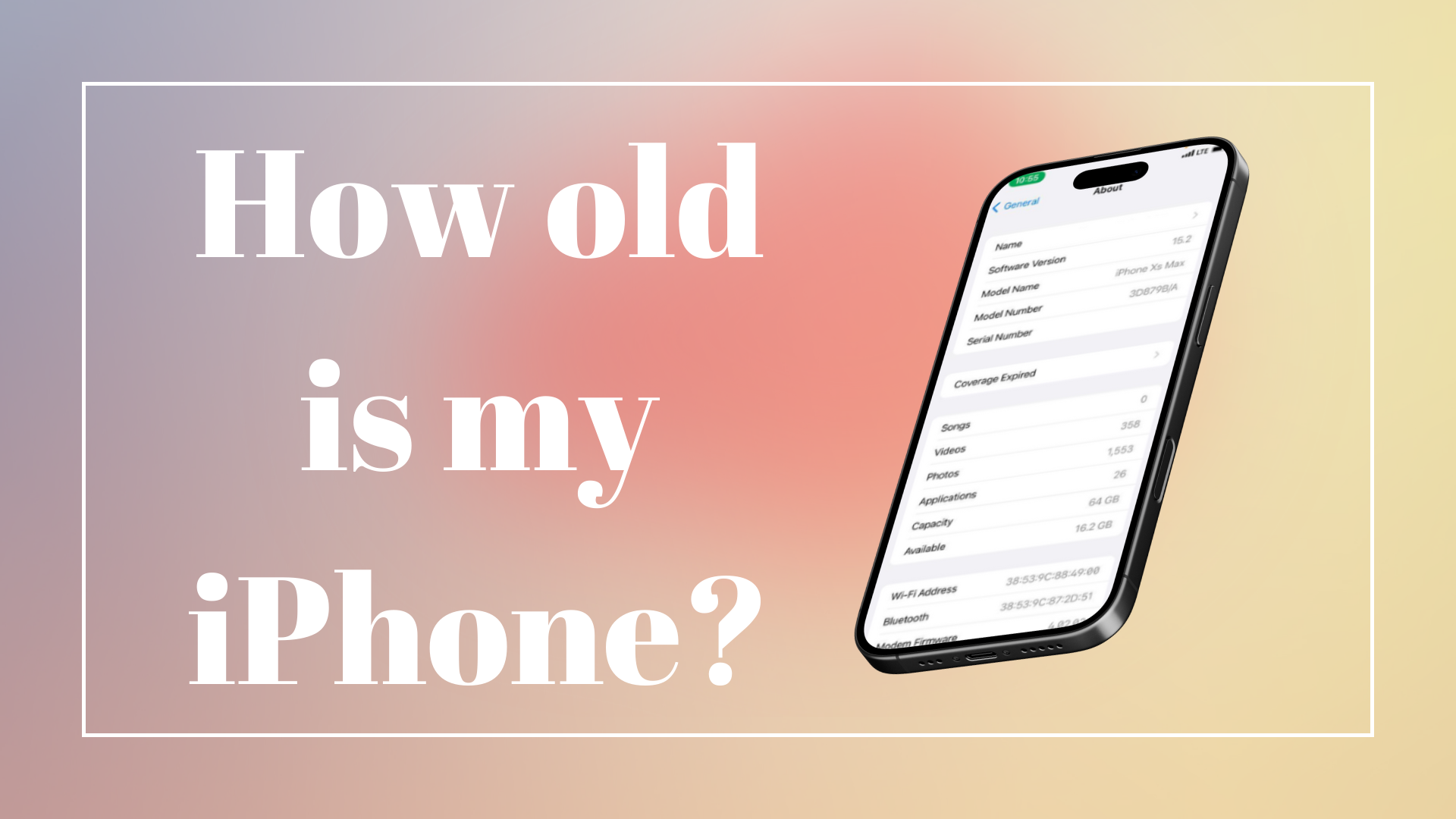
For newer iPhone models (iPhone 8 and later, including the iPhone SE 2nd and 3rd generation), the model number has been moved to a more accessible location: within the Settings app. Navigate to Settings > General > About. Scroll down, and you’ll find the “Model Number” listed. If the number displayed begins with an “M,” this is the retail version. You can tap on it, and it will change to a number starting with an “A” (e.g., A1688). This “A” number is the one you’ll use for identification.
In the Software Settings
As mentioned above, the most straightforward way to find your model number on newer iPhones is through the Settings app. This method is consistent and doesn’t require any physical examination of the device.
- Open the Settings app.
- Tap on “General.”
- Tap on “About.”
- Locate the “Model Number” field. If it starts with “M,” tap it once to reveal the model number starting with “A.”
Decoding the Model Number: The Apple Part Number System
Once you have your “A” model number, the next step is to translate it into a specific iPhone model and, consequently, its release year. Apple uses a standardized system for its part numbers, and there are readily available resources online to help you decode them.
The easiest way to do this is to use an online search engine. Simply type your “A” model number followed by “iPhone model” into Google or your preferred search engine. For instance, searching for “A1778 iPhone model” will quickly reveal that it corresponds to the iPhone 7.
Alternatively, Apple itself provides support pages that list the model numbers for each iPhone generation. A quick search for “Apple iPhone model numbers” will lead you to these official resources. These pages are invaluable as they often include images of the devices, making it even easier to confirm you’re looking at the correct generation.
Correlating Model Numbers with Release Years: A Timeline of Innovation
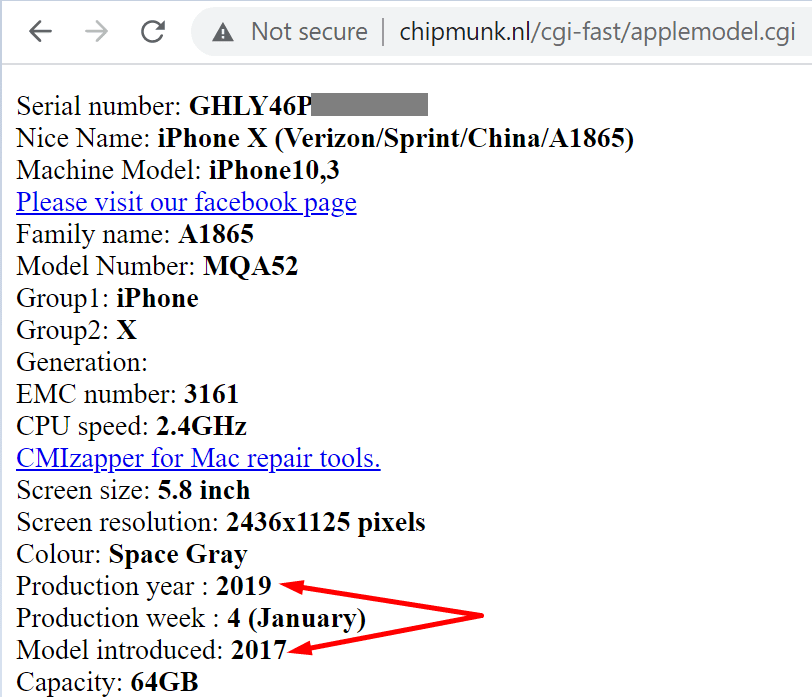
With your iPhone’s model number identified, you can now pinpoint its release year by cross-referencing it with Apple’s product release history. This step transforms a string of characters into a tangible point in time, placing your device within the broader narrative of technological advancement.
Key iPhone Models and Their Release Years
Understanding the lineage of the iPhone is crucial for appreciating its evolution. Here’s a snapshot of some prominent iPhone models and their respective release years, illustrating the pace of innovation:
- iPhone (1st generation): 2007
- iPhone 3G: 2008
- iPhone 3GS: 2009
- iPhone 4: 2010
- iPhone 4S: 2011
- iPhone 5: 2012
- iPhone 5S / 5C: 2013
- iPhone 6 / 6 Plus: 2014
- iPhone 6S / 6S Plus: 2015
- iPhone SE (1st generation): 2016
- iPhone 7 / 7 Plus: 2016
- iPhone 8 / 8 Plus / iPhone X: 2017
- iPhone XR / XS / XS Max: 2018
- iPhone 11 / 11 Pro / 11 Pro Max: 2019
- iPhone SE (2nd generation): 2020
- iPhone 12 / 12 mini / 12 Pro / 12 Pro Max: 2020
- iPhone 13 / 13 mini / 13 Pro / 13 Pro Max: 2021
- iPhone SE (3rd generation): 2022
- iPhone 14 / 14 Plus / 14 Pro / 14 Pro Max: 2022
- iPhone 15 / 15 Plus / 15 Pro / 15 Pro Max: 2023
This list is not exhaustive but covers the major releases. By matching your identified “A” model number to one of these generations, you’ll accurately determine the year your iPhone was introduced to the market.
The Significance of Release Year: Performance, Software, and Longevity
The release year of your iPhone is a critical indicator of its underlying hardware and software capabilities. Older iPhones, while still functional, may struggle to keep up with the demands of the latest operating system updates and resource-intensive applications.
Software Support and Updates
Apple is renowned for its commitment to providing software updates for its devices for an extended period. However, even Apple’s support has its limits. iPhones released in earlier years will eventually stop receiving the latest iOS updates. This has direct implications for security, as older versions may become vulnerable to newly discovered exploits. It also means you might miss out on new features and performance enhancements that are exclusive to newer iOS versions. Understanding your iPhone’s age helps you gauge how much longer it will be supported with critical security patches and new functionalities.
Performance Benchmarks
The hardware components of an iPhone – the processor, RAM, and graphics capabilities – are intrinsically tied to its release year. Newer iPhones boast more powerful chips that enable smoother multitasking, faster app launches, and more advanced computational photography. If your iPhone is several years old, you might experience lag or slower performance when running demanding applications or games. Knowing the release year can help you set realistic expectations for your device’s performance.
Battery Health and Degradation
Over time, all lithium-ion batteries degrade. The rate of this degradation is influenced by usage patterns, charging habits, and the battery’s inherent design, which is also linked to the iPhone model. While not a direct determinant of release year, older iPhones are more likely to have batteries that have undergone significant wear. Diagnosing battery health through the “Battery Health” section in Settings can provide further insight, but knowing the general age of the device can offer a context for expected battery performance.
Beyond the Year: Understanding Your iPhone’s Place in Tech Evolution
Identifying your iPhone’s release year is not just an exercise in historical record-keeping; it’s a gateway to understanding its position within the broader landscape of mobile technology. Each iteration of the iPhone has introduced significant advancements, shaping user expectations and influencing the direction of the entire industry.
Key Technological Advancements by Generation
From the revolutionary multi-touch interface of the first iPhone to the advanced camera systems and powerful A-series chips of recent models, each generation has brought tangible improvements.
- Early Generations (2007-2010): Introduced the smartphone as we know it, with a focus on intuitive touch interfaces, mobile web browsing, and app ecosystems.
- The Retina Display Era (2010-2012): Brought crisper displays and improved camera capabilities, along with the introduction of Siri.
- Design Refinements and Larger Screens (2012-2015): Saw thinner designs, larger screen options, and the integration of Touch ID.
- Camera Prowess and Water Resistance (2015-2017): Focused on significant camera upgrades, including dual-lens systems, and introduced water and dust resistance.
- The Notch and Face ID (2017-2019): Marked a radical design shift with the introduction of the notch, the removal of the home button, and the ubiquitous Face ID authentication.
- 5G and Pro Features (2020-Present): Embraced 5G connectivity, introduced ProMotion displays, LiDAR scanners, and continued to push the boundaries of mobile photography and processing power.
By knowing your iPhone’s year, you can better appreciate which of these groundbreaking advancements it was among the first to feature, or which it inherited from its predecessors.
The iPhone’s Impact on the Tech Industry
The iPhone hasn’t just been a product; it’s been a catalyst for change. Its success has driven competition, spurred innovation in related fields like app development and mobile advertising, and fundamentally altered how we communicate, work, and entertain ourselves. Understanding your iPhone’s age allows you to contextualize its role within this larger narrative of technological transformation. For instance, an iPhone 4 owner can reflect on the early days of the App Store, while an iPhone 14 user can appreciate the current era of sophisticated AI-powered features and high-speed connectivity.
Practical Implications: Why Knowing Your iPhone’s Year Matters
The quest to determine your iPhone’s release year is more than a technical exercise; it has tangible, practical implications for everyday users. It empowers informed decision-making, optimizes device utilization, and can even impact your wallet.
Optimizing Performance and Troubleshooting
When your iPhone begins to exhibit sluggishness or unexpected behavior, knowing its age can be an invaluable diagnostic tool. Older hardware may struggle with newer software demands. If your iPhone is several years old and experiencing performance issues, it might be a sign that the hardware is reaching its limits. This understanding can prevent you from unnecessarily troubleshooting software glitches when the root cause might be aging components. Conversely, if you have a relatively new iPhone and are experiencing problems, it points more strongly towards a software issue that needs addressing.
Resale Value and Upgrade Decisions
The tech market is characterized by rapid obsolescence. When it comes time to sell your current iPhone and upgrade to a newer model, its release year significantly influences its resale value. Newer models command higher prices, while older ones depreciate more rapidly. Knowing the year your iPhone was released allows you to set realistic expectations for its trade-in or resale value. It also informs your upgrade strategy. If your iPhone is several generations old, it might be a more prudent financial decision to upgrade to a newer model that will offer a more substantial performance boost and a longer lifespan of software support. This knowledge helps you make informed choices about when to invest in new technology.
Understanding Feature Limitations and Capabilities
Each iPhone generation comes with a distinct set of features and hardware capabilities. For example, older models lack features like advanced Face ID, LiDAR scanning, or the ability to record certain high-resolution video formats. Knowing your iPhone’s release year helps you understand which features you can expect and which are beyond its technological scope. This prevents disappointment and ensures you’re utilizing your device to its full potential, within its designed capabilities. It also helps you understand why certain apps or software functions might not be available or may perform differently on your device compared to the latest models. In essence, knowing the year your iPhone was released is fundamental to understanding its place in the technological ecosystem and making the most of your mobile experience.
aViewFromTheCave is a participant in the Amazon Services LLC Associates Program, an affiliate advertising program designed to provide a means for sites to earn advertising fees by advertising and linking to Amazon.com. Amazon, the Amazon logo, AmazonSupply, and the AmazonSupply logo are trademarks of Amazon.com, Inc. or its affiliates. As an Amazon Associate we earn affiliate commissions from qualifying purchases.