
In the evolving landscape of personal finance, the shift from physical currency to digital ecosystems has been nothing short of revolutionary. Leading this charge is Cash App, a financial services platform that has transitioned from a simple peer-to-peer (P2P) payment tool into a comprehensive financial hub. Whether you are receiving a payment from a friend, selling Bitcoin, or cashing out your side hustle earnings, knowing how to efficiently move your digital balance into your “real world” bank account is a fundamental skill in modern money management.
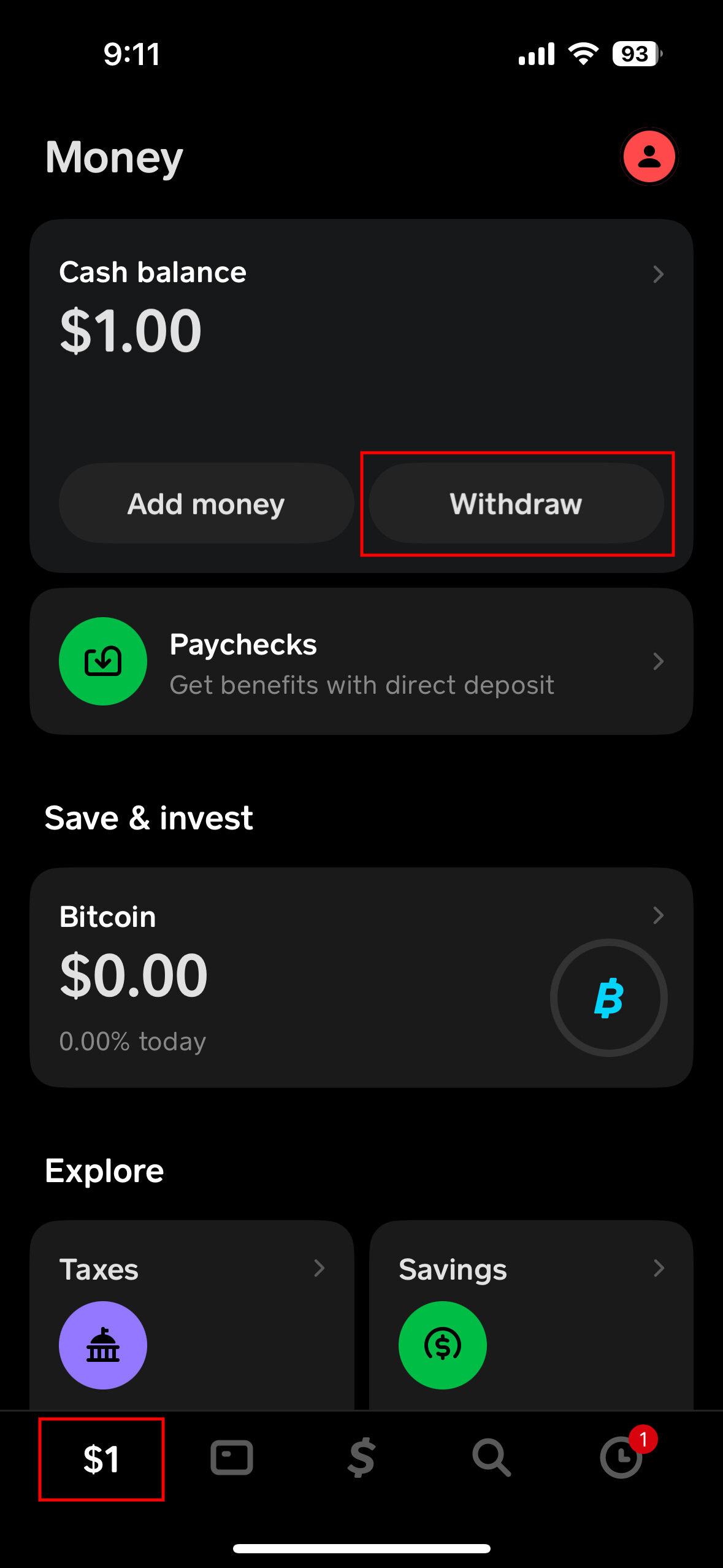
This guide explores the mechanics of withdrawing money from Cash App, analyzing the various methods available, the cost-benefit analysis of transfer speeds, and the security protocols necessary to protect your capital.
Understanding the Cash App Ecosystem and Your Liquidity
Before executing a withdrawal, it is essential to understand where your money “lives” within the Cash App environment. Unlike a traditional bank where your funds are automatically part of a checking or savings account, Cash App maintains a digital ledger. Your “Cash Balance” is the pool of funds available for immediate use within the app or for withdrawal to an external institution.
The Role of Linked Financial Institutions
To withdraw money, your Cash App must be tethered to a traditional financial anchor—typically a bank account or a debit card. In the realm of personal finance, this is known as an “exit ramp.” Without a verified linked account, your funds remain within the Cash App ecosystem. You can link a bank account using your routing and account numbers (often via a secure third-party service like Plaid) or link a debit card for faster processing.
Cash Balance vs. Investment Balance
It is important to distinguish between your spendable cash and your invested assets. If you hold Bitcoin or stocks within Cash App, these are not part of your withdrawable cash balance until they are liquidated. To withdraw these funds, you must first sell the assets, wait for the trade to settle (which is usually instantaneous for Bitcoin but may take a couple of days for stocks due to market regulations), and then proceed with the standard withdrawal process.
The Two Primary Paths: Standard vs. Instant Deposits
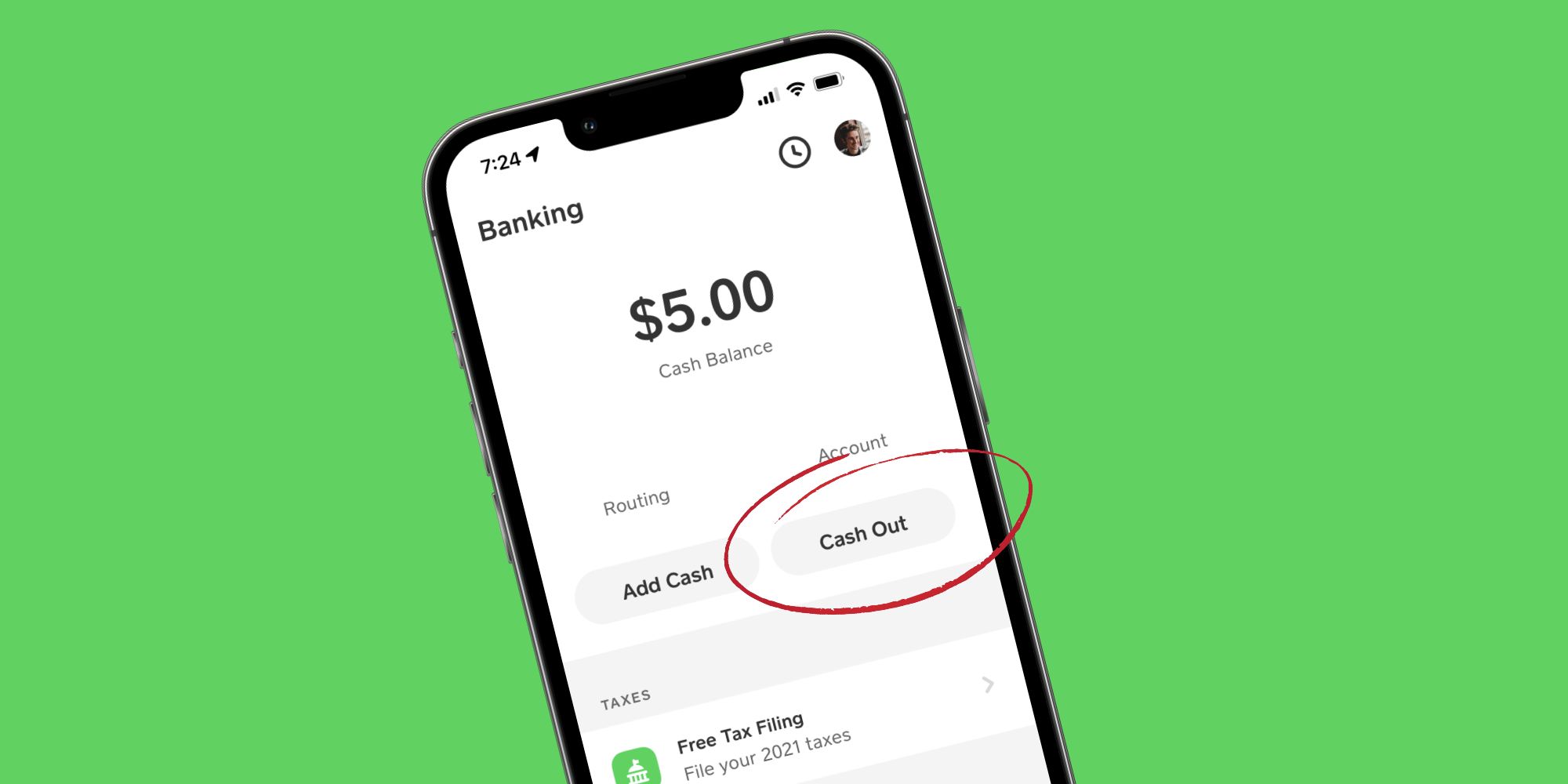
One of the most critical decisions a user makes when withdrawing money is the choice between speed and cost. Cash App offers two primary “Cash Out” options, each serving different financial needs and priorities.
Standard Deposits: The Cost-Effective Choice
For the disciplined money manager, the Standard Deposit is almost always the preferred route. This method sends your funds to your linked bank account via the Automated Clearing House (ACH) network.
- Timeline: Standard deposits typically take one to three business days to arrive.
- Cost: This service is free of charge.
- Financial Strategy: From a personal finance perspective, using the Standard Deposit method is a way to avoid “convenience “leaks.” While a small percentage fee might seem negligible on a $20 transfer, those fees accumulate over time, eating into your net worth. Planning your withdrawals 48 to 72 hours in advance ensures you keep 100% of your earnings.
Instant Deposits: Accessing Capital in Real-Time
There are moments when financial agility is required—perhaps an unexpected bill is due or you need to cover a purchase immediately. The Instant Deposit feature utilizes the debit card network to push funds to your bank account within minutes.
- Timeline: Usually immediate, though it can take up to 30 minutes depending on your bank.
- Cost: Cash App charges a fee for this service, which generally ranges from 0.5% to 1.75% of the transfer amount, with a minimum fee often applied.
- Fee Awareness: Before confirming an Instant Deposit, the app will display the exact fee. High-volume users should be wary of this option; for example, an Instant Deposit of $1,000 at a 1.5% fee costs $15. Over a year, frequent use of this feature can result in hundreds of dollars in lost capital.
Leveraging the Cash Card for Physical Withdrawals
While digital transfers are the most common way to move money, many users prefer a more tangible connection to their funds. The Cash Card—a customizable Visa debit card linked to your Cash App balance—acts as a bridge between your digital wallet and the physical economy.
ATM Withdrawals and Fee Management
The Cash Card allows you to withdraw your balance in physical cash at any ATM. However, this is where savvy financial management becomes vital. Most ATMs charge a third-party fee, and Cash App may charge an additional fee for the service.
- ATM Fee Reimbursement: Cash App offers a pro-consumer feature where they reimburse ATM fees (up to a certain amount) for users who receive at least $300 in direct deposits per month into their Cash App account. This effectively turns Cash App into a full-service checking account alternative, allowing you to access cash without the usual “convenience tax.”
Cash Back at Point of Sale
A secondary, often overlooked method of “withdrawing” money is the “Cash Back” option at retail locations. When purchasing groceries or supplies with your Cash Card, many merchants allow you to add an amount to the total and receive that amount back in physical currency. This is an excellent way to bypass ATM fees entirely while still accessing your funds in a physical format.
Security Protocols and Protecting Your Capital
In the digital age, a withdrawal is only successful if the funds reach their intended destination securely. Because Cash App transactions are often instantaneous and difficult to reverse, maintaining high-security standards is paramount for your financial health.
Enabling Security Locks and Two-Factor Authentication (2FA)
Before initiating a withdrawal, ensure that your “Security Lock” is toggled on within the app settings. This requires your PIN or biometric ID (FaceID or TouchID) for every transaction, including cashing out to your bank. This prevents unauthorized users from draining your account if your mobile device is compromised.
Verifying the Destination Account
A common pitfall in personal finance management is the “stale” linked account. If you have recently switched banks or closed an old account, ensure your Cash App settings are updated before hitting “Cash Out.” Sending funds to a closed account can result in the money being held in a “pending” state for up to 10 business days while the banks communicate to reverse the transaction, creating a significant liquidity gap for the user.
Identifying “Cash Out” Scams
Users should be aware that Cash App support will never ask you to send them money or provide your sign-in code to “verify” a withdrawal. Always initiate withdrawals through the official app interface. If you receive an email or text claiming your withdrawal is “blocked” and requires a fee to be released, it is a phishing attempt.
Troubleshooting Common Withdrawal Challenges
Even with a streamlined app, users may occasionally encounter hurdles when trying to access their money. Understanding the “why” behind these issues can reduce financial stress.
Pending Transactions and “Missing” Funds
If a withdrawal is marked as “Pending,” it usually means the bank is conducting a routine verification check. This is common with larger-than-usual amounts. In the world of finance, these delays are often triggered by anti-money laundering (AML) protocols designed to protect the integrity of the banking system. If your funds don’t appear within the designated 1–3 business day window for a standard transfer, the first step is to check your “Activity” tab for any requests for additional information from Cash App.
Increasing Your Withdrawal Limits
For those using Cash App for business finance or side hustles, you may eventually hit a ceiling on how much you can withdraw. Unverified accounts have lower transaction limits. To increase these limits, you must complete the identity verification process (KYC – Know Your Customer). This involves providing your full legal name, date of birth, and the last four digits of your Social Security Number. Once verified, your limits for cashing out and sending money increase significantly, allowing for better cash flow management.
The Importance of a “Financial Buffer”
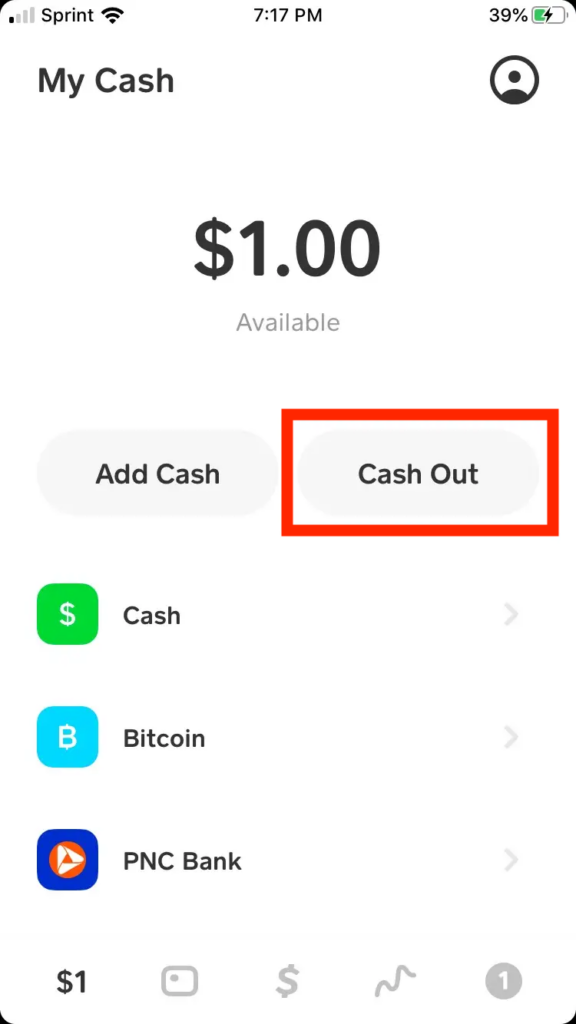
A final tip for sophisticated money management: avoid cashing out your last dollar. Keeping a small “buffer” in your Cash App balance can prevent your account from going negative if a previously authorized subscription or payment hits the account unexpectedly. By treating your digital wallet with the same rigour as a traditional brokerage or bank account, you ensure that your money is always working for you, rather than costing you in fees and administrative headaches.
In conclusion, withdrawing money from Cash App is more than just a button press; it is a series of choices regarding time, cost, and security. By opting for standard deposits when possible, leveraging the Cash Card strategically, and maintaining rigorous security habits, you can master this financial tool and maintain total control over your liquid assets.
aViewFromTheCave is a participant in the Amazon Services LLC Associates Program, an affiliate advertising program designed to provide a means for sites to earn advertising fees by advertising and linking to Amazon.com. Amazon, the Amazon logo, AmazonSupply, and the AmazonSupply logo are trademarks of Amazon.com, Inc. or its affiliates. As an Amazon Associate we earn affiliate commissions from qualifying purchases.