
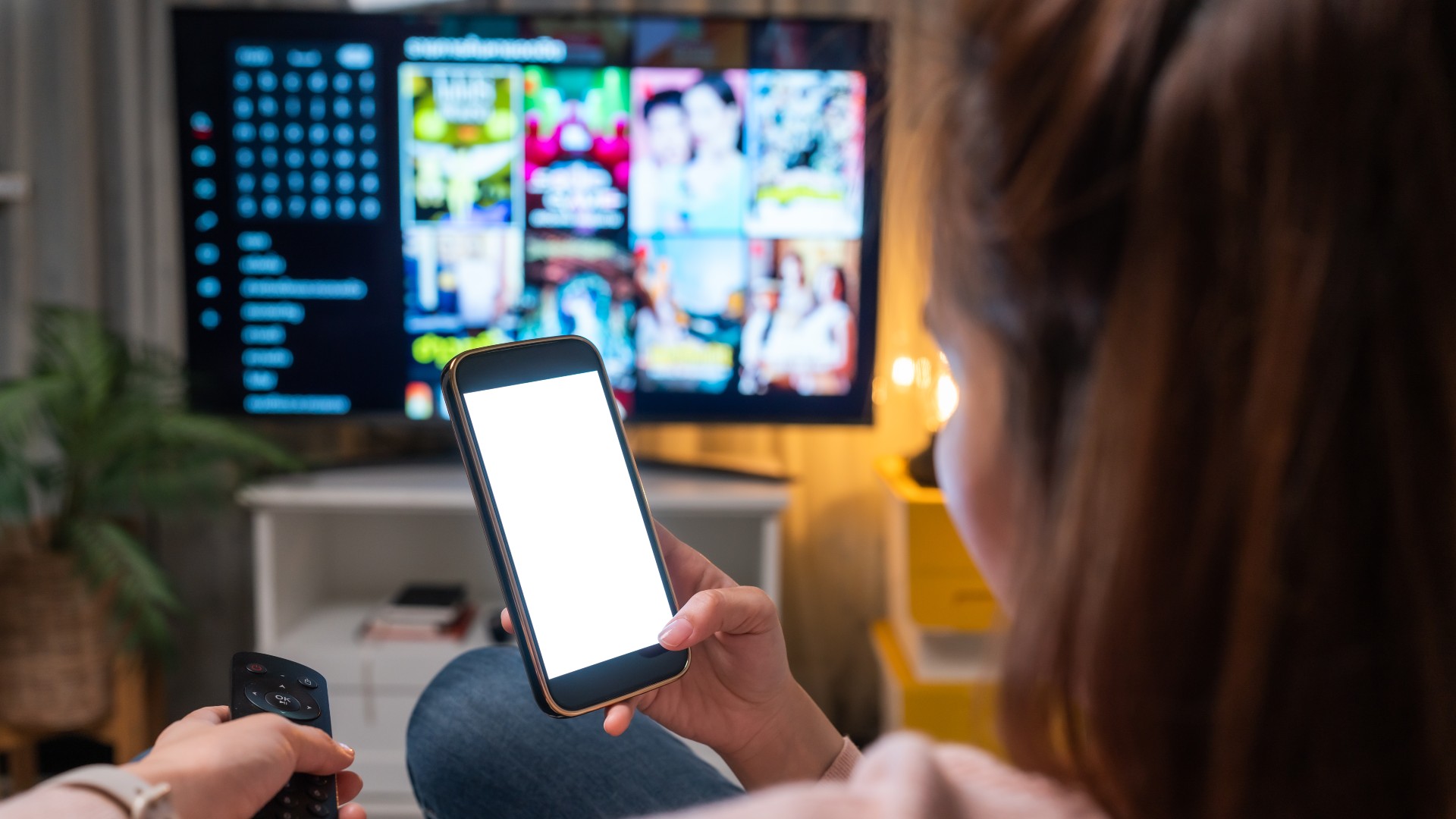
The days of television viewing being confined to a living room screen are rapidly fading. In our mobile-first world, smartphones have evolved beyond mere communication devices into powerful, personal entertainment hubs. The query “how to watch TV on my phone” reflects a mainstream desire for convenience, flexibility, and personalized media consumption. This comprehensive guide explores the technological landscape, methods, requirements, and best practices to transform your smartphone into a portable television, offering a vast universe of content at your fingertips, from live broadcasts to on-demand libraries, enabling unparalleled freedom to watch anytime, anywhere.
The Transformative Shift: TV Beyond the Living Room
The journey from a communal, scheduled television experience to an individual, on-demand mobile one represents a profound technological and cultural shift. For decades, watching television was an event, often requiring dedicated time slots and the convergence of family members around a bulky cathode-ray tube. The advent of digital technology, coupled with the proliferation of high-speed internet and sophisticated mobile devices, has irrevocably altered this paradigm, empowering users with unprecedented control over their viewing habits.
From Broadcast Antennas to Pocket Screens
The foundational change began with the digitalization of broadcast signals, followed by the rise of cable and satellite television, which expanded channel offerings. However, the true revolution for mobile viewing was ignited by the internet. Early mobile video was often pixelated and buffered, limited by slow 2G/3G speeds and basic device hardware. Today, 5G networks, Wi-Fi 6, and powerful smartphone processors capable of rendering high-definition and even 4K content have made seamless, high-quality mobile TV a ubiquitous reality. This technological leap has democratized media access, breaking down geographical barriers and fixed schedules, allowing individuals to curate their own entertainment agenda.
The Driving Forces: Mobility, Connectivity, and Content On-Demand
Several interconnected forces have propelled this transition. Firstly, mobility: smartphones are inherently portable, designed to accompany us everywhere, making them ideal for content consumption during commutes, travel, or anywhere within a home. Secondly, ubiquitous connectivity: widespread high-speed mobile data (4G LTE, 5G) and public/private Wi-Fi networks ensure a stable internet connection is almost always available, a critical prerequisite for streaming. Finally, the explosion of content on-demand has been a game-changer. Services like Netflix, Hulu, and Disney+ shifted user expectations from linear programming to personalized libraries accessible at any moment. This trifecta of technological advancements has not only made watching TV on a phone possible but has transformed it into the preferred method for many, offering unparalleled flexibility and a truly personalized entertainment experience.
Essential Requirements for Seamless Mobile TV
Before diving into the myriad platforms and apps available, understanding the fundamental prerequisites for an optimal mobile TV experience is crucial. Much like a traditional television setup requires a TV and a signal source, your smartphone setup demands specific hardware, software, and connectivity attributes to function effectively. Neglecting these foundational elements can lead to a frustrating experience characterized by buffering, poor video quality, and excessive data consumption.
A Capable Smartphone: Hardware and Software Considerations
At the heart of your mobile TV setup is your smartphone. While most modern smartphones can stream video, an optimal experience demands a device with sufficient processing power, a vibrant display, and adequate storage. A robust multi-core processor ensures smooth playback and efficient handling of HD video codecs. Ample RAM prevents app crashes, while a high-resolution AMOLED or LCD screen with good brightness enhances viewing. Extended battery life is crucial for streaming, as it is battery-intensive. Ensure your phone runs a relatively recent version of iOS or Android, as streaming apps frequently update, requiring modern OS versions for optimal performance, features, and security.
Reliable Internet Connection: Wi-Fi vs. Mobile Data
A stable and fast internet connection is arguably the most critical component for a smooth mobile TV experience. Without it, even the most powerful phone will struggle. For home use, a strong Wi-Fi connection is always preferable, offering faster, more stable connectivity without consuming mobile data. Ensure your Wi-Fi router is modern and optimally placed. When on the go, mobile data (4G/5G) is essential. 4G LTE offers sufficient speeds for HD streaming, while 5G delivers ultra-fast connections with significantly lower latency, virtually eliminating buffering.
Understanding Data Usage and Plans
Streaming video consumes a substantial amount of data. The exact amount depends on video quality: approximately 0.7 GB per hour for Standard Definition (SD), 1.5–3 GB per hour for High Definition (HD), and 3–7 GB per hour for Ultra High Definition (UHD/4K). Many streaming apps allow you to adjust video quality settings to conserve data. It’s imperative to understand your mobile data plan’s limits; unlimited data plans are ideal, but often have “fair usage” policies. Regularly monitoring data usage through your phone settings or carrier app prevents unexpected charges or speed throttling.
Primary Avenues for Watching TV on Your Phone
With your smartphone adequately prepared and a robust internet connection in place, the next step is to explore the diverse ecosystem of applications and services that bring television content to your pocket. This landscape is rich and varied, offering everything from blockbuster movies and prestige dramas to live sports and news, catering to specific preferences and budgets.
Dedicated Streaming Service Apps
These are the most popular platforms for on-demand entertainment, offering vast libraries of movies, TV shows, and original programming, typically via subscription. Examples include Netflix (extensive library, originals), Hulu (current/classic TV, optional Live TV), Disney+ (Disney, Pixar, Marvel, Star Wars), Max (HBO series, Warner Bros. films), and Amazon Prime Video (included with Prime, licensed content, originals). These apps feature intuitive interfaces, download options for offline viewing, and personalized recommendations.
Live TV Streaming Services
For real-time traditional television, these services offer live channels over the internet, often as “cord-cutting” alternatives. Examples include Sling TV (customizable channel packages), YouTube TV (broadcast/cable channels, unlimited DVR), FuboTV (sports-focused), and Hulu + Live TV (combines on-demand with live channels). These services require stable, high-bandwidth connections for uninterrupted live viewing and typically involve a monthly subscription fee.
Network and Cable Provider Apps
If you subscribe to traditional cable or satellite TV, your provider likely offers a companion app. These allow you to stream content, including live TV and on-demand selections, directly to your phone. Examples include Xfinity Stream, Spectrum TV, and apps from Verizon Fios TV or AT&T TV. These are excellent for maximizing your existing TV subscription, turning your phone into an extra screen.

Free Ad-Supported TV (FAST) Apps
For budget-conscious viewers, a growing number of services offer free content supported by advertisements, featuring a mix of live linear channels and on-demand movies/TV shows. Popular examples are Pluto TV (hundreds of free live channels, on-demand), Tubi (vast collection from major studios), and Freevee (free movies, original series from Amazon). While they include ads, these services provide a robust selection without subscription costs.
Media Server Solutions (Plex, Emby)
For tech-savvy users with personal media libraries, setting up a personal media server can turn your phone into a portal to your own collection. Plex and Emby are popular media server software that organize and stream your personal movies and TV shows to your devices, including smartphones, anywhere with an internet connection. These solutions require a dedicated computer or NAS device to host your media but offer ultimate control over your content.
Maximizing Your Mobile TV Viewing Experience
Simply getting TV to play on your phone is one thing; optimizing that experience for maximum enjoyment and efficiency is another. A few strategic adjustments and an understanding of your phone’s capabilities can significantly elevate your mobile viewing sessions, making them more immersive, convenient, and sustainable.
Enhancing Audio and Visual Quality
While a phone screen has limitations, you can improve the AV experience. For audio, quality headphones or earbuds provide clearer sound, better bass, and block ambient noise, enhancing dialogue and music. Adjust your phone’s screen brightness for your environment: higher for outdoors, lower indoors to save battery and reduce eye strain. Some phones offer “video enhancer” modes to boost contrast and color saturation. Most apps also let you manually select streaming quality (SD, HD, Auto); choose “Auto” for dynamic adjustment or “HD” on reliable Wi-Fi.
Managing Battery Life and Device Performance
Streaming video is resource-intensive. Proactive management can extend viewing time and keep your phone running smoothly. Reducing screen brightness is a primary battery saver. Close unnecessary background apps to free up RAM and CPU cycles. Activate power-saving mode when the battery is low. Keep your device cool by avoiding direct sunlight or removing its case if it feels excessively warm, as overheating can throttle performance. A portable charger is an essential accessory for extended mobile viewing.
Utilizing Casting and Mirroring Technologies
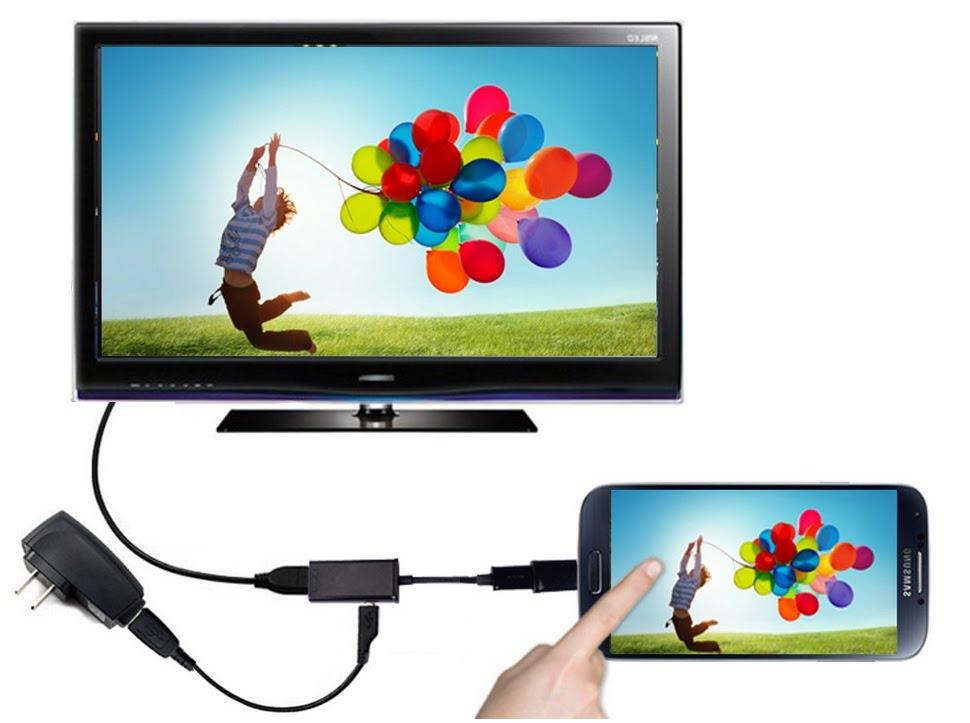
When your phone screen isn’t enough, casting and mirroring project content onto a larger display. Casting devices like Google Chromecast, Roku players, and Amazon Fire TV Sticks allow you to send video directly from your phone’s streaming app to your TV. Your phone acts as a remote, and the casting device streams content directly from the internet, saving phone battery. Screen Mirroring duplicates your phone’s entire screen onto a compatible smart TV or device, useful for apps that don’t support direct casting, but it consumes more phone resources. For older TVs, a USB-C to HDMI adapter (or Lightning to HDMI for iPhones) provides a wired, reliable connection.
Offline Viewing: Downloading Content
Many subscription streaming services allow you to download movies and TV shows to your phone. This is invaluable for saving data (download over Wi-Fi, watch anywhere without mobile data), travel (flights, long rides, areas with poor connectivity), and consistent quality (avoid buffering by having content locally stored). Remember that downloaded content typically has an expiration date and requires adequate storage space on your device; plan downloads in advance.
Addressing Challenges and Glimpsing the Future of Mobile TV
While the convenience and accessibility of watching TV on your phone are undeniable, the experience is not without its challenges. Furthermore, the landscape of digital media is in constant flux, with emerging technologies promising to reshape how we consume content on our mobile devices in the years to come.
Data Consumption and Connectivity Issues
The most immediate concern for many mobile TV users is data usage. High-definition streaming can quickly deplete even generous data allowances, leading to throttling or costly overage charges. While Wi-Fi is preferred, it’s not always available. Connectivity issues—dropped signals, crowded networks, or inconsistent Wi-Fi—can lead to frustrating buffering and degraded video quality. Strategies like downloading content for offline viewing, adjusting streaming quality, and utilizing data-friendly plans are essential to mitigate these challenges.
Digital Rights Management and Geo-Restrictions
Content availability is often dictated by complex licensing agreements and digital rights management (DRM) technologies. This means certain shows or movies might only be available on specific platforms or vary significantly by geographical region (geo-restrictions). While VPNs can sometimes bypass geo-restrictions, their effectiveness can vary, and streaming services are increasingly adept at detecting and blocking VPN usage. Users often navigate a fragmented content landscape, sometimes requiring subscriptions to multiple services to access desired programming.
The Future: 5G, AR/VR, and Personalized Content Delivery
The future of mobile TV is poised for exciting advancements, driven by continuous technological evolution:
- Ubiquitous 5G: The rollout of 5G networks will make 4K and even 8K mobile streaming a seamless reality, further enhancing clarity and reducing buffering. This will unlock new possibilities for interactive and immersive content.
- Augmented Reality (AR) and Virtual Reality (VR): These technologies hold immense potential, allowing for immersive experiences like watching a sports game with AR overlays displaying real-time statistics or experiencing a concert in a VR environment.
- AI-Powered Personalization: Artificial intelligence will continue to refine content recommendations based on viewing habits, mood, and external factors, leading to even more tailored and intuitive content discovery.
- Interactive Content: Expect an expansion of interactive narratives where viewers make choices influencing storylines, offering more engaging and participatory viewing experiences directly from your phone.
- Seamless Cross-Device Integration: Anticipate even more fluid transitions between watching content on your phone, tablet, smart TV, and other devices, with progress syncing instantly.
Conclusion
Watching TV on your phone has evolved from a novelty to a sophisticated and indispensable aspect of modern media consumption. It embodies the pinnacle of personal freedom and convenience, transforming mundane moments into opportunities for entertainment, learning, and connection. By understanding the technological requirements, exploring the diverse array of platforms, optimizing your device settings, and anticipating future innovations, you can fully harness the power of your smartphone to unlock an unparalleled television experience. The living room may still hold its traditional charm, but the future of TV is undeniably mobile, offering a personalized window to the world of content, right in the palm of your hand.
aViewFromTheCave is a participant in the Amazon Services LLC Associates Program, an affiliate advertising program designed to provide a means for sites to earn advertising fees by advertising and linking to Amazon.com. Amazon, the Amazon logo, AmazonSupply, and the AmazonSupply logo are trademarks of Amazon.com, Inc. or its affiliates. As an Amazon Associate we earn affiliate commissions from qualifying purchases.