
Tax season, for many, evokes a mix of dread and anticipation. The dread stems from the complexity of tax codes and the effort required to compile necessary documents; the anticipation, for those fortunate, comes with the prospect of a refund. In the digital age, tax preparation software like TurboTax has emerged as a dominant force, promising to simplify the process and empower individuals to file their taxes accurately and efficiently. However, a question that frequently arises, and one that holds significant financial implications for millions, is: “How much does it truly cost to file with TurboTax?”
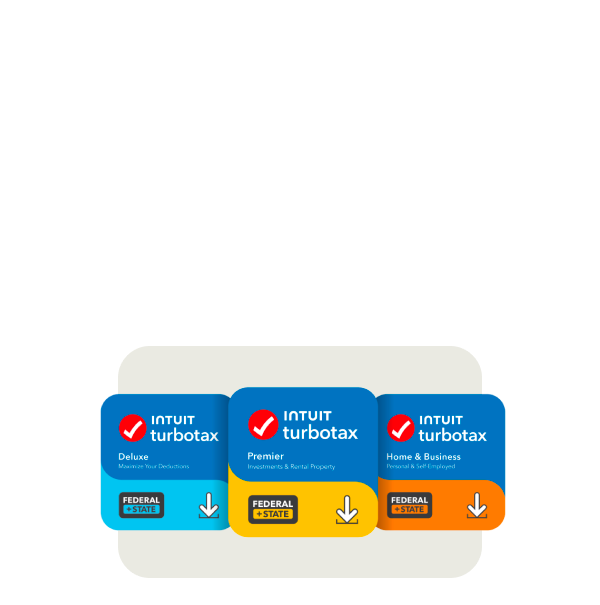
The answer, as with many financial products, is not a simple, fixed figure. TurboTax, a product of Intuit, employs a tiered pricing model, offering various editions designed to cater to different levels of tax complexity, income sources, and taxpayer needs. Understanding this structure is crucial for making an informed decision that balances cost-effectiveness with the required features and support. This article delves into the nuances of TurboTax’s pricing, explores the factors that influence your final bill, and provides strategic insights to help you navigate your tax filing expenses effectively.
Understanding TurboTax’s Tiered Pricing Structure
TurboTax’s core offering is segmented into several distinct editions, each progressively more expensive as the complexity of the tax situation it handles increases. This structure ensures that users only pay for the features they genuinely need, though it can sometimes lead to an unexpected upgrade if one’s tax situation proves more intricate than initially assumed.
Free Edition: For Simple Returns
At the base of the TurboTax pyramid lies the Free Edition. This option is specifically designed for individuals with very simple tax situations. Typically, it covers W-2 income, the standard deduction, child tax credits, and the earned income tax credit. For single filers or couples without dependents, investments, or self-employment income, this can be an incredibly cost-effective solution, allowing them to file both federal and often state taxes for free. The key here is “simple.” If you have any deductions beyond the standard, itemize, or have other income sources, you will likely quickly outgrow this tier.
Deluxe Edition: Maximizing Deductions
The Deluxe Edition is TurboTax’s most popular offering, catering to a broad segment of taxpayers who have more than just basic W-2 income. This tier is essential for those who wish to itemize deductions, such as mortgage interest, property taxes, charitable contributions, or medical expenses. It also handles common tax situations like education credits and dependent care expenses. For homeowners, those with significant medical bills, or individuals who make substantial donations, the Deluxe version provides the necessary tools to potentially reduce their taxable income and increase their refund by claiming applicable deductions and credits. The cost for this edition is a step up from the Free version, but for many, the potential tax savings it unlocks easily justifies the expenditure.
Premier Edition: Investments and Rental Properties
Stepping up in complexity and cost, the Premier Edition is tailored for taxpayers with investments and rental property income. This includes handling stocks, bonds, mutual funds, Employee Stock Purchase Plans (ESPPs), and other investment income forms. It also supports Schedule E for rental property income and expenses. If you’ve sold stocks, received K-1 forms from partnerships, or manage a rental property, the Premier edition becomes a necessity. Its robust features help accurately report these more intricate financial activities, ensuring compliance and optimizing tax outcomes for investors and landlords.
Self-Employed Edition: Business Income and Expenses
The pinnacle of TurboTax’s consumer offerings is the Self-Employed Edition. As its name suggests, this version is indispensable for freelancers, independent contractors, small business owners, and gig economy workers. It supports Schedule C for business profit or loss, enabling users to report all business income and expenses, including home office deductions, vehicle expenses, and depreciable assets. This edition also helps with estimated tax payments and provides guidance on industry-specific deductions. Given the intricate nature of self-employment taxes, which include both income tax and self-employment tax (Social Security and Medicare contributions), this higher-priced tier provides crucial functionality and expert guidance specific to business owners, making it a valuable investment for those navigating the complexities of entrepreneurial finance.
Factors Influencing Your TurboTax Cost
While the tiered editions form the foundation of TurboTax’s pricing, several other elements can significantly impact your final filing cost. Being aware of these additional charges or opportunities for savings is key to managing your tax preparation budget.
State Tax Filing Fees
A common misconception is that if your federal return is free, your state return will automatically be free as well. This is not always the case with TurboTax. While some federal free editions might include a free state filing, most paid federal editions require a separate fee for each state return you need to file. This can add a substantial amount to your overall cost, especially if you need to file in multiple states due to relocation or having income from different sources across state lines. It’s crucial to check the specific pricing for your state(s) before committing.
Live Expert Assistance (TurboTax Live)
For users who desire an added layer of confidence or require personalized guidance, TurboTax offers “TurboTax Live.” This premium service allows users to connect with a certified tax expert (CPA or Enrolled Agent) via one-way video or chat. The expert can answer questions, provide tailored advice, and even review your return before filing. For an additional fee, you can opt for “TurboTax Live Full Service,” where a tax expert handles your entire return from start to finish. While immensely valuable for those who feel overwhelmed or have complex situations, these live expert services come at a significantly higher cost than the standard software editions, often doubling or tripling the price.
Additional Products and Services
TurboTax provides various supplementary products and services that, while optional, can add to your total expenditure. These include features like Audit Defense, which provides representation if your return is audited by the IRS, or the ability to pay your TurboTax fees directly from your tax refund (a service that typically incurs an additional processing fee). While these add-ons offer peace of mind or convenience, they are distinct from the core tax preparation software and should be evaluated based on individual need and risk tolerance.
Promotions and Discounts
It’s always wise to keep an eye out for promotions and discounts. TurboTax, particularly in the early stages of tax season (January and February), frequently offers promotional pricing. Furthermore, special offers might be available through financial institutions, employers, or membership organizations. Students, military personnel, and early filers are often targeted with specific discounts. Timing your purchase can lead to notable savings, making it financially savvy to compare prices throughout the filing period.

Beyond the Sticker Price: Assessing Value and Potential Hidden Costs
When evaluating the cost of TurboTax, it’s important to look beyond the initial price tag and consider the overall value proposition, including potential hidden costs or the cost of convenience.
The Cost of Convenience vs. DIY
TurboTax excels at making tax filing convenient and user-friendly. Its interview-style interface guides users step-by-step, translating complex tax jargon into understandable questions. For many, this convenience is worth the price. The alternative of manually filling out forms or using less intuitive software can be time-consuming and prone to error. The “cost” here isn’t monetary but rather the value of your time and peace of mind. Investing in a robust platform like TurboTax can save hours of frustration and potentially prevent costly mistakes, making the software a wise financial tool.
Potential Upsells and Add-ons
One area where users can feel surprised by the final cost is during the filing process itself. As you navigate through the software, TurboTax might identify tax situations that require an upgrade to a higher-priced edition. For example, starting with Deluxe and then realizing you sold stock will prompt an upgrade to Premier. Similarly, various add-on services might be subtly offered. While these are usually beneficial for specific needs, it’s essential to be vigilant and only select those that truly align with your requirements to avoid unnecessary expenses.
Understanding Refund Processing Fees
If you choose to pay your TurboTax fees using your tax refund, be aware that this service typically comes with an additional processing fee. While it offers the convenience of not paying upfront, it adds to the overall cost of filing. For those prioritizing minimizing expenses, paying directly with a credit card or bank account is the more economical option.
Is TurboTax Worth the Investment? Weighing Alternatives
Deciding whether TurboTax is worth its cost involves comparing its features and price against alternative filing methods. For some, it’s the optimal solution; for others, less expensive or free options might be more suitable.
Comparison with Competitors
The tax software market is competitive, with players like H&R Block Tax Software, TaxAct, and FreeTaxUSA offering similar services. H&R Block is a direct competitor with a similar tiered structure, often vying for market share with promotional pricing. TaxAct typically offers lower base prices across its tiers but may have fewer hand-holding features. FreeTaxUSA stands out as a consistently low-cost option, often providing free federal filing for most situations and a very low flat fee for state returns. Comparing features, user experience, and pricing across these platforms is a crucial step in finding the best financial fit for your tax preparation needs.
When to Consider a Professional Tax Preparer
While TurboTax is excellent for many, it’s not a universal solution. Individuals with extremely complex financial situations—such as owning multiple businesses, intricate international income, significant trust or estate matters, or those undergoing a divorce—might benefit more from a human tax professional (CPA or Enrolled Agent). The cost will be significantly higher, but the personalized advice, strategic tax planning, and expert handling of nuanced situations can provide substantial long-term financial benefits that software alone cannot replicate.
Free Filing Options (IRS Free File, VITA/TCE)
For those with lower incomes, truly free tax filing options are available. The IRS Free File program, in partnership with several tax software providers (including sometimes a limited version of TurboTax), allows taxpayers below a certain income threshold to file both federal and often state taxes for free. Additionally, the Volunteer Income Tax Assistance (VITA) and Tax Counseling for the Elderly (TCE) programs offer free tax help to qualifying individuals, including people who generally make $64,000 or less, persons with disabilities, and limited English-speaking taxpayers, as well as those aged 60 and older. These programs utilize certified volunteers and are invaluable community resources for those who need assistance without incurring any cost.
Strategic Tips for Minimizing Your Tax Filing Expenses
Armed with an understanding of TurboTax’s pricing and the broader tax filing landscape, you can employ several strategies to minimize your out-of-pocket expenses.
Determine Your Filing Needs Before You Start
Before even opening TurboTax or any other software, gather all your tax documents (W-2s, 1099s, investment statements, mortgage interest statements, charitable contribution records, etc.). This comprehensive view will allow you to accurately assess the complexity of your return and determine which TurboTax edition—or alternative—is truly necessary. Avoiding premature upgrades to higher tiers can save you money.
Take Advantage of Free Editions When Possible
If your tax situation is straightforward, embrace the free federal and potentially free state filing options. Don’t pay for features you don’t need. TurboTax’s Free Edition, or the IRS Free File program, can be excellent solutions for simple returns, allowing you to allocate those savings to other financial goals.

Be Aware of Your State Filing Requirements
State tax laws vary widely, and so do the costs associated with filing state returns via TurboTax. Before committing, verify whether your state filing will incur an additional charge and factor that into your total budget. If you need to file in multiple states, be prepared for additional fees for each.
In conclusion, the cost of filing with TurboTax is a dynamic figure influenced by the complexity of your tax situation, the specific features and support you opt for, and the timing of your purchase. By understanding its tiered pricing structure, recognizing additional factors like state fees and live expert assistance, and exploring alternative solutions, you can make an informed financial decision that ensures accurate tax preparation without overspending. Investing time upfront to understand your options can lead to significant savings and a less stressful tax season.
aViewFromTheCave is a participant in the Amazon Services LLC Associates Program, an affiliate advertising program designed to provide a means for sites to earn advertising fees by advertising and linking to Amazon.com. Amazon, the Amazon logo, AmazonSupply, and the AmazonSupply logo are trademarks of Amazon.com, Inc. or its affiliates. As an Amazon Associate we earn affiliate commissions from qualifying purchases.