
Navigating the world of taxes can often feel like deciphering an ancient, complex code. For many, the annual ritual of filing taxes conjures images of endless forms, confusing jargon, and the looming fear of making a costly mistake. Consequently, a significant number of individuals opt to pay a professional to handle their tax preparation. However, filing your taxes on your own is a perfectly achievable and empowering endeavor, especially for those with relatively straightforward financial situations. It not only saves money on preparation fees but also offers invaluable insights into your personal finances, fostering a deeper understanding of your income, expenses, deductions, and credits.
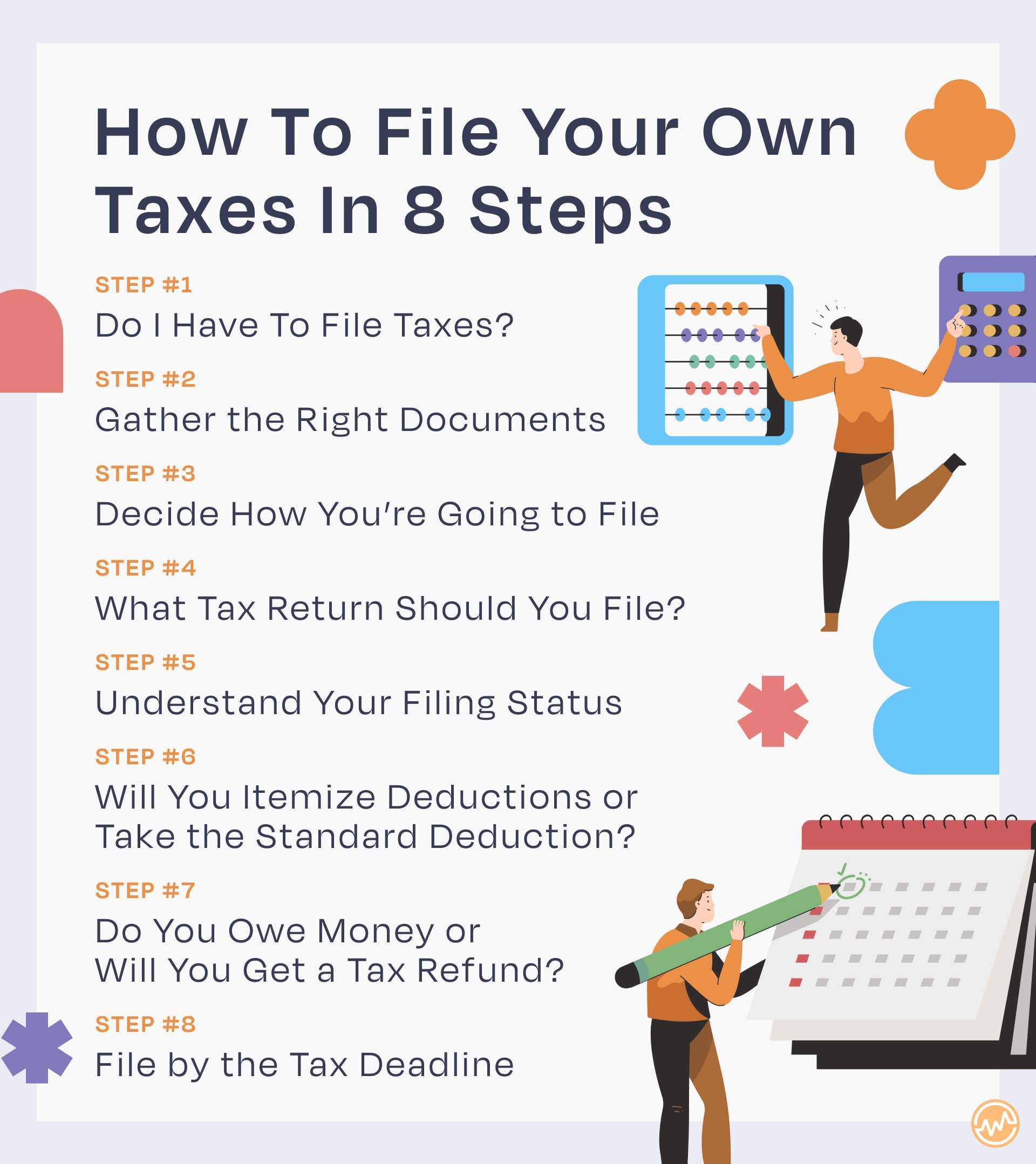
This comprehensive guide aims to demystify the process, providing a clear roadmap for anyone ready to take control of their tax filing journey. While the information presented here is designed to be insightful and helpful, it’s crucial to remember that tax laws are intricate and subject to change. For highly complex financial situations or specific legal advice, consulting a qualified tax professional or financial advisor is always recommended. Embrace the challenge, and you’ll soon discover the satisfaction of successfully managing your own financial obligations.
Understanding the Basics Before You Begin
Before you even start gathering documents, it’s essential to grasp some fundamental concepts of tax filing. A solid understanding of these basics will set a strong foundation for a smoother and more confident filing experience.
Who Needs to File?
Not everyone is required to file a tax return, but many people are. Generally, you need to file if your gross income (all income you receive that isn’t tax-exempt) meets or exceeds certain thresholds, which vary based on your filing status (e.g., Single, Married Filing Jointly, Head of Household) and age. Even if your income is below the filing threshold, you might still want to file to claim a refund for withheld taxes or eligible tax credits, such as the Earned Income Tax Credit. Self-employed individuals typically must file if their net earnings from self-employment are $400 or more. It’s always a good practice to check the IRS guidelines for the current tax year to confirm your filing obligation.
Key Deadlines to Remember
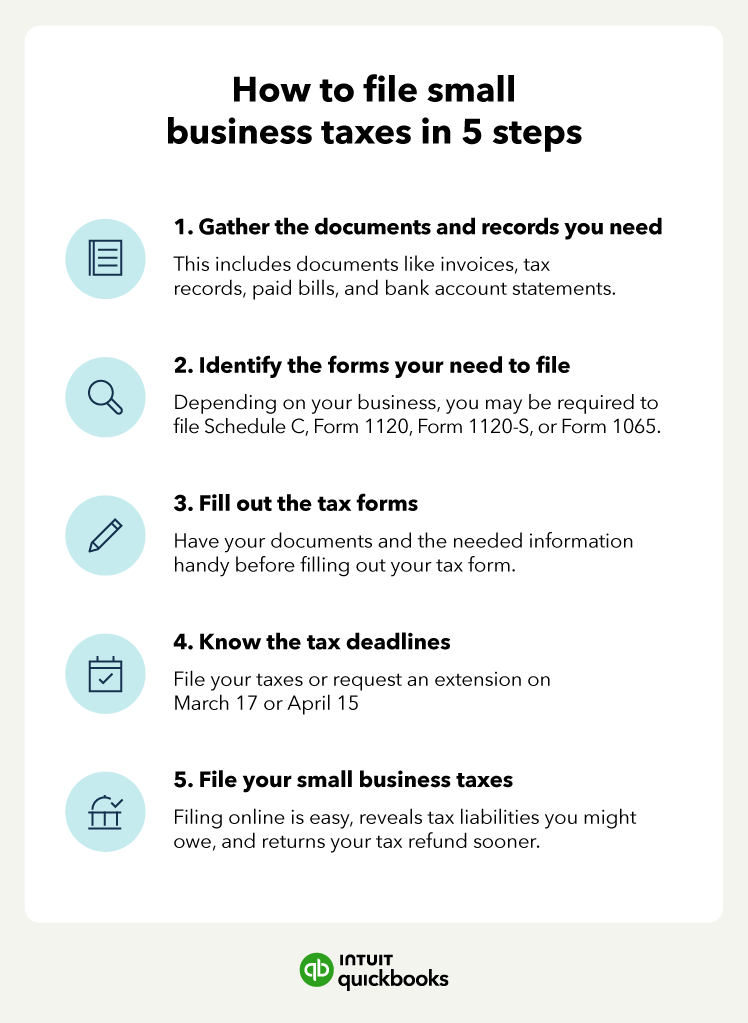
Adhering to tax deadlines is paramount to avoid penalties and interest. For most individual taxpayers, the primary filing deadline for federal income tax returns is April 15th of the following year. If April 15th falls on a weekend or holiday, the deadline shifts to the next business day. For those who need more time, filing an extension will typically grant you an additional six months, pushing the deadline to October 15th. However, an extension to file is not an extension to pay. If you expect to owe taxes, you must pay an estimate by the original April 15th deadline to avoid interest and penalties. Self-employed individuals or those with significant income not subject to withholding might also need to pay estimated taxes quarterly throughout the year, with specific due dates in April, June, September, and January of the following year.
What Tax Forms Do You Need?
The variety of tax forms can be intimidating, but most individuals will only deal with a few key ones. The cornerstone of individual tax filing is Form 1040, U.S. Individual Income Tax Return. This is where you report your income, deductions, and credits, ultimately calculating your tax liability or refund. Supporting forms and schedules provide detailed information for specific income types or deductions:
- W-2 (Wage and Tax Statement): Received from your employer, reporting your wages, tips, and other compensation, along with federal, state, and local taxes withheld.
- 1099 Forms: These report various types of non-employment income. Common ones include:
- 1099-NEC (Nonemployee Compensation): For independent contractors and freelancers.
- 1099-MISC (Miscellaneous Income): For rents, royalties, or other specified types of income.
- 1099-INT (Interest Income): From banks or other financial institutions.
- 1099-DIV (Dividends and Distributions): From stocks and mutual funds.
- 1099-R (Distributions from Pensions, Annuities, Retirement or Profit-Sharing Plans, IRAs, Insurance Contracts, etc.): For retirement account withdrawals.
- 1098 Forms: These report interest paid. Common ones include:
- 1098 (Mortgage Interest Statement): For home mortgage interest paid.
- 1098-E (Student Loan Interest Statement): For student loan interest paid.
- 1098-T (Tuition Statement): For tuition paid to educational institutions.
- Schedules: These are additional forms attached to Form 1040 for specific situations:
- Schedule A (Itemized Deductions): If you choose to itemize rather than take the standard deduction.
- Schedule B (Interest and Ordinary Dividends): If your interest or dividend income exceeds certain thresholds.
- Schedule C (Profit or Loss From Business (Sole Proprietorship)): For self-employed individuals to report business income and expenses.
- Schedule D (Capital Gains and Losses): For reporting sales of stocks, bonds, or other capital assets.
- Schedule SE (Self-Employment Tax): To calculate Social Security and Medicare tax for self-employed individuals.
Understanding which forms apply to your situation is the first step toward efficient tax preparation.
Gathering Your Essential Documents and Information
The key to a smooth tax filing experience is thorough preparation. This means meticulously collecting all relevant financial documents and personal information before you even open a tax software program or pick up a pen. Missing a single document can lead to errors, delays, or missed opportunities for deductions and credits.
Income Statements
Start by compiling all documents that report your income. This is typically the most straightforward part for most people.
- Employment Income: Your W-2 forms from every employer you worked for during the tax year. Ensure you have one from each job, even if you left mid-year.
- Self-Employment/Contractor Income: All 1099-NEC forms received from clients or companies that paid you as an independent contractor. Also, include detailed records of any cash payments or income not reported on a 1099.
- Investment Income: Forms 1099-INT for interest earned from savings accounts or bonds, 1099-DIV for dividends from stocks and mutual funds, and consolidated 1099s from brokerages that may include both. If you sold stocks or other assets, you’ll also need statements showing the date of acquisition, cost basis, and sale price.
- Retirement Income: Form 1099-R for any distributions from IRAs, 401(k)s, pensions, or annuities.
- Other Income: Any other forms like W-2G for gambling winnings, K-1 forms from partnerships or S corporations, or records of rental income.
Deduction and Credit Documentation
This is where many taxpayers can significantly reduce their tax liability. Keeping organized records throughout the year for potential deductions and credits is a savvy financial habit.
- Mortgage Interest: Form 1098 from your mortgage lender.
- Student Loan Interest: Form 1098-E from your student loan servicer.
- Tuition and Education Expenses: Form 1098-T from your educational institution. Also, keep records of other qualified education expenses not reported on a 1098-T, such as books and supplies.
- Medical Expenses: Receipts for unreimbursed medical, dental, and vision expenses, including insurance premiums if you pay them directly. Note that only expenses exceeding a certain percentage of your Adjusted Gross Income (AGI) are deductible.
- Charitable Contributions: Receipts or acknowledgment letters for cash and non-cash donations to qualified charities. For non-cash donations, you’ll need records of the fair market value.
- Childcare Expenses: Statements from your childcare provider, including their Employer Identification Number (EIN) or Social Security Number (SSN), to claim the Child and Dependent Care Credit.
- Retirement Contributions: Records of contributions to traditional IRAs, SEP IRAs, or SIMPLE IRAs if not already reflected on a W-2.
- Business Expenses (for Self-Employed): Detailed records of all ordinary and necessary business expenses, such as home office expenses, supplies, software, travel, and professional development. Categorizing these throughout the year is crucial.
- Property Taxes and State/Local Income Taxes: Records of payments for these, as they contribute to the State and Local Tax (SALT) deduction if you itemize.
Personal Information
Finally, ensure you have all necessary personal details readily available.
- Social Security Numbers (SSN): For yourself, your spouse (if filing jointly), and all dependents you claim. Accuracy here is vital.
- Dates of Birth: For all individuals listed on the return.
- Bank Account Information: Your routing and account numbers for direct deposit of any refund or direct debit of any taxes owed.
- Prior Year’s Adjusted Gross Income (AGI): This is often required for identity verification if you’re e-filing with new software or the IRS Free File program.
Gathering these items systematically will save you time and stress, ensuring you have a complete picture of your financial year.
Choosing Your Filing Method
Once you have all your documents in hand, the next critical step is deciding how you will prepare and submit your tax return. The method you choose will depend on factors like your income level, the complexity of your tax situation, and your comfort level with technology.
Tax Software Solutions
For most do-it-yourself filers, tax software offers the best balance of ease, accuracy, and cost-effectiveness. These programs are designed to guide you step-by-step through the filing process, often mimicking the experience of working with a professional.
- Popular Options: Well-known names include TurboTax, H&R Block Tax Software, TaxAct, and FreeTaxUSA. Each offers various versions, from free options for simple returns to premium packages for more complex scenarios (e.g., self-employment, investments).
- Pros:
- Guided Process: User-friendly interfaces walk you through income, deductions, and credits with simple questions.
- Accuracy Checks: Built-in error checks reduce the likelihood of mistakes.
- E-filing: Most software allows for electronic filing, which is the fastest way to submit your return and receive a refund.
- Support: Many offer online help, FAQs, and sometimes even access to tax professionals for an additional fee.
- Imports: Ability to import W-2s and 1099s directly from employers/financial institutions, saving data entry time.
- Cons:
- Cost: While free versions exist, many filers with slightly more complex returns may need to pay for a higher-tier product, which can range from $30 to over $100 for federal and state returns.
- Overwhelming at First: Despite being user-friendly, the sheer number of questions can still be a bit much for absolute beginners.
IRS Free File Program
The IRS Free File Program is an excellent resource for eligible taxpayers, offering free access to guided tax preparation software from leading providers.
- Eligibility: Generally, the program is available to taxpayers whose Adjusted Gross Income (AGI) falls below a certain threshold (this amount changes annually, so check the IRS website for the current year).
- Partnerships: The IRS partners with commercial tax software companies to offer their products for free to qualifying individuals. This means you’re using the same reputable software, just without the cost.
- Benefits: Completely free for both federal and often state returns, ensuring accuracy and e-filing capabilities through trusted vendors. It’s a fantastic option for those who qualify and want to use a guided software without the expense.

Manual Filing with IRS Forms
While less common for the average DIY filer today, it is still possible to manually fill out IRS forms and mail them in. This method is generally recommended only for those with very simple tax situations or individuals who are highly comfortable with tax forms and regulations.
- Process: You would download the necessary forms from the IRS website, print them, fill them out by hand or electronically, and then mail them to the appropriate IRS address.
- Pros:
- Completely Free: No software costs involved.
- Direct Control: You have direct control over every line item.
- Cons:
- Error-Prone: No built-in error checks, significantly increasing the risk of mathematical mistakes or omissions.
- Time-Consuming: Requires a deep understanding of each form’s instructions and tax law.
- Slower Refunds: Paper returns take much longer for the IRS to process compared to e-filed returns.
- No Guidance: You are entirely on your own for interpreting instructions and ensuring compliance.
For most individuals choosing to file on their own, a tax software solution or the IRS Free File program provides the optimal blend of simplicity, accuracy, and efficiency.
Step-by-Step Filing Process with Software
Once you’ve chosen your filing method, particularly tax software, the process becomes a guided journey. While specific software interfaces may vary, the general flow remains consistent. Let’s outline the typical steps you’ll encounter.
Setting Up Your Account and Profile
Your first interaction with the software will involve creating an account (if you haven’t already) and setting up your basic profile.
- Personal Details: You’ll enter your full name, Social Security Number, date of birth, and contact information.
- Filing Status: This is a crucial determination. The software will typically ask a series of questions to help you choose the correct filing status:
- Single: Unmarried, divorced, or legally separated.
- Married Filing Jointly: Married couples who choose to combine their income and deductions.
- Married Filing Separately: Married couples who choose to file individual returns.
- Head of Household: Unmarried, paid more than half the cost of keeping up a home for yourself and a qualifying person, and that person lived with you for more than half the year.
- Qualifying Widow(er) with Dependent Child: For a two-year period after your spouse’s death, if you meet certain criteria.
Choosing the correct filing status can significantly impact your tax liability, so answer these questions carefully.
- Dependents: If you have dependents, you’ll enter their names, SSNs, and their relationship to you. The software will help determine if they qualify as dependents.
Entering Income Information
This is where you’ll input the details from all the income statements you’ve gathered.
- W-2s: Most tax software allows you to import your W-2 data directly from your employer’s payroll provider using an EIN or employer code. If not, you’ll manually enter the information from each box on your W-2.
- 1099s: Similar to W-2s, some 1099s (e.g., from major brokerages) can be imported. Otherwise, you’ll manually enter data from your 1099-NEC, 1099-INT, 1099-DIV, 1099-R, and other relevant forms.
- Self-Employment Income and Expenses: If you’re self-employed, the software will guide you through entering your gross income and then itemizing your business expenses on Schedule C. This can be the most detailed section for freelancers and small business owners.
Claiming Deductions and Credits
This section is vital for reducing your taxable income and direct tax liability.
- Standard vs. Itemized Deductions: The software will calculate both and advise you which option provides the greater tax benefit.
- Standard Deduction: A fixed dollar amount that reduces your taxable income, varying by filing status. Most people take the standard deduction.
- Itemized Deductions: Specific expenses (like mortgage interest, state and local taxes, medical expenses, charitable contributions) that you can subtract from your AGI if their total exceeds your standard deduction. The software will prompt you to enter information from your 1098s and other deduction-related records.
- Tax Credits: These directly reduce the amount of tax you owe, dollar for dollar. The software will ask questions to determine your eligibility for various credits, such as:
- Child Tax Credit
- Earned Income Tax Credit (EITC)
- Education Credits (American Opportunity Tax Credit, Lifetime Learning Credit)
- Child and Dependent Care Credit
- Saver’s Credit (Retirement Savings Contributions Credit)
Reviewing Your Return
This is arguably the most critical step before filing. The software will provide a summary of your return, including your AGI, total income, deductions, credits, and the calculated tax owed or refund due.
- Accuracy Check: Take your time to review every section. Double-check all Social Security Numbers, income figures, deduction amounts, and bank account information for your refund/payment.
- Error Identification: The software will often run an internal diagnostic check to flag potential errors or suggest missed deductions/credits. Pay close attention to these warnings.
- Print and Review: Many find it helpful to print a draft copy of their return and review it away from the computer screen. A fresh perspective can often catch errors that were overlooked digitally.
E-filing and Payment/Refund
Once you’re confident your return is accurate, it’s time to file.
- E-filing: Electronic filing is highly recommended. It’s faster, more secure, and provides immediate confirmation of receipt from the IRS. You’ll electronically sign your return using your prior year’s AGI or a self-selected PIN.
- Payment Options:
- Direct Debit: If you owe taxes, you can authorize the IRS to withdraw the payment directly from your bank account on or before the due date.
- Credit Card: You can pay using a credit or debit card through IRS-approved third-party processors (fees apply).
- Check/Money Order: You can mail a check or money order with Form 1040-V, Payment Voucher.
- Refund Options:
- Direct Deposit: The fastest and most secure way to receive your refund.
- Paper Check: The IRS will mail a check to your address, which takes longer.
- Applied to Next Year’s Taxes: You can choose to have your refund applied to your estimated tax payments for the following year.
- Confirmation: After e-filing, you’ll receive an email confirmation from the tax software provider, and subsequently, an email from the IRS confirming acceptance of your federal (and state, if applicable) return. Keep these confirmations.
Post-Filing Best Practices
Filing your return isn’t the absolute end of your tax journey. A few best practices can ensure peace of mind and prepare you for future tax seasons.
Keep Records Organized
Even after you’ve filed, your tax documents are still important.
- How Long to Keep Records: The IRS generally recommends keeping tax records for at least three years from the date you filed your original return or two years from the date you paid the tax, whichever is later. For certain situations, like reporting worthless securities or bad debt deductions, this period extends to seven years. Records related to property should be kept until three years after you’ve disposed of the property.
- Digital vs. Physical Storage: It’s wise to keep both digital and physical copies. Save digital copies of your submitted return (including all schedules) and supporting documents on a secure cloud drive and/or an external hard drive. Keep physical copies in an organized file cabinet.
What If You Make a Mistake?
It’s natural to worry about errors, but don’t panic if you discover one after filing.
- Amended Return (Form 1040-X): If you realize you made a mistake on your filed return that affects your tax liability (e.g., missed a deduction, reported incorrect income), you can file an amended return using Form 1040-X, Amended U.S. Individual Income Tax Return.
- Common and Fixable: Amending a return is a common occurrence. Your tax software often assists with this process. Generally, you have up to three years from the date you filed your original return or two years from the date you paid the tax, whichever is later, to file an amended return to claim a refund.
Plan for Next Year
Use the insights gained from filing this year to prepare for the next.
- Adjust Withholdings (Form W-4): If you received a very large refund, it means you overpaid taxes throughout the year. Consider adjusting your W-4 form with your employer to have less tax withheld, increasing your take-home pay. Conversely, if you owed a lot, you might need to increase your withholdings.
- Estimated Quarterly Taxes: If your income sources change (e.g., you start freelancing), remember to account for estimated quarterly tax payments to avoid a large tax bill and potential penalties at year-end.
- Start a Tax Folder: Create a physical or digital folder specifically for next year’s tax documents. As you receive W-2s, 1099s, receipts for deductions, etc., place them directly into this folder. This proactive approach will make next year’s preparation significantly easier.
Filing your taxes on your own is a rewarding experience that empowers you with greater financial literacy and control. While it requires diligence and attention to detail, the step-by-step guidance offered by modern tax software and the resources available from the IRS make it an achievable goal for many. By understanding the basics, meticulously gathering your documents, choosing the right tools, and adopting good post-filing habits, you can confidently navigate the tax season, save money, and gain a deeper appreciation for your financial landscape. Remember, you’ve got this!
aViewFromTheCave is a participant in the Amazon Services LLC Associates Program, an affiliate advertising program designed to provide a means for sites to earn advertising fees by advertising and linking to Amazon.com. Amazon, the Amazon logo, AmazonSupply, and the AmazonSupply logo are trademarks of Amazon.com, Inc. or its affiliates. As an Amazon Associate we earn affiliate commissions from qualifying purchases.