
The annual ritual of filing taxes has undergone a significant transformation in recent decades. Gone are the days when stacks of paper forms and endless trips to the post office were the only recourse. Today, the digital landscape offers a streamlined, efficient, and often more accurate way to fulfill your civic duty: filing taxes online. For many, the prospect of navigating tax codes and forms can be daunting, but online platforms have democratized the process, making it accessible to millions. This guide will demystify online tax filing, equipping you with the knowledge and confidence to manage your financial obligations digitally, effectively, and with peace of mind.

Understanding the Shift to Online Tax Filing
The move from paper-based tax preparation to online methods represents one of the most significant advancements in personal finance management. This evolution wasn’t just about convenience; it was driven by the need for greater efficiency, accuracy, and accessibility for taxpayers and tax authorities alike.
The Evolution of Tax Preparation
Historically, tax preparation was a manual, often laborious process involving paper forms, calculators, and a deep understanding of complex tax laws. Taxpayers either painstakingly filled out forms themselves or relied on professional accountants. The advent of personal computers brought desktop tax software, a significant step forward, but still often requiring physical software installation and updates. The internet, however, ushered in the true revolution. Online tax filing platforms emerged, offering cloud-based solutions that are constantly updated, accessible from anywhere, and often integrated with financial institutions. This digital transformation has not only simplified the mechanics of filing but has also empowered individuals to take greater control over their financial reporting.
Advantages of Going Digital
Embracing online tax filing offers a multitude of benefits that extend beyond mere convenience. Firstly, efficiency is paramount; digital platforms guide you step-by-step, pre-filling information where possible and flagging potential issues. Secondly, accuracy is significantly enhanced through automated calculations and error checks, drastically reducing the chances of mathematical mistakes or missed deductions that could lead to an audit or leave money on the table. Thirdly, accessibility means you can file your taxes from anywhere, at any time, as long as you have an internet connection, eliminating the need for office visits or specific software installations. Finally, the speed of refunds is often a major draw, with e-filed returns typically processed much faster than paper returns, especially when opting for direct deposit.
Who Benefits Most?
While virtually everyone can benefit from online tax filing, certain taxpayer profiles find it particularly advantageous. Individuals with simple returns (W-2 income only, standard deduction) can often use free online services with remarkable ease. Self-employed individuals and gig workers benefit from features designed to track business expenses, deductions, and estimated taxes. Investors find platforms helpful for importing complex investment data from brokerage firms. Those with diverse income streams or who wish to itemize deductions appreciate the comprehensive questionnaires that ensure all relevant financial information is captured. Ultimately, anyone seeking a more organized, less stressful, and potentially more cost-effective way to manage their annual tax obligations stands to gain.
Choosing the Right Online Tax Filing Method
The digital tax landscape is diverse, offering a range of options to suit different financial situations and preferences. Deciding which method is right for you involves understanding the features, costs, and level of support each provides.
Free Options for Simple Returns
For millions of Americans, filing taxes doesn’t have to cost a dime. The IRS Free File program is a partnership between the IRS and various tax software companies, offering free federal tax filing for taxpayers whose adjusted gross income (AGI) falls below a certain threshold (which changes annually). This program includes guided tax preparation, making it an excellent choice for individuals with straightforward tax situations. Additionally, several commercial tax software providers offer free versions of their platforms, typically for federal returns involving W-2 income and the standard deduction. Some states also offer their own free e-filing programs. These options are ideal for those looking to save money and who feel comfortable navigating a user-friendly interface for basic tax situations.
Commercial Tax Software Platforms
For more complex tax situations or those who prefer additional guidance and features, commercial tax software platforms are the go-to choice. Companies like TurboTax, H&R Block, TaxAct, and FreeTaxUSA dominate this space. These platforms offer various tiers, from basic to premium, with features that cater to self-employed individuals, investors, rental property owners, and those needing state tax filing or audit support. Key differentiators often include:
- User Interface: How intuitive and easy to navigate the software is.
- Guided Questions: The extent to which the software walks you through each step.
- Data Import Capabilities: Ability to import W-2s, 1099s, and investment data directly from financial institutions.
- Deduction Maximization Tools: Features that help identify eligible deductions and credits.
- Audit Support and Guarantees: Services offered in case of an IRS inquiry.
- Professional Help: Options to connect with a tax expert for advice or review.
These paid options provide a more robust experience, often ensuring accuracy and offering peace of mind for those with intricate financial lives.
Professional Online Assistance
Sometimes, even the most sophisticated software isn’t enough, or you might simply prefer the expertise of a human professional. The rise of “virtual tax accountants” and hybrid services bridges this gap. Many traditional accounting firms now offer online services, allowing you to upload your documents, consult with a CPA via video call, and have them prepare and file your taxes remotely. Additionally, some commercial tax software platforms integrate options for human review or full preparation by a tax professional directly within their ecosystem. This approach combines the convenience of online submission with the personalized advice and assurance that comes from an experienced tax specialist, ideal for very complex returns, business owners, or those facing unique tax challenges.
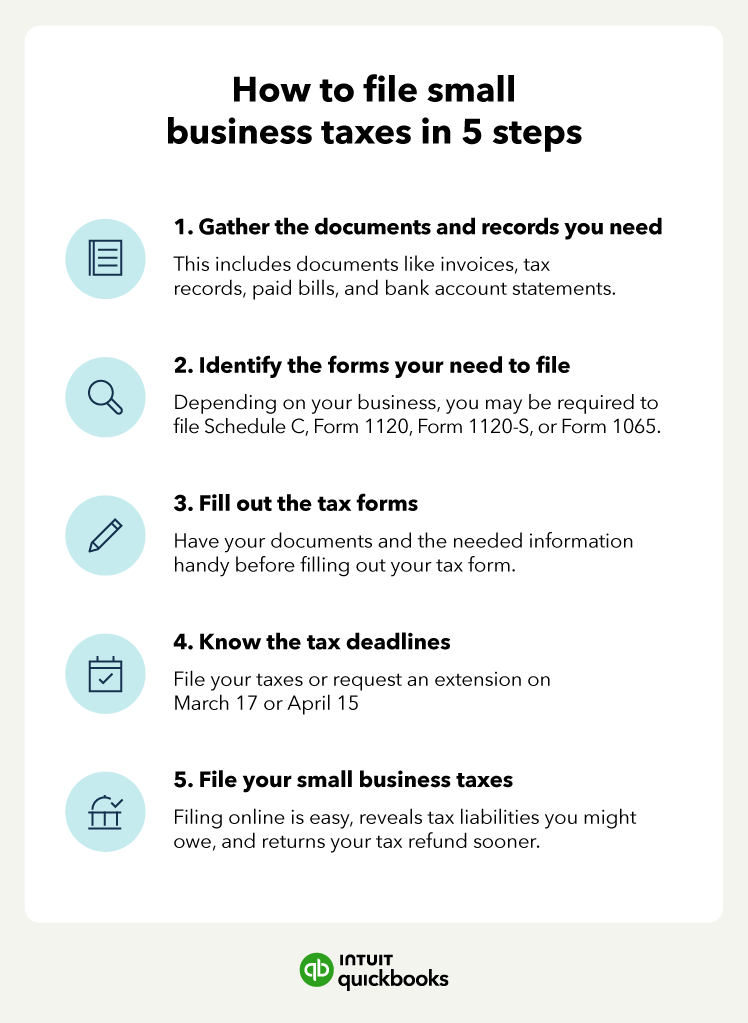
A Step-by-Step Guide to Filing Your Taxes Online
Filing your taxes online doesn’t have to be a bewildering experience. By breaking it down into manageable steps, you can navigate the process with clarity and confidence.
Gathering Your Essential Documents
The foundation of an accurate tax return is comprehensive documentation. Before you even log into a tax platform, gather all relevant financial statements. This typically includes:
- Income Statements: W-2 forms (for employees), 1099 forms (for independent contractors, investment income, unemployment, etc.), K-1 forms (for partnerships/S-corps).
- Bank Statements: For interest earned (1099-INT) or other relevant transactions.
- Investment Statements: Brokerage statements (1099-B, 1099-DIV) detailing stock sales, dividends, and capital gains/losses.
- Mortgage Interest Statement: Form 1098 if you own a home.
- Property Tax Statements: For real estate taxes paid.
- Child Care Expense Statements: If claiming child and dependent care credit.
- Charitable Contribution Records: Receipts for donations.
- Medical Expense Records: If itemizing deductions and your expenses exceed the AGI threshold.
- Educational Expense Forms: 1098-T for tuition, student loan interest statements (1098-E).
Organizing these documents beforehand will make the data entry phase significantly smoother and reduce the likelihood of overlooking crucial information.

Setting Up Your Account and Importing Data
Once your documents are ready, choose your preferred online tax filing platform (as discussed in the previous section) and create an account. Most platforms require a unique username and a strong password. Many services offer the convenience of importing data directly. For instance, you can often upload a PDF of your W-2 or allow the software to directly connect to participating employers or financial institutions to retrieve your income and investment data. This not only saves time but also minimizes manual entry errors. For documents that can’t be imported, you’ll simply enter the information into the appropriate fields as prompted by the software’s guided questionnaire.
Navigating Deductions and Credits
This is where significant savings can often be found. Online tax software excels at helping you identify eligible deductions and credits. The platform will ask a series of questions about your life events, expenses, and financial situation to determine if you qualify for:
- Standard Deduction vs. Itemized Deductions: The software will help you choose the option that yields a lower taxable income. Itemized deductions can include mortgage interest, state and local taxes (SALT cap applies), medical expenses, and charitable contributions.
- Tax Credits: These directly reduce your tax liability, dollar for dollar. Common credits include the Child Tax Credit, Earned Income Tax Credit (EITC), education credits (American Opportunity Tax Credit, Lifetime Learning Credit), and credits for energy-efficient home improvements.
Be thorough in answering these questions, as missing a deduction or credit can mean paying more tax than legally required.
Reviewing Your Return for Accuracy
Before submitting, a thorough review is paramount. Online tax platforms typically include a review step that highlights potential errors, missing information, or opportunities for optimization. Take your time to:
- Compare to Previous Years: Does your income, deductions, and credits look consistent with prior returns, assuming no major life changes? Significant discrepancies warrant a closer look.
- Check Personal Information: Ensure your name, Social Security number, and address are correct for all individuals listed on the return.
- Verify Bank Account Details: If you’re expecting a refund via direct deposit, confirm your routing and account numbers are accurate.
- Read Through Summary: Most platforms provide a summary of your return; carefully read through it to ensure all major figures align with your expectations.
E-Filing and Payment/Refund Options
Once you’re confident in the accuracy of your return, it’s time to electronically file (e-file) it. This is the final step where your return is transmitted securely to the IRS and relevant state tax agencies. You’ll usually need to electronically sign your return using an Identity Protection PIN (if you have one) or your prior-year AGI.
- Refunds: If you’re owed a refund, you’ll typically have the option for direct deposit (the fastest method) or a paper check.
- Payments: If you owe taxes, you can often pay directly through the tax software using bank transfer, debit card, or credit card (though third-party processing fees may apply for card payments). Alternatively, you can schedule a direct payment from your bank account through IRS Direct Pay or mail a check. If you can’t pay the full amount, the IRS offers payment plans and installment agreements; the software can guide you on setting these up.
Common Pitfalls and How to Avoid Them
Even with the ease of online filing, certain mistakes can still occur. Being aware of these common pitfalls can help you navigate the process more smoothly and avoid potential issues.
Missing Deadlines
The most common and easily avoidable pitfall is missing the tax filing deadline, typically April 15th for federal taxes (unless it falls on a weekend or holiday). Missing this deadline, especially if you owe taxes, can result in penalties for failure to file and failure to pay.
- Avoidance: Mark your calendar, set reminders, and begin gathering documents well in advance. If you need more time, file for an extension using Form 4868, which grants an additional six months to file (but not to pay, if you owe).
Overlooking Deductions or Credits
Many taxpayers leave money on the table by not claiming all eligible deductions and credits. This often stems from a lack of awareness or inadequate record-keeping.
- Avoidance: Be meticulous with your records throughout the year. Use the online tax software’s comprehensive questionnaires as a guide; answer every question honestly and thoroughly. If unsure about an expense’s deductibility, err on the side of research or consulting a professional.
Incorrect Information Entry
Simple typos or mismatched information are common errors that can delay your refund or trigger an IRS inquiry. This includes incorrect Social Security numbers, bank account details, or income figures.
- Avoidance: Double-check every piece of identifying information and all figures against your original documents. Utilize data import features when available, but always verify the imported data’s accuracy. A final, careful review before e-filing is crucial.
Cybersecurity Concerns
As with any online financial transaction, cybersecurity is a vital concern. Phishing scams, identity theft, and data breaches are real threats.
- Avoidance: Only use reputable and well-known tax filing platforms. Ensure you are on a secure connection (look for “https://” in the URL and a padlock icon). Use strong, unique passwords for your tax accounts and enable multi-factor authentication whenever possible. Be wary of unsolicited emails or calls claiming to be from the IRS or tax software companies, especially those asking for personal information or demanding immediate payment.
Beyond Filing: Post-Tax Season Considerations
Filing your return is just one piece of the annual tax puzzle. What you do after you hit ‘submit’ is just as important for maintaining financial health and preparing for the future.
Record Keeping Best Practices
Once your taxes are filed, don’t discard your documents. The IRS generally recommends keeping tax records for at least three years from the date you filed your original return or two years from the date you paid the tax, whichever is later. For certain situations (e.g., if you underreport income significantly), this period can extend to six years. If you claim a loss from worthless securities or bad debt deduction, keep records for seven years.
- Best Practice: Store digital copies of your tax return and all supporting documents (W-2s, 1099s, receipts for deductions) in a secure, encrypted cloud storage service or on an external hard drive. Keep a physical copy in a safe place as well. This meticulous record-keeping will be invaluable if you ever face an audit or need to refer back to previous filings.
What to Do If You’re Audited
Receiving an audit notice can be alarming, but it’s important not to panic. An audit simply means the IRS wants to verify certain information on your return.
- Your Response: First, understand what the IRS is asking for. Most audits are “correspondence audits,” meaning they request specific documents via mail. Gather the requested documents promptly. If you used online tax software, it might have an “audit support” feature that provides guidance. If the audit is complex or you’re unsure how to proceed, seek professional help from a tax attorney or an enrolled agent (EA) who specializes in tax resolution. Responding calmly, comprehensively, and on time is key.
Planning for Next Year’s Taxes
Tax planning isn’t just an annual event; it’s an ongoing process. Thinking about your taxes throughout the year can help you optimize your financial situation and avoid surprises.
- Adjust Withholdings: Review your W-4 form with your employer to ensure the correct amount of tax is being withheld from your paychecks. Too little withholding could lead to a large tax bill; too much means you’re giving the government an interest-free loan.
- Estimated Payments: If you’re self-employed or have significant income not subject to withholding, make quarterly estimated tax payments to avoid penalties.
- Tax-Advantaged Accounts: Contribute to retirement accounts (401(k), IRA), Health Savings Accounts (HSA), or 529 plans, as these offer significant tax benefits.
- Track Expenses: Continuously track deductible expenses throughout the year, especially for businesses or self-employment, to ensure you capture every opportunity for savings.
Filing taxes online has transformed from a niche option to the standard for millions. By understanding the tools available, diligently following the process, and maintaining good financial habits year-round, you can confidently navigate your tax obligations and optimize your financial well-being. The digital age has truly empowered individuals to take control of their personal finances, and tax filing is no exception.
aViewFromTheCave is a participant in the Amazon Services LLC Associates Program, an affiliate advertising program designed to provide a means for sites to earn advertising fees by advertising and linking to Amazon.com. Amazon, the Amazon logo, AmazonSupply, and the AmazonSupply logo are trademarks of Amazon.com, Inc. or its affiliates. As an Amazon Associate we earn affiliate commissions from qualifying purchases.