
In the rapidly evolving world of digital finance, cryptocurrencies have become an integral part of many investment portfolios and transactional strategies. Whether you’re a seasoned crypto enthusiast or just beginning your journey, understanding the fundamental mechanics of managing digital assets is paramount. One of the most common and crucial tasks is knowing how to locate your wallet address – essentially, your unique identifier for receiving cryptocurrencies. This comprehensive guide will demystify the process of finding your Coinbase wallet address, ensuring you can navigate the digital asset landscape with confidence and security.
Understanding Cryptocurrency Addresses: Your Digital Mailbox
Before diving into the “how-to,” it’s essential to grasp the underlying concepts of cryptocurrency addresses. These aren’t just random strings of characters; they are the bedrock of how digital assets are transferred and recorded on their respective blockchains.
What is a Crypto Wallet Address?
At its core, a cryptocurrency wallet address is a unique, alphanumeric string that serves as a public identifier for your digital asset holdings on a blockchain. Think of it as your bank account number, but for cryptocurrencies. When someone wants to send you Bitcoin, Ethereum, or any other cryptocurrency, they will send it to your specific wallet address for that particular asset.
These addresses are derived from your public key, which in turn is mathematically linked to a private key. While your public key (the address) can be shared freely, your private key must be kept secret and secure, as it grants access to spend the funds associated with that address. Losing your private key means losing access to your funds, while compromising it means someone else could steal your assets.
Unlike traditional bank accounts, which are managed by centralized institutions, cryptocurrency addresses operate on decentralized public ledgers (blockchains). This means transactions sent to an address are immutable and irreversible once confirmed on the network. This characteristic underscores the importance of accuracy and security when dealing with these addresses.
Why Do You Need a Coinbase Wallet Address?
The primary reason you need your Coinbase wallet address is to receive cryptocurrency. Whether you’re receiving payment from a client, transferring funds from another exchange or personal wallet, participating in an airdrop, or simply consolidating your digital assets, you’ll need to provide the sender with your specific address.
Specifically within the Coinbase ecosystem, you might need your address for several reasons:
- Receiving funds from external sources: This could be from friends, family, other exchanges (e.g., Binance, Kraken), or even a hardware wallet.
- Transferring assets between different Coinbase products: While Coinbase offers an integrated exchange, you might also use their separate, self-custodial “Coinbase Wallet” app for interacting with Decentralized Applications (DApps) or managing NFTs. Understanding which address belongs to which product is crucial.
- Participating in specific crypto activities: Some DeFi protocols, staking platforms, or even gaming DApps might require you to provide an address to receive rewards or interact with their services.
The Distinction Between Coinbase Exchange and Coinbase Wallet
A common point of confusion for new users is distinguishing between the “Coinbase Exchange” (the main platform where you buy, sell, and trade cryptocurrencies) and the “Coinbase Wallet” (a separate, non-custodial wallet application).
- Coinbase Exchange: This is a custodial service, meaning Coinbase holds the private keys to your cryptocurrencies on your behalf. When you find an address here, you’re essentially finding the address within Coinbase’s system that is allocated to your account for receiving specific assets. Transfers within Coinbase’s internal system often don’t even use blockchain transactions, making them faster and cheaper.
- Coinbase Wallet App: This is a non-custodial wallet, meaning you hold the private keys. It’s a separate app designed for interacting directly with the blockchain, DApps, and NFTs. The addresses here are directly controlled by you, giving you full autonomy but also full responsibility for your keys and security.
This guide primarily focuses on finding your receive address within the main Coinbase Exchange platform, as that’s where most users initially receive or hold their assets. However, understanding the distinction is vital for advanced usage.
Step-by-Step Guide: Locating Your Address on Coinbase
Finding your Coinbase wallet address is a straightforward process, whether you’re using the mobile app or the desktop website. The steps are intuitive, designed for user accessibility.
Finding Your Address on the Coinbase Mobile App
The Coinbase mobile app is widely used for its convenience and intuitive interface. Here’s how to locate your receive address:
- Open the Coinbase App: Log in to your Coinbase account using your credentials, Face ID, or fingerprint.
- Navigate to the “Assets” or “Home” Tab: At the bottom of the screen, you’ll typically see a navigation bar. Tap on “Assets” (sometimes labeled “Portfolio” or accessible from the “Home” tab by scrolling down to your asset list).
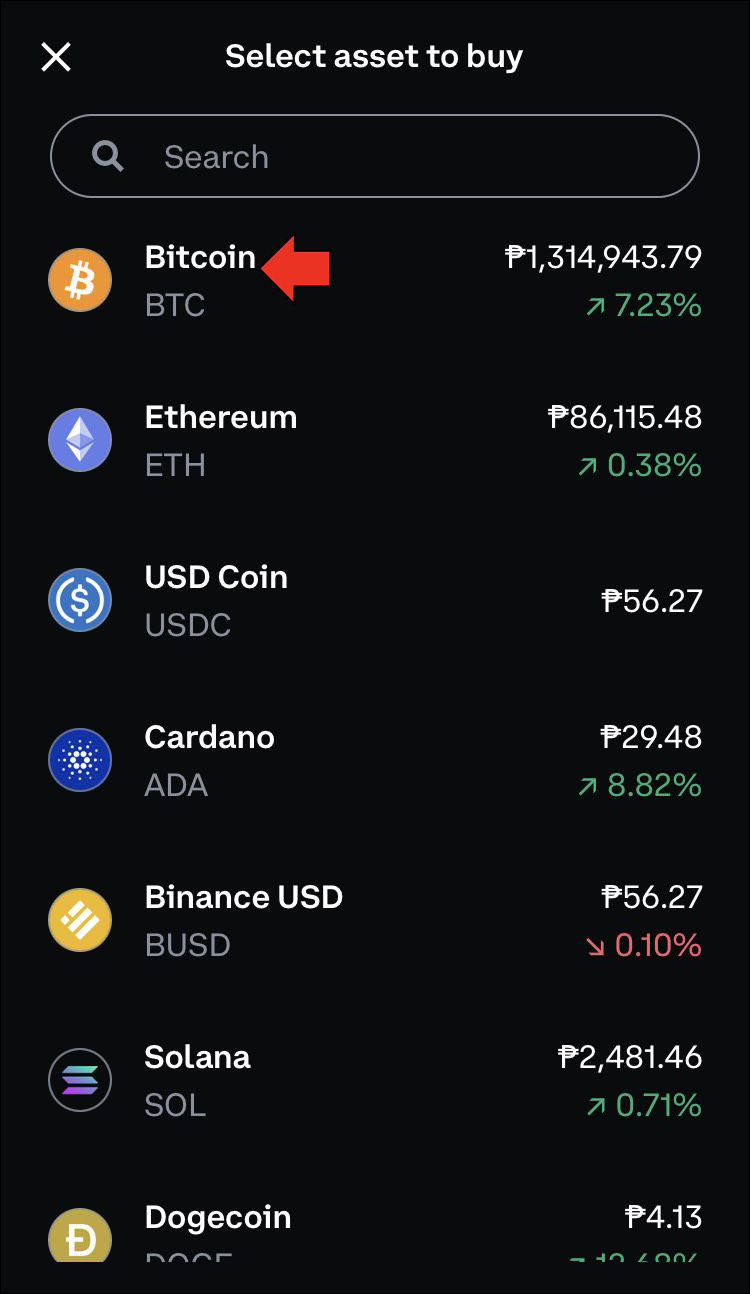
- Select the Cryptocurrency: From your list of assets, tap on the specific cryptocurrency you wish to receive. For example, if you want to receive Bitcoin, tap on “Bitcoin.” If you want to receive Ethereum, tap on “Ethereum.”
- Tap the “Receive” Button: Once on the asset’s detail page, you will usually see options like “Buy,” “Sell,” “Send,” and “Receive.” Tap on the “Receive” button.
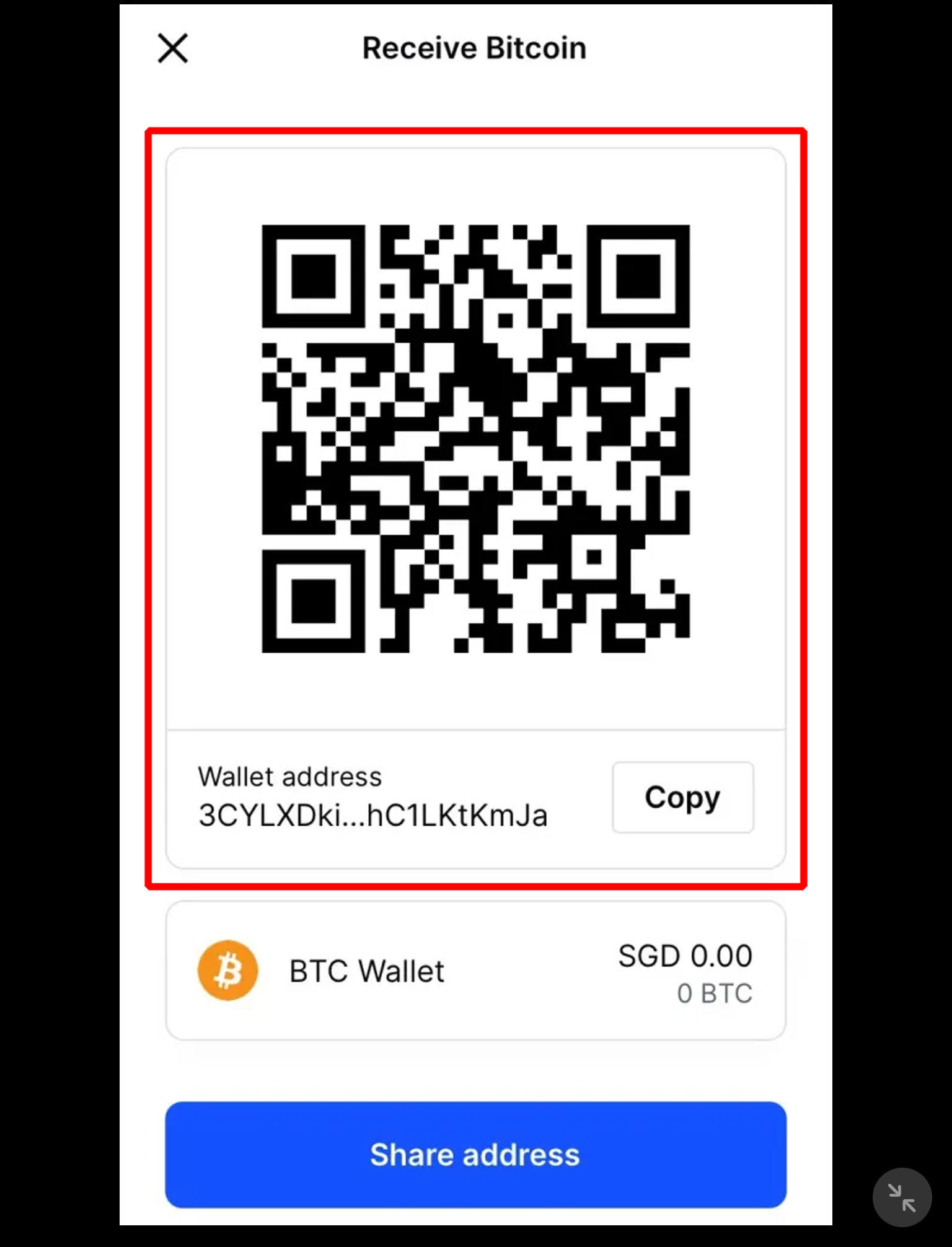
- View and Copy Your Address: A new screen will display your unique wallet address for that specific cryptocurrency. It will often be presented as a long string of characters and also as a QR code for easy scanning. Carefully review the address.
- Copy to Clipboard: Tap the “Copy” button (usually represented by two overlapping squares) to copy the address to your device’s clipboard. You can then paste this address wherever needed.
Important Note: Always ensure you’ve selected the correct cryptocurrency. Sending Bitcoin to an Ethereum address (or vice-versa) will result in permanent loss of funds.
Locating Your Address on the Coinbase Website
For users preferring a desktop experience, the Coinbase website offers a similar, equally straightforward method:
- Log In to Your Coinbase Account: Open your web browser and go to coinbase.com. Log in with your email and password, completing any two-factor authentication prompts.
- Go to “Send / Receive” or “Portfolio”: On the left-hand sidebar or top navigation bar, you’ll usually find options like “Send / Receive” or “Portfolio.” Clicking “Portfolio” will show all your assets.
- Select the Desired Cryptocurrency: If you clicked “Send / Receive,” select the “Receive” tab first. Then, from the dropdown menu, choose the cryptocurrency you want to receive (e.g., Bitcoin, Ethereum, Litecoin). If you went through “Portfolio,” click on the specific asset.
- Click “Receive”: On the asset’s detail page, find and click the “Receive” button.
- Display Your Address: Your unique wallet address for that asset will be displayed, often accompanied by a QR code.
- Copy the Address: Click the “Copy” button next to the address to copy it to your clipboard.
Specifics for Different Cryptocurrencies
It’s crucial to understand that different cryptocurrencies operate on different blockchain networks, and therefore, their addresses will look different and are not interchangeable.
- Bitcoin (BTC) addresses typically start with ‘1’, ‘3’, or ‘bc1’.
- Ethereum (ETH) and ERC-20 token addresses (tokens built on the Ethereum blockchain, like USDC, LINK, UNI) always start with ‘0x’. You can often use the same Ethereum address to receive any ERC-20 token.
- Litecoin (LTC) addresses often start with ‘L’ or ‘M’.
- Ripple (XRP) addresses are unique in that they often require both an address and a “Destination Tag” or “Memo” for transactions, especially when sending from or to exchanges. This tag helps the exchange identify which internal account to credit.
Always double-check that the address you are providing or using matches the cryptocurrency you intend to send or receive. Coinbase usually provides clear warnings if you’re attempting to receive an unsupported asset to a given address.
Ensuring Security and Accuracy When Using Your Address
The decentralized nature of blockchain transactions means that security and accuracy are paramount. Mistakes can be costly and irreversible.
Double-Checking the Address: The Immutable Nature of Blockchain Transactions
This cannot be stressed enough: always double-check the address before initiating a transaction. Because blockchain transactions are immutable, once a transfer is initiated and confirmed on the network, it cannot be reversed. If you send funds to the wrong address, those funds are permanently lost.
- Compare first and last few characters: After copying an address, paste it and visually compare the first 4-5 and last 4-5 characters with the original.
- Use the “Copy” function: Avoid manually typing addresses, as a single typo can lead to loss of funds. Always use the provided “Copy” button.
- Small test transactions: For very large transfers, consider sending a small test amount first to ensure the address is correct and the funds arrive as expected.
Understanding Network Compatibility
Beyond matching the currency, understanding network compatibility is critical, especially with the rise of various Layer-1 blockchains and scaling solutions. For example, while many tokens are ERC-20 (on the Ethereum network), some might exist on other networks like Binance Smart Chain (BEP-20), Polygon, Solana, or Avalanche.
If you send an ERC-20 token to a BEP-20 address, or vice-versa, your funds could be lost. Coinbase generally manages this by only providing addresses for the specific networks they support for each asset. However, when sending from an external wallet, you must ensure the sending network matches the receiving network’s address type. Coinbase’s receive address will always indicate which network it supports (e.g., “Ethereum ERC-20”).
Recognizing and Avoiding Phishing Scams
Cybercriminals often target cryptocurrency users through phishing attacks, attempting to trick them into revealing private keys or sending funds to malicious addresses.
- Verify URLs: Always ensure you are on the legitimate coinbase.com website or using the official Coinbase app. Check for slight misspellings in URLs.
- Beware of unsolicited requests: Coinbase will never ask for your private keys or ask you to send funds to a “verification” address.
- Secure your device: Keep your operating system, browser, and antivirus software updated. Use strong, unique passwords and enable two-factor authentication (2FA) on your Coinbase account.
Best Practices for Sharing Your Address
Your public wallet address is designed to be shared, but always exercise caution and discretion:
- Only share when necessary: Provide your address only to trusted individuals or platforms from whom you expect to receive funds.
- Avoid public broadcasting: While public, avoid broadly posting your address on social media or unverified forums, as this can make you a target for scams or unwanted attention.
- Communicate clearly: When sharing, specify which cryptocurrency the address is for to avoid confusion.
Beyond Receiving: Leveraging Your Coinbase Wallet Address
Knowing how to find your receive address is foundational, but this knowledge unlocks further capabilities within the crypto ecosystem.
Integrating with Decentralized Applications (DApps) and DeFi Protocols
While the main Coinbase Exchange is custodial, if you utilize the separate Coinbase Wallet app, your addresses there become your gateway to the decentralized web. You can connect your Coinbase Wallet to DApps on various blockchains to:
- Participate in DeFi: Lend, borrow, stake, or trade on decentralized exchanges (DEXs) like Uniswap or SushiSwap.
- Explore NFTs: Mint, buy, or sell Non-Fungible Tokens on marketplaces like OpenSea.
- Play blockchain games: Engage with play-to-earn games and manage in-game assets.
Your addresses within the Coinbase Wallet app function similarly to MetaMask, acting as your digital identity and allowing you to sign transactions directly from your self-custodied funds.
Receiving Payments for Goods and Services
For freelancers, small businesses, or e-commerce platforms, providing a crypto wallet address allows you to accept payments in various cryptocurrencies. This can open new markets, reduce transaction fees (compared to traditional banking in some cases), and offer faster settlement times. However, be mindful of price volatility and local tax regulations when accepting crypto payments.
Participating in Airdrops and Staking Rewards
Many projects distribute free tokens (airdrops) to existing holders of certain cryptocurrencies or to users who meet specific criteria. To receive these, you typically need to provide a compatible wallet address. Similarly, when staking cryptocurrencies to earn rewards, those rewards are often sent to the same wallet address from which you initiated the stake. For these activities, a self-custodial wallet like the Coinbase Wallet app is generally preferred over a custodial exchange address, as it offers more direct control and compatibility with blockchain protocols.
Troubleshooting Common Issues
Even with clear instructions, users may occasionally encounter issues. Here are some common troubleshooting tips.
Asset Not Showing Up
If you’ve sent funds to your Coinbase address but don’t see them appear:
- Check the transaction status: Use a blockchain explorer (e.g., Etherscan for Ethereum, Blockchain.com for Bitcoin) by entering the transaction ID (TXID) provided by the sender. This will show if the transaction is pending, confirmed, or failed.
- Network congestion: Sometimes networks are congested, leading to slower transaction confirmations. Be patient.
- Wrong network/asset type: Double-check that the correct cryptocurrency was sent to the correct address on the correct network. If not, the funds might be lost or unrecoverable.
- Coinbase internal processing: Even after blockchain confirmation, Coinbase might take a few minutes to update your balance. If it’s been a long time, contact Coinbase support.
Address Confusion
Ensure you are looking at the correct address for the intended cryptocurrency. Remember the distinction between Coinbase Exchange addresses and Coinbase Wallet app addresses. If you intended to send to your self-custodial wallet but sent to the exchange, or vice versa, the funds are likely safe but in a different location than anticipated.
Browser/App Glitches
Occasionally, browser caches or app bugs can cause display issues.
- Clear browser cache and cookies: For web issues, try clearing your browser’s cache and cookies or using an incognito window.
- Update the app: Ensure your Coinbase mobile app is updated to the latest version.
- Restart device: A simple restart of your phone or computer can sometimes resolve minor glitches.

Conclusion: Navigating the Digital Asset Landscape with Confidence
Finding your Coinbase wallet address is a fundamental skill for anyone engaging with cryptocurrencies. It’s a simple process that unlocks your ability to receive digital assets securely and efficiently. By understanding what these addresses are, how to locate them on both mobile and desktop platforms, and the critical importance of accuracy and security, you empower yourself to navigate the exciting world of digital finance with confidence. Always prioritize double-checking information, staying vigilant against scams, and understanding the nuances of different blockchain networks to protect your assets in this dynamic technological frontier.
aViewFromTheCave is a participant in the Amazon Services LLC Associates Program, an affiliate advertising program designed to provide a means for sites to earn advertising fees by advertising and linking to Amazon.com. Amazon, the Amazon logo, AmazonSupply, and the AmazonSupply logo are trademarks of Amazon.com, Inc. or its affiliates. As an Amazon Associate we earn affiliate commissions from qualifying purchases.