
In the rapidly evolving world of cryptocurrency, understanding the fundamental mechanics of how digital assets are stored and transferred is paramount. For many, Coinbase serves as a primary gateway into this ecosystem, offering a user-friendly platform for buying, selling, and holding various cryptocurrencies. A crucial aspect of interacting with digital assets, whether you’re receiving funds from another person, transferring crypto from an exchange, or moving assets to a different wallet, involves knowing your specific wallet address. This address acts as your unique identifier on the blockchain, much like a bank account number, enabling transactions to reach your specific account.
This comprehensive guide will demystify the process of locating your Coinbase wallet address. We’ll delve into the ‘why’ behind needing this address, walk you through the precise steps on both desktop and mobile platforms, and provide critical insights into security best practices to ensure your digital assets remain safe and your transactions are executed accurately. By the end, you’ll possess the knowledge and confidence to navigate your Coinbase account with greater proficiency, understanding the technical underpinnings that facilitate seamless crypto transfers.
Understanding Cryptocurrency Wallet Addresses
Before diving into the practical steps, it’s essential to grasp what a cryptocurrency wallet address truly represents and its significance in the blockchain landscape. This foundational understanding empowers users to interact with their digital assets more securely and intelligently.
What Exactly is a Wallet Address?
At its core, a cryptocurrency wallet address is a unique string of alphanumeric characters that serves as a public identifier for sending and receiving digital currency on a blockchain network. Think of it as your virtual post office box for crypto. Each cryptocurrency (like Bitcoin, Ethereum, Litecoin, etc.) on its respective blockchain has a distinct address format, though many follow similar conventions. For instance, a Bitcoin address will look different from an Ethereum address.
Unlike traditional bank accounts, which link directly to a person’s identity, a blockchain address is typically pseudonymous. While the transaction history associated with an address is publicly viewable on the blockchain explorer, the identity of the owner is not inherently linked to the address itself. Within Coinbase, your “wallet” isn’t a physical device but rather a digital record maintained by Coinbase on your behalf, which holds the cryptographic keys associated with your specific addresses. Coinbase acts as a custodial wallet, meaning they manage your private keys, making the process of finding your address slightly different from a non-custodial wallet where you hold your own keys.
Why Do You Need Your Coinbase Address?
The primary reason to find your Coinbase wallet address is to receive cryptocurrency. Whether you’re expecting a payment from a friend, withdrawing funds from another exchange or a decentralized application (dApp), or transferring assets from a hardware wallet, you’ll need to provide the sender with your specific Coinbase receiving address for the relevant cryptocurrency.
Beyond receiving, understanding your address is vital for:
- Verification: Confirming that you are providing the correct address to a sender, preventing lost funds.
- Security awareness: Recognizing legitimate addresses versus potentially fraudulent ones.
- Interacting with other platforms: When setting up withdrawals from other crypto services, you’ll often input your Coinbase address as the destination.
The Importance of Network Selection
One of the most critical aspects of dealing with cryptocurrency addresses, especially on platforms like Coinbase which support multiple assets across different blockchains, is network selection. Many cryptocurrencies exist on various networks. For example, Ethereum (ETH) primarily operates on the Ethereum network (ERC-20 standard), but wrapped versions or tokens on sidechains might exist on other networks (e.g., Binance Smart Chain’s BEP-20, Polygon’s MATIC network).
It is absolutely crucial that the network you select for your Coinbase address matches the network from which the sender is sending funds. If you send ETH from the Binance Smart Chain (BEP-20) to an ERC-20 Ethereum address on Coinbase, your funds could be permanently lost. Coinbase will only generate an address for the native network it supports for a given asset. Always confirm with the sender which network they are using and ensure you select the corresponding network (if applicable) within Coinbase when generating your receive address. Coinbase is usually quite good at guiding you through this, but ultimate responsibility lies with the user.
Locating Your Address on Coinbase (Desktop Web)
For users who prefer managing their crypto on a larger screen, Coinbase’s web interface offers a clear and intuitive path to finding your wallet addresses.
Step-by-Step Guide for Receiving Crypto
- Log In to Your Coinbase Account: Open your web browser and navigate to Coinbase.com. Enter your email address and password, then complete any two-factor authentication (2FA) prompts.
- Navigate to Your Portfolio or Assets: Once logged in, look for a “My Assets” or “Portfolio” link in the left-hand navigation menu or at the top of the page. Clicking this will display a list of all the cryptocurrencies you currently hold or that Coinbase supports.
- Select the Desired Cryptocurrency: From your asset list, click on the specific cryptocurrency you wish to receive. For example, if you want to receive Bitcoin, click on “Bitcoin.” If you don’t see the asset listed, you might need to use the search bar or ensure Coinbase supports it.
- Find the “Receive” Option: On the individual asset’s page, you’ll typically see options like “Buy,” “Sell,” “Send,” and “Receive.” Click on the “Receive” button. This action indicates your intention to get funds into your wallet for that specific asset.
- Review Important Information and Generate Address: A pop-up window or a new section will appear. This area often contains critical warnings about sending only the correct cryptocurrency to this address and, crucially, confirming the correct network. Read these carefully.
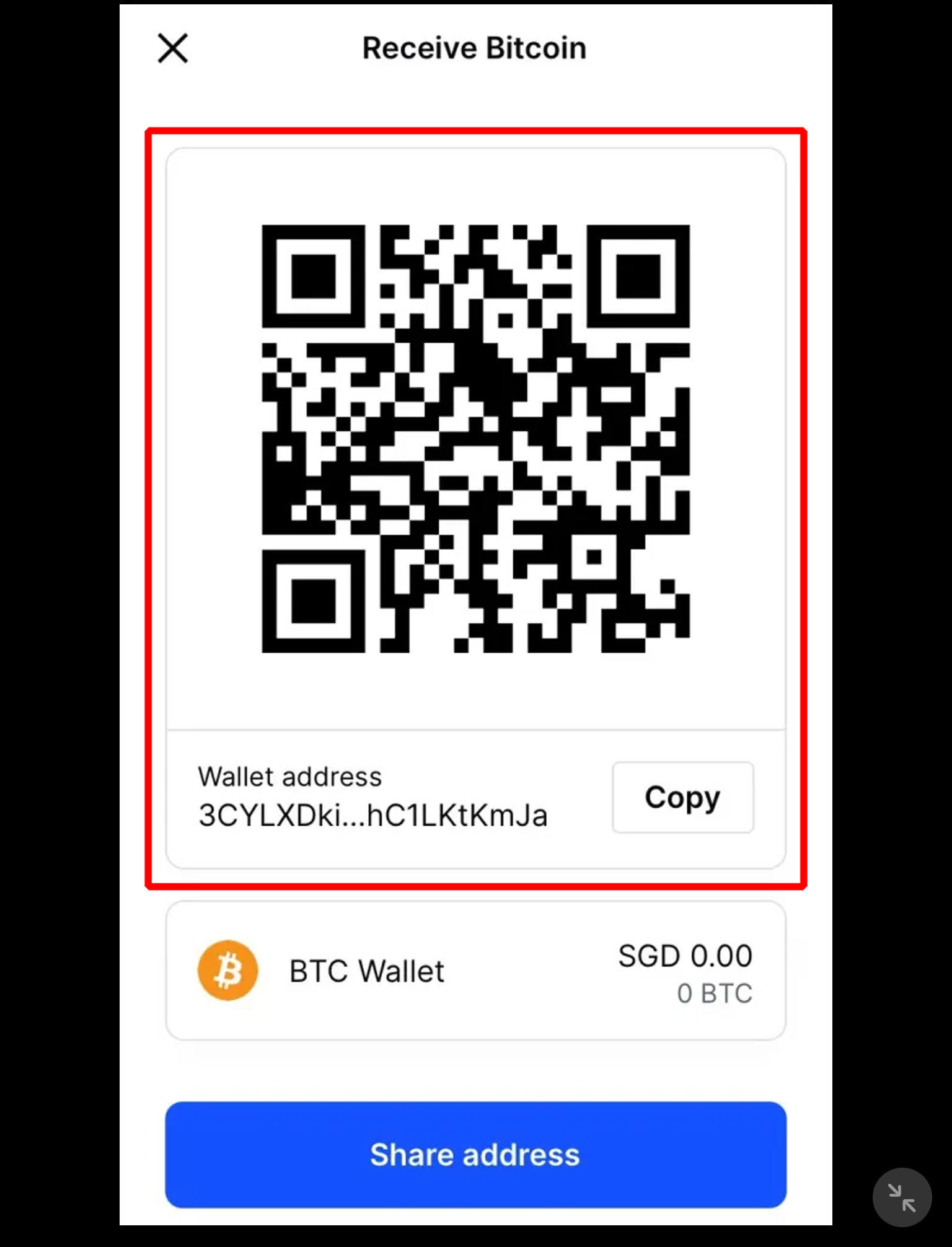
- Copy Your Wallet Address: The alphanumeric string displayed is your unique wallet address for that specific cryptocurrency on the Coinbase platform. You’ll also usually see a QR code, which is a scannable representation of the address. Click the “Copy” button next to the address to securely copy it to your clipboard. Avoid manually typing the address to prevent errors.
- Share with the Sender: Paste the copied address to the person or platform sending you the crypto.
Navigating to Your Portfolio
The “Portfolio” or “Assets” section is your central hub for all your crypto holdings on Coinbase. It provides an overview of your balances, recent transactions, and the gateway to managing each asset individually. Even if you hold zero of a particular asset, you can still navigate to its dedicated page to find the receive address, assuming Coinbase supports that asset. This organizational structure ensures that all functionalities, including finding your address, are centralized and easily accessible.
Generating the Address and QR Code
When you click “Receive,” Coinbase generates and displays your unique public address. This address is essentially a pointer to your specific account within Coinbase’s system for that particular cryptocurrency on its native blockchain. The QR code offers a convenient way for senders using mobile wallets or apps to quickly scan and populate the address field without manual entry, further reducing the risk of errors. Always ensure that the address displayed in text matches the address encoded in the QR code if you are scanning or sharing the image.
Locating Your Address on Coinbase (Mobile App)
The Coinbase mobile app (available for Android and iOS) offers a streamlined and highly convenient way to manage your cryptocurrency on the go. Finding your wallet address is equally straightforward.
Android and iOS Walkthrough
The steps are largely identical across both Android and iOS versions of the Coinbase app, designed for maximum user consistency.
- Open and Log In to the Coinbase App: Launch the Coinbase app on your smartphone or tablet. Enter your credentials and complete any 2FA requirements.
- Access the “Receive” Function:
- Option 1 (Quick Access): Look for the central action button, often represented by two arrows (one pointing in, one pointing out) or a plus symbol (
+), usually located at the bottom center of the screen. Tap this button. A menu will pop up, usually offering “Buy,” “Sell,” “Send,” and “Receive.” Tap “Receive.” - Option 2 (Via Assets): Alternatively, navigate to the “Assets” tab (often represented by a pie chart or stacked coins icon) at the bottom of the screen. This will show your portfolio. Tap on the specific cryptocurrency you wish to receive (e.g., “Ethereum”). On the asset’s detail page, you will see a “Receive” button.
- Option 1 (Quick Access): Look for the central action button, often represented by two arrows (one pointing in, one pointing out) or a plus symbol (
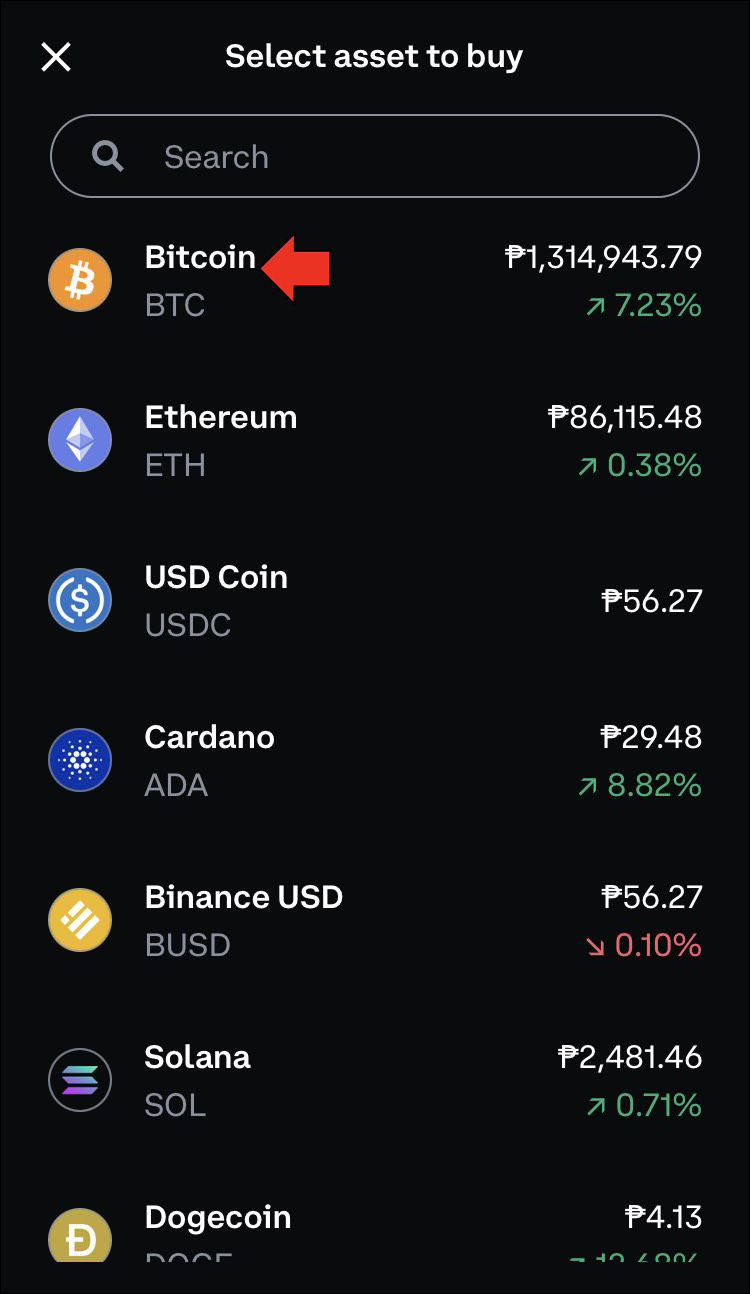
- Select the Cryptocurrency: If you used Option 1, the app will then prompt you to select the cryptocurrency you wish to receive from a list. If you used Option 2, you’ve already selected it.
- Review Warnings and Confirm Network: Similar to the desktop version, the app will display important warnings about sending only the correct crypto and, crucially, about confirming the correct network (e.g., “Send only Bitcoin to this address. Sending other assets will result in loss.”).
- Copy or Share Your Address: Your unique wallet address for that asset will be displayed as a string of characters, along with its corresponding QR code.
- Tap the “Copy address” button to copy it to your device’s clipboard.
- Tap the “Share” button (often represented by an arrow pointing upwards out of a box) to share the address directly via messaging apps, email, or other sharing options available on your device.
The Receive Button Functionality
The “Receive” button (or the general action button that leads to it) is the gateway to generating your public address. When you tap it, the app dynamically displays the correct address for the selected cryptocurrency, ensuring you don’t inadvertently get an address for a different asset. This design choice simplifies the process, making it less prone to user error compared to manually navigating through complex menus.
Sharing Your Address Securely
Once you have your address, sharing it securely is paramount.
- Copy-Paste is King: Always use the “Copy” function. Manual typing is an invitation for errors.
- Verify After Pasting: After pasting the address into a sender’s field, take a moment to double-check the first 3-4 and last 3-4 characters of the pasted address against the original address displayed in your Coinbase app. This quick verification can prevent catastrophic mistakes.
- Avoid Public Display: Never publicly post your wallet address on social media or unsecure forums unless absolutely necessary and you understand the implications. While a public address doesn’t directly compromise your funds, it can expose your transaction history and make you a target for scams.
Critical Considerations for Security and Accuracy
The irreversible nature of blockchain transactions means that errors can be costly. Understanding and adhering to security and accuracy best practices is non-negotiable when dealing with cryptocurrency wallet addresses.
Double-Checking the Address and Network
This cannot be stressed enough: Always, always, always double-check the wallet address and ensure the correct network is selected before initiating any cryptocurrency transfer.
- Character Match: Verify the exact match of the address you’ve copied and pasted with the one shown in your Coinbase app or web interface. Even a single character mismatch can lead to funds being sent to an unknown or invalid address, rendering them permanently irrecoverable.
- Network Consistency: If you are receiving a token that exists on multiple networks (e.g., USDT on Ethereum, Solana, or Polygon), ensure that the network from which the sender is sending matches the network your Coinbase address is designed for. Coinbase will typically only provide an address for the native blockchain it supports for a given asset. If the sender sends via a different chain (and Coinbase doesn’t support that chain for that token), your funds will be lost. Coinbase will often provide a warning message specifically addressing network compatibility. Read these warnings carefully.
Beware of Scams and Phishing Attempts
Scammers are constantly devising new ways to trick users into sending them cryptocurrency.
- Impersonation: Be wary of individuals or “support staff” asking you to send funds to a specific address for “verification” or “upgrade” purposes. Coinbase support will never ask you to send them cryptocurrency.
- Phishing Websites/Apps: Ensure you are always on the official Coinbase website (Coinbase.com) or using the official Coinbase app downloaded from legitimate app stores. Fake websites or apps can look identical but are designed to steal your login credentials or trick you into sending crypto to their addresses.
- Address Poisoning: A sophisticated scam where attackers send small, dust-level amounts of crypto to your wallet address. Their goal is to have their address (which often mimics your frequently used addresses by having identical first and last few characters) appear in your transaction history. If you’re not careful and copy an address from your transaction history without verifying the entire string, you might accidentally send funds to the scammer’s address instead of your intended recipient. Always confirm the full address.
The Immutability of Blockchain Transactions
One of the defining characteristics of blockchain technology is the immutability of transactions. Once a transaction is confirmed and recorded on the blockchain, it cannot be reversed, altered, or canceled. This is why accuracy is paramount. There is no central authority like a bank that can intervene to recover funds sent to an incorrect address. This fundamental principle underscores the importance of every step in finding, copying, and verifying your Coinbase wallet address. Your vigilance is your primary line of defense against loss.

Conclusion
Finding your Coinbase wallet address is a straightforward technical task, but it underpins nearly every interaction you’ll have when receiving cryptocurrency. Whether you’re using the desktop website or the mobile application, Coinbase has designed its interface to make this process intuitive. However, simplicity in design does not negate the user’s responsibility for accuracy and security.
Always remember the critical steps: log in securely, navigate to your assets, select the cryptocurrency, choose the “Receive” option, and meticulously copy the provided address. Crucially, always double-check the entire address string and confirm the correct network compatibility before sharing it or initiating a transfer. In the decentralized world of cryptocurrency, your attention to detail is your most powerful safeguard against irreversible errors and malicious actors. By internalizing these practices, you can confidently and securely navigate the process of receiving digital assets, empowering your journey in the exciting realm of blockchain technology.
aViewFromTheCave is a participant in the Amazon Services LLC Associates Program, an affiliate advertising program designed to provide a means for sites to earn advertising fees by advertising and linking to Amazon.com. Amazon, the Amazon logo, AmazonSupply, and the AmazonSupply logo are trademarks of Amazon.com, Inc. or its affiliates. As an Amazon Associate we earn affiliate commissions from qualifying purchases.