
In the increasingly digital landscape of personal finance, peer-to-peer (P2P) payment applications like Cash App and Venmo have become indispensable tools for millions. They offer unparalleled convenience for splitting bills, sending money to friends and family, or making quick payments without the hassle of cash or traditional bank transfers. However, while both platforms excel at facilitating rapid financial exchanges, they operate within distinct ecosystems. A common query among users is how to seamlessly transfer funds directly between Cash App and Venmo. The simple answer, often surprising to many, is that a direct transfer is not natively supported.
This article will delve into the reasons behind this limitation and, more importantly, provide a comprehensive, step-by-step guide on the most effective and secure workarounds to move your funds from Cash App to Venmo. We’ll explore the various methods, discuss associated costs and timelines, and offer best practices for managing your digital finances across these popular platforms. Understanding these processes is crucial for anyone seeking to leverage the full utility of their financial tools, ensuring flexibility and control over their money, regardless of the app it initially resides in.
Understanding the Direct Transfer Challenge
While Cash App and Venmo both serve similar functions – enabling fast, easy money transfers between individuals – they are direct competitors in the P2P payment market. Each platform is designed to keep users within its own financial ecosystem, which is why direct interoperability between them is not supported. This fundamental design choice necessitates indirect methods for users who wish to bridge the gap.
Why Direct Transfers Are Not Possible
The core reason you cannot directly send money from Cash App to Venmo (or vice-versa) lies in the competitive nature of their business models. Both Square (Cash App) and PayPal (Venmo) aim to capture and retain users by offering a comprehensive suite of financial services, including debit cards, investment options, and business payment solutions, all tied to their respective platforms. Allowing direct transfers would effectively enable users to bypass one platform’s services to use another’s, thereby diminishing the incentive to keep funds within a single ecosystem.
Furthermore, direct integrations require complex technical agreements, shared infrastructure, and adherence to varying regulatory frameworks, which neither company has pursued for direct competitive P2P transfers. Instead, they focus on integrating with broader financial institutions, primarily traditional banks, which serve as the common ground for all digital payment services.
The Fundamental Difference in Their Ecosystems
Though seemingly similar, the underlying architectures of Cash App and Venmo have subtle distinctions that contribute to their separate ecosystems. Both platforms allow users to link external bank accounts or debit cards. Funds held within Cash App are typically tied to a routing and account number provided by Sutton Bank, while Venmo uses its own internal ledger system, often backed by FDIC-insured banks. These internal account structures, while providing convenience, are not designed to communicate directly with those of a competing P2P service.
Instead, they use the established rails of the traditional banking system for “off-platform” transactions. This means that to move money from one app to the other, you must channel the funds through an intermediary—most commonly, your personal bank account. This reliance on a shared financial infrastructure is what makes the workaround possible, even if it adds an extra step to the process.
The Most Common Workaround: Using Your Bank Account
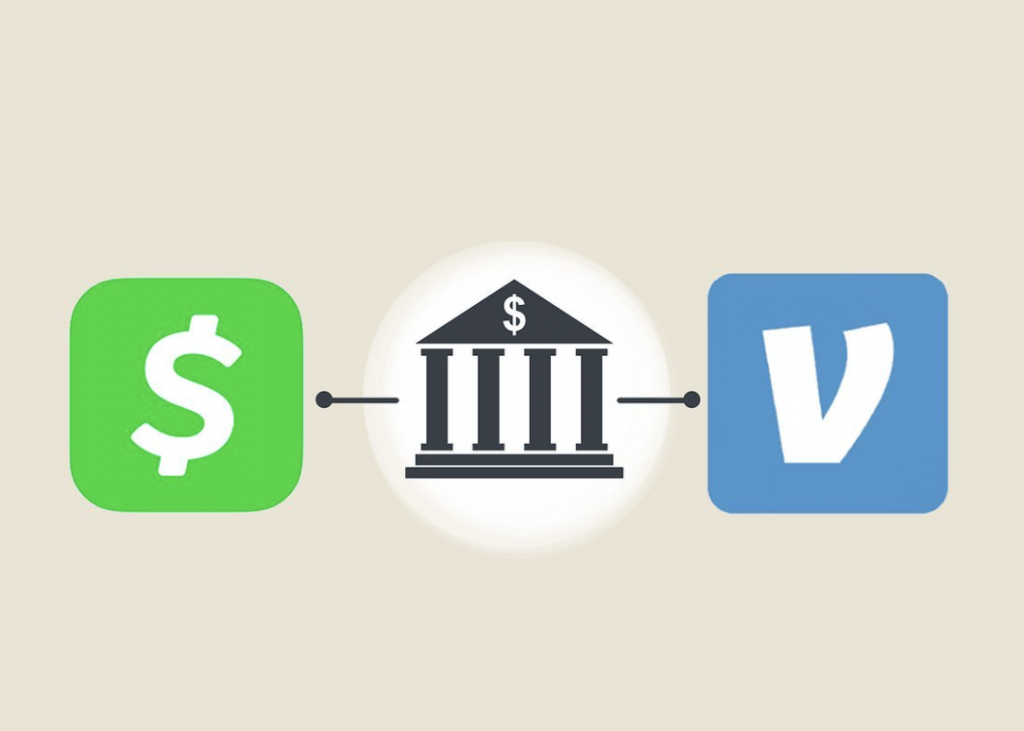
The most reliable and universally applicable method for transferring money from Cash App to Venmo is to route the funds through your linked bank account. This method treats your bank account as a neutral intermediary, allowing you to withdraw money from one app and deposit it into the other.
Linking Cash App to Your Bank Account
Before you can withdraw money from Cash App, ensure your bank account is correctly linked. If you haven’t done so, follow these steps:
- Open Cash App: Tap the profile icon on your Cash App home screen.
- Linked Banks: Scroll down and tap “Linked Banks.”
- Link Bank: Select “Link Bank” and follow the prompts to connect your bank account using your online banking credentials. This usually involves a secure login through a third-party service like Plaid.
Once linked, this bank account will serve as the destination for your Cash App withdrawals.
Withdrawing Funds from Cash App to Your Bank
After linking your bank, withdrawing money is straightforward:
- Open Cash App: On the Cash App home screen, tap the “Banking” tab (the house icon) or your balance.
- Cash Out: Tap the “Cash Out” button.
- Enter Amount: Enter the amount you wish to transfer.
- Choose Speed: Select either “Standard” (1-3 business days, free) or “Instant” (immediately, typically a 0.5% to 1.75% fee, minimum $0.25).
- Confirm: Tap “Cash Out” and confirm the transaction using your PIN or Touch ID.
The funds will then be transferred to your linked bank account. For standard transfers, expect the money to appear in your bank account within 1-3 business days. Instant transfers, as the name suggests, should reflect almost immediately, though processing times can vary slightly depending on your bank.
Linking Venmo to Your Bank Account
Similarly, for Venmo to receive funds from your bank, ensure your bank account is linked there. If not:
- Open Venmo: Tap the “Me” tab (your profile picture or initial).
- Settings: Tap the “Settings” icon (gear) in the top right corner.
- Payment Methods: Tap “Payment Methods.”
- Add a bank or card: Select “Bank” and follow the prompts to link your bank account. Like Cash App, this often involves securely logging into your bank through an intermediary.
Once linked, your bank account is ready to send money to Venmo.
Funding Venmo from Your Bank Account
With the money now in your bank account and your Venmo account linked, you can transfer it to Venmo:
- Open Venmo: Tap the “Me” tab (your profile picture).
- Add Money: Tap “Manage Balance” then “Add Money” or simply “Add Money” on your balance screen.
- Enter Amount: Enter the amount you wish to transfer from your bank.
- Select Source: Confirm your linked bank account is selected as the source.
- Confirm: Tap “Add Money” and confirm.
Funds added to Venmo from a linked bank account typically take 3-5 business days to clear and become available in your Venmo balance.
Step-by-Step Guide for Bank Transfer Method
Let’s consolidate the entire process into a clear, sequential guide:
Step 1: Cash Out from Cash App
- Open Cash App.
- Go to the “Banking” tab or tap your balance.
- Tap “Cash Out.”
- Enter the desired amount.
- Choose “Standard” (free, 1-3 business days) or “Instant” (fee applies, immediate).
- Confirm the transfer to your linked bank account.
Step 2: Wait for Funds to Clear (if applicable)
- If you chose “Standard” transfer from Cash App, wait 1-3 business days for the funds to arrive in your linked bank account.
- Verify the deposit in your bank’s online banking or app.
Step 3: Add Money to Venmo
- Open Venmo.
- Go to the “Me” tab (your profile picture).
- Tap “Manage Balance” then “Add Money” (or simply “Add Money”).
- Enter the exact amount you want to move from your bank to Venmo.
- Ensure your linked bank account is selected as the source.
- Confirm the transfer.
Step 4: Wait for Funds to Clear in Venmo
- Funds added to Venmo from a bank account typically take 3-5 business days to become available in your Venmo balance.
- Monitor your Venmo balance for the arrival of the funds.
This bank-centric approach, while requiring patience for standard transfers, is the most reliable and secure method to bridge your funds between Cash App and Venmo.

Expediting Transfers: Instant Options and Fees
While the bank account method is reliable, waiting several business days for funds to clear can be inconvenient, especially when time is of the essence. Both Cash App and Venmo offer instant transfer options, but it’s crucial to understand the associated costs and implications.
Understanding Instant Transfer Fees
- Cash App Instant Cash Out: Cash App charges a fee of 0.5% to 1.75% (with a minimum of $0.25) for instant cash-outs to a linked debit card. If you’re cashing out to a linked bank account (via its routing and account number), the instant option is generally not available, and you must use a standard transfer. However, if your linked bank account is also tied to a debit card, you might be able to use the debit card instant transfer. It’s important to differentiate between linking a bank account and linking a bank debit card. For the fastest route from Cash App to your bank account, linking a debit card is often the key for instant transfers.
- Venmo Instant Transfer (from Venmo to Bank/Debit Card): Venmo charges a 1.75% fee (minimum $0.25, maximum $25) for instant transfers from your Venmo balance to a linked debit card or bank account. Note that the process described above (adding money to Venmo from your bank) does not have an instant option; these deposits always take 3-5 business days. The instant transfer on Venmo is for moving money out of Venmo.
Therefore, to expedite the overall process of moving money from Cash App to Venmo:
- Cash App to Bank/Debit Card (Instant): Use Cash App’s instant cash-out feature to a linked debit card (if available and linked) to get the money into your bank almost immediately. A fee will apply.
- Bank to Venmo (Standard): You will still need to wait 3-5 business days for the funds to move from your bank account into your Venmo balance. There is no instant option for adding money to Venmo from your bank.
This means that while you can quickly get money out of Cash App and into your bank, the subsequent step of getting it into Venmo will still involve a standard processing time. The only way to get money into Venmo instantly is if someone sends it to you directly within Venmo, or if you use a linked debit card as a funding source for a Venmo purchase, but not for directly “adding money” to your Venmo balance.
When to Use Standard vs. Instant Transfers
The decision between standard and instant transfers boils down to urgency and cost tolerance.
- Standard Transfers: These are free and ideal for non-urgent transfers where you can afford to wait a few business days. For instance, if you’re planning to use funds next week and initiate the transfer now, a standard transfer makes financial sense.
- Instant Transfers: These come with a fee but provide immediate access to funds. They are beneficial for time-sensitive situations, such as needing to pay a bill quickly or if an unexpected expense arises. Always weigh the convenience against the cost, especially for larger sums where the percentage fee can become substantial. For example, cashing out $1,000 instantly from Cash App at a 1.75% fee would cost you $17.50.
Careful planning can help you avoid unnecessary fees. If you frequently need to move money between these platforms, consider maintaining a small buffer in your bank account or anticipating your needs to utilize free standard transfers.
Alternative Approaches and Considerations
While the bank account method is the primary workaround, there are indirect alternatives and broader financial considerations to keep in mind for managing funds across P2P apps.
Leveraging Debit Cards (Indirectly)
Both Cash App and Venmo allow you to link debit cards. In some scenarios, you might consider this indirect method:
- Cash App to Debit Card (Instant): You can instantly cash out from Cash App to a linked debit card (which is tied to your bank account). This gets the money into your bank account very quickly, usually within minutes, for a fee.
- Venmo to Debit Card (Instant): If you already have money in your Venmo balance, you can instantly transfer it to a linked debit card for a fee.
- Using a Debit Card for Payments (Not Transfers): If your goal isn’t to move money into your Venmo balance but rather to spend money that originated in Cash App via Venmo, you could:
- Cash out from Cash App to your bank account (standard or instant).
- Once the funds are in your bank, use the debit card associated with that bank account as a funding source for a payment through Venmo. This doesn’t move the money into your Venmo balance but allows you to pay someone using funds that originated in Cash App.
This approach bypasses the “add money to Venmo” step but doesn’t actually place the funds into your Venmo balance. It’s more about using the same underlying bank funds through different app interfaces.
The Role of Financial Planning in P2P Transfers
Effective financial planning extends to how you manage your funds across various digital platforms. If you frequently find yourself needing to transfer money between Cash App and Venmo, consider:
- Consolidation: If one app primarily serves your needs, consider consolidating your funds there to minimize transfers.
- Anticipation: Predict your spending patterns. If you know you’ll need funds in Venmo next week, initiate a free standard bank transfer from Cash App now.
- Budgeting: Allocate specific funds for each app if you use them for different purposes (e.g., Cash App for personal, Venmo for shared expenses with certain friends).
- Emergency Fund: Ensure you have an easily accessible emergency fund in your primary bank account, reducing the pressure to make costly instant transfers in urgent situations.
By integrating your P2P app usage into your broader financial strategy, you can minimize fees, reduce waiting times, and maintain better control over your money.
Best Practices for Secure and Efficient Transfers
While navigating the nuances of P2P transfers, maintaining security and efficiency is paramount. Following best practices can help safeguard your financial information and ensure your funds reach their intended destination without issues.
Verifying Account Details
Before initiating any transfer, especially when dealing with multiple accounts and platforms, double-check all details:
- Bank Account Numbers: Ensure the routing and account numbers linked to both Cash App and Venmo are correct and belong to the same bank account.
- Debit Card Numbers: If using debit card transfers, verify the card number, expiration date, and CVV.
- Recipient Information (if sending to another person): Though not directly applicable to moving money between your own accounts, this is crucial when making actual P2P payments on either platform. Always confirm the recipient’s username or phone number.
A small error in an account number can lead to significant delays or, in worst-case scenarios, irretrievable loss of funds.
Monitoring Transaction History
Regularly review your transaction history on both Cash App, Venmo, and your linked bank account:
- Track Transfers: Confirm that funds have successfully left Cash App, arrived in your bank account, and subsequently entered Venmo.
- Identify Discrepancies: Promptly report any unauthorized transactions or unexpected delays to the respective platform’s customer support.
- Reconcile Balances: Periodically reconcile your P2P app balances with your bank statements to ensure accuracy.
Consistent monitoring helps in quickly identifying and resolving any potential issues, reinforcing the security of your financial activities.
Understanding Limits and Regulations
Both Cash App and Venmo have daily, weekly, and monthly sending and receiving limits, which can vary based on whether your account is verified.
- Cash App Limits: Unverified Cash App accounts have lower limits for sending and receiving. Verification (using your SSN, date of birth, etc.) significantly increases these limits.
- Venmo Limits: Venmo also has limits for transactions, adding money, and instant transfers. Verified accounts typically have higher limits.
- Bank Limits: Your primary bank may also have daily or transaction limits for transfers, especially for new accounts or unusually large sums.
Before attempting a large transfer, familiarize yourself with the current limits on all platforms involved to avoid delays or declined transactions. Additionally, be aware of standard financial regulations such as KYC (Know Your Customer) and AML (Anti-Money Laundering), which govern these platforms and are designed to protect users and prevent illicit financial activities. Adherence to these regulations often requires users to provide personal identification for account verification.
By understanding the operational mechanisms, costs, and best practices associated with Cash App and Venmo, users can confidently navigate the process of moving money between these platforms. While a direct transfer feature remains elusive, the bank account workaround offers a secure and effective solution for managing your digital funds across the P2P landscape.

Conclusion
The inability to directly send money from Cash App to Venmo might initially seem like a significant hurdle in the pursuit of seamless digital finance. However, as we’ve explored, this limitation is a direct consequence of the competitive landscape of P2P payment services. Both Cash App and Venmo, while incredibly convenient, are designed as self-contained ecosystems.
Fortunately, the traditional banking system serves as an efficient and reliable bridge, offering a straightforward workaround. By first cashing out funds from Cash App to your linked bank account and then adding those funds from your bank account to Venmo, you can effectively move your money between the two platforms. While this process may involve standard transfer times of a few business days, understanding the nuances of instant transfer options and their associated fees allows for strategic decisions based on urgency and cost.
Ultimately, mastering the art of inter-app money movement is about more than just knowing the steps; it’s about informed financial planning, diligent security practices, and a clear understanding of the tools at your disposal. By adhering to best practices—verifying account details, monitoring transactions, and being aware of limits and fees—you can ensure your financial journey across Cash App, Venmo, and your traditional bank account is both secure and efficient, giving you greater control over your personal finance in the digital age.
aViewFromTheCave is a participant in the Amazon Services LLC Associates Program, an affiliate advertising program designed to provide a means for sites to earn advertising fees by advertising and linking to Amazon.com. Amazon, the Amazon logo, AmazonSupply, and the AmazonSupply logo are trademarks of Amazon.com, Inc. or its affiliates. As an Amazon Associate we earn affiliate commissions from qualifying purchases.