
In an increasingly digital world, peer-to-peer payment applications like Cash App have revolutionized the way we send, receive, and manage money. From splitting dinner bills to receiving payments for side gigs, Cash App offers unparalleled convenience. However, the true utility of these digital funds often comes down to one crucial question: how do you convert your digital balance into tangible cash or transfer it to your traditional bank account? Cashing out on Cash App is a fundamental process for anyone looking to fully leverage its financial capabilities, ensuring your money is accessible when and how you need it.
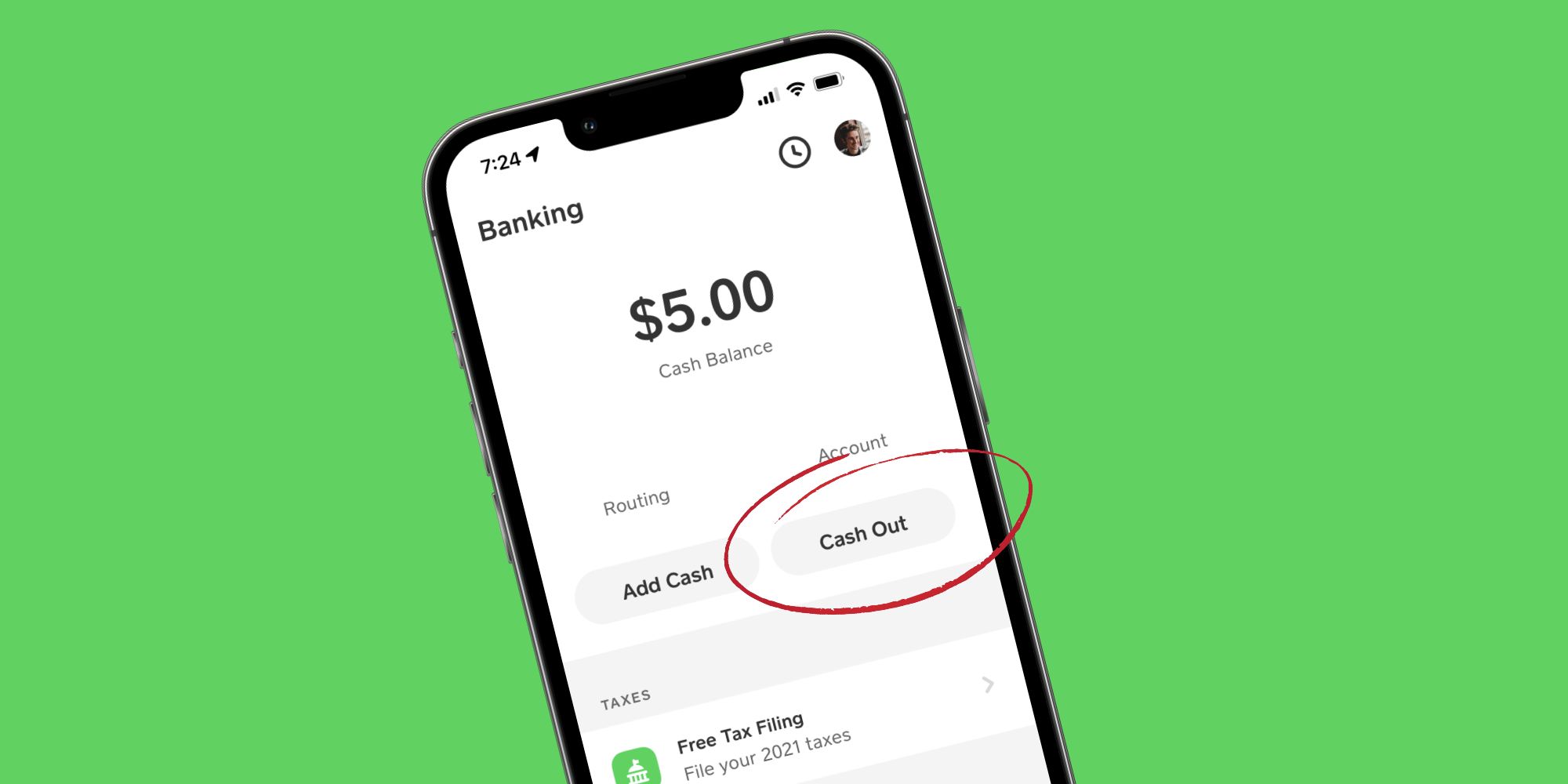
This guide will walk you through everything you need to know about cashing out your funds from Cash App, offering clear instructions, insights into the different methods available, and essential tips for a smooth and secure experience. Whether you’re a long-time user or new to the platform, understanding these processes is key to effective personal financial management in the digital age.
Understanding Cash App and Its Role in Personal Finance
Before diving into the mechanics of withdrawing your funds, it’s beneficial to grasp the full scope of Cash App’s functionality and its place within the personal finance landscape. Far more than just a payment app, Cash App acts as a versatile financial tool for millions.
What is Cash App?
Cash App, developed by Block, Inc. (formerly Square, Inc.), is a mobile payment service that allows users to transfer money to one another using a mobile app. Launched in 2013, it quickly gained popularity for its simplicity and speed. Beyond basic peer-to-peer transfers, Cash App has expanded its features to include direct deposits, stock investing, Bitcoin trading, and a customizable debit card known as the Cash Card. Essentially, it serves as a digital wallet that facilitates various financial transactions, often bypassing traditional banking hurdles for quick and easy money movement.
Why Cashing Out Matters
While keeping funds within your Cash App balance allows for seamless in-app spending or transfers, there are numerous scenarios where cashing out becomes necessary or preferable. Perhaps you need physical cash for expenses that don’t accept digital payments, or you want to consolidate funds into your primary bank account for bill payments, savings, or investments. Cashing out provides liquidity and flexibility, integrating your Cash App balance with your broader personal finance strategy. It ensures that the money you receive through the app isn’t trapped in a digital ecosystem but is readily available in the form most convenient for your immediate or future financial needs. Understanding how to efficiently move these funds is a cornerstone of responsible digital financial management.
The Primary Methods for Cashing Out Your Funds
Cash App offers several flexible options for accessing your money, each with its own benefits regarding speed and cost. Knowing these methods will help you choose the best approach for your specific financial situation.
Standard Deposit to Your Bank Account (1-3 Business Days)
The most common and cost-effective method to cash out is by transferring funds directly to your linked bank account. This is a standard ACH transfer, which typically takes 1 to 3 business days to complete, depending on your bank and the time of day you initiate the transfer. The significant advantage of this method is that it is entirely free of charge. It’s an ideal option if you’re not in a hurry to access your funds and wish to avoid any transaction fees.
Instant Deposit to Your Bank Account (Fees & Speed)
For those times when speed is critical, Cash App provides an instant deposit option. As the name suggests, this method allows you to transfer your Cash App balance to your linked debit card (which is connected to your bank account) almost immediately, often within minutes. This convenience, however, comes with a small fee, typically 0.5% to 1.75% of the transferred amount. This fee is clearly displayed before you confirm the transaction. Instant deposits are invaluable for urgent financial needs, like unexpected expenses or when you need immediate access to funds outside of business hours.
Using the Cash Card for ATM Withdrawals
Another powerful tool for accessing your Cash App balance is the Cash Card. This is a customizable, free debit card linked directly to your Cash App balance. You can use the Cash Card just like any other debit card for purchases online or in stores. More importantly, it allows you to withdraw cash from ATMs.
- ATM Access: You can use your Cash Card at any ATM that accepts Visa. There might be a fee from the ATM operator, and Cash App itself may charge a $2 fee for ATM withdrawals if you haven’t set up direct deposit. However, if you receive at least $300 in direct deposits to your Cash App account within a rolling 31-day period, Cash App waives their ATM fees for that period.
- Daily Limits: Be aware of daily ATM withdrawal limits imposed by Cash App (typically $310 per transaction, $1,000 per day) and potentially by the ATM operator itself.
The Cash Card offers excellent flexibility, providing access to physical cash without needing to first transfer funds to your traditional bank account.
Step-by-Step Guide to Cashing Out
Cashing out on Cash App is designed to be straightforward. Follow these steps to ensure a smooth transaction, regardless of your chosen method.
Linking Your Bank Account (If Not Already Done)
Before you can transfer funds to your bank, you must link it to your Cash App account. This is usually done during the initial setup but can be added or changed anytime.
- Open Cash App: Tap the profile icon (circle with your picture or avatar) in the top right corner of the home screen.
- Navigate to Linked Banks: Scroll down and select “Linked Banks.”
- Link Bank: Tap “Link Bank” and follow the prompts to connect your bank account using your bank’s login credentials. Alternatively, you can link a debit card, which is often sufficient for instant deposits.
Initiating a Standard Deposit
For free transfers that take 1-3 business days:
- Tap the Banking Tab: This is the house icon on the bottom left of your Cash App home screen.
- Select Your Cash App Balance: Your current balance will be displayed prominently. Tap on it.
- Tap “Cash Out”: You’ll see a button labeled “Cash Out.” Tap this.
- Enter Amount: Input the amount you wish to transfer.
- Choose “Standard”: On the next screen, you’ll be given the option between “Standard” and “Instant.” Select “Standard.”
- Confirm Transfer: Review the details and tap “Confirm” to initiate the transfer. The funds should arrive in your linked bank account within 1 to 3 business days.
Initiating an Instant Deposit
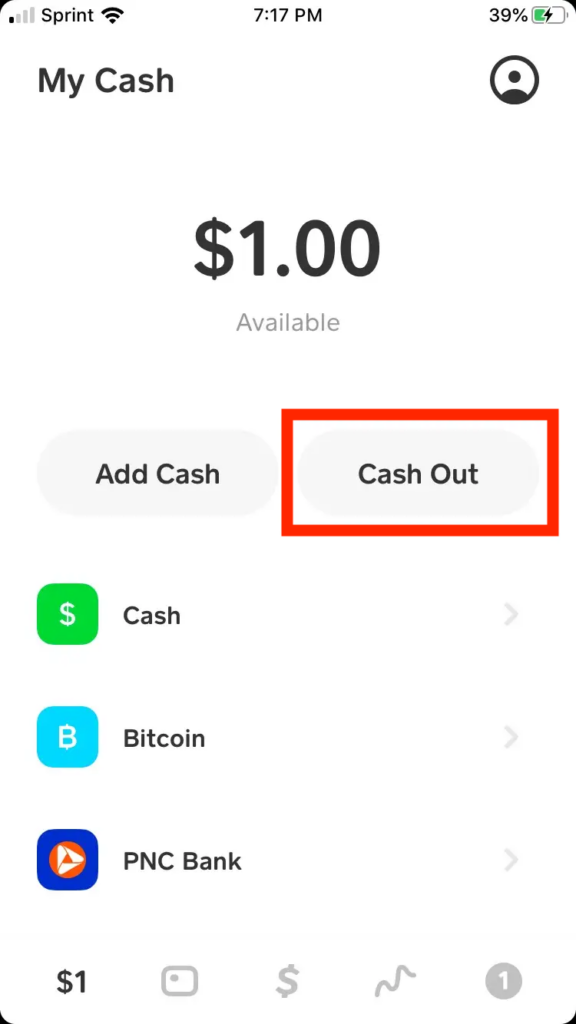
For quick transfers with a fee:
- Follow Steps 1-4 for Standard Deposit: Navigate to the Banking tab, tap your balance, tap “Cash Out,” and enter the amount.
- Choose “Instant”: On the option screen, select “Instant.”
- Review Fee: Cash App will display the exact fee for the instant transfer. Review this carefully.
- Confirm Transfer: If you agree with the fee, tap “Confirm.” The funds should appear in your linked debit card’s bank account almost immediately.
ATM Withdrawals with Your Cash Card
To get physical cash from an ATM:
- Order Your Cash Card: If you haven’t already, order your free Cash Card through the Cash App. Tap the “Cash Card” tab (the card icon) on the bottom menu and follow the instructions. It typically arrives in 7-10 business days.
- Activate Your Cash Card: Once it arrives, activate it within the app by scanning the QR code or manually entering the card details.
- Locate an ATM: Find any ATM that accepts Visa cards.
- Withdraw Cash: Insert your Cash Card, enter your PIN (which you set up in the Cash App for your Cash Card), select “Withdrawal,” choose “Checking” or “Debit,” and enter the desired amount. Remember to account for daily limits and potential fees.
Important Considerations and Best Practices
While cashing out on Cash App is generally straightforward, being aware of certain nuances and best practices can enhance your experience and financial security.
Understanding Fees and Limits
- Instant Deposit Fees: Always be mindful of the 0.5% to 1.75% fee for instant transfers. For larger amounts, this can add up. Calculate whether the urgency justifies the cost.
- ATM Fees: While Cash App waives its $2 ATM fee if you meet the direct deposit threshold ($300 in direct deposits within 31 days), the ATM operator itself might still charge a fee. Check for “surcharge-free” ATMs if possible.
- Withdrawal Limits: Cash App has limits for withdrawals. For instance, instant deposits might have a limit of $2,500 per week, and ATM withdrawals are often capped at $310 per transaction and $1,000 per day. These limits are subject to change and may vary based on your account verification status. Verified accounts typically have higher limits.
Security Tips for Cashing Out
Security is paramount when dealing with your money.
- Enable Security Locks: Always use a PIN, Touch ID, or Face ID to protect your Cash App account.
- Verify Bank Details: Double-check that you’re sending funds to the correct linked bank account or debit card, especially for instant transfers. Errors can be difficult to reverse.
- Beware of Scams: Cash App support will never ask for your sign-in code, PIN, or full debit card number outside of the secure app interface. Be wary of phishing attempts or individuals asking you to send money to “unlock” funds.
- Public Wi-Fi: Avoid conducting financial transactions, including cashing out, on unsecured public Wi-Fi networks where your data could be intercepted.
Troubleshooting Common Issues
Despite its simplicity, you might encounter occasional issues when cashing out.
- Funds Not Arriving (Standard Deposit): If a standard deposit takes longer than 3 business days, first check your bank statement. If it’s still missing, contact Cash App support through the app.
- Instant Deposit Failed: This could be due to incorrect debit card details, bank issues, or exceeding limits. Check your Cash App activity feed for error messages and verify your linked debit card.
- ATM Withdrawal Problems: Ensure your Cash Card is active and you have sufficient balance. If the ATM declines the transaction, try another ATM or verify with Cash App support.
- Account Verification: Many issues, especially related to limits, can be resolved by fully verifying your Cash App account with your full name, date of birth, and the last four digits of your Social Security Number.
When to Choose Each Method
Your choice of cashing out method should align with your immediate financial needs:
- Standard Deposit: Best for routine transfers, saving money on fees, and when you can wait a few days for funds.
- Instant Deposit: Ideal for urgent expenses, weekend transfers, or when you need immediate access to funds. The fee is a trade-off for speed.
- Cash Card (ATM): Perfect for when you need physical cash quickly and don’t want to involve your primary bank account directly. Also useful for spending directly without transferring.
Maximizing Your Cash Out Experience
Beyond just knowing how to perform the transaction, strategic thinking about your Cash App usage can further optimize your financial management.
Planning Your Withdrawals
Consider your financial rhythm. If you regularly receive payments via Cash App, plan your withdrawals to minimize fees. For example, if you need funds monthly, a single standard deposit might be more economical than multiple instant transfers. Consolidate smaller amounts into one larger transfer if possible, especially for instant deposits where the percentage fee could be less noticeable on a larger sum than on multiple small ones. Also, explore setting up direct deposit with your employer to Cash App if it aligns with your financial goals, as it offers the benefit of waiving ATM fees.
Leveraging Cash App’s Features for Financial Management
While this guide focuses on cashing out, remember that Cash App is a powerful financial tool. Utilize its other features strategically to reduce the need for constant transfers:
- Spend Directly with the Cash Card: For everyday purchases, using your Cash Card directly linked to your Cash App balance can eliminate the need to cash out altogether. This is often the most efficient way to use your funds.
- Budgeting: Use the activity tracker within Cash App to monitor your spending and incoming funds, helping you make informed decisions about when and how much to cash out.
- Boosts: Take advantage of “Boosts” on your Cash Card, which provide instant discounts at various merchants. This can indirectly save you money, enhancing the value of your Cash App balance.
By integrating Cash App thoughtfully into your overall financial ecosystem, you can ensure that your funds are always accessible, manageable, and working for you.

Conclusion
Cashing out on Cash App is a simple yet crucial aspect of digital personal finance. Whether you opt for the free, standard deposit to your bank, the quick convenience of an instant transfer, or the flexibility of an ATM withdrawal with your Cash Card, Cash App provides robust options to ensure your money is accessible when you need it. By understanding each method, being mindful of fees and limits, and adhering to best security practices, you can confidently manage your funds and seamlessly integrate Cash App into your broader financial strategy. Embrace the power of choice and control over your digital finances, making your money work for you, on your terms.
aViewFromTheCave is a participant in the Amazon Services LLC Associates Program, an affiliate advertising program designed to provide a means for sites to earn advertising fees by advertising and linking to Amazon.com. Amazon, the Amazon logo, AmazonSupply, and the AmazonSupply logo are trademarks of Amazon.com, Inc. or its affiliates. As an Amazon Associate we earn affiliate commissions from qualifying purchases.