
Cash App has cemented its place as a cornerstone in the digital financial landscape, offering a swift and seamless way to manage money, send funds to friends, and even invest. While many users are familiar with the physical Cash Card, a common query arises: “How can I make payments using Cash App if I don’t have my card on hand, or prefer not to use it?” The answer lies in Cash App’s robust digital ecosystem, which provides multiple avenues for cardless transactions, leveraging its app-centric design and various integrated features. This guide delves into the technological functionalities that enable you to pay with Cash App purely through its digital interface, without ever needing to swipe or insert a physical card.

Understanding Cash App’s Cardless Payment Ecosystem
At its core, Cash App functions as a versatile digital wallet, designed to operate primarily through your smartphone. This inherent digital nature means that many of its payment functionalities are built to bypass the traditional need for a physical card. Instead, it relies on your linked bank accounts, your in-app balance, and innovative virtual card technology to facilitate transactions.
The Digital Wallet Paradigm
Cash App embodies the modern digital wallet concept. Unlike traditional banks that primarily issue physical debit or credit cards tied to an account, Cash App allows you to load funds directly into your in-app balance. This balance becomes your primary source for digital payments. Whether you receive money from a friend, transfer funds from a linked bank account, or have your paycheck direct deposited, these funds reside within the app, ready for use. This model significantly reduces reliance on physical payment instruments, shifting the focus to mobile-first transactions.
Beyond the Physical Card: Fund Sources
Your ability to pay without a physical card hinges on understanding where your funds originate and reside within Cash App.
- Cash App Balance: This is the most direct source. Money you receive via P2P transfers, direct deposits, or bank transfers accumulates here. Any payment initiated within the app will first attempt to draw from this balance.
- Linked Bank Account: Even without transferring funds to your Cash App balance, a securely linked bank account (via Plaid or similar integrations) can serve as an immediate backup or direct source for certain transactions, especially if your Cash App balance is insufficient. The app acts as a secure intermediary, facilitating the transfer or payment directly from your bank.
- Virtual Cash Card: This is arguably the most powerful tool for cardless payments. Every Cash App account automatically receives a virtual debit card. This virtual card has its own unique 16-digit number, expiration date, and CVV code, mirroring a physical card but existing solely within the app.
Direct Payment Methods Using Your Cash App Balance
The most straightforward ways to pay without a physical card involve leveraging your existing Cash App balance or using the app’s direct payment features with merchants.
Peer-to-Peer (P2P) Transfers
This is Cash App’s foundational feature and perhaps the most common cardless transaction.
- Open Cash App: Launch the application on your smartphone.
- Navigate to the Payment Screen: Tap the “$ ” icon (payment tab) at the bottom center of the screen.
- Enter Amount: Input the amount you wish to send.
- Select “Pay”: Tap the “Pay” button.
- Identify Recipient: Enter the recipient’s $Cashtag, phone number, or email address.
- Add Optional Memo: Include a note about the payment.
- Confirm & Send: Review the details and tap “Pay” again to complete the transaction.
Funds are debited directly from your Cash App balance (or linked bank account if the balance is insufficient) and instantly sent to the recipient’s Cash App account. This method entirely bypasses the need for any card details.
Paying Businesses with $Cashtag or QR Codes
An increasing number of businesses, especially small to medium-sized enterprises and freelancers, are adopting Cash App as a payment method.
- Merchant’s $Cashtag: If a business provides their unique $Cashtag, you can use the P2P transfer method described above, entering their $Cashtag as the recipient.
- QR Code Payments: Some merchants display a Cash App QR code.
- Open Cash App: Tap the square scanner icon in the top-right corner of the home screen.
- Scan QR Code: Position your phone’s camera over the merchant’s QR code.
- Enter Amount (if not pre-filled): Input the payment amount if it’s not automatically populated.
- Confirm: Review the details and confirm the payment.
This method is incredibly efficient for in-person transactions where a physical card reader might not be available or preferred.
Online Purchases with Cash App Pay
While not as ubiquitous as other payment gateways, Cash App is gradually integrating its own “Cash App Pay” option at some online retailers. When available at checkout:
- Select Cash App Pay: On the merchant’s checkout page, choose Cash App Pay as your payment method.
- Authenticate: You will typically be redirected to your Cash App (or prompted to log in) to authorize the payment.
- Confirm: Confirm the transaction details within the app.
This is a direct, secure way to pay online from your Cash App balance without exposing any card details.
Leveraging Cash App for Online Payments Without a Physical Card
For situations where a merchant doesn’t offer direct Cash App Pay or a $Cashtag option, your virtual Cash Card becomes an invaluable tool for cardless payments.

The Virtual Cash Card: Your Digital Debit Solution
Every Cash App user automatically gets a virtual Cash Card. This digital card functions identically to a physical debit card for online transactions, providing a 16-digit card number, an expiration date, and a CVV code.
- Access Virtual Card Details:
- Open Cash App.
- Tap the card icon (usually bottom-left).
- Your virtual card will be displayed. Tap “Show Card Number” (or similar) and enter your PIN or use biometrics to reveal the full card details.
- Using it Online: When making an online purchase, simply input these virtual card details (card number, expiry, CVV) into the credit/debit card fields during checkout, just as you would with a physical card. The transaction will draw funds from your Cash App balance.
Adding Virtual Card to Digital Wallets (Apple Pay/Google Pay)
For in-store “tap-to-pay” convenience, you can add your virtual Cash Card to your smartphone’s native digital wallet (Apple Pay for iOS users, Google Pay for Android users).
- From Cash App:
- Tap the card icon.
- Select “Add to Apple Pay” or “Add to Google Pay.”
- Follow the on-screen prompts to link your virtual card.
- From Apple Wallet/Google Wallet App:
- Open your phone’s digital wallet app.
- Select “Add Card” or the “+” icon.
- Choose “Debit Card” and manually enter the virtual Cash Card details found in your Cash App.
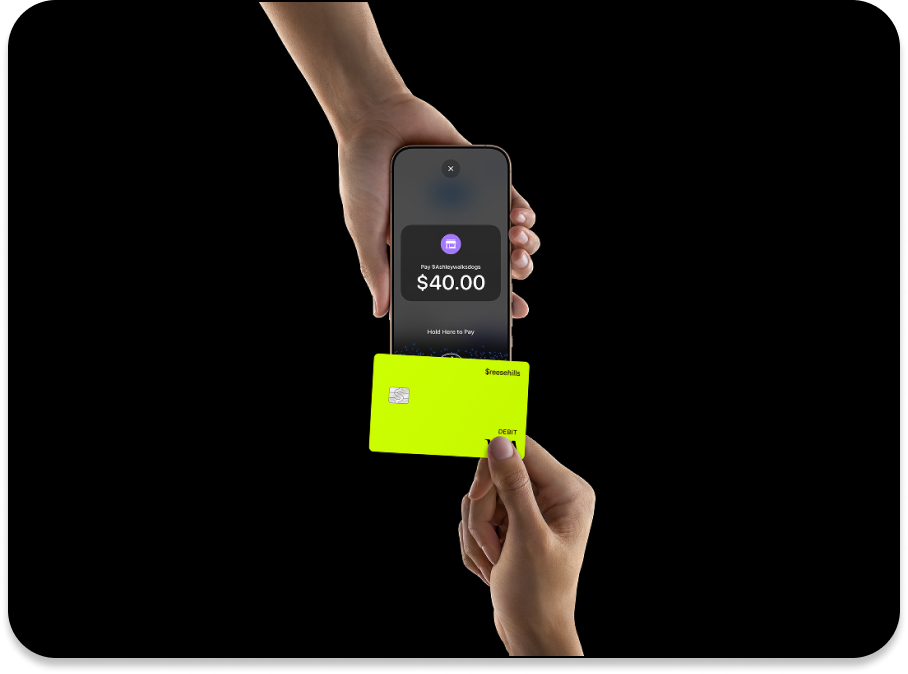
Once added, you can make in-store purchases at any terminal that accepts contactless payments by simply tapping your phone, without needing your physical Cash Card. The transaction draws from your Cash App balance.
Browser Autofill and Stored Payment Methods
To streamline online shopping, consider these tech tips:
- Browser Autofill: Most web browsers offer an autofill feature for payment information. Once you’ve entered your virtual Cash Card details for an online purchase, your browser may prompt you to save them. This allows for quick, one-click checkout on future visits.
- Merchant Stored Payments: Many e-commerce sites allow you to save payment methods to your account. You can save your virtual Cash Card details securely with your favorite online retailers, enabling faster checkouts without re-entering card numbers. Ensure the merchant uses robust security protocols for stored payment information.
Funding Your Cash App Balance for Cardless Payments
To consistently make cardless payments, your Cash App balance needs to be sufficiently funded. Cash App offers several convenient ways to ensure your digital wallet is always ready.
Linking Bank Accounts Directly
This is the most common method for ensuring funds are available.
- Open Cash App: Go to the banking tab (house icon or bank icon).
- Link Bank: Tap “Link Bank” and follow the prompts. You’ll typically use Plaid to securely connect your bank account by logging in with your bank’s credentials.
- Add Cash: Once linked, you can tap “Add Cash” from the banking tab, enter an amount, and instantly transfer funds from your linked bank account to your Cash App balance.
Receiving Direct Deposits
For regular funding, direct deposit is highly efficient.
- Access Direct Deposit Info: From the banking tab, tap “Direct Deposit.”
- Find Account Details: Cash App provides a routing number and account number unique to your Cash App account.
- Provide to Employer/Payer: Give these details to your employer, government agency, or any other payer, just like you would for a traditional bank account.
Funds are automatically deposited into your Cash App balance, making them immediately available for any cardless payment method.
Receiving Peer-to-Peer Payments
As mentioned earlier, receiving money from friends, family, or clients via their $Cashtag, phone, or email instantly adds funds to your Cash App balance, making it available for your spending.
Security, Tips, and Troubleshooting for Cardless Payments
While convenient, it’s crucial to prioritize security and understand how to manage your cardless payment experience effectively.
Digital Security Best Practices
- Strong PIN/Biometrics: Always protect your Cash App with a strong PIN, Face ID, or fingerprint authentication. This prevents unauthorized access even if your phone is compromised.
- Two-Factor Authentication (2FA): Enable 2FA for an extra layer of security, requiring a code from a secondary device for login attempts.
- Beware of Scams: Be vigilant against phishing attempts, fake support accounts, and requests for your PIN or login details. Cash App will never ask for your PIN.
- Monitor Activity: Regularly check your transaction history within the app for any suspicious or unauthorized payments.
Managing Your Virtual Card
- Lock/Unlock: In the card tab, you can instantly “Lock Card” (both physical and virtual) if you suspect unauthorized use or if your phone is lost. This immediately prevents any transactions. Unlock it when you’re ready to use it again.
- Review Transactions: Your activity feed provides a detailed record of all transactions made using your virtual card or other payment methods.
- Report Issues: If you notice any fraudulent activity, immediately lock your card and contact Cash App support through the app.
Common Issues and Solutions
- Insufficient Funds: Ensure your Cash App balance or linked bank account has enough money to cover the payment.
- Incorrect Virtual Card Details: Double-check that you’ve entered the 16-digit card number, expiration date, and CVV correctly during online purchases.
- Merchant Not Accepting: Not all merchants accept Cash App Pay directly, and some smaller online stores might not support virtual card payments if their system requires specific verification not compatible with Cash App’s virtual card issuer. In such cases, a different payment method might be necessary.
- Network Issues: Ensure you have a stable internet connection for smooth transactions.
In conclusion, Cash App offers a comprehensive suite of tools that make paying without a physical card not just possible, but exceptionally convenient. From direct peer-to-peer transfers and merchant QR code payments to the versatile virtual Cash Card that integrates with online stores and mobile wallets, the platform leverages technology to provide a seamless, secure, and cardless financial experience. By understanding and utilizing these features, users can fully embrace the digital-first approach to managing their money and making payments in today’s fast-evolving technological landscape.
aViewFromTheCave is a participant in the Amazon Services LLC Associates Program, an affiliate advertising program designed to provide a means for sites to earn advertising fees by advertising and linking to Amazon.com. Amazon, the Amazon logo, AmazonSupply, and the AmazonSupply logo are trademarks of Amazon.com, Inc. or its affiliates. As an Amazon Associate we earn affiliate commissions from qualifying purchases.