
In the contemporary digital landscape, the transition from traditional retail to e-commerce is no longer a luxury but a fundamental necessity for survival. At the heart of this revolution is Shopify, a robust Software-as-a-Service (SaaS) platform that has democratized the ability to sell online. However, “using” Shopify effectively requires more than just uploading a few photos; it demands a deep dive into the technical architecture, configuration settings, and integration capabilities that make the platform a powerhouse for global commerce. This guide explores the technical roadmap to launching and optimizing a Shopify store, ensuring that your digital infrastructure is as resilient as it is scalable.

Navigating the Shopify Infrastructure: Core Configuration and Architecture
Before a single product can be sold, the foundation of the store must be architected with precision. Shopify functions as a cloud-based multi-tenant platform, meaning the heavy lifting of server maintenance and security is handled by the provider. However, the technical configuration of your specific instance is entirely within your control.
Initial Setup and Domain Mapping
The first step in using Shopify is the configuration of the administrative backend. This involves setting up your general store settings, which serve as the “brain” of your operation. From a technical standpoint, the most critical initial task is domain mapping. While Shopify provides a default .myshopify.com URL, professional operations require a custom Domain Name System (DNS) configuration.
To link a custom domain, you must navigate your domain registrar’s settings to point your A record to Shopify’s IP address (23.227.38.65) and your CNAME record to shops.myshopify.com. This technical handshake ensures that traffic is correctly routed through Shopify’s global Content Delivery Network (CDN), providing low-latency access for users regardless of their geographical location.
Choosing and Customizing the Right Liquid-Based Theme
The visual and functional layer of a Shopify store is governed by its theme. Shopify themes are built using “Liquid,” an open-source template language created by Shopify and written in Ruby. When selecting a theme, it is vital to look beyond aesthetics and evaluate the technical “cleanliness” of the code.
A well-architected theme minimizes render-blocking JavaScript and prioritizes CSS efficiency. Once a theme is selected, users can utilize the “Online Store 2.0” framework, which allows for a modular approach to web design. This technical shift enables merchants to add “sections” and “blocks” to any page, not just the homepage, providing a level of customization that previously required manual code overrides. For those with developer skills, the code editor allows for direct manipulation of .liquid, .json, and .css files, offering granular control over the store’s Document Object Model (DOM).
Managing Data and Operations: Products, Inventory, and Collections
The core of any e-commerce platform is its database management. On Shopify, this revolves around the Product Information Management (PIM) system. Understanding how Shopify handles data is essential for maintaining a synchronized and searchable storefront.
Bulk Data Import and Product SEO Schema
For stores with extensive catalogs, manual entry is inefficient. Shopify utilizes CSV (Comma Separated Values) files for bulk data management. Mastering the CSV format is a technical requirement for high-volume merchants. This includes mapping headers correctly for SKUs (Stock Keeping Units), handles (URL slugs), and image variants.
Furthermore, every product page must be optimized for search engine crawlers. From a technical perspective, this means utilizing Shopify’s built-in fields for Meta Titles and Meta Descriptions. More importantly, Shopify automatically generates JSON-LD (JavaScript Object Notation for Linked Data) for your products. This structured data tells search engines exactly what the price, availability, and reviews are, allowing your products to appear as “Rich Snippets” in search results, which significantly improves click-through rates.
Leveraging Automated Collections for Dynamic Merchandising
Organization in Shopify is handled through “Collections.” While manual collections exist, technical proficiency lies in mastering “Automated Collections.” These utilize a logic-based system where products are grouped based on specific conditions—such as product tags, price points, weight, or inventory levels.
By using a tagging system (e.g., tagging all winter items with “Winter2024”), the system automatically populates the collection. This reduces administrative overhead and ensures that as new inventory is added via the API or CSV import, it is instantly categorized correctly across the site. This programmatic approach to merchandising ensures that the store remains organized without constant manual intervention.
Extending Functionality: The Shopify App Ecosystem and API Integrations
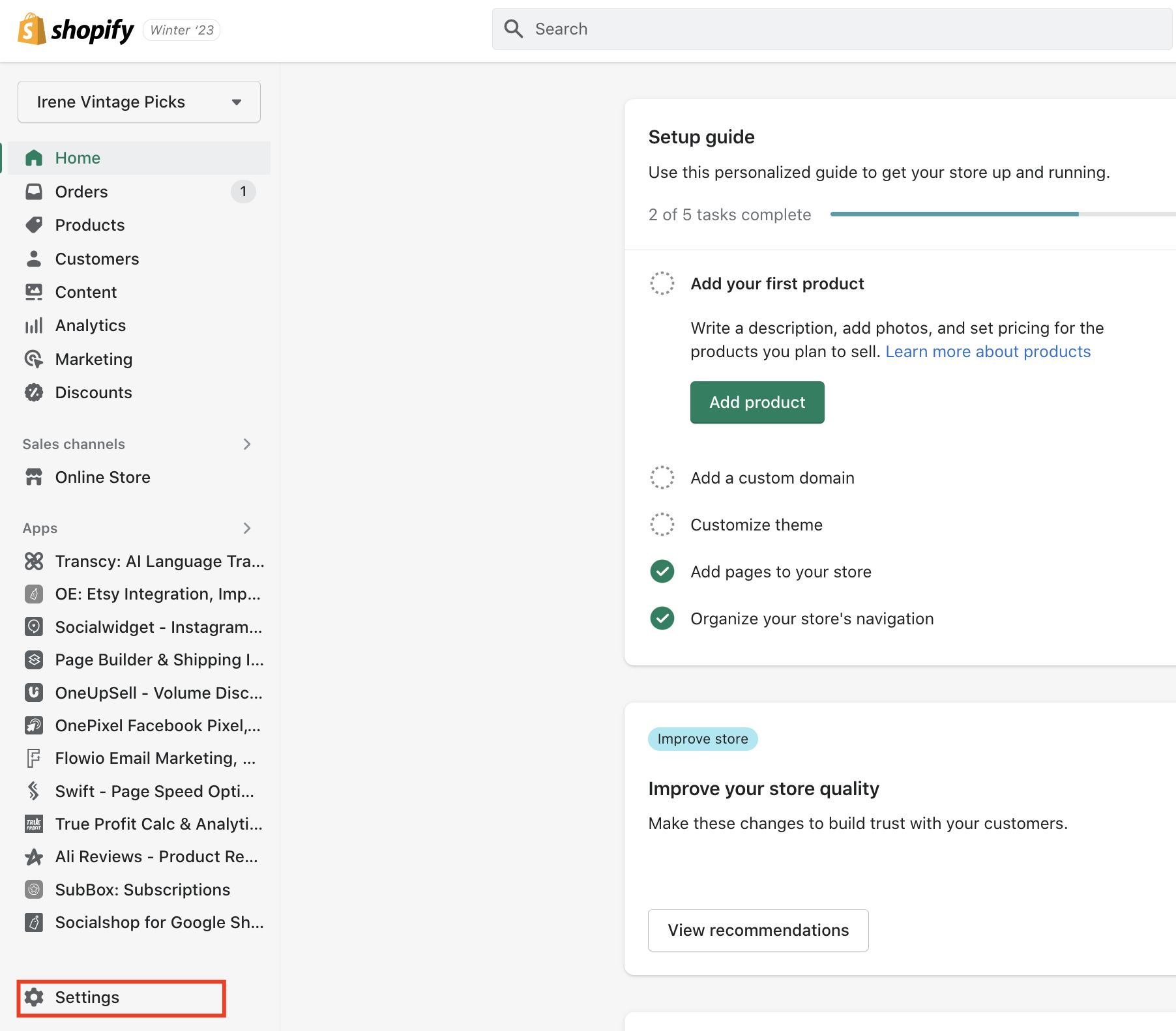
No software can be everything to everyone. Shopify’s true power lies in its extensibility through the Shopify App Store and its robust API (Application Programming Interface).
Essential App Categories for Performance and Security
When using Shopify, “apps” are essentially plugins that inject additional code or connect to external servers to provide new features. However, from a technical standpoint, every app added to a store can potentially slow down the site by adding extra HTTP requests.
Technical users should prioritize apps that solve core functional gaps, such as:
- Customer Service Tools: Integrating helpdesk software via API to centralize communication.
- Advanced Filtering: Using apps that leverage search APIs to provide faceted navigation (filtering by size, color, or technical specs).
- Backups and Security: While Shopify is secure, apps like Rewind provide an additional layer of data redundancy, allowing for point-in-time recovery of the store’s code and content.
Utilizing Shopify Flow for Technical Automation
For merchants on Shopify Plus or those using advanced plans, Shopify Flow is a critical technical tool. It is a low-code automation platform that allows users to create “If This, Then That” (IFTTT) workflows. For example, a user can create a workflow where if an order is flagged as high-risk by Shopify’s fraud analysis, then the order is automatically cancelled and an email is sent to the fulfillment team. This level of technical automation reduces human error and allows the business to scale its operations without a linear increase in headcount.
For developers, Shopify provides both REST and GraphQL APIs. GraphQL is particularly efficient as it allows the store to request only the specific data needed, reducing payload sizes and improving the performance of custom integrations or headless commerce builds.
Optimizing the User Experience: Checkout Customization and Site Speed
The final stage of using Shopify effectively is the optimization of the conversion funnel. This is where technical performance directly correlates with business success.
Mastering Shopify Checkout Extensibility
The checkout process is the most sensitive part of the e-commerce journey. Historically, the Shopify checkout was a “black box” that allowed for very little customization. However, with the introduction of “Checkout Extensibility,” technical users can now use “Checkout UI Extensions” and “Shopify Functions.”
These tools allow for the injection of custom logic directly into the checkout move—such as custom discount logic, shipping rules, or additional data collection fields—without compromising the PCI (Payment Card Industry) compliance that Shopify provides. This ensures a secure, high-performance checkout experience that can be tailored to complex business requirements.
Technical Performance Optimization and Core Web Vitals
Finally, a Shopify store must be fast. Google’s “Core Web Vitals” are a set of technical metrics that measure the user experience, including Largest Contentful Paint (LCP), First Input Delay (FID), and Cumulative Layout Shift (CLS).
To optimize these, a Shopify user must:
- Compress Assets: Ensure all images are served in next-gen formats like WebP. Shopify’s CDN does some of this automatically, but source files should be optimized.
- Minify Code: Reducing the size of CSS and JavaScript files by removing unnecessary characters.
- Lazy Loading: Implementing technical attributes that instruct the browser to only load images as they appear in the viewport.
- App Audit: Regularly reviewing the “theme.liquid” file to remove residual code left behind by uninstalled apps, which can create “ghost” requests that drag down performance.
Conclusion
Using Shopify is an iterative process of technical refinement. It begins with a solid understanding of cloud infrastructure and domain management, moves through the complexities of data architecture and automated merchandising, and culminates in the sophisticated use of APIs and performance optimization. By approaching Shopify as a technical ecosystem rather than just a simple website builder, merchants can create a digital storefront that is not only functional but also highly performant and scalable. In the fast-paced world of digital commerce, technical mastery of your platform is the ultimate competitive advantage.
aViewFromTheCave is a participant in the Amazon Services LLC Associates Program, an affiliate advertising program designed to provide a means for sites to earn advertising fees by advertising and linking to Amazon.com. Amazon, the Amazon logo, AmazonSupply, and the AmazonSupply logo are trademarks of Amazon.com, Inc. or its affiliates. As an Amazon Associate we earn affiliate commissions from qualifying purchases.