
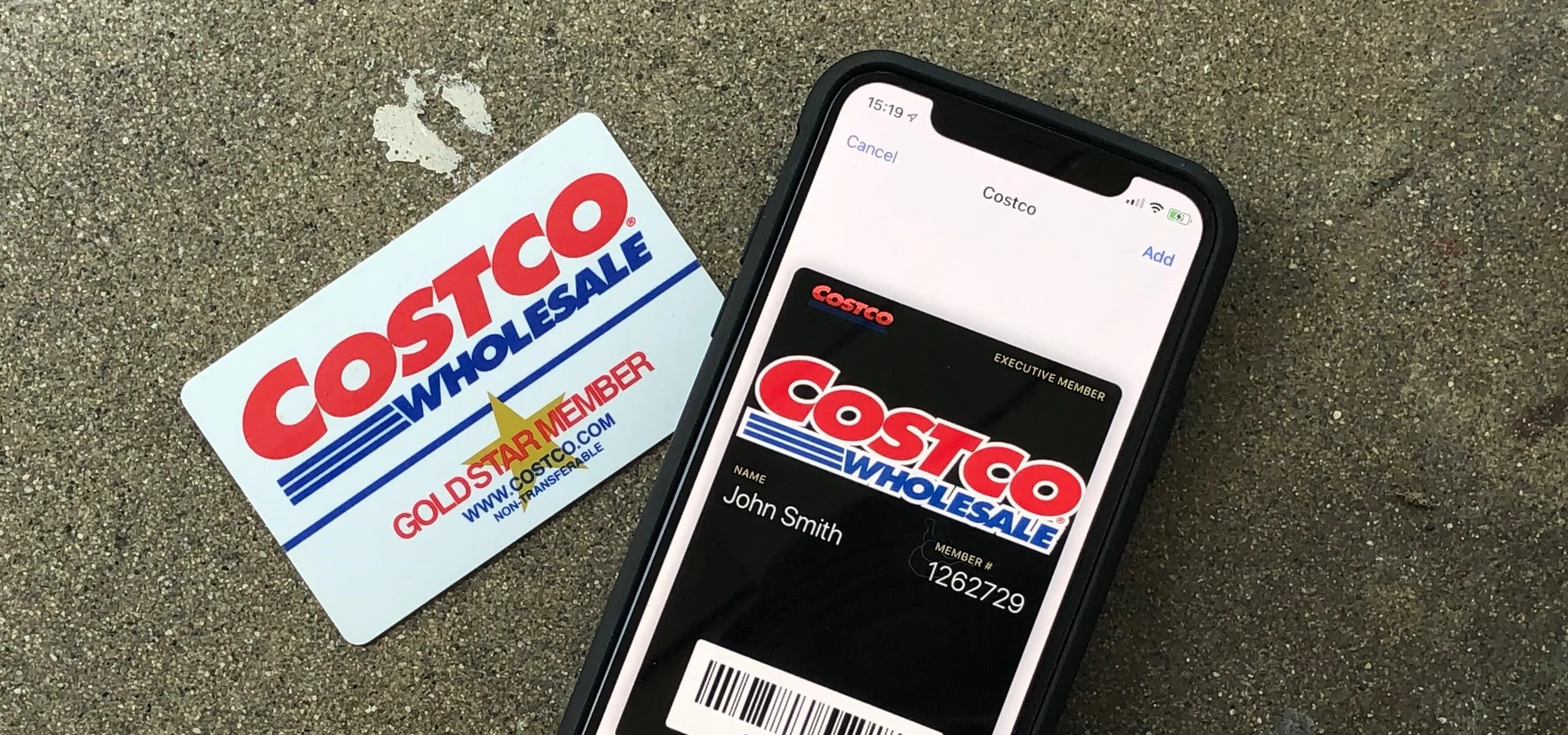
In an increasingly digital world, the convenience of having essential cards readily accessible on your smartphone is not just a luxury, but a growing expectation. Apple Wallet, a cornerstone of Apple’s ecosystem, has revolutionized how users manage everything from payment cards to boarding passes. For the savvy shopper and technophile alike, integrating loyalty and membership cards into this digital hub streamlines the retail experience, making physical wallets somewhat obsolete. This guide delves into the technical intricacies and user-centric benefits of adding your Costco membership card to Apple Wallet, exploring the ‘how-to’ alongside the broader implications for digital convenience and security.
The Digital Transformation of Loyalty: Why Apple Wallet Matters
The evolution of retail and consumer technology has steadily pushed towards a more integrated, digital experience. From the introduction of credit cards to the widespread adoption of NFC payments, the trajectory has always been towards speed, security, and convenience. Apple Wallet stands at the forefront of this transformation, acting as a central repository for various digital credentials. Its appeal lies not just in its sleek interface, but in its robust security protocols and seamless integration with the iOS ecosystem.
Understanding Apple Wallet’s Ecosystem and Capabilities
Apple Wallet is more than just a place to store credit and debit cards for Apple Pay. It’s a versatile application designed to house a myriad of digital passes, including event tickets, boarding passes, student ID cards, transit cards, and crucially, loyalty and membership cards. The underlying technology leverages NFC (Near Field Communication) for payments and QR codes/barcodes for other passes, providing a comprehensive solution for reducing physical clutter and enhancing user interaction. For a membership like Costco, which traditionally relies on a physical card for entry and checkout, transitioning to a digital format within Apple Wallet offers a significant leap in operational efficiency and user convenience.
The Value Proposition for Costco Members
Costco’s membership model is unique, requiring a valid card for both entry and purchases. While their own mobile app has offered a digital membership card for some time, integrating this into Apple Wallet provides an additional layer of convenience, particularly for those who prefer to consolidate all their digital assets in one place. It means one less app to open, and a quicker access point during busy shopping trips. From a technological standpoint, it signifies a commitment to modernizing the customer journey, aligning with the broader trend of digital accessibility. This shift also reflects consumer demand for faster, more intuitive interactions, minimizing friction points at the point of sale and entry.
Security and Privacy: Cornerstones of Digital Wallet Technology
A critical aspect of any digital solution involving personal identification and financial transactions is security. Apple Wallet employs advanced security features to protect user data. For payment cards, it uses tokenization, where actual card numbers are never stored on the device or shared with merchants. For loyalty cards, while the data is less sensitive than financial information, Apple Wallet still operates within the secure enclave of the iPhone, protecting against unauthorized access. This emphasis on privacy and security is paramount, fostering user trust and encouraging widespread adoption of digital wallet technologies. For Costco members, this means their membership details are not only conveniently accessible but also protected by Apple’s robust security architecture.
Step-by-Step Guide: Integrating Your Costco Membership into Apple Wallet
Adding your Costco membership card to Apple Wallet is a straightforward process, primarily leveraging the existing Costco mobile application. Unlike some credit cards that can be added directly through the Wallet app, membership cards often require a brief detour through the issuing brand’s own digital portal to ensure authenticity and proper linkage.
Prerequisites for a Seamless Integration
Before you begin, ensure you meet the following requirements:
- An active Costco Membership: You must have a current, valid Costco membership.
- An Apple iPhone or Apple Watch: Your device must be running a recent version of iOS or watchOS to support Apple Wallet functionality.
- The Costco Mobile App: Download and install the official Costco app from the Apple App Store.
- Internet Connection: A stable internet connection is required to authenticate your membership and add it to your digital wallet.
- Costco.com Account: You’ll need to be logged into your Costco.com account within the Costco app. If you don’t have one, you can easily create it and link your membership.
Method 1: Utilizing the Costco App for Direct Addition
This is the primary and most recommended method for adding your Costco membership card. The Costco app is designed to facilitate this integration smoothly.
- Open the Costco Mobile App: Launch the app on your iPhone.
- Log In: Ensure you are logged into your Costco.com account that is linked to your active membership.
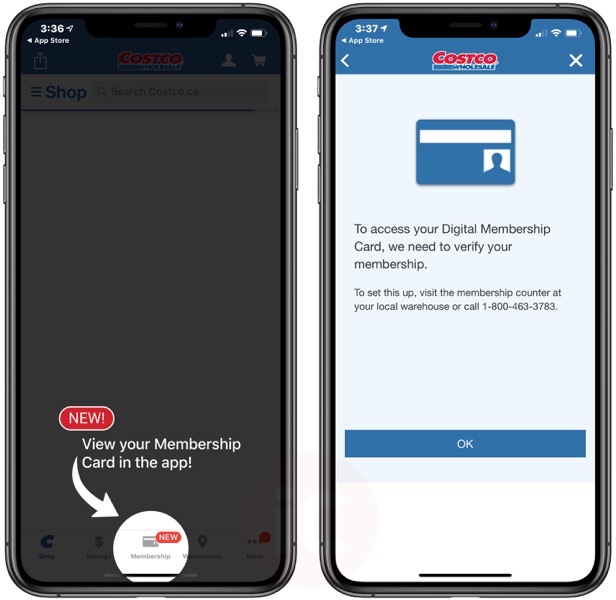
- Navigate to the Membership Section: Look for a section related to “Membership Card,” “My Account,” or a similar option. Often, there’s an icon that visually represents your membership card.
- Display Your Digital Card: Once you find your digital membership card within the app, there should be an option to “Add to Apple Wallet,” “Add to Wallet,” or an Apple Wallet icon prominently displayed.
- Confirm Addition: Tap this option. Your iPhone will then prompt you to confirm adding the card to Apple Wallet. Review the details and tap “Add.”
- Verification: Your Costco membership card should now appear in your Apple Wallet. You can access it by double-clicking the side button (or home button on older iPhones) or opening the Wallet app directly.
Method 2: Considerations for Manual Addition (Limited for Membership Cards)
While Apple Wallet does offer a “Scan Code” or “Add Pass” option for general passes, membership cards like Costco’s are almost universally designed to be added through the brand’s dedicated app. Attempting to manually add a Costco card by scanning a barcode might not link it correctly to your active membership account or display all necessary details for entry and purchase. The preferred method remains using the Costco app, which ensures proper authentication and integration. This is a key technical distinction: unlike a simple QR code pass, a membership card often requires dynamic data linkage to a live account.
Verifying Your Card’s Presence and Functionality
Once added, open your Apple Wallet to confirm the Costco card is present. You can reorganize your cards by dragging them to your preferred order. To test its functionality, the next time you visit Costco, try using the digital card at the entrance or checkout. The barcode or QR code displayed in your Apple Wallet should be scannable by Costco’s systems, granting you entry and enabling purchases. If you encounter any issues, ensure your iPhone screen brightness is sufficient for scanning, and that the Costco app (and subsequently the Wallet app) is properly linked to your active membership.
Enhancing Your Costco Experience with Apple Wallet Integration
The integration of your Costco membership card into Apple Wallet extends beyond mere convenience; it subtly enhances the entire shopping journey through improved accessibility, security, and a touch of modern efficiency.
Streamlined Access and Checkout
The most immediate benefit is the speed and ease of access. No more fumbling for your physical card in a crowded wallet. A quick double-tap of the side button brings up your Apple Wallet, with your Costco card potentially configured as one of your frequently used passes. This reduces friction at the entrance and checkout, especially during peak hours. The digital card also means you’re never caught without your membership, provided you have your iPhone. This technological convenience is particularly appreciated in fast-paced retail environments like Costco.
Leveraging Apple Wallet’s Security Features for Loyalty Cards
While primarily known for securing payments, Apple Wallet’s underlying security architecture benefits loyalty cards too. Your membership number and associated barcode are contained within the iPhone’s secure environment. Should your phone be lost or stolen, features like Face ID or Touch ID prevent unauthorized access to your Wallet and its contents. Furthermore, Apple’s commitment to user privacy means that your usage data from loyalty cards is not indiscriminately collected or shared by Apple, maintaining a higher standard of digital privacy compared to some other platforms. This focus on digital security extends to the very integrity of your membership, making digital presentation reliable.
Troubleshooting Common Issues
Despite the seamless design, occasional issues can arise. Here’s how to address them:
- Card Not Appearing: Ensure you completed all steps in the Costco app. If it still doesn’t appear, try restarting your iPhone and repeating the process. Verify your internet connection.
- Scanning Difficulties: Check your screen brightness. Some scanners struggle with reflections or very low brightness. Ensure the barcode is fully visible and not partially obscured by the notch or gestures.
- Membership Deactivated: If your Costco membership has expired or is inactive, the digital card will not function. Renew your membership, and the digital card should reactivate automatically or require a refresh through the Costco app.
- Multiple Accounts: If you have multiple Costco memberships (e.g., business and personal), ensure the correct one is linked to your Costco.com account and subsequently added to Apple Wallet.
- App Glitches: Occasionally, the Costco app itself might have a temporary glitch. Try force-closing and reopening the app, or reinstalling it if the problem persists.
The Future of Digital Loyalty and Retail Technology
Integrating a Costco card into Apple Wallet is more than just a convenience; it’s a testament to the ongoing digital transformation of retail and consumer behavior. This move aligns with broader technological trends emphasizing mobile-first experiences, contactless interactions, and personalized customer journeys.
Expanding the Digital Ecosystem
The success of digital wallets in handling loyalty cards paves the way for even deeper integrations. Imagine personalized offers pushed directly to your Wallet based on your shopping habits, or automatic application of coupons without physical clipping. The underlying technology – APIs, NFC, secure data transfer – already exists to facilitate these advanced scenarios. For tech companies like Apple, further expanding Wallet’s capabilities to encompass a wider array of passes and smart functionalities will solidify its position as an indispensable tool for the modern consumer.
The Role of APIs and SDKs in Seamless Integration
Behind the scenes, the seamless addition of loyalty cards often relies on robust Application Programming Interfaces (APIs) and Software Development Kits (SDKs) provided by platforms like Apple. These tools allow developers at companies like Costco to build direct bridges between their own applications and Apple Wallet, ensuring data integrity, security, and a consistent user experience. This technical backbone is crucial for fostering an interconnected digital ecosystem where different services can communicate and collaborate effectively, ultimately benefiting the end-user with frictionless interactions.

Towards a Cardless and Cashless Society
The journey towards a fully cardless and cashless society is an ongoing one, with digital wallets playing a pivotal role. Every card that moves from a physical wallet to a digital one represents a step in this direction. For major retailers like Costco, embracing and facilitating this digital shift is not merely about staying current, but about meeting evolving customer expectations and leveraging technology to create more efficient, secure, and ultimately more satisfying shopping experiences. As technology continues to advance, we can anticipate even more sophisticated integrations, further blurring the lines between the physical and digital aspects of our daily lives.
In conclusion, adding your Costco card to Apple Wallet is a simple yet impactful step towards optimizing your shopping experience through technology. It embodies the principles of convenience, security, and efficiency that define modern digital living, and highlights the ongoing evolution of how we interact with brands and manage our personal assets in a connected world.
aViewFromTheCave is a participant in the Amazon Services LLC Associates Program, an affiliate advertising program designed to provide a means for sites to earn advertising fees by advertising and linking to Amazon.com. Amazon, the Amazon logo, AmazonSupply, and the AmazonSupply logo are trademarks of Amazon.com, Inc. or its affiliates. As an Amazon Associate we earn affiliate commissions from qualifying purchases.