
In an increasingly digital world, managing your money has become more flexible and accessible than ever before, with platforms like Cash App leading the charge. For many, the Cash App Card serves as a crucial link between their digital funds and everyday spending. But the fundamental question remains for new and even some seasoned users: “Where can I add cash to my Cash App Card?” This guide will demystify the process, exploring every viable avenue to ensure your Cash App Card is always ready for use, empowering you with greater control over your personal finance.

Cash App has evolved beyond a simple peer-to-peer payment service into a robust financial tool, offering banking-like features, investment options, and a debit card that draws directly from your Cash App balance. Understanding how to effectively fund this card is not just about convenience; it’s about seamlessly integrating a powerful financial instrument into your daily life. Whether you prefer the speed of digital transfers or the hands-on approach of in-person deposits, Cash App offers multiple pathways tailored to diverse needs, all designed to put you in command of your money.
The Essentials of Your Cash App Card: A Gateway to Modern Finance
Before diving into the specifics of how to add money, it’s crucial to grasp what the Cash App Card is and its integral role in your financial ecosystem. This understanding forms the bedrock for optimizing your funding strategies and leveraging the full potential of your Cash App account.
What is the Cash App Card and Why Fund It?
The Cash App Card, officially known as the Cash Card, is a free, customizable Visa debit card that is directly linked to your Cash App balance. Unlike traditional bank debit cards that draw funds from a checking account, the Cash Card spends the money you have stored in your Cash App account. This distinction is vital: if your Cash App balance is zero, your Cash Card cannot be used for purchases, regardless of how much money you might have in a linked bank account.
The primary purpose of funding your Cash App Card is to enable direct spending using your Cash App balance. This opens up a world of possibilities:
- Everyday Purchases: Use it anywhere Visa debit cards are accepted, online or in physical stores.
- ATM Withdrawals: Access cash from your balance at ATMs (fees may apply).
- Budgeting: It can serve as a dedicated spending card, helping you manage specific budgets separately from your main bank account.
- Access to Funds: For those who primarily receive money via Cash App (e.g., freelancers, P2P payments), the card provides immediate access to those funds without needing to transfer them to an external bank first.
- Exclusive Boosts: Cash App offers “Boosts” – instant discounts at specific merchants – which are directly applied when you use your Cash Card. A funded card is essential to take advantage of these savings.
Preparing Your Account for Seamless Deposits
To ensure a smooth experience when adding funds, a few preparatory steps are advisable. While Cash App allows basic P2P transactions without extensive verification, funding your card, especially with higher amounts, often requires a more complete profile.
- Identity Verification (KYC): For higher sending and receiving limits, and often for direct deposits or in-store cash deposits, Cash App requires users to verify their identity. This typically involves providing your full name, date of birth, and the last four digits of your Social Security Number (SSN). Full verification can unlock even higher limits and more features, making it a worthwhile step for serious users.
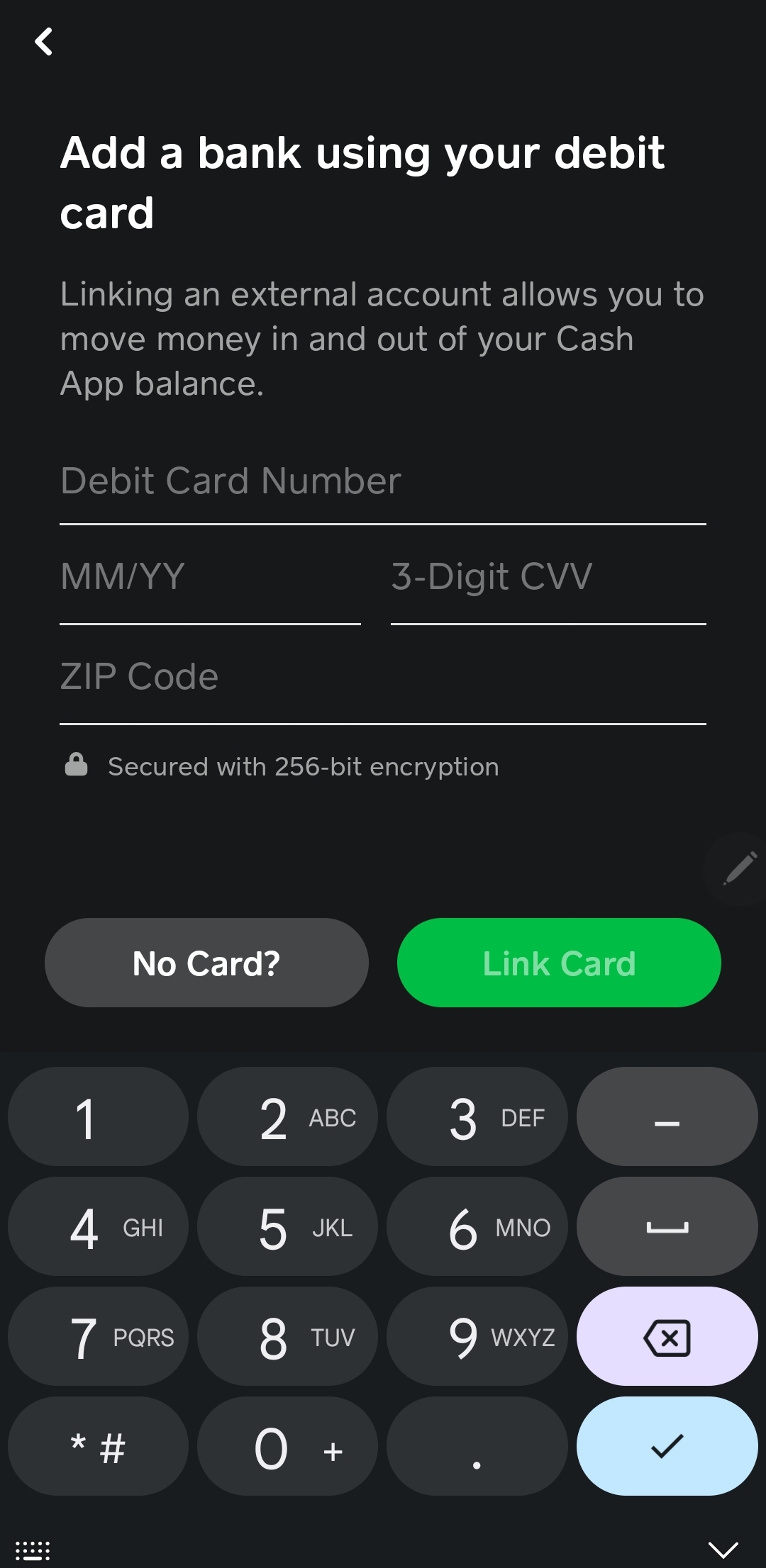
- Linking a Primary Bank Account or Debit Card: This is the most fundamental step for many digital transfers. You can link a bank account (via Plaid, requiring your bank login details) or a debit card (by entering its number, expiration, and CVV). A linked bank account or debit card serves as the source for immediate transfers into your Cash App balance, acting as your financial bridge.
- Bank Account: Ideal for larger transfers or when you don’t mind a slight delay for standard transfers.
- Debit Card: Best for instant transfers, though often associated with a small fee.
Having these elements in place streamlines the funding process, ensuring you can add cash to your Cash App Card without encountering unnecessary hurdles or limits.
Direct Digital Pathways: Funding Your Card Electronically
The most common and often fastest ways to fund your Cash App Card leverage the digital connectivity of your existing bank accounts or debit cards. These methods offer unparalleled convenience and speed, making them popular choices for everyday top-ups.
Instant Transfers from Linked Bank Accounts or Debit Cards
This is arguably the most straightforward method for many users. Once you’ve linked a bank account or debit card to your Cash App profile, you can initiate a transfer directly from within the app.
How it Works:
- Open Cash App and tap the “Banking” tab (the house icon) on the bottom left.
- Tap “Add Cash.”
- Enter the desired amount you wish to add to your Cash App balance.
- Tap “Add.”
- Confirm the transfer using your PIN or Touch ID/Face ID.
Key Considerations:
- Source: If you have multiple linked funding sources, Cash App will typically default to your debit card for instant transfers. If you want to use a linked bank account directly, you might need to adjust your settings or initiate the transfer as a standard transfer (which often takes 1-3 business days and is usually free).
- Fees: Instant deposits from a linked debit card usually incur a small fee (e.g., 0.5% to 1.75% of the transaction amount), depending on the amount and your specific setup. Standard transfers from a linked bank account are typically free but take longer.
- Limits: Cash App imposes daily and weekly limits on how much cash you can add digitally. These limits increase significantly once your identity is verified. Always check your personal limits within the app if you plan a large transfer.
Setting Up Direct Deposit for Your Paycheck or Benefits
For a truly automated and convenient way to fund your Cash App Card, direct deposit is an excellent option. This allows your employer, government benefits provider, or other payment sources to send funds directly to your Cash App balance, often making them available up to two days earlier than traditional banks.
How it Works:
- Obtain Cash App Direct Deposit Information: In the Cash App, navigate to the “Banking” tab. Here, you’ll find your unique Cash App routing number and account number. These are the details you’ll provide to your employer or benefits provider, just as you would for a regular bank account.
- Provide Information to Payer: Give these routing and account numbers to your employer’s payroll department, or enter them into the relevant portal for government benefits (e.g., unemployment, social security). You will usually need to specify the amount or percentage of your pay you wish to direct deposit to Cash App.
- Receive Funds: Once set up, your paychecks or benefits will automatically be deposited into your Cash App balance.
Benefits:
- Early Access: Funds often hit your Cash App balance up to two days earlier than traditional bank deposits.
- Automation: No manual transfers required; money flows directly into your spending account.
- No Fees: Direct deposits are typically free of charge.
Receiving Funds from Other Cash App Users (P2P)
While not a “deposit” in the traditional sense, receiving money from friends, family, or even customers via Cash App directly adds to your balance and, consequently, becomes available on your Cash App Card.
How it Works:
- Requesting Money: You can use the “Request” feature in Cash App to ask another user for a specific amount.
- Receiving Payments: If someone sends you money (e.g., using your $Cashtag, phone number, or email), the funds are automatically added to your Cash App balance.
This is a peer-to-peer transfer, and the funds are instantly available to spend with your Cash Card once received. There are no fees for receiving money from other Cash App users for personal transactions.
The In-Person Approach: Adding Cash at Retail Locations
For those who prefer to deal in physical cash or receive payments in cash, Cash App offers a convenient way to convert those physical dollars into digital funds on your Cash Card. This method leverages partnerships with various retail stores across the country.
Identifying Participating Retailers for Cash Deposits
Cash App has expanded its network of retail partners to make cash deposits widely accessible. You can typically find these services at:
- Walmart
- Walgreens
- CVS Pharmacy
- 7-Eleven
- Dollar General
- Family Dollar
- Rite Aid
- GoMart
- Sheetz
Finding a Location: The easiest way to find a participating store near you is to use the Cash App itself.
- Open Cash App and tap the “Banking” tab.
- Tap “Add Cash.”
- Look for an option like “Add Cash at a Store” or a map feature that shows nearby deposit locations. This feature will pinpoint stores in your vicinity that support Cash App deposits.
The Step-by-Step Process for In-Store Cash Deposits
Adding cash at a retail location is a simple, guided process designed for ease of use.
- Initiate Deposit in Cash App:
- Open Cash App and tap the “Banking” tab.
- Tap “Add Cash.”
- Select the “Deposit Paper Money” option or similar prompt that directs you to in-store deposits.
- Generate a Barcode: The app will prompt you to enter the amount you wish to deposit. Once confirmed, it will generate a unique barcode on your phone screen. This barcode is essential for the transaction.
- Visit the Retailer: Go to the customer service desk or checkout counter at a participating store.
- Present Barcode and Cash: Inform the cashier you wish to “add cash to your Cash App” or “deposit money to your Cash App.” Present your phone with the barcode to the cashier for scanning. Hand over the physical cash you wish to deposit.
- Confirm and Receive Receipt: The cashier will process the transaction. The funds should appear in your Cash App balance almost instantly. Always ask for a paper receipt from the store and check your Cash App balance immediately to confirm the deposit.
Understanding Fees, Limits, and Best Practices for Retail Deposits
While convenient, in-store deposits come with specific considerations:
- Fees: Most retailers charge a small fee for this service, typically around $1 per transaction. This fee is usually deducted directly from the deposit amount or added to the total.
- Limits: There are typically limits on how much you can deposit in a single transaction, per day, and per week. For instance, a common limit might be $500 per transaction, $1,000 per day, and $4,000 per week. These limits can vary and are often displayed within the Cash App when you initiate an in-store deposit.
- Accuracy: Always count your cash before handing it over and verify the amount with the cashier.
- Receipts: Keep both the store receipt and the digital confirmation within your Cash App as proof of transaction.
- Timing: While funds are usually available instantly, occasional delays can occur. If your deposit doesn’t appear within a few minutes, review your transaction history and contact Cash App support if necessary, providing your receipt details.
Beyond Deposits: Optimizing Your Cash App Card Usage
Knowing how to fund your Cash App Card is just the first step. To truly leverage this financial tool, it’s important to integrate it intelligently into your overall financial strategy, ensuring security and maximizing its utility.
Leveraging Cash App for Budgeting and Spending Control
The Cash App Card can be a powerful ally in managing your budget, especially if you treat it as a dedicated spending account.
- Segmented Spending: Transfer a specific amount to your Cash App for discretionary spending (e.g., dining out, entertainment). This helps prevent overspending from your main bank account.
- Transaction Tracking: The app provides a clear, real-time transaction history, making it easy to track where your money is going.
- Instant Notifications: Receive push notifications for every transaction, giving you immediate insight into your spending.
Security Measures and Troubleshooting Common Issues
Protecting your Cash App account and ensuring smooth transactions are paramount.
- Protect Your Account:
- PIN/Fingerprint/Face ID: Always enable a PIN or biometric security for opening the app and authorizing transactions.
- Two-Factor Authentication (2FA): Turn on 2FA for an extra layer of security.
- Strong Password: Use a unique, complex password for your Cash App account.
- Be Wary of Scams: Cash App is a target for scammers. Never share your PIN, password, or security codes with anyone. Be skeptical of unsolicited requests for money or offers that seem too good to be true.
- Troubleshooting Deposit Issues:
- Check Transaction History: Verify if the deposit appears there.
- Review Limits: Ensure you haven’t exceeded any daily/weekly deposit limits.
- Contact Support: If a deposit is missing after a reasonable time, especially for in-store or direct deposits, contact Cash App support immediately with all relevant transaction details (receipts, timestamps).

Expanding Your Financial Horizon with Cash App Features
Once your Cash App Card is funded and integrated into your daily routine, explore its additional features to further enhance your financial life:
- Boosts: As mentioned, activate “Boosts” on your Cash Card within the app for instant discounts at popular retailers. These can lead to significant savings over time.
- Investing: Cash App allows you to buy and sell stocks and Bitcoin directly within the app, offering an accessible entry point into investing with as little as $1. While separate from your Cash Card balance, these features turn Cash App into a more holistic financial platform.
- Tax Filing: Cash App offers a free tax filing service, simplifying a typically complex annual task.
In conclusion, funding your Cash App Card is a flexible and multi-faceted process designed to suit various preferences. Whether you opt for the instantaneous nature of digital transfers from linked accounts, the automation of direct deposits, the convenience of in-person cash top-ups, or simply receive money from peers, Cash App ensures your funds are readily available for your financial needs. By understanding these options and implementing smart financial habits, your Cash App Card can become an indispensable tool in managing your personal finances effectively and securely.
aViewFromTheCave is a participant in the Amazon Services LLC Associates Program, an affiliate advertising program designed to provide a means for sites to earn advertising fees by advertising and linking to Amazon.com. Amazon, the Amazon logo, AmazonSupply, and the AmazonSupply logo are trademarks of Amazon.com, Inc. or its affiliates. As an Amazon Associate we earn affiliate commissions from qualifying purchases.