
In the rapidly evolving landscape of financial technology (FinTech), peer-to-peer (P2P) payment applications have transitioned from luxury conveniences to essential digital tools. Venmo, owned by PayPal, stands at the forefront of this revolution, blending social networking elements with robust financial architecture. Setting up a Venmo account is more than just a simple registration; it involves navigating a sophisticated digital ecosystem designed for speed, security, and user connectivity. This guide provides a deep dive into the technical workflow required to establish, secure, and optimize a Venmo profile for the modern digital era.
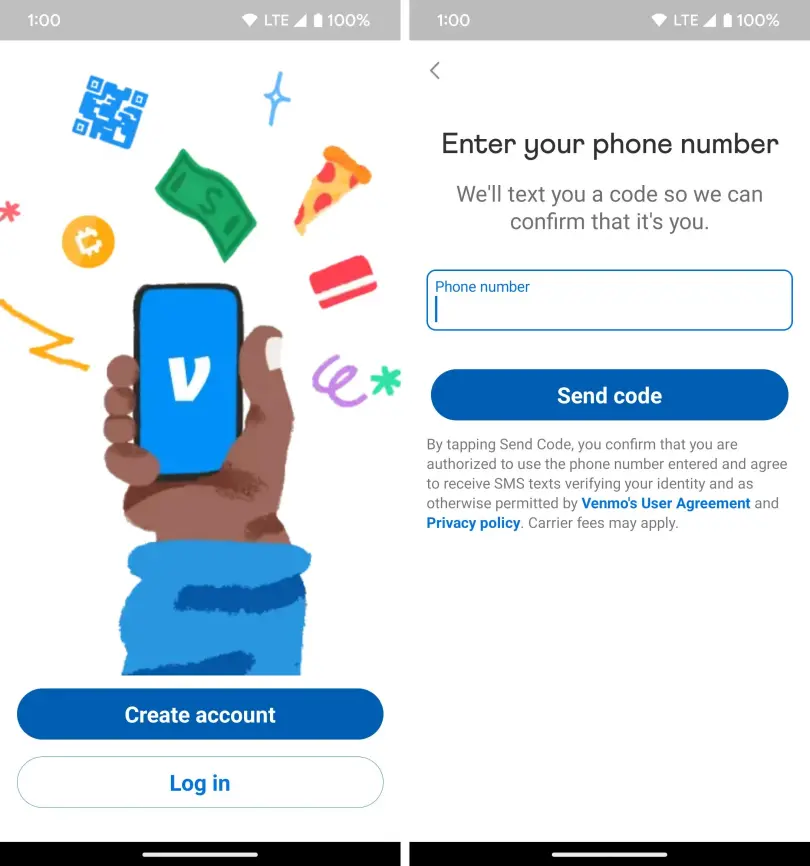
1. Initial Configuration: Navigating the Onboarding Workflow
The journey into the Venmo ecosystem begins with the installation and initial configuration of the software. Unlike traditional banking apps that often rely on legacy frameworks, Venmo utilizes a mobile-first architecture optimized for the iOS and Android operating systems.
Hardware and Software Requirements
Before initiating the setup, ensure your device meets the minimum technical specifications. For iOS users, Venmo typically requires the latest or second-to-latest version of Apple’s operating system to maintain security patches. Android users should ensure they are running a version that supports Google Play Protect. A stable internet connection—preferably a secured Wi-Fi network or a reliable LTE/5G signal—is mandatory for the encryption protocols to function correctly during the data exchange phase of setup.
Account Creation and Identity Verification
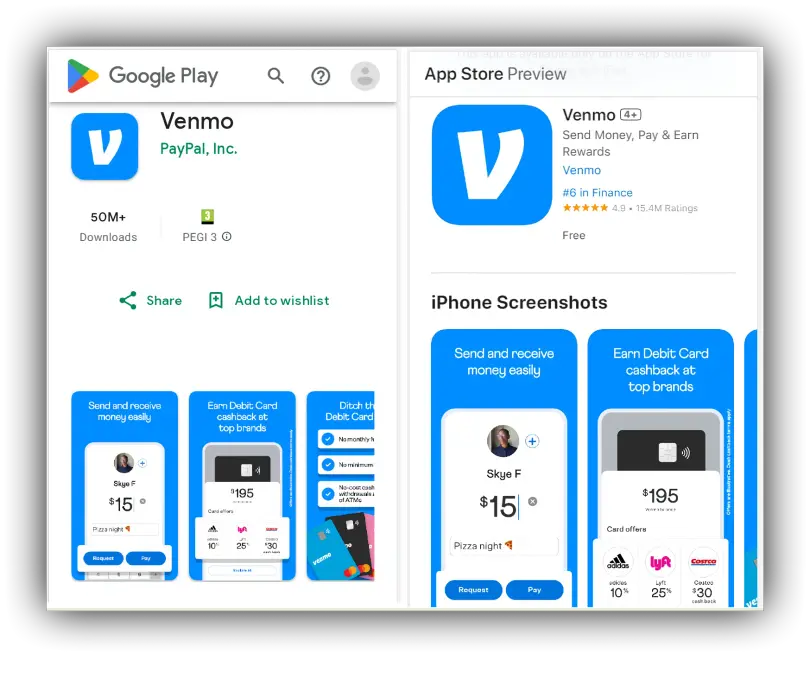
Once the app is downloaded from the official App Store or Google Play Store, the onboarding process begins. Users are prompted to choose between a “Personal” or “Business” profile. From a technical standpoint, the Personal profile is designed for high-frequency, low-latency transactions between individuals, while the Business profile incorporates additional layers for tax reporting and merchant services.
The registration requires a valid email address and a US-based mobile phone number. Venmo utilizes a two-step verification process immediately upon sign-up. A Short Message Service (Service) code is dispatched to your device to verify the hardware’s proximity to the user. This initial handshake is critical for preventing automated bot registrations and ensuring that the account is tethered to a physical device.
Know Your Customer (KYC) Compliance
As a regulated financial service, Venmo must adhere to federal “Know Your Customer” (KYC) regulations. During setup, you will be asked for your legal name, date of birth, and occasionally the last four digits of your Social Security Number. This data is encrypted and cross-referenced against national databases to prevent identity theft and money laundering. Understanding this technical requirement is essential for users who might otherwise be wary of sharing sensitive data with a mobile application.
2. Integrating Financial Backends: Linking Banks and Cards
A digital wallet is only as functional as the funding sources connected to it. Venmo acts as a middle-layer interface between your traditional bank and the digital marketplace.
Linking a Bank Account via Plaid
The most efficient way to fund a Venmo account is by linking a checking account. Venmo utilizes “Plaid,” a third-party API (Application Programming Interface) that creates a secure, encrypted bridge between your bank and the app. When you select your bank from the list, you are essentially providing a temporary token to Plaid, which verifies your balance and account details without Venmo ever seeing your actual bank login credentials. This “tokenization” is a cornerstone of modern FinTech security.
Manual Verification via Micro-Deposits
For users whose banks are not supported by the Plaid API, Venmo offers a manual verification process. This involves Venmo sending two small “micro-deposits” (usually less than $1.00) to your bank account. Technically, this process takes 1–3 business days. Once the deposits appear in your statement, you must enter the exact amounts into the Venmo app. This serves as a “Proof of Access” verification, confirming that you have administrative rights to the destination bank account.
Adding Credit and Debit Cards
While linking a bank account is preferred for avoiding fees, users can also add debit and credit cards. From a technical perspective, adding a card involves the “Card-on-File” (CoF) process. Venmo’s backend communicates with the card issuer’s gateway to verify the CVV and billing address. It is important to note that while debit card transactions are typically free, credit card transactions incur a standard processing fee, which covers the interchange costs charged by credit networks like Visa or Mastercard.
3. Strengthening Your Digital Perimeter: Security and Privacy Settings
Given that Venmo is a financial tool, security is the most critical aspect of the setup process. The app offers several layers of defense that must be manually configured to ensure maximum protection of your digital assets.
Multi-Factor Authentication and Biometrics
Beyond the initial SMS verification, users should immediately enable biometric authentication. Depending on your hardware, this will involve “Face ID,” “Touch ID,” or “Android Fingerprint.” By enabling this in the “Security” menu, you ensure that even if your phone is stolen while unlocked, the Venmo app remains a localized “black box” that cannot be opened without your unique biological signature.
Managing the Social Privacy Protocol
One of Venmo’s unique (and often controversial) technical features is its social feed. By default, Venmo often sets transaction visibility to “Public.” This means anyone on the app can see who you are paying and the accompanying memo.
To optimize your privacy, navigate to Settings > Privacy. Here, you can toggle your default privacy setting to “Private.” In this state, only the sender and recipient can see the transaction. Technically, this adjustment changes how your data is indexed in Venmo’s global ledger, ensuring your financial habits are not searchable by third parties or scraped by data-mining algorithms.
Identity Protection and Phishing Awareness
A key part of a “secure setup” is understanding the technical signals of fraud. Venmo will never ask for your password via text or email. Users should familiarize themselves with the “Authorized Device” list found in the settings. This menu shows every hardware instance where your account is logged in. If you see an unrecognized device (e.g., a different model of iPhone or a web browser from a different state), you can technically “de-authorize” that session instantly, killing the API token and forcing a logout.
4. Advanced Features: Optimizing the App for Professional Use
Once the basic setup is complete, power users and professionals can leverage Venmo’s more advanced technical features to streamline their financial workflows.
Direct Deposit and the Venmo Debit Card
For those looking to use Venmo as a primary financial hub, the app offers a Direct Deposit feature. This provides the user with a virtual routing and account number, similar to a traditional bank. When you set this up, you are essentially interacting with Venmo’s partner bank (The Bancorp Bank or Stride Bank). This allows the app to process ACH (Automated Clearing House) transfers directly into your digital wallet. Pairing this with a physical Venmo Mastercard allows you to spend your Venmo balance at physical point-of-sale (POS) terminals worldwide.
Crypto Integration and Blockchain Assets
Venmo has recently integrated a cryptocurrency module, allowing users to buy, sell, and hold Bitcoin, Ethereum, Litecoin, and Bitcoin Cash. Setting this up requires an additional layer of verification to comply with crypto-specific “Anti-Money Laundering” (AML) laws. Technically, Venmo does not give you “private keys” to a hardware wallet; instead, it acts as a custodial service. This makes it an ideal “on-ramp” for users who want exposure to digital assets without the technical complexity of managing a cold-storage wallet.
QR Code Functionality for Contactless Exchange
To facilitate rapid transactions in physical spaces, Venmo generates a unique, dynamic QR code for every user. Technically, this QR code is an encoded URL that contains your unique user ID. Instead of searching for a username and risking sending money to the wrong “John Smith,” a user can scan your code. This eliminates the “fat-finger” error—a common technical risk in P2P payments—and ensures that the transaction’s destination is 100% accurate.
5. Troubleshooting Technical Hurdles and API Errors
Even with a perfect setup, users may encounter technical glitches. Understanding the “why” behind these errors can help in resolving them without external support.
Common Verification Failures
If the app fails to verify your identity, it is often due to a mismatch in the database. For example, if your legal name on your ID is “Jonathan” but you registered as “Jon,” the automated KYC check might flag the account. To resolve this, users must often upload a high-resolution image of a government-issued ID. The app uses “Optical Character Recognition” (OCR) technology to scan the ID and verify the details against the user-provided data.
Transaction Declines and Risk Engines
Occasionally, a transaction may be declined despite having sufficient funds. This is usually triggered by Venmo’s internal “Risk Engine.” This AI-driven algorithm analyzes hundreds of data points—including your GPS location, the recipient’s account age, and your historical spending patterns. If a transaction looks “out of character” (e.g., a large payment sent from a new IP address), the system will freeze the transfer as a protective measure. Resolving this typically requires confirming the transaction through a push notification or email.
Maintaining App Health
To ensure the long-term technical stability of your Venmo setup, it is vital to keep the app updated. Developers frequently release “hotfixes” for security vulnerabilities. Furthermore, clearing the app’s cache periodically can resolve UI lag and synchronization issues with your bank balance.
In conclusion, setting up Venmo is a sophisticated process that merges mobile software, banking APIs, and advanced security protocols. By meticulously following the onboarding steps, prioritizing biometric and privacy settings, and understanding the underlying technology, users can transform a simple app into a powerful, secure, and highly efficient digital financial command center. As we move closer to a cashless society, mastering these technical tools is no longer optional—it is a foundational skill for the digital age.
aViewFromTheCave is a participant in the Amazon Services LLC Associates Program, an affiliate advertising program designed to provide a means for sites to earn advertising fees by advertising and linking to Amazon.com. Amazon, the Amazon logo, AmazonSupply, and the AmazonSupply logo are trademarks of Amazon.com, Inc. or its affiliates. As an Amazon Associate we earn affiliate commissions from qualifying purchases.