
In the contemporary landscape of personal finance, the transition from physical currency to digital transactions is nearly complete. Peer-to-peer (P2P) payment platforms have revolutionized the way we handle small-scale debts, split bills, and manage shared expenses. At the forefront of this revolution is Venmo, a service that has become so ubiquitous that its name has transitioned into a verb. However, mastering Venmo involves more than just tapping a screen; it requires an understanding of digital liquidity, transaction security, and the financial implications of modern money movement. This guide serves as a comprehensive deep dive into the mechanics of sending money via Venmo, viewed through the lens of sophisticated financial management.

Setting Up Your Financial Ecosystem on Venmo
Before initiating a single transaction, a user must establish a robust financial foundation within the app. Venmo acts as an intermediary, a digital ledger that bridges the gap between your traditional banking institution and the recipient’s wallet. For a seamless experience, the setup phase is critical, as it dictates the speed, cost, and security of every dollar sent.
Choosing the Right Funding Source
The efficiency of sending money on Venmo is largely determined by the funding source linked to your profile. Users typically have four options: a linked bank account, a debit card, a credit card, or the Venmo balance itself.
From a personal finance perspective, linking a bank account or a debit card is the most prudent choice for standard transactions. These methods generally incur no fees for standard payments, making them ideal for recurring expenses like rent or splitting dinner checks. Using a credit card, while convenient for some, introduces a 3% transaction fee imposed by Venmo to cover processing costs. For the financially savvy user, this 3% fee often outweighs any rewards points earned, making it a less-than-ideal strategy for routine transfers.
Understanding Transfer Limits and Verification
For those using Venmo as a primary tool for financial management, understanding platform limits is essential. Unverified users face significantly lower weekly spending limits, often capped at a few hundred dollars. To unlock the full potential of the platform—moving several thousand dollars per week—users must undergo a formal identity verification process.
This process involves providing your legal name, address, date of birth, and the last four digits of your Social Security Number. While some are hesitant to share this data, it is a regulatory requirement under “Know Your Customer” (KYC) laws. From a financial security standpoint, this verification protects the ecosystem from fraud and ensures that your transactions are compliant with federal anti-money laundering regulations.
Navigating the Transaction Process: How to Send Money Efficiently
Sending money in Venmo is designed to be intuitive, but there are nuances to the process that can help ensure your funds reach the intended destination without friction. The app’s interface prioritizes speed, but accuracy remains the responsibility of the sender.
The Step-by-Step Payment Flow
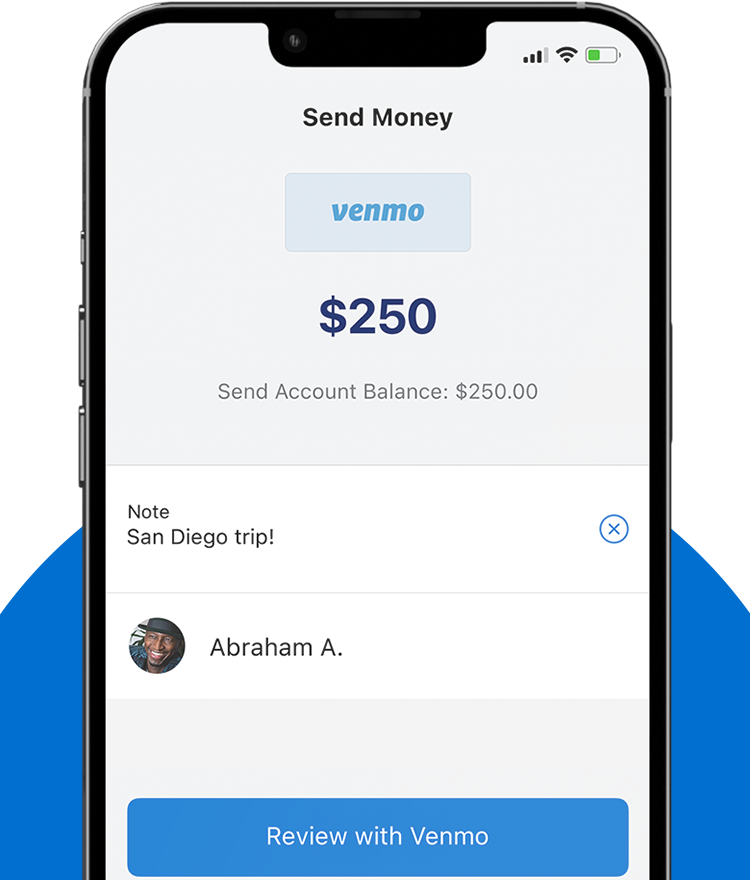
To initiate a payment, you begin by tapping the “Pay or Request” button, usually represented by a pencil and paper icon. The first critical step is identifying the recipient. Venmo allows you to search by name, username (@handle), email, or phone number.
In the world of digital finance, the “fat-finger” error—sending money to the wrong person—is a significant risk. Because P2P transactions are often instantaneous and difficult to reverse, it is highly recommended to confirm the recipient’s identity via their profile picture or by verifying the last four digits of their phone number if prompted. Once the recipient is selected, you enter the amount. It is a best practice to include a clear, concise note in the “What’s it for?” field. While Venmo’s social nature encourages emojis and jokes, keeping a clear record is beneficial for personal bookkeeping and tax purposes, especially if the payment relates to a business expense or a shared utility.
Utilizing the “Scan to Pay” and Search Features
For in-person transactions, Venmo offers a QR code feature that eliminates the risk of sending money to the wrong “John Smith.” By tapping the scan icon, you can instantly pull up a friend’s profile by scanning the code on their screen. This is particularly useful in high-traffic social settings where manual searching might be prone to error.
Furthermore, Venmo’s search algorithm prioritizes your existing contacts. By syncing your phone’s contact list, the app creates a “trusted circle,” making the process of sending money to frequent associates—such as roommates or family members—a two-tap process. From a time-management perspective, this automation streamlines the administrative burden of personal finance.
Managing Costs: Understanding Fees and Transaction Types
A sophisticated approach to using Venmo requires a clear understanding of the platform’s fee structure. While the act of “sending money” is often free, the movement of that money back into the traditional banking system or the use of certain credit vehicles carries specific costs.
Standard vs. Instant Transfers
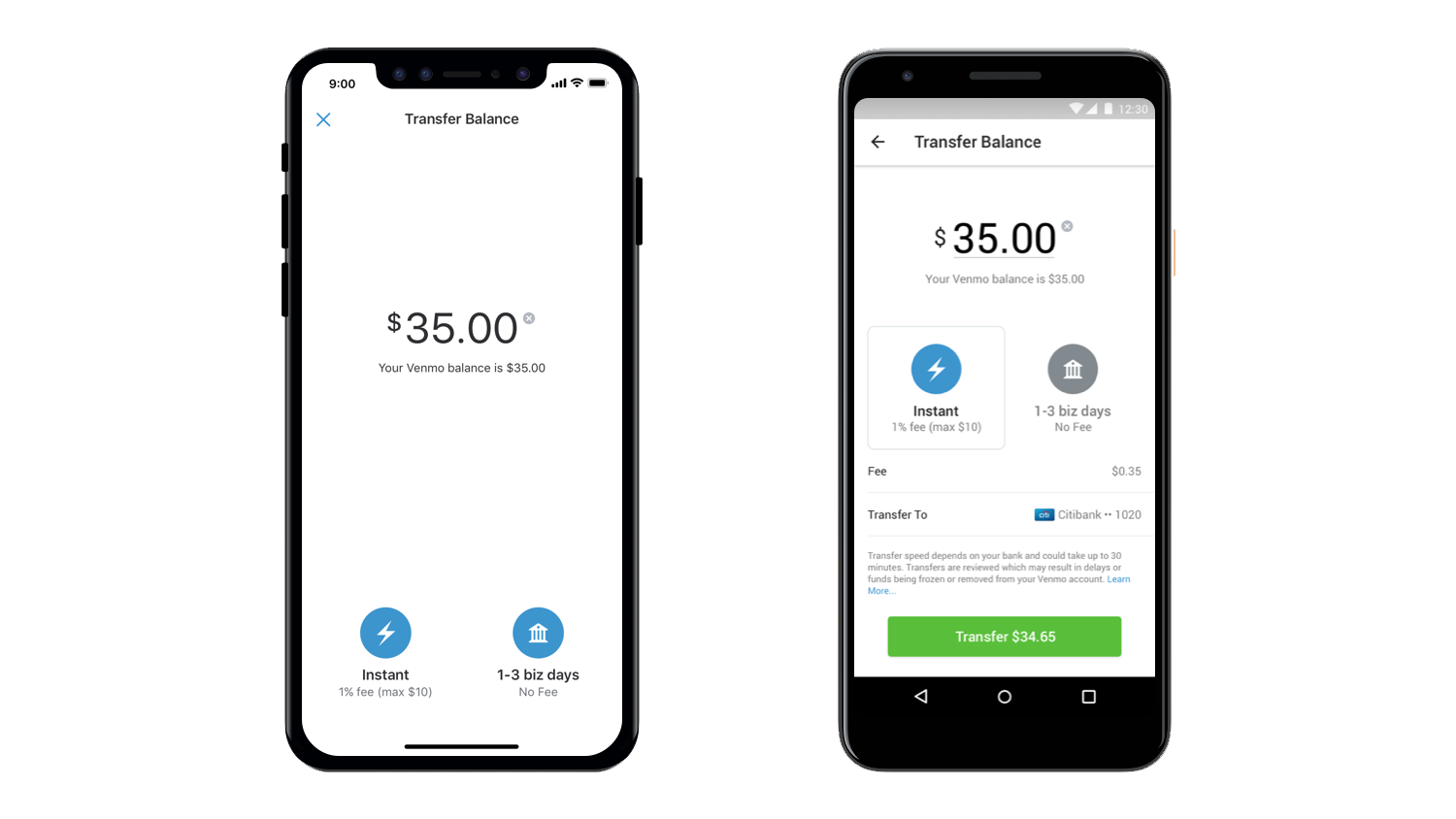
When you receive money on Venmo, it sits in your Venmo balance. You can use this balance to pay others, or you can transfer it to your bank account. If you choose to send these funds to your bank, you face a choice: a Standard Transfer or an Instant Transfer.
The Standard Transfer is free and typically takes one to three business days. For the disciplined budgeter, this is the preferred method. However, Venmo also offers an Instant Transfer option, which moves funds to a linked debit card or bank account within minutes. This convenience comes at a price—typically a 1.75% fee (with a minimum and maximum cap). While 1.75% may seem negligible on a $20 transaction, it becomes a significant financial leakage on larger sums. A professional approach to money management suggests planning ahead to utilize the free standard transfer whenever possible.
Sending Money via Credit Card: The Cost-Benefit Analysis
As mentioned previously, Venmo charges a 3% fee for payments funded by a credit card. In the realm of personal finance, this is generally considered a high-interest “convenience tax.” However, there are rare scenarios where this might be a strategic move—for instance, if a user needs to meet a minimum spending requirement for a significant credit card sign-up bonus. Outside of such specific strategic maneuvers, using a credit card on Venmo is an inefficient use of capital and should be avoided to maintain optimal financial health.
Optimizing Your Digital Wallet for Security and Privacy
In the age of digital transparency, the way you send money can inadvertently expose your financial habits. Venmo’s unique social feed is a hallmark of the app, but from a privacy and security standpoint, it requires careful configuration.
Protecting Your Financial Data
Security is the cornerstone of any financial tool. To protect your funds, users should enable multi-factor authentication (MFA) and biometric locks (such as FaceID or fingerprint scanning). This ensures that even if your device is compromised, your digital wallet remains inaccessible.
Additionally, users should be wary of “payment scams,” such as the common tactic where a stranger sends you money “by accident” and asks you to send it back. Often, the initial payment is made with a stolen credit card and will eventually be reversed, while your “return” payment is made with legitimate funds from your balance. Understanding these fraudulent patterns is essential for anyone handling money in a digital-first environment.
Managing Your Transaction Visibility
One of the most debated features of Venmo is its social feed. By default, transactions may be visible to “Friends” or even the “Public.” From a professional financial perspective, there is little benefit to broadcasting your spending habits.
To optimize for privacy, users should navigate to the settings menu and set their default transaction visibility to “Private.” This ensures that only the sender and the recipient can see the transaction. Privacy is not just about hiding; it is about controlling your financial data and reducing the digital footprint that could potentially be used by bad actors to profile your lifestyle or social connections.
The Future of P2P and Personal Financial Management
Mastering how to send money in Venmo is more than a technical skill; it is a component of modern financial literacy. As the line between social media and banking continues to blur, the ability to navigate these platforms with precision, security, and cost-awareness becomes paramount.
By choosing the right funding sources, verifying your identity to increase limits, avoiding unnecessary fees, and securing your privacy settings, you transform Venmo from a simple app into a sophisticated financial tool. As we move toward an increasingly cashless society, the principles of digital money movement—speed, accuracy, and security—will remain the pillars of successful personal finance. Whether you are splitting a brunch bill or paying your portion of the monthly rent, doing so with a professional understanding of the underlying mechanics ensures that your digital wealth is managed with the same rigor as your traditional investments.
aViewFromTheCave is a participant in the Amazon Services LLC Associates Program, an affiliate advertising program designed to provide a means for sites to earn advertising fees by advertising and linking to Amazon.com. Amazon, the Amazon logo, AmazonSupply, and the AmazonSupply logo are trademarks of Amazon.com, Inc. or its affiliates. As an Amazon Associate we earn affiliate commissions from qualifying purchases.