
The humble calculator has undergone a massive transformation, evolving from a physical tool on a desk to a sophisticated piece of software embedded in every smartphone, tablet, and computer. Despite its ubiquity, one of the most common technical hurdles for users remains the precise execution of percentage calculations. While the “percentage” symbol is a staple of both digital and mechanical interfaces, its behavior varies significantly depending on the device’s software architecture and intended use case. Understanding the underlying logic of these tools is essential for ensuring accuracy in technical, financial, and scientific workflows.
This guide provides a deep dive into the technical mechanics of calculating percentages across various platforms, exploring the software logic, hardware variations, and the advanced computational workflows that modern technology affords.
The Mechanics of the Percentage Key: Understanding Digital Logic
To the average user, the percentage key (%) seems straightforward. However, from a software engineering perspective, this button does not have a single, universal function. Instead, its behavior is dictated by the calculator’s “logic” system—typically categorized into standard algebraic logic or formula-based entry.
The Modifier Approach vs. Direct Division
In most basic digital calculators, such as the standard app found on iOS or simple desktop versions, the percentage key acts as a “modifier.” When you type a number and press the percentage key, the software immediately divides that number by 100. For example, entering “50” followed by “%” results in “0.5.”
However, the logic changes when the key is used in a string of operations. In many “standard” calculators, if you input 100 + 10%, the software is programmed to interpret this as “100 plus 10 percent of 100,” resulting in 110. This is a shorthand logic designed for consumer convenience, where the software remembers the “base” number (100) and applies the percentage to it automatically.
Standard vs. Scientific Calculator Modes
When users toggle to “Scientific Mode,” the technical behavior often shifts. Scientific calculators, like those produced by Texas Instruments or the advanced mode in Windows 11, often treat the percentage key as a literal operator or may even lack a dedicated “%” button in favor of fractional or decimal notation. In these environments, the software expects the user to understand the mathematical conversion (n/100) and perform the calculation linearly to maintain the integrity of the Order of Operations (PEMDAS/BODMAS).
Platform-Specific Tutorials: From iOS to Advanced Scientific Hardware
The technical execution of a percentage calculation differs significantly depending on the ecosystem you are using. Whether you are using a mobile app, a desktop utility, or dedicated hardware, knowing the specific syntax is key to efficiency.
Mobile Ecosystems: iOS and Android Calculator Shortcuts
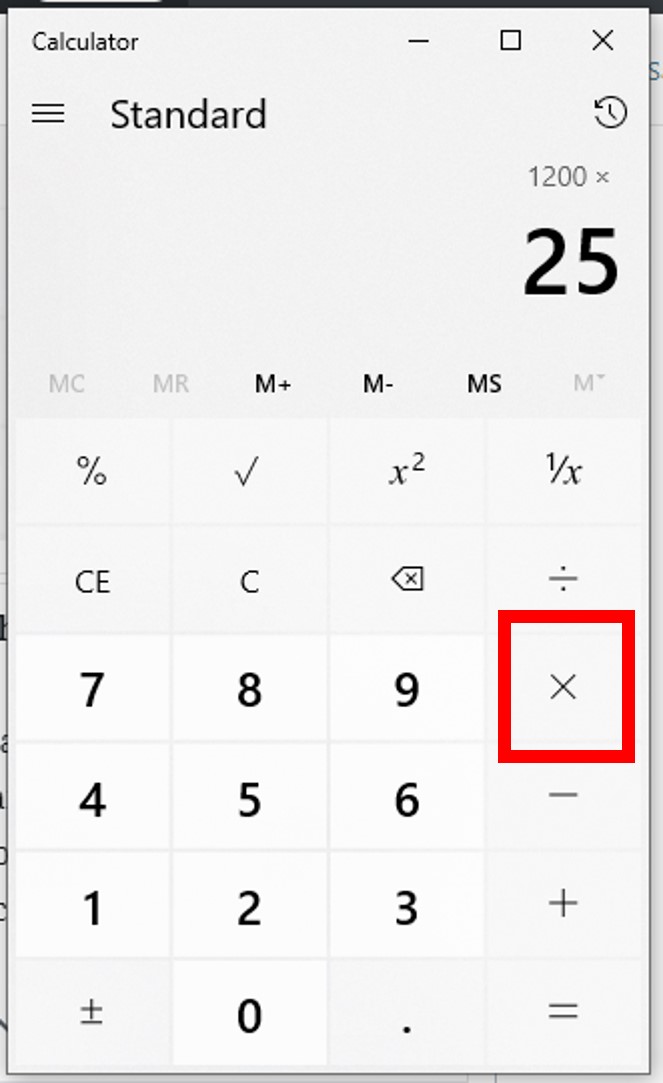
The mobile calculator is the most frequently used tech tool for quick computations. On an iPhone (iOS), the percentage key is visible in the standard portrait view. To calculate a percentage of a number, the most efficient workflow is: [Number] [Multiplication Sign] [Percentage Number] [%] [=].
On many Android distributions, the calculator app provides a “real-time” preview of the result before you even hit the equals sign. A unique technical feature of many modern Android calculators is the “History” tape, which allows you to go back and edit the percentage value while seeing the result update dynamically—a feature of reactive UI design that prevents the need for repetitive data entry.
Desktop Utilities: The Windows 11 and macOS Calculator
Desktop calculators offer more robust features, including “Programmer” and “Scientific” modes. In the Windows 11 Calculator app, switching to the “Scientific” view changes how percentages are handled. If you are performing complex data analysis, the desktop app allows for the use of parentheses, which is critical when a percentage needs to be applied to the sum of multiple variables. For example: (250 + 450) * 15%. The technical advantage here is the ability to see the entire string of logic, reducing the “black box” effect of simple handheld devices.
High-Performance Hardware: Casio and Texas Instruments Syntax
For engineers and students using dedicated hardware like the TI-84 Plus or Casio FX series, percentages are often handled through the “catalog” of functions or a secondary “Shift” command. These devices use “Equation Operating System” (EOS) logic. To find 15% of 80, the user typically inputs 80 * 0.15 rather than using a percentage key. The software on these devices is optimized for multi-step calculus and trigonometry, where a simple “shorthand” percentage key might interfere with complex variable assignments.
Practical Digital Workflows: Percentage Increase, Decrease, and Ratios
Beyond finding a simple fraction of a number, technical users often need to calculate “deltas” or “growth rates.” Modern calculator software makes these multi-step processes easier through specific input sequences.
Calculating Discounts and Markup through Input Strings
In a professional tech or retail environment, calculating a markup is a daily requirement. To calculate a 25% markup on a $200 item using a digital calculator, the logic string is 200 * 1.25. This bypasses the percentage key entirely and utilizes the “decimal multiplier” method, which is computationally faster and less prone to input error. Conversely, for a discount, the string 200 * 0.75 provides the final price immediately. Understanding this “coefficient” approach is a hallmark of an advanced technical user.
Finding the Percentage Difference Between Two Values
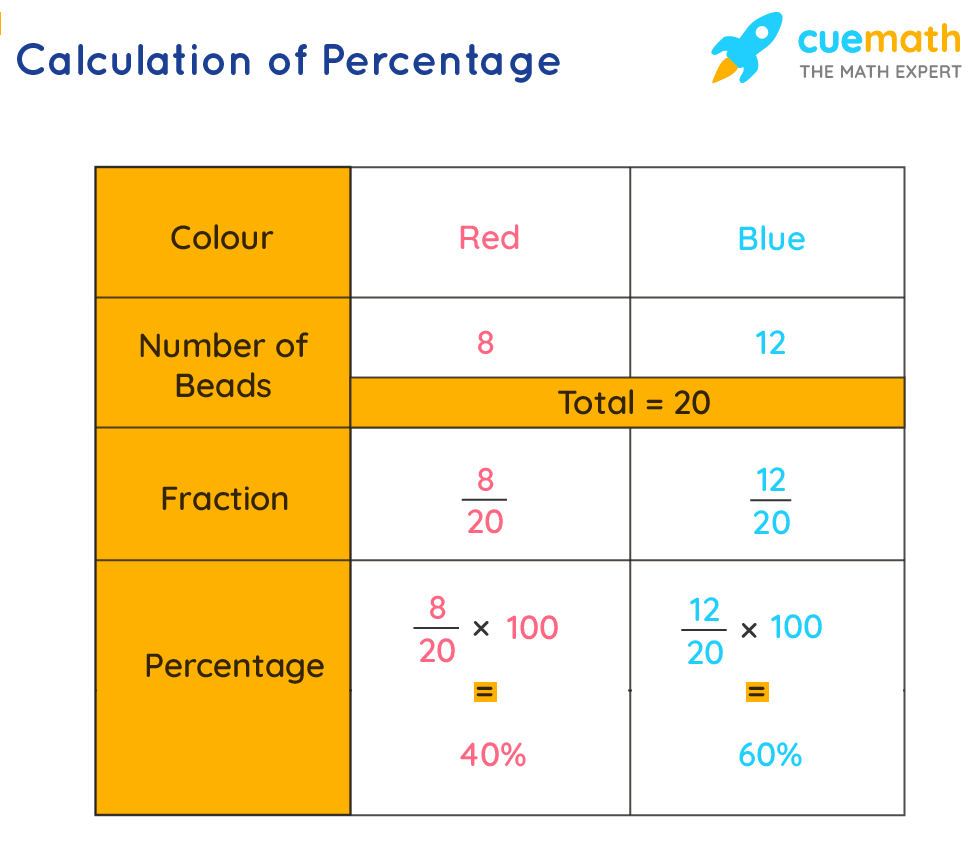
Determining the percentage change between two data points (e.g., last month’s server uptime vs. this month’s) requires a specific formula: ((New Value - Old Value) / Old Value) * 100.
On a scientific digital calculator, this is best performed using the parentheses functions to ensure the subtraction happens before the division. Failing to use parentheses will lead to a technical error where the software divides the “Old Value” by itself first, following the standard order of operations.
Technical Challenges: Syntax, Logic, and Floating Point Errors
Even with advanced software, calculating percentages can sometimes lead to unexpected results due to “floating point math” and software-specific logic quirks.
The Role of Order of Operations (PEMDAS)
The most common error in percentage calculation arises from a misunderstanding of how the software prioritizes tasks. PEMDAS stands for Parentheses, Exponents, Multiplication and Division, and Addition and Subtraction. When you input a percentage into a complex string, the calculator software converts that percentage into its decimal form before executing the rest of the string. If the software lacks a visual “expression line,” the user may lose track of how the percentage is being applied to the rest of the equation.
Accuracy in Digital Computing: Avoiding Rounding Errors
In high-level computing and software development, “Floating Point Arithmetic” can occasionally cause minute errors in percentage calculations. For instance, a computer might represent a number like 0.1 as a repeating binary fraction, which can lead to results like 0.30000000000000004 when adding percentages. While most modern consumer-grade calculator apps have “sanitization” layers to hide these errors from the user, professionals working in data science or financial software development must be aware of these technical limitations when building automated calculation tools.
Beyond the Button: The Evolution of AI-Driven Calculation Tools
We are currently transitioning from the era of the “button-based” calculator to the era of the “computational engine.” This shift is changing how we interact with percentage-based data.
Natural Language Processing in Wolfram Alpha and LLMs
Tools like Wolfram Alpha and Large Language Models (LLMs) such as ChatGPT have redefined the “calculator.” Instead of inputting a string of numbers, users can type: “What was the percentage increase if my traffic grew from 1.2 million to 1.8 million?” The underlying tech uses Natural Language Processing (NLP) to parse the intent, identify the variables, and apply the correct mathematical formula. This reduces the risk of manual input errors and allows for more complex, context-aware calculations.

Transitioning from Manual Input to Scripted Automation
For tech professionals, the ultimate “calculator” is often a script. Using Python, a simple percentage calculation becomes a reusable function:
def calculate_percentage(part, whole):
    return (part / whole) * 100
This programmatic approach allows for the processing of massive datasets that a handheld or app-based calculator could never handle. As we move forward, the “calculator” is becoming less of a standalone app and more of an integrated feature of the broader digital workspace, utilizing cloud computing to provide instant, precise results for even the most complex percentage-based queries.
By mastering the technical nuances of these tools—from the basic percentage modifier on a smartphone to the sophisticated logic of a scientific computational engine—users can ensure that their data remains accurate and their workflows stay efficient in an increasingly quantitative world.
aViewFromTheCave is a participant in the Amazon Services LLC Associates Program, an affiliate advertising program designed to provide a means for sites to earn advertising fees by advertising and linking to Amazon.com. Amazon, the Amazon logo, AmazonSupply, and the AmazonSupply logo are trademarks of Amazon.com, Inc. or its affiliates. As an Amazon Associate we earn affiliate commissions from qualifying purchases.