
In an era defined by digital convenience and on-demand content, streaming services have revolutionized how we consume entertainment. Among the titans of this industry, Amazon Prime Video stands out as a formidable player, offering a vast library of movies, TV shows, and critically acclaimed original series. For many, the question isn’t whether to stream, but “how do I get Prime Video?” This article serves as your definitive guide, delving into the technological pathways and user-centric functionalities that make accessing this entertainment powerhouse seamless. We’ll explore everything from essential tech requirements to advanced features, ensuring you’re fully equipped to dive into the world of Prime Video.
Understanding Amazon Prime Video: Beyond Basic Streaming
At its core, Prime Video is more than just a place to watch movies; it’s a sophisticated streaming platform integrated into a broader digital ecosystem, offering users a rich and varied entertainment experience. Grasping its foundational components is the first step in successfully navigating its offerings.
What is Prime Video?
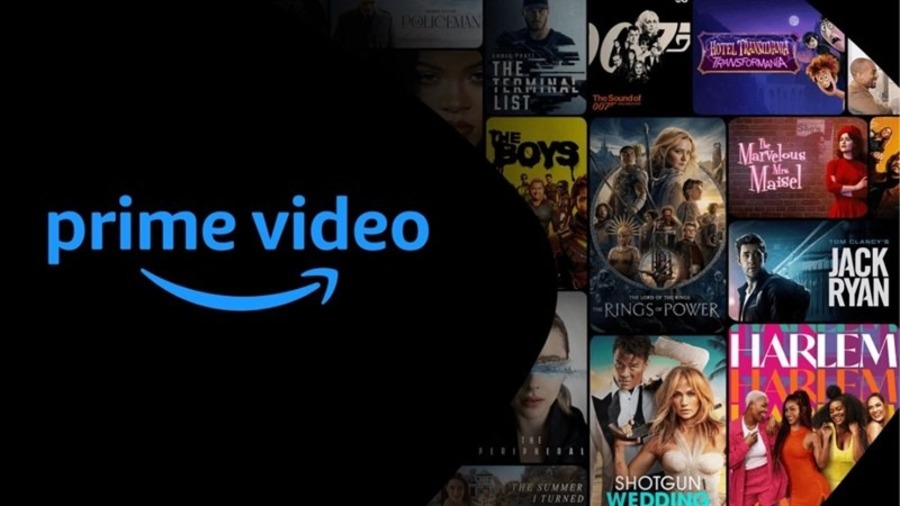
Amazon Prime Video is a premier subscription-based video-on-demand streaming service operated by Amazon. It boasts an expansive and constantly evolving library that includes thousands of movies, popular TV series, documentaries, and exclusive Amazon Originals like “The Boys,” “The Marvelous Mrs. Maisel,” and “Lord of the Rings: Rings of Power.” Unlike many competitors that focus solely on their proprietary content, Prime Video also provides a comprehensive catalog of content available for digital rental or purchase, irrespective of a Prime subscription. This dual model, offering both included content and a digital storefront, leverages robust server technology and an intuitive user interface to deliver high-quality video streams across diverse devices. The service is continuously updated, employing sophisticated algorithms to recommend content based on viewing habits, enhancing user engagement through personalized technological insights.
The Amazon Prime Membership Advantage
Crucially, Prime Video is often bundled as a significant perk of an Amazon Prime membership. This membership is Amazon’s flagship subscription service, designed to enhance the overall customer experience across its vast retail and digital offerings. Beyond unlimited access to Prime Video’s included content, a Prime membership unlocks a suite of other technologically advanced benefits: free two-day (or even same-day) shipping on eligible items, access to Amazon Music Prime (a vast music streaming library), Prime Reading (a rotating selection of ebooks and magazines), and exclusive deals. For users primarily interested in the streaming service, Amazon also offers a standalone Prime Video subscription. This option allows individuals to access the video content without committing to the full suite of Prime benefits, providing flexibility for those whose primary interest lies in the digital entertainment aspect. The integration of Prime Video within the larger Amazon Prime ecosystem showcases a holistic approach to customer engagement through interconnected digital services.
Essential Tech Requirements for Seamless Streaming
To ensure an uninterrupted and high-quality Prime Video experience, understanding the underlying technological prerequisites is vital. Your internet connection and the devices you use are the primary conduits through which this digital content flows into your home.
Internet Connectivity: The Digital Lifeline
A stable and sufficiently fast internet connection is the bedrock of any smooth streaming experience. Prime Video, like all streaming services, relies heavily on your internet bandwidth to deliver content without buffering or quality degradation. For Standard Definition (SD) content, a minimum speed of 1-3 Mbps is generally recommended. For High Definition (HD) streaming, which offers a sharper and more detailed picture, you’ll need at least 3.5-5 Mbps. To unlock the breathtaking clarity of 4K Ultra HD (UHD), Prime Video recommends a consistent download speed of 15 Mbps or higher, preferably closer to 25 Mbps for optimal performance. Using a reliable Wi-Fi network, ideally a 5GHz band for less interference, or a direct wired Ethernet connection, will enhance stability. It’s also important to be mindful of data usage, particularly if you have a capped internet plan or are streaming on a mobile network, as high-quality video consumes significant data.
Compatible Devices: Your Gateway to Content
Prime Video’s strength lies in its widespread accessibility across a multitude of devices, ensuring you can watch your favorite shows and movies almost anywhere. The service’s robust app development and cross-platform compatibility are key technological advantages.
- Smart TVs: Most modern smart TVs from brands like Samsung, LG, Sony, Vizio, and Panasonic come with a pre-installed Prime Video app or allow you to download it from their respective app stores.
- Streaming Sticks & Boxes: Dedicated streaming devices such as Amazon Fire TV Sticks, Roku devices, Apple TV, and Google Chromecast are fully supported, offering a streamlined interface optimized for TV viewing.
- Gaming Consoles: Popular gaming systems like PlayStation (PS4, PS5) and Xbox (Xbox One, Xbox Series X/S) feature Prime Video apps, turning your console into a comprehensive entertainment hub.
- Mobile Devices: The Prime Video app is readily available for both iOS (iPhones, iPads) and Android smartphones and tablets via the Apple App Store and Google Play Store, respectively. These apps often include features for offline viewing and mobile data optimization.
- Computers: You can access Prime Video directly through a web browser on your Windows PC, Mac, or Linux computer. Supported browsers typically include Chrome, Firefox, Safari, Edge, and Opera. Ensure your browser is up-to-date for optimal performance.
Each device requires a compatible operating system version and sufficient processing power to render high-quality video efficiently, showcasing the underlying tech architecture.
Step-by-Step Tech Tutorial: Activating Your Prime Video Account
Embarking on your Prime Video journey is a straightforward process, primarily involving account setup and app installation. Whether you opt for a full Amazon Prime membership or the standalone video service, the steps are designed to be user-friendly and technologically efficient.
Subscribing to Amazon Prime (with Prime Video)
The most common way to get Prime Video is by signing up for an Amazon Prime membership.
- Visit Amazon.com: Open your preferred web browser and navigate to Amazon.com.
- Create an Amazon Account: If you don’t already have one, click on “Hello, Sign in” and then “Start here” to create a new Amazon account. This involves providing your name, email address, and a password. This digital identity serves as your universal access key to Amazon’s services.
- Start Your Prime Trial or Membership: Once logged in, look for the “Try Prime” or “Prime” option, usually found near the top of the homepage or within your account settings. Amazon typically offers a 30-day free trial, allowing you to experience all Prime benefits, including Prime Video, without immediate charge.
- Enter Payment Information: To initiate the trial or paid membership, you’ll need to provide a valid payment method (credit card or debit card). Amazon securely processes this financial data, linking it to your digital profile.
Upon successful enrollment, Prime Video access is automatically activated as part of your membership, demonstrating the seamless integration of Amazon’s digital services.
Subscribing to Standalone Prime Video
If you’re only interested in the video streaming service and don’t require the other Prime benefits, you can subscribe to Prime Video independently.
- Go to Prime Video Website: Navigate directly to PrimeVideo.com in your web browser.
- Sign In or Create Account: Use your existing Amazon account credentials or create a new Amazon account if you don’t have one.
- Choose Prime Video Plan: The website will present options for the standalone Prime Video subscription. Select your preferred plan.
- Provide Payment Details: As with a full Prime membership, you’ll need to enter your payment information to finalize the subscription.
This method offers a more focused access point, directly connecting you to the streaming platform without the broader Amazon ecosystem.

Downloading and Installing the Prime Video App
Once your subscription is active, the next step is to install the Prime Video app on your chosen devices.
- Smart TVs and Streaming Devices: Navigate to your device’s app store (e.g., Roku Channel Store, LG Content Store, Samsung Smart Hub, Apple TV App Store, Fire TV Apps). Search for “Amazon Prime Video” or “Prime Video” and select “Download” or “Install.” The app will automatically integrate with your device’s interface.
- Mobile Devices: For iOS devices, open the “App Store.” For Android devices, open the “Google Play Store.” Search for “Amazon Prime Video,” then tap “Get” or “Install.”
- Gaming Consoles: Access the PlayStation Store or Xbox Store on your console. Search for “Prime Video” and proceed with the download and installation.
The installation process typically takes only a few moments, leveraging your device’s operating system to integrate the streaming software.
Logging In and Personalizing Your Experience
With the app installed, the final step is to log in and start streaming.
- Open the App: Launch the Prime Video app on your chosen device.
- Enter Credentials: You’ll be prompted to sign in using your Amazon account email address and password. On some smart TVs or streaming devices, you might receive a short code to enter on an activation webpage (amazon.com/mytv or primevideo.com/ontv), which simplifies login from your phone or computer.
- Create User Profiles (Optional): Prime Video supports multiple user profiles. This feature allows different members of your household to have personalized recommendations, watch histories, and separate watchlists, effectively segmenting viewing data within a single account.
- Set Parental Controls (Optional): For families, Prime Video offers robust parental control features, allowing you to restrict content based on ratings for specific profiles. This digital safeguarding mechanism ensures age-appropriate viewing.
Once logged in, you’ll be greeted by the Prime Video interface, ready to explore its vast content library, all powered by a sophisticated backend and intuitive front-end technology.
Optimizing Your Prime Video Tech Experience
Getting Prime Video is just the beginning. To truly enhance your viewing pleasure, understanding how to optimize its performance, leverage its unique features, and troubleshoot common issues is key. This section focuses on the technical aspects of making the most of your subscription.
Maximizing Video Quality and Performance
The visual fidelity of your Prime Video experience is largely dictated by your internet speed and the settings within the app itself. Prime Video automatically adjusts streaming quality based on your connection, but you can also manually configure preferences. Within the app’s settings, you’ll often find options for “Streaming Quality” or “Playback.” Here, you can select between “Good” (data saver), “Better” (standard definition), or “Best” (high definition/4K UHD). Choosing “Best” will utilize more bandwidth but deliver superior picture quality.
Beyond in-app settings, regularly updating your device’s operating system and the Prime Video app ensures you have the latest performance enhancements and bug fixes. For persistent buffering or low-quality streams, basic tech troubleshooting steps include restarting your router and modem, closing other bandwidth-intensive applications, and rebooting your streaming device to clear any temporary glitches.
Offline Viewing: Tech on the Go
One of Prime Video’s most convenient tech features, especially for mobile users or those with intermittent internet access, is the ability to download content for offline viewing. This feature allows you to save movies and TV episodes directly to your mobile device (smartphones and tablets) or some Fire tablets.
To download content:
- Open the Prime Video app on your mobile device.
- Navigate to the movie or TV episode you wish to download.
- Look for the “Download” icon (usually a down arrow).
- Select your preferred video quality for download (which impacts storage space).
Downloaded content is stored locally on your device’s internal storage and can be accessed from the “Downloads” section of the app, eliminating the need for an active internet connection during playback. Remember to monitor your device’s available storage, as high-quality downloads can consume significant space.
Accessibility Features: Inclusive Tech
Prime Video is designed with inclusivity in mind, offering a range of accessibility features to enhance the experience for all users. These features leverage sophisticated audio and display technologies to cater to diverse needs.
- Subtitles/Closed Captions: Available for most content, subtitles display dialogue and often sound effects as text on screen. You can usually customize their appearance (font size, color, background) within the app’s playback settings.
- Audio Descriptions: For visually impaired viewers, audio descriptions provide a narration of key visual elements and actions during quiet moments in a program.
- Alternative Audio Tracks: Many titles offer multiple audio languages, allowing viewers to switch between dubbed versions or original language tracks with subtitles.
These features can typically be accessed by pausing the video during playback and selecting the “Audio & Subtitles” or “Accessibility” icon. Their availability depends on the specific title and region, but Prime Video consistently expands its accessible content library, showcasing a commitment to inclusive technological design.
Beyond Basic Access: Advanced Prime Video Features & Tips
Prime Video is continually evolving, incorporating advanced features that go beyond simple playback. Leveraging these technological innovations can significantly enrich your viewing experience and expand your entertainment horizons.
Utilizing X-Ray for Deeper Insights
One of Prime Video’s standout technological innovations is X-Ray, an exclusive feature powered by IMDb (Internet Movie Database, also owned by Amazon). X-Ray provides an interactive overlay that delivers real-time information about the content you’re watching without interrupting the flow.
When X-Ray is active (often by tapping or moving your mouse cursor during playback on compatible devices like Fire TV, mobile apps, or web browsers), it instantly displays:
- Cast & Crew: Identifies actors currently on screen, their other works, and biographical details.
- Music: Lists songs playing in the current scene and details about the soundtrack.
- Trivia: Presents interesting facts, behind-the-scenes information, and production notes.
- Scene Selection: Allows you to quickly jump to different scenes in the movie or episode.
This feature transforms passive viewing into an interactive, information-rich experience, seamlessly integrating a vast database with real-time video playback.
Expanding Your Library with Channels and Rentals
While your Prime Video subscription grants access to a substantial library, Amazon’s platform also acts as a hub for expanding your content options through additional services and purchases.
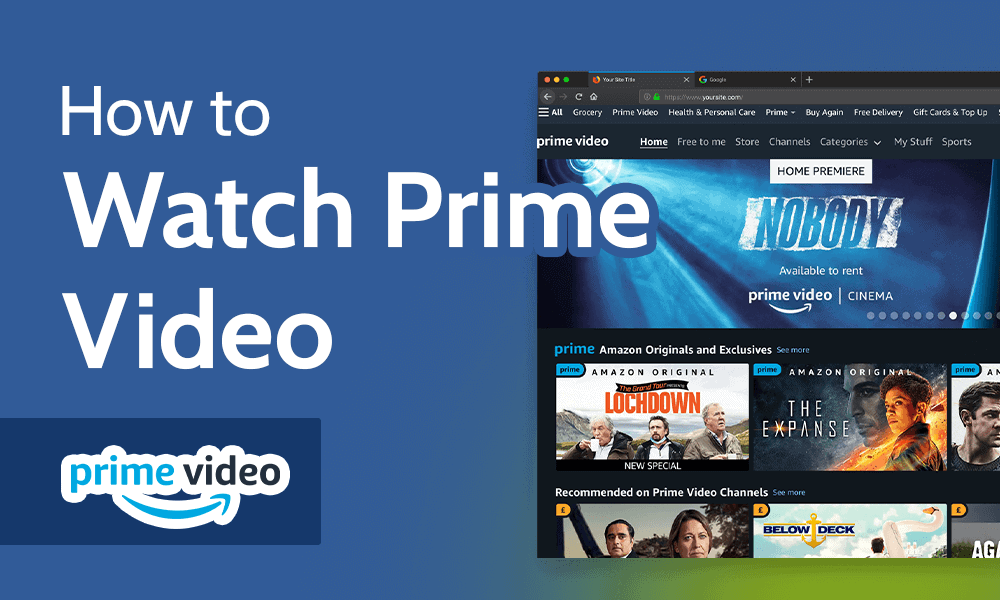
- Prime Video Channels: This feature allows you to subscribe to premium third-party streaming services (like HBO, Showtime, Starz, Paramount+, etc.) directly through the Prime Video app. These “channels” are integrated into your Prime Video interface, offering a consolidated billing and viewing experience without needing separate apps. This acts as a sophisticated content aggregation platform, simplifying subscription management.
- Rentals & Purchases: Prime Video also offers a vast digital store where you can rent or buy movies and TV shows that are not included with your Prime membership or through any of your subscribed channels. This allows you to access newly released blockbusters or specific titles you want to own digitally, all within the same Prime Video ecosystem. This showcases the platform’s ability to seamlessly blend subscription-based content with transactional video-on-demand services.
Multi-Device Streaming and User Profiles
Prime Video is designed to cater to modern households with multiple devices and diverse viewing preferences.
- Simultaneous Streaming: Prime Video allows for simultaneous streaming on up to three devices at once using the same Amazon account. However, you can only stream the same title on up to two devices concurrently. This technical limit helps manage bandwidth and licensing agreements while still providing ample flexibility for families.
- User Profiles: As mentioned earlier, setting up individual user profiles within your Prime Video account is highly recommended. Each profile maintains its own watch history, personalized recommendations, watchlist, and parental control settings. This feature is a powerful piece of personalization technology, ensuring that family members’ viewing habits and preferences don’t interfere with one another, providing a tailored experience for everyone. Managing these profiles is straightforward within the app’s settings, allowing for easy switching between users.
In conclusion, getting Prime Video is a straightforward process rooted in modern digital technology, from robust internet infrastructure to versatile app development across a myriad of devices. By understanding the subscription models, ensuring your tech setup meets the streaming requirements, and leveraging the platform’s advanced features, you unlock a world of entertainment at your fingertips. From the immersive quality of 4K UHD content to the interactive insights of X-Ray, Prime Video offers a comprehensive and continually evolving streaming experience for every tech-savvy viewer.
aViewFromTheCave is a participant in the Amazon Services LLC Associates Program, an affiliate advertising program designed to provide a means for sites to earn advertising fees by advertising and linking to Amazon.com. Amazon, the Amazon logo, AmazonSupply, and the AmazonSupply logo are trademarks of Amazon.com, Inc. or its affiliates. As an Amazon Associate we earn affiliate commissions from qualifying purchases.