
The democratization of financial markets has undergone a radical transformation over the last decade. Gone are the days when trading stocks required a high-net-worth individual to call a human broker on a literal trading floor. Today, the power to build wealth, participate in global equity markets, and manage a diversified portfolio sits directly in your pocket. The iPhone has become more than a communication device; for millions of modern investors, it is a sophisticated financial terminal.
Buying stocks on an iPhone is a blend of convenience and responsibility. While the barrier to entry has never been lower, the necessity for a strategic approach to personal finance has never been higher. This guide explores the essential steps to navigating the stock market via iOS, ensuring that your mobile investing journey is both secure and aligned with your long-term financial goals.

Choosing the Right Platform: Selecting a Mobile Brokerage
The first and most critical step in buying stocks on your iPhone is selecting the right brokerage application. Not all platforms are created equal, and the “best” app depends largely on your investing style, whether you are a long-term “buy and hold” investor or a more active participant in the markets.
Fee Structures and Commission-Free Trading
In the current financial landscape, commission-free trading has become the industry standard. Major players like Fidelity, Charles Schwab, and E*TRADE, alongside “mobile-first” pioneers like Robinhood and Webull, allow users to buy and sell U.S.-listed stocks and Exchange-Traded Funds (ETFs) without paying a per-trade fee.
However, “free” does not always mean there are no costs involved. When choosing an app for your iPhone, look closely at the “expense ratios” of the funds they promote and whether they charge for premium features, such as margin trading (borrowing money to buy stocks) or extended-hours trading. For a beginner, a platform that prioritizes simplicity and low overhead is usually the most sustainable choice for wealth accumulation.
Account Security and Regulatory Compliance
Since you will be linking your bank account and sharing sensitive personal data, security is paramount. Ensure the brokerage you choose is a member of the Securities Investor Protection Corporation (SIPC) and the Financial Industry Regulatory Authority (FINRA). SIPC insurance protects the securities and cash in your brokerage account up to $500,000 should the firm fail.
From a technical standpoint, leverage the iPhone’s native security features. Choose an app that supports FaceID or TouchID for biometric authentication and requires Two-Factor Authentication (2FA) for withdrawals or large trades. This adds a critical layer of protection against unauthorized access to your capital.
Setting Up Your Mobile Investment Account
Once you have selected a platform and downloaded the app from the App Store, the onboarding process begins. Because stock trading involves real money and tax implications, the setup is more rigorous than signing up for a social media account.
The Registration and Verification Process
Federal regulations require brokerages to follow “Know Your Customer” (KYC) protocols. When setting up your account on your iPhone, you will need to provide your legal name, address, Social Security Number (SSN), and employment information. This is used to verify your identity, prevent money laundering, and ensure accurate tax reporting to the IRS.
Many apps allow you to scan your driver’s license or passport using the iPhone’s camera to speed up the verification process. Do not be alarmed by the depth of the questions; the brokerage may also ask about your investment experience and risk tolerance. These questions are designed to protect you from entering into high-risk trades that may not be suitable for your financial situation.
Funding Your Account: Linking Banks and Transferring Assets
To buy stocks, you must first move capital into your brokerage account. Most iPhone investment apps use services like Plaid to securely link your checking or savings account. This allows for Electronic Funds Transfer (EFT) or ACH transfers.
While some platforms offer “instant deposits”—allowing you to trade with a limited amount of money while your bank transfer clears—it typically takes 3 to 5 business days for funds to fully settle. For those looking to invest consistently, look for an app that allows for “recurring deposits.” This automates your personal finance strategy, ensuring a portion of your paycheck is moved into your investment account every month, a practice known as “paying yourself first.”
Navigating the Market: Research and Analysis on iOS
With a funded account, the temptation is to buy immediately. However, successful investing requires disciplined research. The iPhone’s interface is excellent for quick lookups, but you must know where to find reliable financial data.
Utilizing Real-Time Data and Technical Indicators
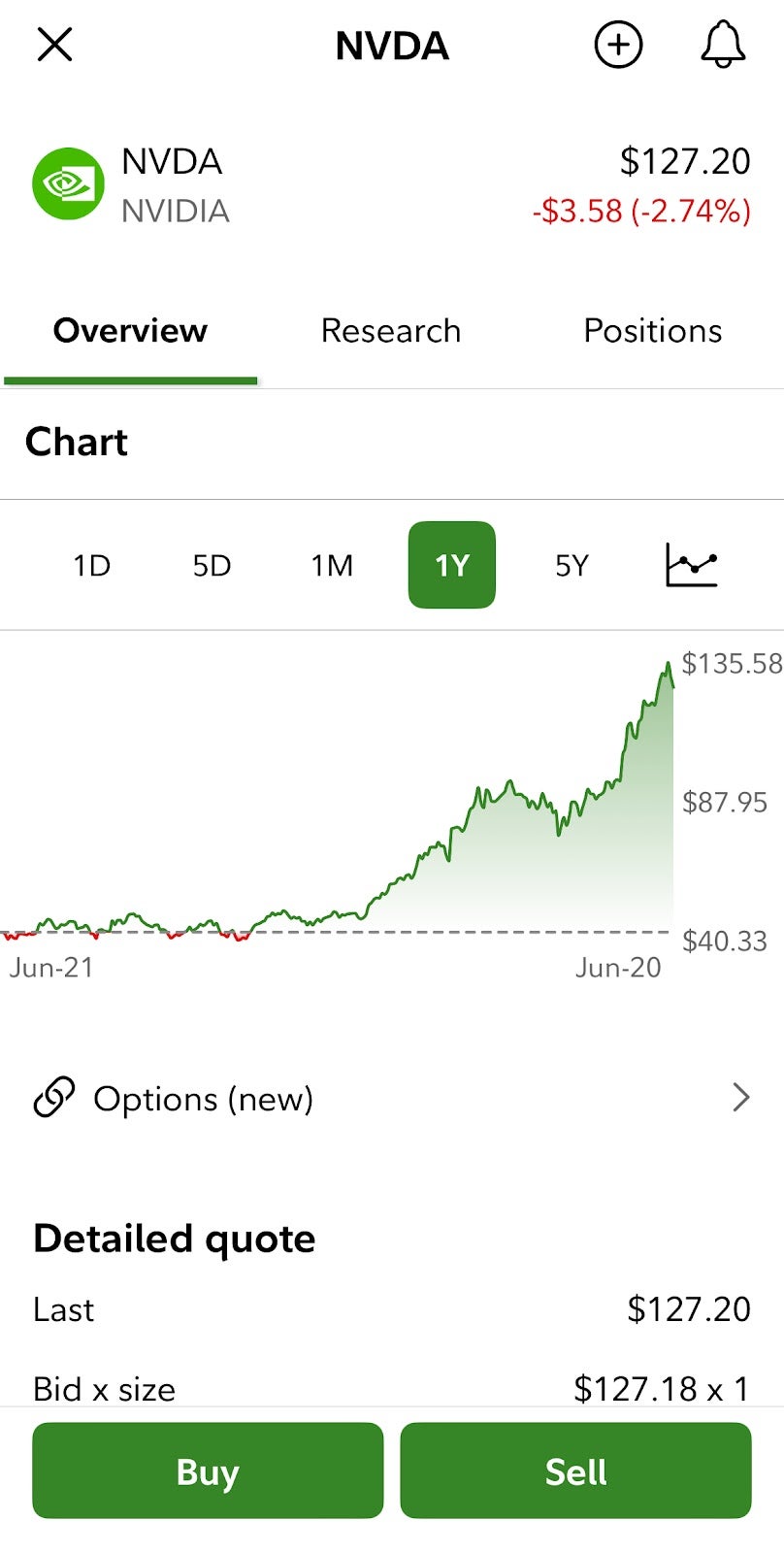
Most reputable brokerage apps provide real-time price quotes, which are essential for knowing exactly what you will pay for a share. Beyond the price, look for the “Market Cap” (the total value of the company) and the “P/E Ratio” (Price-to-Earnings), which helps determine if a stock is overvalued or undervalued compared to its peers.
For those interested in technical analysis, many iOS apps offer landscape mode charts. By turning your iPhone horizontally, you can access advanced charting tools, such as Moving Averages, the Relative Strength Index (RSI), and MACD. While these are useful, remember that for long-term personal finance, the company’s “fundamentals”—its revenue growth, debt levels, and profit margins—are usually more important than short-term chart patterns.
Building a Diversified Watchlist
Before committing capital, use your app’s “Watchlist” feature to track companies that interest you. This allows you to observe how a stock reacts to market news, earnings reports, and macroeconomic shifts without risking your money. A well-rounded watchlist should include a mix of sectors, such as Technology, Healthcare, Consumer Staples, and Energy. Diversification is the primary tool for risk management; by not putting all your money into a single stock, you protect your portfolio from the failure of any one company.
Executing Your First Trade: Order Types and Strategy
The moment of buying the stock is where many beginners feel the most anxiety. Understanding the mechanics of an “order” is crucial to ensuring you get the price you want.
Understanding Market, Limit, and Stop-Loss Orders
When you tap the “Buy” button on your iPhone, you will typically be presented with several options:
- Market Order: This tells the broker to buy the stock immediately at the current best available price. This is the fastest way to trade but can be risky in volatile markets where the price might jump in the seconds it takes to process.
- Limit Order: This is the preferred method for disciplined investors. You set a specific price at which you are willing to buy. If the stock never hits that price, the trade doesn’t execute. This gives you total control over your entry point.
- Stop-Loss Order: Once you own a stock, a stop-loss can be set to automatically sell the shares if the price drops to a certain level, protecting you from catastrophic losses.
The Power of Fractional Shares and Reinvestment
One of the greatest benefits of modern iPhone trading apps is the ability to buy “fractional shares.” If a single share of a major tech company costs $3,000 and you only have $100 to invest, you can buy 0.033 of a share. This allows investors with smaller amounts of capital to own pieces of high-priced, blue-chip companies, making it easier to build a balanced portfolio from scratch.
Furthermore, look for a feature called “DRIP” (Dividend Reinvestment Plan). This automatically takes any dividends paid out by a company and uses them to buy more shares of that stock. Over years and decades, the compounding effect of reinvested dividends is one of the most powerful ways to build wealth.
Long-Term Portfolio Management in the Palm of Your Hand
Buying the stock is only the beginning. The “Money” niche of investing is defined by how you manage those assets over time. The portability of the iPhone makes it easy to check your balance daily, but this can be a double-edged sword.
Monitoring Performance and Portfolio Rebalancing
Professional investors check their portfolios to ensure their “asset allocation” remains on track. If your goal was to have 50% in stocks and 50% in bonds, but your stocks have performed exceptionally well, they may now account for 70% of your total wealth. This makes your portfolio riskier. Periodically, you should use your app to sell some winners and buy underperforming assets to return to your target allocation—a process known as rebalancing.

Managing Risk and Avoiding Emotional Trading
The greatest danger of buying stocks on an iPhone is “gamification.” The ease of tapping a button can make investing feel like a game rather than a serious financial endeavor. High-frequency checking of your app can lead to emotional reactions to market volatility.
To succeed in personal finance, one must view the iPhone as a tool for execution, not a source of entertainment. The most successful investors are often those who buy high-quality assets and then have the discipline to do nothing. By focusing on long-term trends rather than daily fluctuations, you can turn your smartphone into a powerful engine for financial independence.
In conclusion, buying stocks on an iPhone is an empowering evolution in the world of money. By choosing a secure brokerage, understanding the nuances of order types, and maintaining a disciplined, long-term perspective, you can navigate the complexities of the stock market with professional-grade precision—all from the palm of your hand.
aViewFromTheCave is a participant in the Amazon Services LLC Associates Program, an affiliate advertising program designed to provide a means for sites to earn advertising fees by advertising and linking to Amazon.com. Amazon, the Amazon logo, AmazonSupply, and the AmazonSupply logo are trademarks of Amazon.com, Inc. or its affiliates. As an Amazon Associate we earn affiliate commissions from qualifying purchases.