
In the modern era of personal finance, mobile payment platforms have transitioned from being a convenience to a necessity. Cash App, owned by Block, Inc., has emerged as a titan in the peer-to-peer (P2P) payment space, offering users the ability to send money, invest in stocks, and even trade Bitcoin. However, as our financial lives evolve, so too do the tools we require. Whether you are streamlining your digital footprint, migrating to a different financial institution, or simply tightening your personal security protocols, knowing how to properly deactivate your Cash App account is a vital skill in maintaining financial hygiene.

Closing a financial account is rarely as simple as deleting an icon from your smartphone. It requires a methodical approach to ensure that no capital is left behind, all tax obligations are met, and your sensitive banking data is decoupled from the platform. This guide provides an exhaustive look at the deactivation process through the lens of prudent financial management.
Preparing Your Finances for Account Deactivation
Before you initiate the final closure of your Cash App account, you must perform a thorough audit of your digital wallet. Unlike a social media profile, a financial app carries real-world monetary implications that must be settled to avoid loss of funds or complications with future banking.
Withdrawing Your Remaining Balance
The most critical step in the deactivation process is ensuring your balance is exactly zero. Cash App does not automatically refund your remaining balance to your linked bank account upon deactivation; rather, it may become difficult to access those funds once the account is flagged for closure.
To “Cash Out,” navigate to the Banking tab and transfer your entire balance to your linked debit card or bank account. You have two options: the “Standard” transfer, which is free but takes one to three business days, or the “Instant” transfer, which incurs a small fee. From a financial optimization standpoint, the standard transfer is preferred unless you have an immediate need for the liquidity.
Liquidating Stocks and Bitcoin Holdings
Cash App is unique among P2P platforms because it integrates investment features. If you have utilized the app to purchase fractional shares of stock or Bitcoin, you cannot close your account while these assets are active.
You must sell your positions and wait for the trades to settle. In the world of finance, stock settlements typically take two business days (T+2). Additionally, be mindful of the tax implications of these sales. Selling your assets will trigger a capital gains event (either a gain or a loss), and you will need to download your tax documents and monthly statements from the app’s settings before closing the account, as accessing these forms post-deactivation can be an administrative hurdle.
Resolving Pending Transactions and Disputes
A common mistake is attempting to close an account while transactions are still “Pending.” This includes scheduled payments or deposits that have not yet cleared. Furthermore, if you have any open disputes or “chargebacks” regarding a fraudulent transaction, you should wait for the resolution of the case. Closing the account prematurely could forfeit your right to a refund or leave you liable for a negative balance if a dispute is settled against you.
The Step-by-Step Process of Closing Your Cash App Account
Once your balance is cleared and your investments are liquidated, you can proceed with the technical steps of deactivation. It is important to distinguish between “deleting the app” and “closing the account.” Deleting the app from your phone merely removes the interface; your financial data and account remain active on Block’s servers.
Navigating the Cash App Interface
To begin the permanent closure, open the app and tap the profile icon in the top-right corner. This will lead you to the “Support” menu. Within the support search bar, typing “Close Account” will direct you to the official prompts. Cash App’s system is designed to verify that your balance is zero before allowing you to proceed. If the system detects even a few cents, it will halt the process.
Unlinking Bank Accounts and Debit Cards
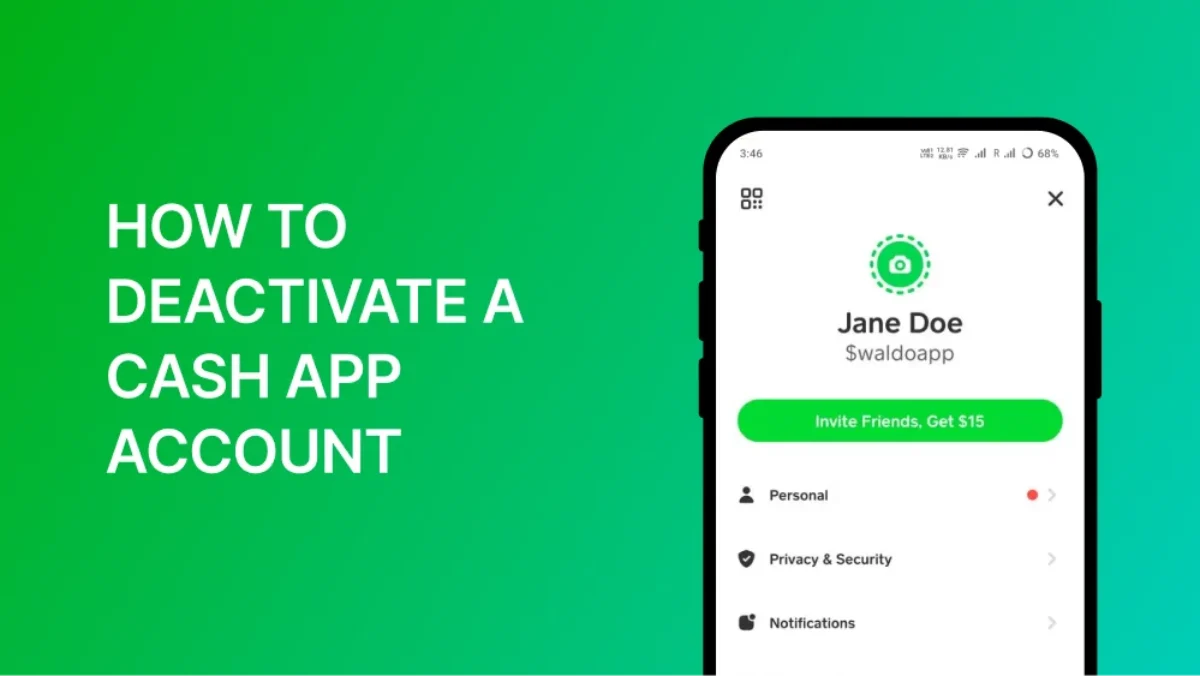
As a matter of digital financial security, it is best practice to manually unlink your bank accounts and debit cards before hitting the final “Confirm” button. By navigating to the “Linked Banks” section, you can remove your credentials. This adds an extra layer of protection, ensuring that the bridge between the P2P platform and your primary checking account is severed.
Confirming Final Deactivation
The final step involves a confirmation screen that warns you of the permanence of this action. Once you confirm, your $Cashtag becomes inactive, and you will no longer be able to send or receive funds. It is worth noting that you should receive a confirmation email. Save this email for your records, as it serves as proof that the account was closed at your request, which can be useful if you ever face identity theft issues in the future.
Post-Closure Financial Security and Data Privacy
Closing the account is the technical end of your journey with Cash App, but the financial tail continues. In the current landscape of fintech, data is just as valuable as currency, and understanding how your information is handled post-deactivation is essential for long-term security.
Understanding Data Retention Policies
Even after an account is closed, financial institutions are often required by law (such as the Bank Secrecy Act in the United States) to retain certain records for several years. This data includes your transaction history and identity verification documents. This retention is used for anti-money laundering (AML) monitoring and tax reporting. While you cannot force a company to delete this legally mandated data, knowing it exists helps you remain vigilant about potential data breaches that could affect your historical information.
Protecting Your Financial Identity After Departure
Once you have left the Cash App ecosystem, it is a prudent time to review your overall financial security. Change the passwords to any email accounts that were linked to the app. If you closed the account due to security concerns—such as a “phishing” attempt or unauthorized access—consider placing a fraud alert on your credit reports with the major bureaus (Equifax, Experian, and TransUnion). This ensures that even if your data was compromised prior to deactivation, the impact on your broader financial life is minimized.
Evaluating Alternatives in the Modern P2P Ecosystem
Choosing to deactivate Cash App often stems from a change in financial strategy. Perhaps the fees have become too high for your usage, or you require a tool with more robust business features. Understanding the landscape allows you to reallocate your digital financial resources more effectively.
Comparing Costs and Features of Competitors
If your primary goal is simple P2P transfers, tools like Zelle offer a different advantage. Unlike Cash App, Zelle is integrated directly into many traditional banking apps, meaning money moves directly from bank account to bank account without a middleman “wallet.” This often eliminates the “instant transfer fee” that many users find frustrating.
Conversely, if you require a platform for business invoicing and more formal financial transactions, PayPal or Venmo’s business profiles might offer better reporting tools and consumer protections, albeit often at the cost of higher transaction fees for sellers.
Determining Which Tool Fits Your Current Financial Goals
The decision of where to move your “digital cash” should align with your broader financial goals.
- For the Minimalist: Zelle is often the best choice as it reduces the number of apps holding your data.
- For the Investor: If you liked the investment aspect of Cash App, migrating to a dedicated brokerage like Fidelity or Vanguard provides a much wider array of investment vehicles (like IRAs and Mutual Funds) that Cash App lacks.
- For the Global Traveler: Platforms like Wise or Revolut offer much better foreign exchange rates and international transfer capabilities than domestic-focused P2P apps.

Conclusion: Maintaining Long-Term Financial Hygiene
Deactivating a Cash App account is more than just an administrative task; it is an act of financial intentionality. In an era where “subscription creep” and digital clutter can obscure our true financial standing, periodically auditing and closing unused accounts is essential. By ensuring your balance is zero, liquidating your digital assets, and securing your data, you take control of your financial narrative.
Whether you are moving toward a more traditional banking setup or exploring more sophisticated fintech tools, the process of closing an account correctly ensures that your transition is seamless, secure, and financially sound. Remember, your financial tools should serve your goals—not the other way around. If a platform no longer provides value or security, you have every right to take your capital elsewhere.
aViewFromTheCave is a participant in the Amazon Services LLC Associates Program, an affiliate advertising program designed to provide a means for sites to earn advertising fees by advertising and linking to Amazon.com. Amazon, the Amazon logo, AmazonSupply, and the AmazonSupply logo are trademarks of Amazon.com, Inc. or its affiliates. As an Amazon Associate we earn affiliate commissions from qualifying purchases.