
In the modern digital landscape, proficiency in specialized software is no longer a luxury but a prerequisite for professional efficiency. QuickBooks, developed by Intuit, has long stood as the gold standard for small to medium-sized business accounting. However, “learning QuickBooks” is not a singular task; it is a multifaceted journey that involves understanding cloud architecture, data management, and automated financial workflows. For tech-savvy professionals and business owners, mastering this software requires a strategic approach that moves from basic UI navigation to the integration of complex AI-driven features.
Establishing a Strong Foundation: Understanding the QuickBooks Ecosystem
Before inputting a single transaction, one must understand the structural differences between the various versions of QuickBooks. The software ecosystem is primarily divided into two camps: QuickBooks Online (QBO) and QuickBooks Desktop. In the current tech climate, QBO is the dominant force, functioning as a Software-as-a-Service (SaaS) platform that allows for real-time collaboration and cloud-based data storage.
Choosing Between QuickBooks Online and QuickBooks Desktop
The first step in your learning journey is identifying which environment suits your technical needs. QuickBooks Online is optimized for accessibility, offering a streamlined interface accessible via any web browser or mobile app. It excels in integration, connecting seamlessly with hundreds of third-party applications. Conversely, QuickBooks Desktop is a locally installed powerhouse, often preferred by industries with complex inventory needs or those requiring robust data processing without a constant internet connection. Understanding the technical limitations and strengths of each is crucial for long-term scalability.
Navigating the User Interface and Dashboard
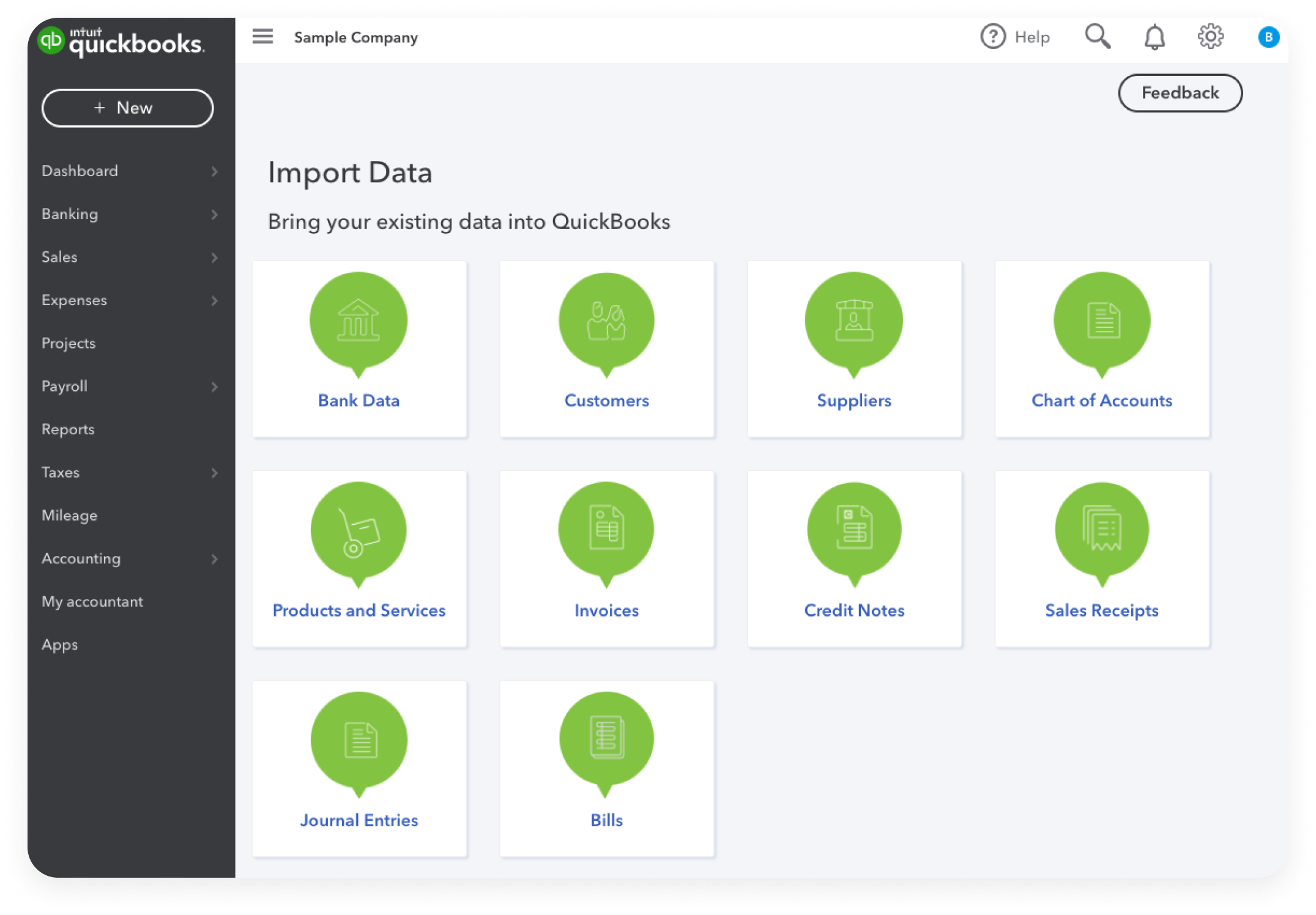
Once you have selected a platform, the next hurdle is the User Interface (UI). QuickBooks utilizes a “center-based” navigation system. For instance, the “Sales Center” houses everything related to customers, while the “Expenses Center” focuses on vendors. Learning to navigate the left-hand navigation bar and the “Quick Create” (+) button is essential. The dashboard itself serves as a data visualization tool, offering real-time graphs of profit and loss, bank balances, and accounts receivable. Mastering the UI means moving beyond clicking icons to understanding the logical flow of data from one screen to the next.
Setting Up Your Chart of Accounts Correctly
The Chart of Accounts (COA) is the backbone of the software’s database. It is a categorized list of every account a business uses to record financial transactions. In the tech category of software management, setting up a COA is akin to defining your database schema. You must categorize accounts into Assets, Liabilities, Equity, Income, and Expenses. A common mistake for beginners is over-complicating the COA with too many sub-accounts, which leads to “data noise.” A clean, well-organized COA ensures that the software’s reporting engine generates accurate and actionable insights.
Core Competencies: Mastering Essential Bookkeeping Functions
Learning the technical operations of QuickBooks involves understanding the “Money In” and “Money Out” workflows. These functions are the most frequently used parts of the software and require precision to ensure the integrity of the financial data.
Managing Invoices and Accounts Receivable
Invoicing is more than just generating a PDF; in QuickBooks, it is a data-entry point that triggers multiple ledger movements. To master this, you must learn how to create “Products and Services” items. These items act as the link between your sales and your income accounts. Tech-proficient users should explore the “Recurring Transactions” feature, which automates the generation and delivery of invoices for subscription-based models, significantly reducing manual administrative overhead.
Tracking Expenses and Accounts Payable
On the flip side of revenue is expense management. QuickBooks provides several methods for data entry: manual checks, bills, and expense receipts. A key technical skill here is mastering the “Bill Pay” workflow. This involves recording a bill when it is received and marking it as paid when the funds leave the bank. This two-step process is vital for businesses using the accrual method of accounting, as it allows for an accurate picture of liabilities at any given time.
Banking Integration and Transaction Matching
One of the most powerful features of QuickBooks is its ability to connect directly to financial institutions via API. This “Bank Feed” functionality automatically downloads transactions, but the user must still “match” or “add” them to the ledger. Learning the difference between these two actions is critical. Matching ensures that you aren’t doubling up on data already entered manually, while adding creates a new record in the software. Mastering the bank feed is the difference between spending hours on manual entry and spending minutes on data verification.
Leveraging Automation and AI Tools within the Platform
As QuickBooks evolves, it has increasingly integrated Artificial Intelligence and Machine Learning to assist users. To truly “learn” QuickBooks in a modern context, one must move beyond manual entry and embrace these automated features.

Utilizing Bank Rules to Streamline Data Entry
Bank Rules are the “if-this-then-that” logic of QuickBooks. By setting up rules, you can instruct the software to automatically categorize transactions from specific vendors or those containing certain keywords. For example, a rule can be set so that any transaction from “Adobe Systems” is automatically categorized as “Software Subscriptions.” This level of automation reduces human error and ensures consistency across the fiscal year.
Automated Reporting and Real-time Analytics
Data is only useful if it is interpreted. QuickBooks offers a robust reporting engine that can generate Profit and Loss statements, Balance Sheets, and Cash Flow statements with a single click. Advanced learners should focus on “Management Reports” and “Custom Reports.” These tools allow you to filter data by “Class” or “Location,” providing a granular look at different departments or branches of a business. Setting these reports to be automatically emailed to stakeholders on a weekly or monthly basis is a hallmark of a professional QuickBooks user.
Integrating Third-Party Apps for Enhanced Productivity
The QuickBooks App Store is a testament to the software’s extensibility. Whether it is integrating a CRM like Salesforce, an e-commerce platform like Shopify, or an expense management tool like Expensify, understanding how data flows via API is vital. Learning to manage these integrations ensures that QuickBooks remains the “Single Source of Truth” for an organization’s financial health, preventing data silos and fragmented reporting.
Advanced Features and Troubleshooting
Once the basics are mastered, a deep dive into the more technical and specialized modules of the software is necessary for full proficiency.
Managing Payroll and Employee Tax Documentation
QuickBooks Payroll is a sophisticated module that handles tax calculations, direct deposits, and filings. Learning this requires an understanding of tax jurisdictions and employee types (W-2 vs. 1099). The software automates much of the “heavy lifting,” such as calculating Social Security and Medicare withholdings, but the user must ensure the initial setup of payroll items and employee profiles is flawless to avoid legal and financial penalties.
Inventory Tracking and Project Profitability
For businesses that sell physical goods, the Inventory module is essential. This involves tracking “First-In, First-Out” (FIFO) asset values and setting reorder points. Additionally, the “Projects” feature allows users to track income and expenses against specific jobs. This “Job Costing” is a high-level technical skill that allows a business to see exactly which projects are profitable and which are draining resources.
Reconciling Accounts and Handling Year-End Procedures
Reconciliation is the technical process of ensuring the QuickBooks ledger matches the external bank statement. This is the ultimate “check and balance.” Learning how to troubleshoot a reconciliation that doesn’t balance—finding duplicate transactions or missing entries—is perhaps the most important skill for ensuring data integrity. Furthermore, understanding how to “Close the Books” at the end of the year prevents any accidental changes to past financial data, protecting the integrity of prior tax filings.
Best Resources and Strategies for Continuous Learning
The tech world moves fast, and QuickBooks is updated frequently. A static understanding of the software will quickly become obsolete. Therefore, developing a strategy for continuous learning is essential.
Official Intuit Training and Certification
The most direct path to mastery is through the QuickBooks ProAdvisor program. Intuit provides free, comprehensive training modules for QuickBooks Online that cover everything from basic setup to complex troubleshooting. Earning a certification not only validates your technical skills but also grants you access to a deeper level of support and advanced features within the software.
Community Forums and Expert-Led Tutorials
When encountering specific technical glitches or unique accounting scenarios, the QuickBooks Community forums are an invaluable resource. Peer-to-peer support and expert moderation mean that most technical questions have already been answered. Additionally, platforms like LinkedIn Learning and specialized YouTube channels provide visual, step-by-step tutorials that are excellent for visual learners who need to see the software in action.

The Importance of a Sandbox Environment for Practice
One of the best ways to learn without risk is by using the “QuickBooks Online Sample Company.” This is a fully functional, pre-populated version of the software that allows users to experiment with features, run reports, and practice reconciliations without affecting real-time business data. Treating the sample company as a technical “sandbox” allows you to fail safely, which is often the fastest way to learn how the software’s internal logic truly functions.
By approaching QuickBooks as a sophisticated technological ecosystem rather than a mere ledger, you can unlock its full potential. From mastering the initial setup and core functions to leveraging AI-driven automation and third-party integrations, the path to proficiency is built on a foundation of logical data management and continuous technical education.
aViewFromTheCave is a participant in the Amazon Services LLC Associates Program, an affiliate advertising program designed to provide a means for sites to earn advertising fees by advertising and linking to Amazon.com. Amazon, the Amazon logo, AmazonSupply, and the AmazonSupply logo are trademarks of Amazon.com, Inc. or its affiliates. As an Amazon Associate we earn affiliate commissions from qualifying purchases.