
In the current era of hyper-automated digital ecosystems, the “human touch” has become a premium feature rather than a standard default. Amazon, a global leader in cloud computing and e-commerce technology, utilizes some of the most sophisticated Artificial Intelligence (AI) and Natural Language Processing (NLP) algorithms to manage its customer interactions. While these automated systems are designed to resolve high-volume, low-complexity queries efficiently, they often create a layer of “friction” for users facing nuanced technical or logistical hurdles.
Navigating this interface requires more than just patience; it requires a technical understanding of how the platform’s Support User Experience (UX) is structured. This guide provides a comprehensive roadmap for bypassing the automated gatekeepers to connect with a live representative, ensuring your technical issues are addressed by a human specialist.
1. Deciphering the Amazon Customer Service Algorithm
To effectively reach a human, one must first understand why it is difficult to find one. Amazon employs a “deflection strategy” within its UX design. This is a technical approach where the system attempts to resolve issues through self-service modules and automated chatbots before escalating to a high-cost human resource.
The Role of the Automated Assistant
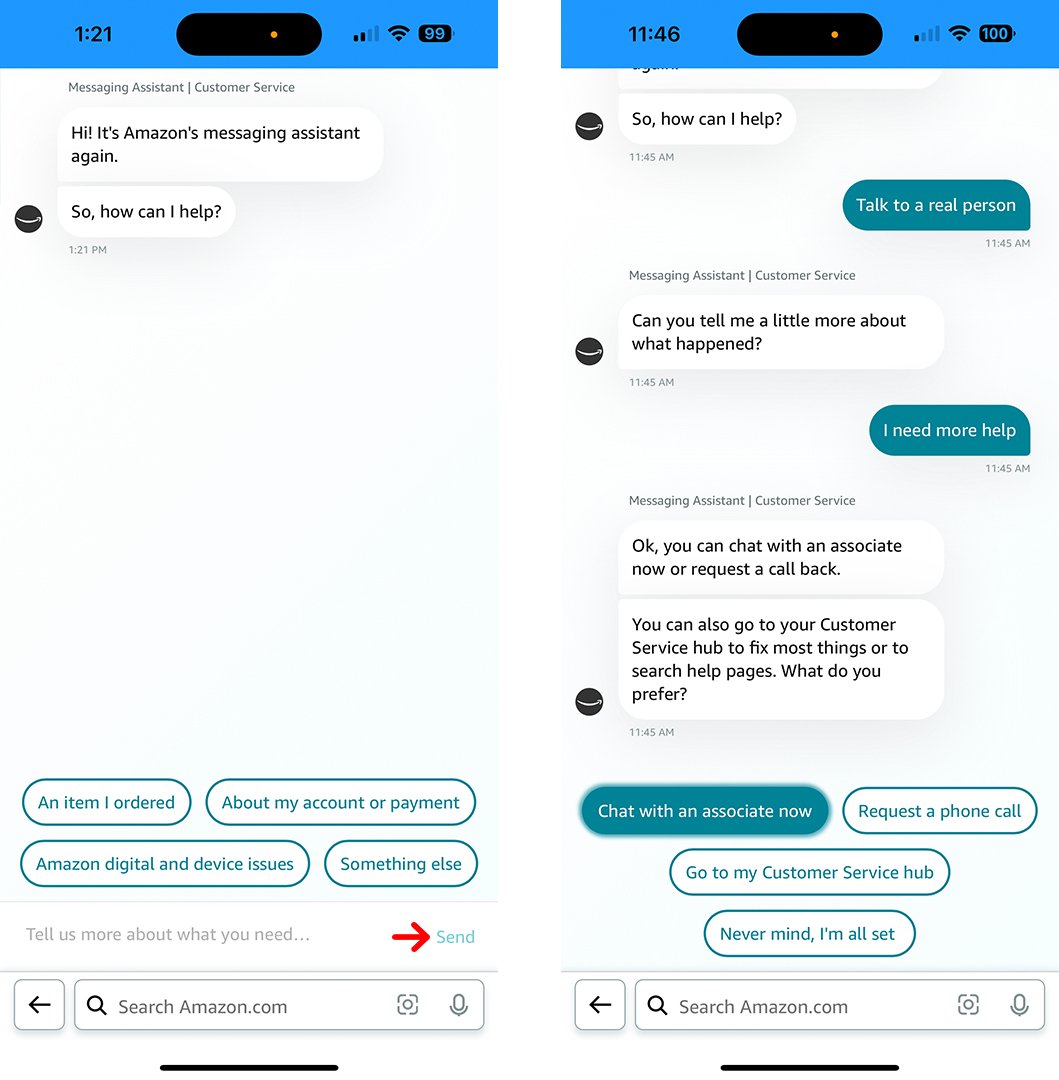
The primary gatekeeper is the Amazon Automated Assistant. This bot is built on sophisticated neural networks that categorize your query into specific “intent” buckets. If you provide a generic query like “shipping update,” the bot stays within its pre-programmed logic. To break this loop, you must provide inputs that the system recognizes as “unresolved” or “complex,” triggering an escalation protocol.
UX Obstacles and “Dark Patterns”
From a technical design perspective, the path to a live person is often buried under multiple layers of menus—a phenomenon sometimes referred to as a “dark pattern” in UI design. By understanding that the “Contact Us” link is dynamically generated based on your account status and active orders, you can better navigate the interface. The system tracks your clicks; if you click “Help” and then navigate away without finding a solution, the system’s backend logic may eventually offer more direct contact options.
2. Navigating the Chat Interface for Immediate Human Escalation
The most efficient technical route to a live person is through the Amazon Chat interface. This web-based application uses real-time data streaming to connect your account history with a support agent. However, simply opening the chat is not enough.
The “Contact Us” Portal Navigation
To begin, you must navigate to the Customer Service hub, usually found in the footer of the web interface or the “hamburger” menu of the mobile app. From there, select “A different issue” or “Something else.” This is a crucial technical choice; selecting a specific order often triggers a narrow, automated workflow. By choosing a broad category, you keep the conversational parameters open, making it easier to trigger the human transfer.
Effective Prompt Engineering for Humans
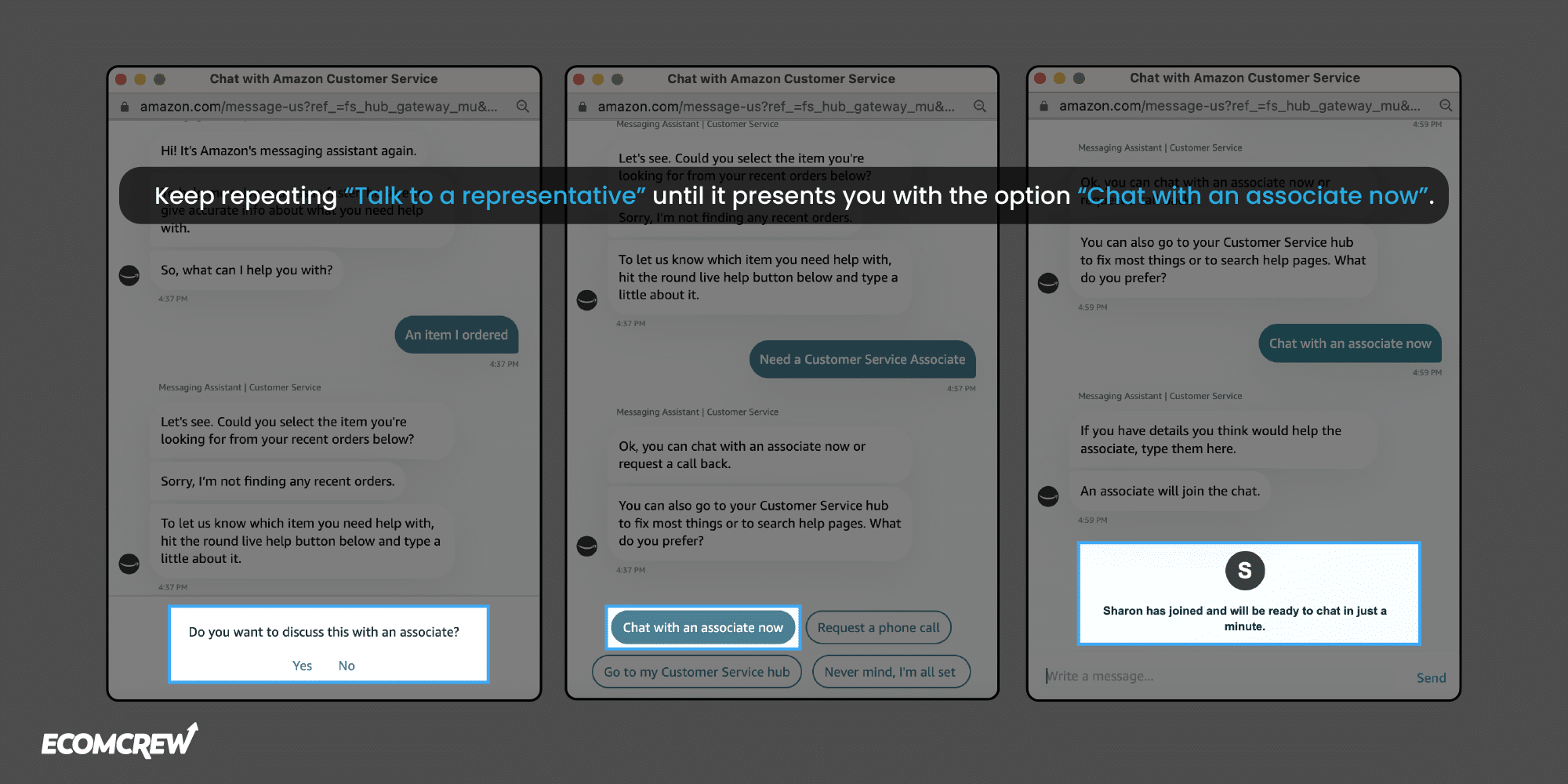
When the chat window opens, do not engage with the bot’s suggested buttons. Instead, use specific text inputs. Phrases like “Talk to a representative,” “Human agent,” or “Escalate to supervisor” are recognized by the NLP engine as high-priority requests. In many cases, typing “Agent” three times in succession overrides the bot’s attempt to provide automated help articles and forces the system to present a “Chat with an associate now” button.
Utilizing the Mobile App’s Interface
The Amazon mobile app (iOS and Android) features a slightly different API for customer support. Within the app, the “Customer Service” section often utilizes a more streamlined “hub” design. Technologically, the app can leverage your phone’s native UI elements to facilitate a smoother transition to a live chat or a call-back. Ensure your app is updated to the latest version, as older builds may have deprecated support links that result in dead-end loops.
3. The Telephony Bridge: Utilizing the Automated Call-Back System
While many users look for a direct inbound phone number, Amazon has largely transitioned to an outbound call-back architecture. This is a more technically efficient system for the company as it allows for load balancing and ensures the agent has your account data pre-loaded on their screen before the call begins.
Requesting a Call-Back via the Web Interface
To initiate this process, go to the “Contact Us” page and select the option for “Phone.” You will be prompted to select the specific issue you are experiencing. After navigating these categories, you will see a button labeled “Call me.”
When you click this, the Amazon backend communicates with a Voice over IP (VoIP) gateway. You enter your phone number, and the system places you in a virtual queue. The advantage here is that you are not on hold; the system only triggers the call once a live agent is available to take the session.
Direct Inbound Limitations
Technically savvy users often search for a direct “1-800” number. While these numbers exist (such as 1-888-280-4331), they are increasingly routed through an Interactive Voice Response (IVR) system that is even more restrictive than the online chat. The IVR will attempt to send a link to your smartphone to move you back into the digital chat environment. For most technical issues, the digital “Call me” request is faster than dialing a direct line and navigating a legacy phone menu.
4. Specialized Support for Hardware and Ecosystems
If your query is specific to Amazon’s hardware—such as Echo devices, Fire TV, or Kindle—there is a different technical support vertical you should access. These devices operate on proprietary versions of Android (Fire OS) or specialized Linux distributions, requiring agents with specific technical certifications.
Accessing Device-Specific Support
For Kindle or Alexa issues, the best route is through the “Devices” tab in your Amazon account. By selecting the specific serial number of the device having the issue, you trigger a “Technical Support” workflow. This workflow bypasses the general retail agents and connects you directly with the Device Support Team.
AWS and Developer Support
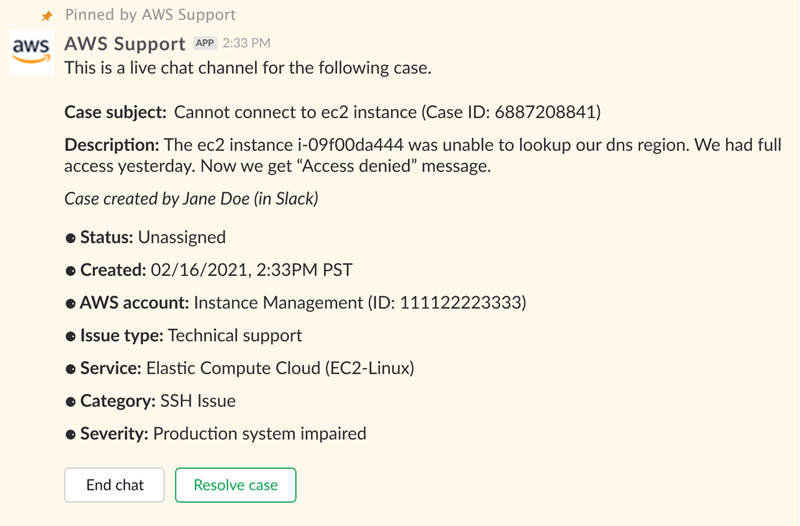
For users interacting with Amazon Web Services (AWS) or the Amazon Developer Console, the support structure is entirely separate from the retail side. This requires a dedicated AWS Support Center login. Here, support is tiered based on your subscription level (Basic, Developer, Business, or Enterprise). For technical outages or API failures, the Enterprise tier offers a < 15-minute response time from a Senior Cloud Support Engineer, accessible through a dedicated ticketing and phone-back system within the AWS Management Console.
5. Security Protocols and Technical Verification
When you finally reach a live person, the interaction moves into a verification phase. From a digital security standpoint, Amazon agents are trained never to ask for your full password, but they will require multi-factor authentication (MFA) or a “One-Time Password” (OTP).
The Verification Handshake
Typically, when a chat is escalated to a human, the agent sends a push notification to your registered mobile app or an SMS code. This “handshake” confirms your identity within the secure session. Ensure that your account’s contact information is up to date before initiating support, as an inability to pass this technical verification will result in the agent being forced to terminate the session for security reasons.
Identifying Legitimate Communication
A critical aspect of digital security is ensuring you are actually talking to Amazon. Scammers frequently use SEO-poisoning to place fake “Amazon Support” numbers at the top of search engine results. Always initiate your contact through the official amazon.com domain or the official app. If a “live person” asks you to download remote desktop software (like AnyDesk or TeamViewer) or purchase gift cards to “verify” your account, you are dealing with a malicious actor, not Amazon technical support.
Conclusion: Optimizing the Support Experience
Reaching a live person at Amazon is a task of navigating a complex, AI-driven interface designed for scale. By understanding the underlying logic—specifically the use of deflection, intent-based chat triggers, and the outbound call-back architecture—you can significantly reduce the time spent in automated loops.
In the future, as Amazon integrates more advanced generative AI into its support systems, the “human” option may become even more deeply embedded. However, by using the technical strategies outlined in this guide—such as prompt engineering in chat and utilizing device-specific support verticals—you can ensure that your most complex technical challenges are handled by the right human expert at the right time. Stick to the official channels, maintain your security protocols, and use the platform’s own UX logic to your advantage.
aViewFromTheCave is a participant in the Amazon Services LLC Associates Program, an affiliate advertising program designed to provide a means for sites to earn advertising fees by advertising and linking to Amazon.com. Amazon, the Amazon logo, AmazonSupply, and the AmazonSupply logo are trademarks of Amazon.com, Inc. or its affiliates. As an Amazon Associate we earn affiliate commissions from qualifying purchases.