
In the contemporary landscape of enterprise resource planning (ERP) and financial management software, QuickBooks Enterprise stands as a titan. Designed for growing businesses that require more robustness than the standard Pro or Premier versions, it offers a sophisticated suite of technical tools to manage complex inventories, advanced reporting, and multi-user environments. However, with great technical power comes the inevitable need for specialized technical support. Whether you are dealing with a database connection error, a failed software update, or a complex integration issue with third-party APIs, knowing how to efficiently access and utilize the QuickBooks Enterprise support infrastructure is critical for maintaining business continuity.
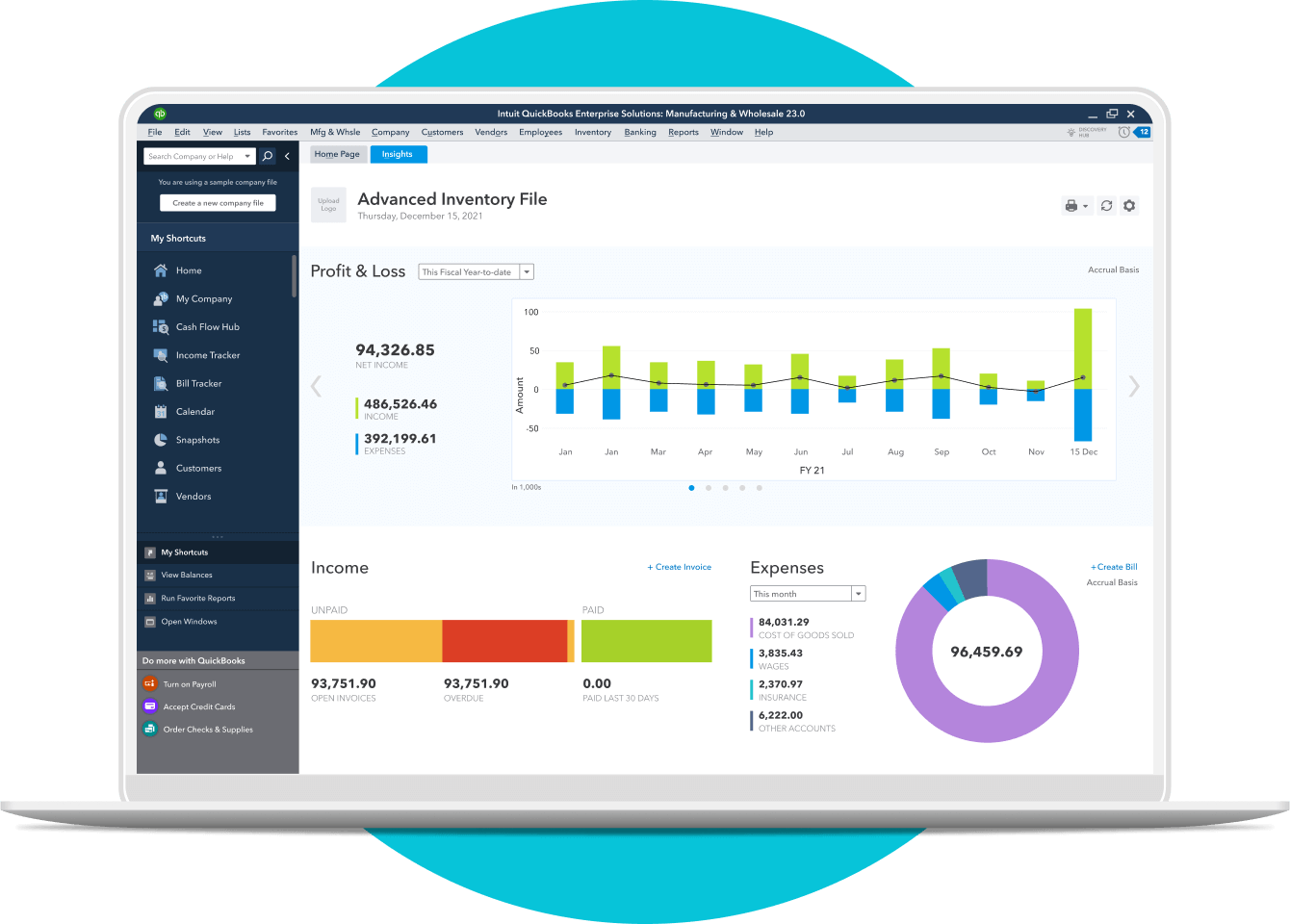
Understanding the QuickBooks Enterprise Technical Ecosystem
QuickBooks Enterprise is not merely an accounting app; it is a comprehensive technical ecosystem built on a proprietary database engine. To understand why support is so vital, one must first understand the architecture of the software itself. Unlike the cloud-only QuickBooks Online, the Enterprise version is often hosted on local servers or private clouds, requiring a high level of technical synchronization between workstations and the server manager.
The Complexity of ERP-Level Solutions
The transition from basic accounting software to an ERP-level solution like QuickBooks Enterprise introduces layers of technical complexity. The software utilizes a Sybase SQL database, which demands specific server configurations to ensure data integrity and speed. When performance lags or “Company File” errors occur, it is rarely a simple glitch; it is often a symptom of a deeper network configuration issue or a conflict within the Windows Hosting Environment. This is where technical support becomes indispensable, providing the specialized knowledge required to navigate these backend intricacies.
Key Features Requiring Technical Oversight
QuickBooks Enterprise includes features like Advanced Inventory and Advanced Pricing, which rely on real-time data processing across multiple locations. Technically, this requires seamless synchronization between the local client and the database server manager. If the communication protocol (specifically the QuickBooks Database Server Manager) fails, the entire business operation can grind to a halt. Technical support provides the diagnostic tools—such as the QuickBooks File Doctor—to identify whether the bottleneck is at the hardware level, the network level, or within the software’s binary files.
How to Access Official QuickBooks Enterprise Support
When a technical failure occurs, the first instinct is to search for a support number. However, in the digital age, security is as important as the solution. Users must be cautious of third-party “support” sites that are not affiliated with Intuit. The official path to support is designed to verify your identity and your subscription tier to ensure you receive the appropriate level of technical expertise.
Identifying Verified Support Channels
The most direct way to find the current QuickBooks Enterprise support number is through the software itself or your official Intuit Account portal. For Enterprise users, Intuit typically provides “Priority Circle” support, which includes a dedicated account manager and 24/7 technical assistance. You can access this by logging into your QuickBooks Desktop file, navigating to the Help menu, and selecting QuickBooks Desktop Help/Contact Us. This method ensures that the number you are calling is verified and that your technical logs can be shared securely with the agent.
Preparing for a Support Call: Technical Documentation
Before dialing the support number, a system administrator should gather specific technical data to expedite the resolution. This includes:
- The exact error code: (e.g., Error H202, 6000 series errors, or Unrecoverable Errors).
- System Specifications: RAM, CPU usage, and OS version of both the server and the affected workstations.
- Network Map: Whether the software is running over a local area network (LAN), a virtual private network (VPN), or a hosted cloud environment like Right Networks.
- License and Product Numbers: Found by pressing ‘F2’ within the application.
Having this data ready allows the technical support engineer to skip basic diagnostics and move straight into the “root cause analysis.”
Troubleshooting Common Technical Hurdles in QuickBooks Enterprise

Even with a support number at your fingertips, many technical issues can be mitigated by understanding the common points of failure within the software’s architecture. Most calls to QuickBooks Enterprise support revolve around three main technical categories: connectivity, data integrity, and installation conflicts.
Database Server Manager and Multi-User Connectivity
The “H-series” errors (H101, H202, H505) are the most frequent technical roadblocks. These indicate that a workstation cannot communicate with the company file located on the server. Technically, this usually means the QuickBooks Database Server Manager is not running or the Windows Firewall is blocking the specific ports used by QuickBooks (typically ports 8019, 56728, and others depending on the version year). Support technicians will often use remote desktop tools to configure these ports and ensure that the “Hosting” settings are correctly toggled off on workstations and on at the server.
Data Migration and Integration Challenges
As businesses scale, they often need to migrate data from legacy systems or integrate QuickBooks with specialized CRM and e-commerce platforms via the QuickBooks SDK (Software Development Kit). These technical integrations can lead to data mapping errors or “XML stream” failures. Specialist support teams help debug these API connections, ensuring that the data packets are being sent and received in the correct format without corrupting the primary .QBW file.
Maximizing Performance Through Advanced Technical Features
Modern QuickBooks Enterprise environments are increasingly moving away from local hardware toward more flexible, high-performance technical configurations. Understanding these options can reduce the frequency with which you need to call for support.
Cloud Hosting vs. On-Premise Installation
One of the most significant technical decisions a business makes is whether to host QuickBooks Enterprise locally or in a “Desktop as a Service” (DaaS) environment. Local installations offer total control but require the IT department to manage server maintenance, backups, and security patches. Cloud hosting, through authorized providers, moves the technical burden to a specialized data center. This often results in higher “uptime” and fewer technical errors related to hardware compatibility, as the environment is pre-optimized for the software’s specific SQL demands.
Security Protocols and Data Protection
In the era of ransomware and data breaches, the technical security of your financial software is paramount. QuickBooks Enterprise support often assists in setting up complex user permissions and “Complex Password” requirements. Technically, the software utilizes 128-bit encryption for data at rest and in transit. Support can guide administrators through the process of setting up automated, encrypted backups to the Intuit Data Protect (IDP) cloud, ensuring that even if a local server fails, the technical integrity of the business’s financial history remains intact.
The Role of AI and Automation in Modern QuickBooks Support
The future of software support is shifting from reactive phone calls to proactive, AI-driven solutions. Intuit has heavily invested in machine learning to predict when a company file might be nearing a size limit or when a system configuration might lead to a crash.
Intuit’s AI-Driven Self-Help Tools
The “QuickBooks Tool Hub” is a prime example of the evolution of tech support. Instead of waiting on hold, users can download this diagnostic suite which contains specialized algorithms to repair the Microsoft .NET Framework, C++, and MSXML components that QuickBooks relies on. By running these automated “fix-it” scripts, many technical issues that previously required a manual intervention by a support agent can now be resolved in minutes by the software itself.

The Future of Automated Accounting Support
We are entering an era where “Support” is integrated directly into the software’s code. Predictive analytics can now alert a system administrator if the database fragmentation is too high or if there are conflicting third-party drivers. This move toward an “autonomic” software model—where the program monitors its own health—is the ultimate goal of the QuickBooks Enterprise technical roadmap. While the support number will always remain a vital safety net, the increasing sophistication of the software’s internal diagnostic tools is designed to ensure that you rarely ever have to use it.
By understanding the technical depth of QuickBooks Enterprise and the structure of its support ecosystem, businesses can ensure that their software remains a high-performance engine for growth rather than a source of technical frustration. Whether through the Priority Circle support line or the automated Tool Hub, the resources are in place to keep your digital infrastructure running at peak efficiency.
aViewFromTheCave is a participant in the Amazon Services LLC Associates Program, an affiliate advertising program designed to provide a means for sites to earn advertising fees by advertising and linking to Amazon.com. Amazon, the Amazon logo, AmazonSupply, and the AmazonSupply logo are trademarks of Amazon.com, Inc. or its affiliates. As an Amazon Associate we earn affiliate commissions from qualifying purchases.