
In the early days of the World Wide Web, staying updated with your favorite websites required a manual, time-consuming process known as “surfing.” Users had to bookmark pages and revisit them repeatedly to check for new updates. This changed with the advent of RSS—Really Simple Syndication. Despite the rise of social media algorithms and centralized platforms, the RSS link remains a cornerstone of open-web technology, providing a decentralized, efficient, and user-controlled method for consuming digital content.
An RSS link is more than just a URL; it is a gateway to a standardized data stream that allows software to communicate with websites seamlessly. For tech enthusiasts, developers, and power users, understanding how RSS links function is essential for mastering information workflows and escaping the constraints of curated social feeds.

The Mechanics of RSS: What Is an RSS Link?
At its core, an RSS link is a specific URL that points to a structured XML (Extensible Markup Language) file rather than a standard HTML webpage. While a standard webpage is designed for human eyes—filled with CSS styling, JavaScript, and visual layouts—an RSS feed is designed for machine readability.
Defining Really Simple Syndication
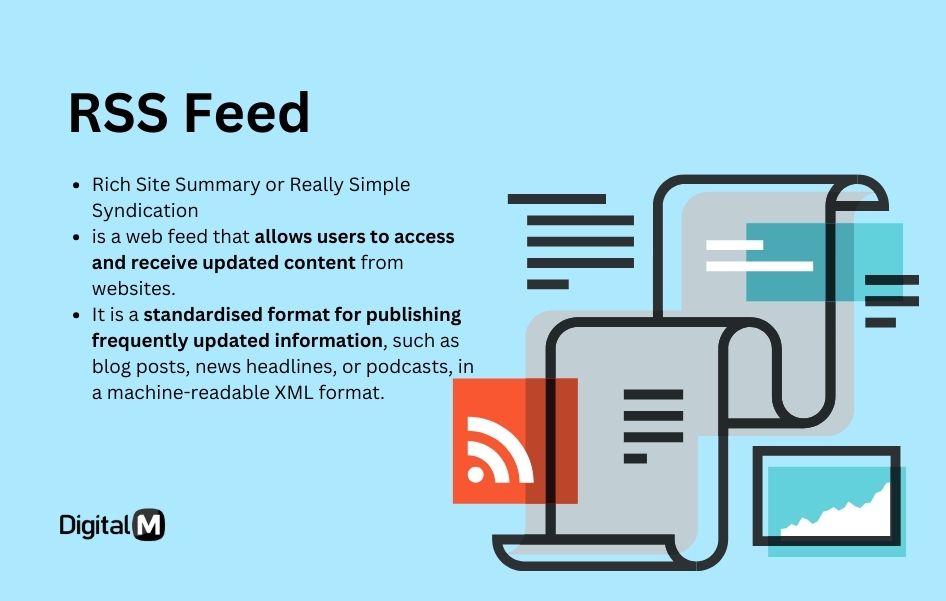
RSS stands for “Really Simple Syndication” (though some refer to it as “Rich Site Summary”). It is a web feed format used to publish frequently updated works, such as blog entries, news headlines, audio, or video. When you “subscribe” to an RSS link, you are essentially telling a piece of software to ping that XML file at regular intervals and notify you of any changes. This creates a “pull” dynamic where the user controls the flow of information, as opposed to the “push” dynamic of social media notifications.
Anatomy of an RSS XML File
When you click an RSS link and view the raw data, you will see a series of tags. Common tags include <title>, <link>, <description>, and <pubDate>.
<channel>: This tag contains information about the feed itself, such as the website name and its main URL.<item>: Each individual update (a new article or podcast episode) is wrapped in an “item” tag.<guid>: The “Global Unique Identifier” ensures that your feed reader knows which articles it has already shown you and which ones are brand new.
By organizing data this way, RSS links allow different software applications to parse and display content in a uniform manner, regardless of the website’s original design.
How RSS Links Differ from Standard URLs
A standard URL (e.g., https://example.com/blog) leads to a rendered page intended for browsing. An RSS link (often ending in /feed/, /rss.xml, or ?format=rss) leads to a data stream. The primary difference lies in the consumption method: standard URLs are for “destination browsing,” while RSS links are for “subscription-based aggregation.” The latter allows for a consolidated view of hundreds of sources within a single interface.
Why RSS Links Are Still Essential for Tech Enthusiasts
With the proliferation of Twitter, LinkedIn, and specialized newsletters, some might argue that RSS is a legacy technology. However, for those who value efficiency and digital sovereignty, the RSS link is more relevant than ever.
Escaping the Algorithmic Echo Chamber
Social media platforms use proprietary algorithms to decide what content you see, often prioritizing engagement and controversy over relevance or chronology. RSS links bypass this entirely. When you add an RSS link to a reader, you receive every single update from that source in reverse-chronological order. There is no shadow-banning, no “recommended for you” filler, and no advertisement-driven reordering of your feed.
Centralizing Information Streams
For professionals in the tech industry—developers, sysadmins, and analysts—keeping up with dozens of documentation sites, security advisories, and tech news outlets is a full-time job. RSS links allow these users to centralize their information. Instead of opening 50 browser tabs, a user can open one RSS aggregator like Feedly, Inoreader, or a self-hosted solution like Tiny Tiny RSS, and see a unified dashboard of the entire tech landscape.
Privacy and Minimalist Consumption
RSS is a privacy-first technology. Unlike following a brand on social media, where the platform tracks your clicks, hover time, and engagement metrics to build a profile, subscribing to an RSS link is largely anonymous. Most RSS readers fetch the data on your behalf, meaning the target website only sees a request from the reader’s server, not your personal IP address or tracking cookies. This makes it an ideal tool for those practicing “Digital Minimalism.”
How to Find and Use RSS Links Across the Web

Finding an RSS link can sometimes be a scavenger hunt, as many modern websites hide them in favor of social media buttons. However, once you know where to look, you can find them almost everywhere.
Spotting the RSS Icon and Common URL Patterns
The universal symbol for RSS is an orange square with white radio waves radiating from the bottom-left corner. If you don’t see this icon on a site’s header or footer, you can often “guess” the RSS link by appending common suffixes to the domain:
- WordPress:
website.com/feed/ - Substack:
publication.substack.com/feed - Medium:
medium.com/feed/@username - Tumblr:
username.tumblr.com/rss
Generating RSS Feeds for Sites Without Them
Some major platforms intentionally withhold RSS links to keep users within their “walled gardens.” For instance, YouTube provides RSS feeds for channels, but they are buried in the source code. You can find a YouTube channel’s RSS feed by using the URL: https://www.youtube.com/feeds/videos.xml?channel_id=[CHANNEL_ID]. For sites that offer no RSS support whatsoever, tech-savvy users employ tools like “RSS Bridge” or “FiveFilters” to scrape HTML and convert it into a functional RSS link.
Integrating RSS Links into Feed Readers
Once you have the link, the next step is the “Reader” or “Aggregator.” There are three main types:
- Cloud-based Readers: Services like Feedly or NewsBlur that sync across devices.
- Desktop Clients: Applications like NetNewsWire (macOS/iOS) or Reeder that offer a premium, native experience.
- Self-Hosted: For the ultimate tech enthusiast, hosting your own FreshRSS instance on a home server or VPS ensures total control over your data.
Beyond News: Technical Applications of RSS Links
While news consumption is the most common use case, the utility of the RSS link extends deep into software automation and DevOps.
Automating Workflows with IFTTT and Zapier
RSS links act as excellent “triggers” for automation platforms. You can set up a workflow where if a new item appears in a specific RSS link (e.g., a GitHub release feed), then an automated action is taken, such as sending a notification to a Slack channel or deploying a staging environment. This “If This Then That” logic turns a simple news feed into a powerful piece of infrastructure.
Powering Podcasts and Media Distribution
It is a little-known fact that the multi-billion-dollar podcasting industry is built entirely on the back of RSS links. When you subscribe to a podcast on Apple Podcasts or Spotify, the app is simply reading an RSS link. The <enclosure> tag within the RSS XML file points to the audio file (MP3/WAV), allowing the player to download or stream the content. Without the open-standard RSS link, the podcasting world would likely be fractured into proprietary, non-interoperable platforms.
RSS in Modern Software Development and Monitoring
Developers use RSS links to monitor software repositories, package updates, and server logs. For example, most version control systems like GitHub and GitLab provide RSS feeds for commits, tags, and releases. By subscribing to these links, a lead developer can stay informed of every change in a dependency’s codebase without having to manually check the repository every day.
The Future of RSS: Evolution in an Era of AI and Newsletters
The “death of RSS” has been predicted many times, most notably after the shutdown of Google Reader in 2013. Yet, the technology persists because it fulfills a fundamental human need for organized, unfiltered information.
AI-Enhanced Feed Filtering
The next evolution of the RSS link involves Artificial Intelligence. Modern readers are beginning to integrate Large Language Models (LLMs) to summarize the content of an RSS feed before the user even opens it. Imagine an RSS aggregator that monitors 500 tech blogs but only alerts you if an article mentions a specific security vulnerability or a breakthrough in quantum computing. This adds a layer of “intelligence” to the raw XML data, making the RSS link even more potent.
Comparing RSS to Modern Newsletter Protocols
While newsletters (via SMTP/Email) have seen a massive resurgence, they suffer from inbox clutter and tracking pixels. The RSS link remains the superior technical choice for “bulk” consumption. We are currently seeing a convergence where tools like Kill the Newsletter! allow users to convert email subscriptions into RSS links, moving the content out of the crowded inbox and into a dedicated reading environment.
In conclusion, the RSS link is a testament to the power of open standards. It is a resilient, versatile, and highly technical tool that empowers the individual in an era of centralized platforms. Whether you are a developer automating a deployment or a casual reader looking for a cleaner way to follow tech news, the humble RSS link remains one of the most effective tools in the digital arsenal.By understanding and utilizing these links, you reclaim control over your digital consumption, ensuring that you—not an algorithm—decide what information is worth your time.
aViewFromTheCave is a participant in the Amazon Services LLC Associates Program, an affiliate advertising program designed to provide a means for sites to earn advertising fees by advertising and linking to Amazon.com. Amazon, the Amazon logo, AmazonSupply, and the AmazonSupply logo are trademarks of Amazon.com, Inc. or its affiliates. As an Amazon Associate we earn affiliate commissions from qualifying purchases.