
In the current digital landscape, our primary email address serves as a gateway to our entire online existence. From financial accounts and social media profiles to professional correspondence and e-commerce transactions, the email address is the central node of a user’s digital identity. However, as cyber threats evolve and the volume of digital noise increases, the concept of an “alias email” has emerged as a critical tool for tech-savvy users, developers, and security-conscious professionals.
An alias email is not a separate mailbox but rather an additional email address that points to your existing primary account. Think of it as a professional mask or a dedicated forwarding address. Any message sent to the alias is automatically routed to your main inbox, allowing you to manage multiple facets of your digital life without the overhead of maintaining dozens of different login credentials. In this guide, we will explore the technical mechanics of email aliases, their role in digital security, and how to implement them across major software platforms.
The Technical Mechanics of Email Aliases
To understand what an alias email is, one must first understand how modern email architecture functions. Most users view email as a simple “send and receive” operation, but under the hood, it involves a series of complex protocols and server-side configurations. An alias exists as a pointer in the mail server’s database.
How Email Forwarding Works
When an email is sent to an alias, the Simple Mail Transfer Protocol (SMTP) server receives the message. Instead of looking for a dedicated storage partition for that specific address, the server references a lookup table. This table identifies the alias and immediately redirects the traffic to the primary mailbox. This process is nearly instantaneous and transparent to both the sender and the receiver. Because the alias is managed at the server level, it does not require additional storage space or a separate IMAP/POP3 configuration on your devices.
Primary Account vs. Alias
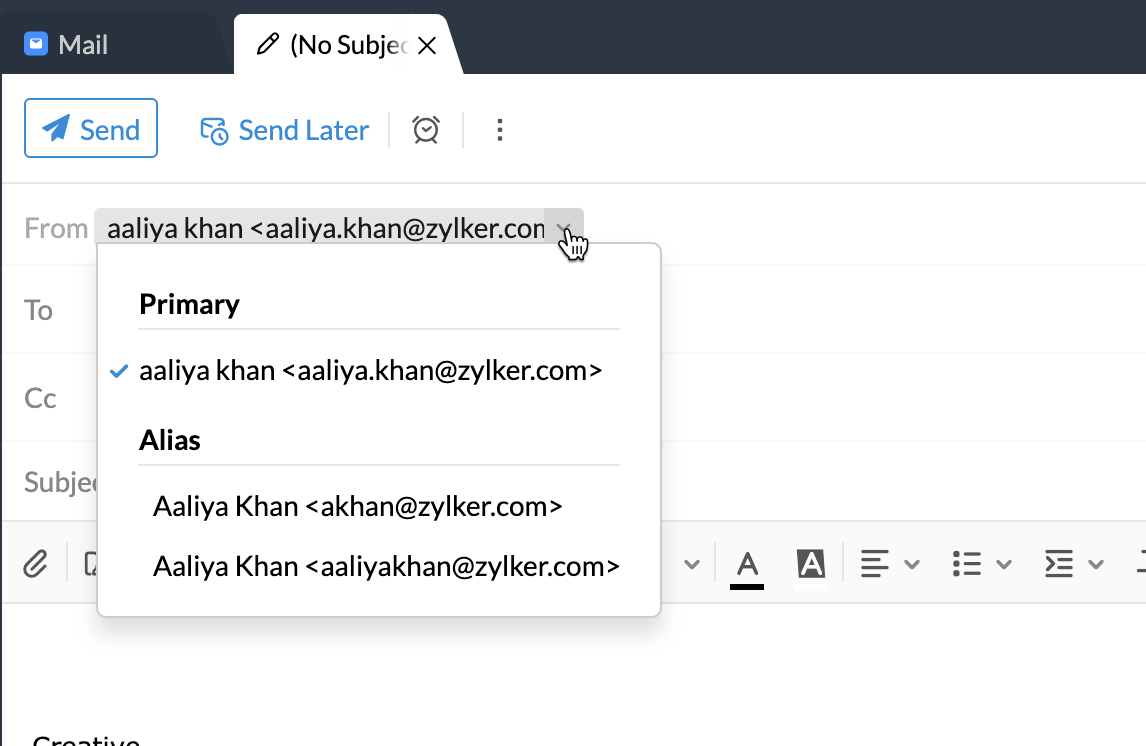
The primary account is the “parent” entity. It holds the actual data, the archives, and the security settings (such as two-factor authentication). The alias is a “child” entity that inherits these properties. Crucially, a well-configured alias allows for bi-directional communication. You can not only receive emails through an alias but also configure your mail client to “Send As” that alias, ensuring that your primary, private email address remains hidden from the recipient’s view.
Technical Standards: Sub-addressing vs. True Aliases
In the tech world, there are two common ways to create an alias. The first is “plus-addressing” or “sub-addressing” (e.g., yourname+shopping@gmail.com). This is a standard feature where the server ignores everything between the plus sign and the @ symbol. The second is a “true alias,” which is a completely different-looking address (e.g., contact@yourdomain.com pointing to personal.name123@gmail.com). True aliases offer superior privacy because they do not reveal the structure of your primary username.
Enhancing Digital Security and Privacy
For cybersecurity professionals, the primary motivation for using alias emails is the mitigation of risk. By using different aliases for different services, you create a modular digital identity that is much harder to exploit than a monolithic one.
Mitigating Spam and Phishing Attacks
One of the most significant advantages of an alias is its disposability. If you sign up for a service and start receiving an influx of spam, you can simply delete that specific alias. This instantly “kills” the connection between the spammer and your inbox without affecting your primary communication channel. This granular control is impossible with a single primary email address, where your only recourse would be to change your entire email or rely on imperfect spam filters.
Data Breach Protection
In the event of a data breach at a third-party website, your login credentials (usually an email and password) are often leaked to the dark web. If you use your primary email for everything, hackers now have half of the login credentials for every other account you own. If you use a unique alias for every service, the leaked email address is useless for credential-stuffing attacks on your other accounts. It effectively “sandboxes” the impact of a security failure at any single service provider.
Tracking Data Sharing Practices
Aliases can serve as a “digital canary.” By using a unique alias for a specific company (e.g., companyname@youralias.com), you can track exactly who is selling or sharing your data. If you receive an unsolicited marketing email from a third party addressed to that specific alias, you have definitive proof of which company leaked or sold your information. This allows you to make informed decisions about which software tools and platforms you trust with your data.
Organizational Efficiency and Workflow
Beyond security, email aliases are a cornerstone of professional workflow management and organizational design. They allow individuals and small teams to present a sophisticated, organized front without the complexity of managing multiple user licenses.
Creating Role-Based Addresses
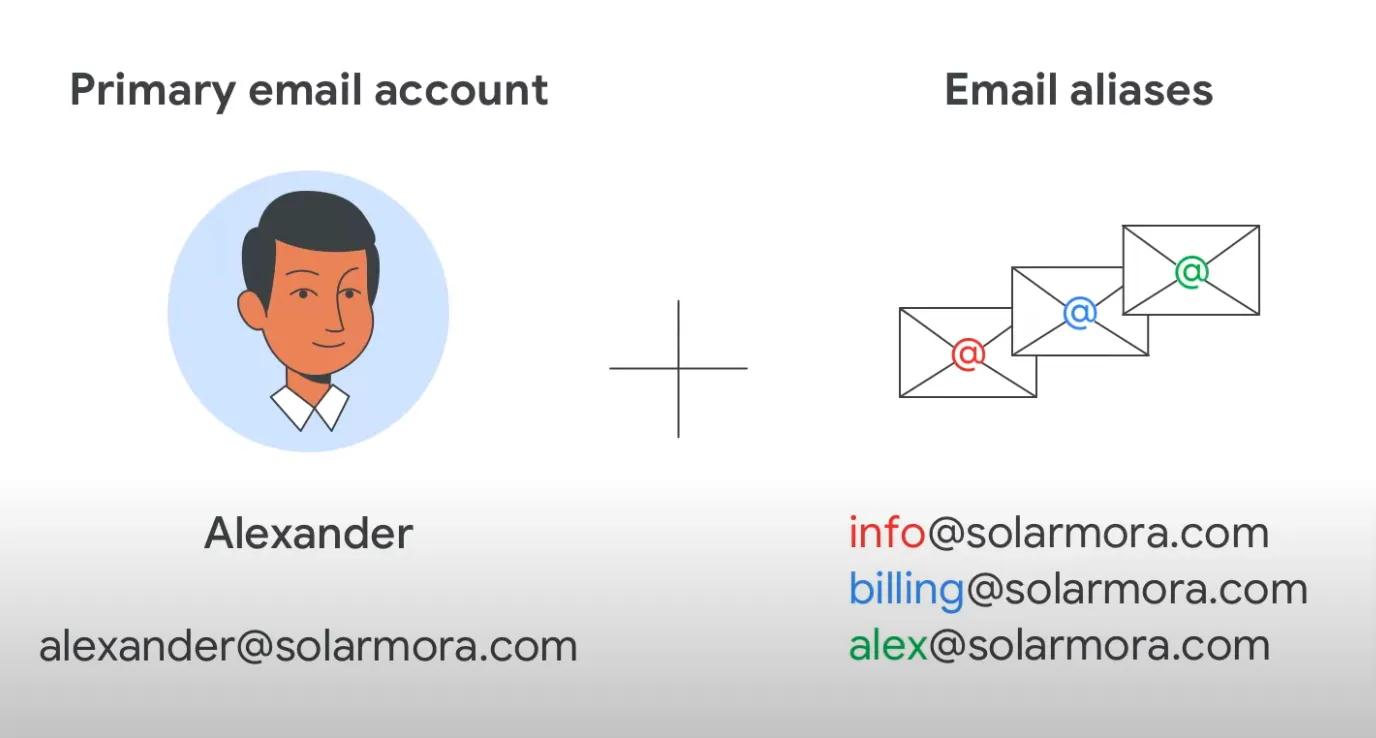
For freelancers, entrepreneurs, and developers, project management often requires wearing multiple hats. An alias system allows you to create role-based addresses such as support@yourdomain.com, billing@yourdomain.com, or dev-updates@yourdomain.com. All of these can route to a single developer’s inbox. This ensures that correspondence is categorized correctly from the moment it arrives and provides a professional appearance to clients and collaborators.
Filtering and Labels
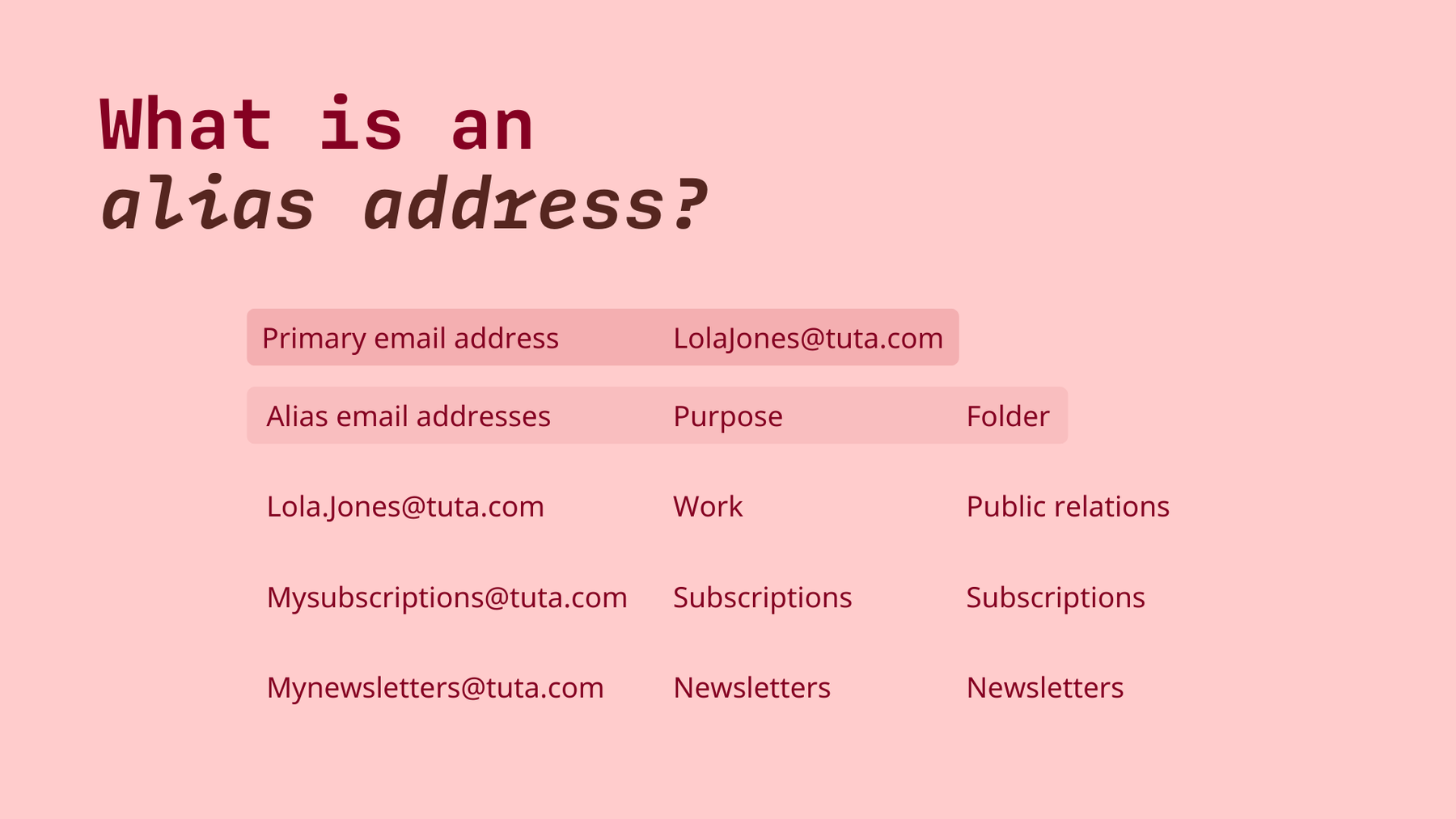
Modern email clients like Gmail, Outlook, and ProtonMail allow you to create sophisticated filters based on the “To” field. Since emails sent to an alias arrive with that alias in the “To” header, you can automate your workflow. For example, any email sent to newsletters@youralias.com can be automatically tagged with a “Read Later” label and bypass the primary inbox entirely. This “zero-inbox” strategy is highly effective for maintaining focus in a high-velocity tech environment.
Streamlining Communication in Collaborative Environments
In collaborative software development, aliases can be used for automated system alerts. A team might set up an alias like alerts@project-alpha.com that forwards to three different developers. This ensures that critical system notifications reach the necessary parties without requiring the overhead of a dedicated shared mailbox or a complex ticketing system.
Implementation Across Major Tech Platforms
Setting up an alias varies depending on the ecosystem you inhabit. Most major enterprise and consumer email providers offer these features, though the configuration steps differ.
Setting Up Aliases in Google Workspace and Gmail
In the consumer version of Gmail, users are mostly limited to “plus-addressing.” However, in Google Workspace (the enterprise version), administrators can add up to 30 aliases for each user at no additional cost. This is managed through the Google Admin Console under User settings. Once added, the user must go to Gmail settings > Accounts > Send mail as, to enable the ability to reply using that alias.
Microsoft Outlook and Alias Management
Microsoft is perhaps the most flexible regarding consumer aliases. An Outlook.com user can create multiple aliases (ending in @outlook.com or @hotmail.com) directly within their account settings. These function as completely independent addresses for logging in and sending mail, yet they all share the same inbox, calendar, and contacts. For enterprise users, Microsoft 365 offers “Proxy Addresses,” which serve a similar purpose in a corporate environment.
Third-Party Alias Services: The Privacy Tier
For those seeking the highest level of tech-privacy, third-party services like SimpleLogin, AnonAddy, or Apple’s “Hide My Email” are the gold standard. These services sit between the internet and your inbox. When you need to provide an email, these tools generate a random, high-entropy string (e.g., x82j_9s@simplelogin.com). These services offer advanced features like PGP encryption for forwarded mail and the ability to toggle an alias “off” with a single click, providing a robust layer of abstraction between your identity and the web.
Best Practices for Maintaining Email Hygiene
To truly benefit from email aliases, a user must move beyond haphazard creation and toward a structured system of “email hygiene.”
When to Use a Temporary vs. Permanent Alias
Not all aliases are created equal. A permanent alias should be used for long-term professional identities or core services (like your primary bank). A temporary or “burner” alias—often provided by specialized browser extensions—should be used for one-time whitepaper downloads, guest Wi-Fi access, or testing software. Knowing the difference prevents your primary “alias vault” from becoming as cluttered as the inbox you were trying to protect.
Naming Conventions for Clarity
For those using custom domains, a consistent naming convention is vital. Using a format like category.service@yourdomain.com (e.g., fin.chase@domain.com) allows for easy searching and filtering. It also makes it easier to remember which email you used for a specific service without having to consult a password manager every time.
Regularly Auditing Your Alias List
The tech landscape is shifting toward more aggressive data collection. An annual or semi-annual audit of your active aliases is a productive habit. This involves reviewing which aliases are receiving the most spam and deactivating those that are no longer tied to essential services. By pruning your digital “surface area,” you ensure that your email ecosystem remains efficient, secure, and manageable.
In conclusion, an alias email is more than just a tech trick; it is a sophisticated method of managing digital boundaries. By decoupling your primary login identity from your public-facing communication channels, you gain unparalleled control over your privacy, security, and productivity. Whether you are a developer managing multiple projects or a user looking to reclaim your inbox from the deluge of marketing, mastering the email alias is an essential skill in the modern digital age.
aViewFromTheCave is a participant in the Amazon Services LLC Associates Program, an affiliate advertising program designed to provide a means for sites to earn advertising fees by advertising and linking to Amazon.com. Amazon, the Amazon logo, AmazonSupply, and the AmazonSupply logo are trademarks of Amazon.com, Inc. or its affiliates. As an Amazon Associate we earn affiliate commissions from qualifying purchases.